

Overview
Most endpoint security content focuses on individual tools in isolation. This lab was built to answer a different question: what does an endpoint actually look like when you can see everything?
The setup pairs two layers that belong together but rarely get covered together. Wazuh handles detection and visibility — it sees every event, scores the machine against CIS benchmarks, and maps every finding to NIST, GDPR, and PCI DSS automatically. Microsoft Intune handles enforcement — it defines what a compliant device looks like and ensures devices meet that standard before they can access resources.
The insight that drove the build: visibility without enforcement is just logging. Enforcement without visibility is blind trust. A production endpoint security program needs both.
Architecture
Microsoft Intune (M365 Tenant)       Wazuh SIEM (Proxmox homelab)
         |                                       |
  Compliance policies               Security event collection
  Configuration enforcement         CIS benchmark scoring
  Conditional Access                Vulnerability detection
  Device inventory                  Multi-framework compliance mapping
         |                                       |
         └──────────────── Endpoints ────────────┘
                    macOS (M2 MacBook Pro)
                    Windows 11 VM (Proxmox)
Infrastructure
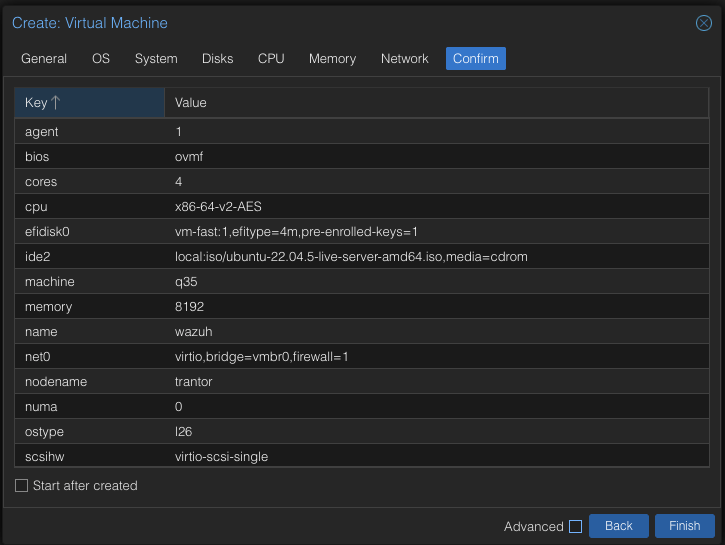
Wazuh server deployed as a VM on Proxmox (trantor — i9-13900K, 128GB RAM):
| Setting | Value |
|---|---|
| OS | Ubuntu 22.04 LTS |
| RAM | 8GB |
| CPU | 4 vCPUs |
| Disk | 100GB |
| Install | All-in-one (manager, indexer, dashboard) |
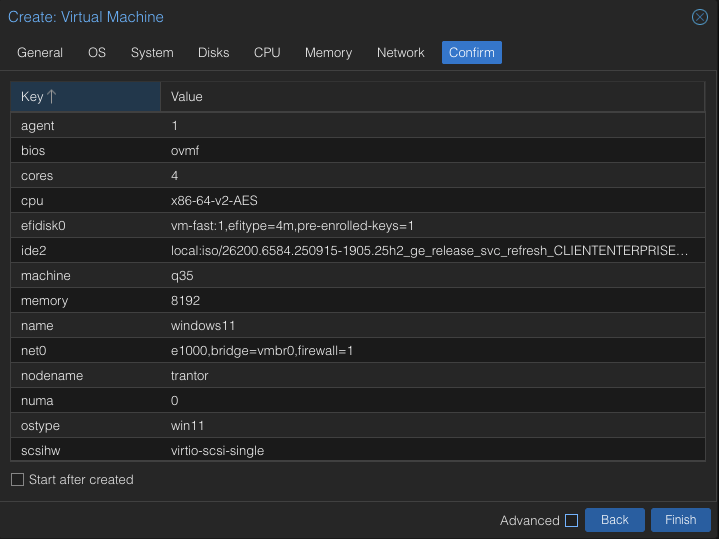
Windows 11 VM — fresh Enterprise evaluation image, no prior configuration:
| Setting | Value |
|---|---|
| OS | Windows 11 Enterprise 25H2 |
| RAM | 8GB |
| CPU | 4 vCPUs |
| Disk | 80GB |
| Disk controller | VirtIO |
| TPM | Enabled |
Wazuh Deployment
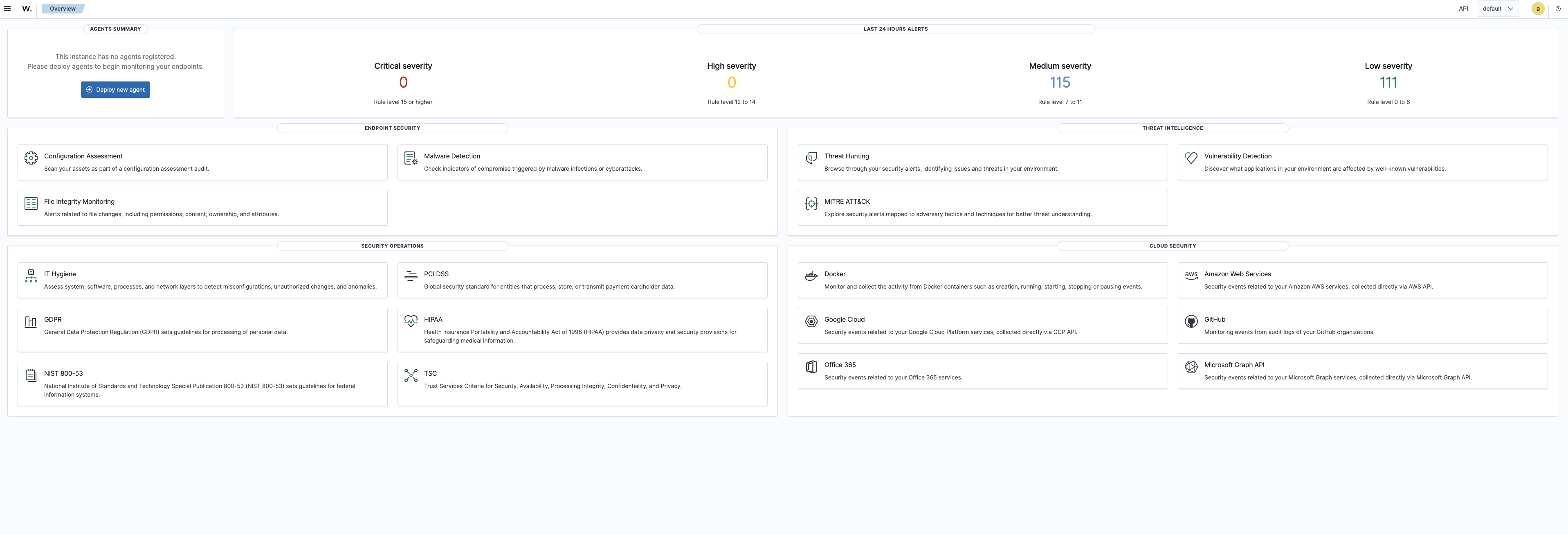
Installed using the official all-in-one script on Ubuntu 22.04:
curl -sO https://packages.wazuh.com/4.14/wazuh-install.sh && sudo bash ./wazuh-install.sh -aThe -a flag installs the Wazuh manager, indexer (OpenSearch-based), and dashboard on a single node — the right fit for a lab. Installation takes roughly 15 minutes and outputs admin credentials on completion.
Connecting Endpoints
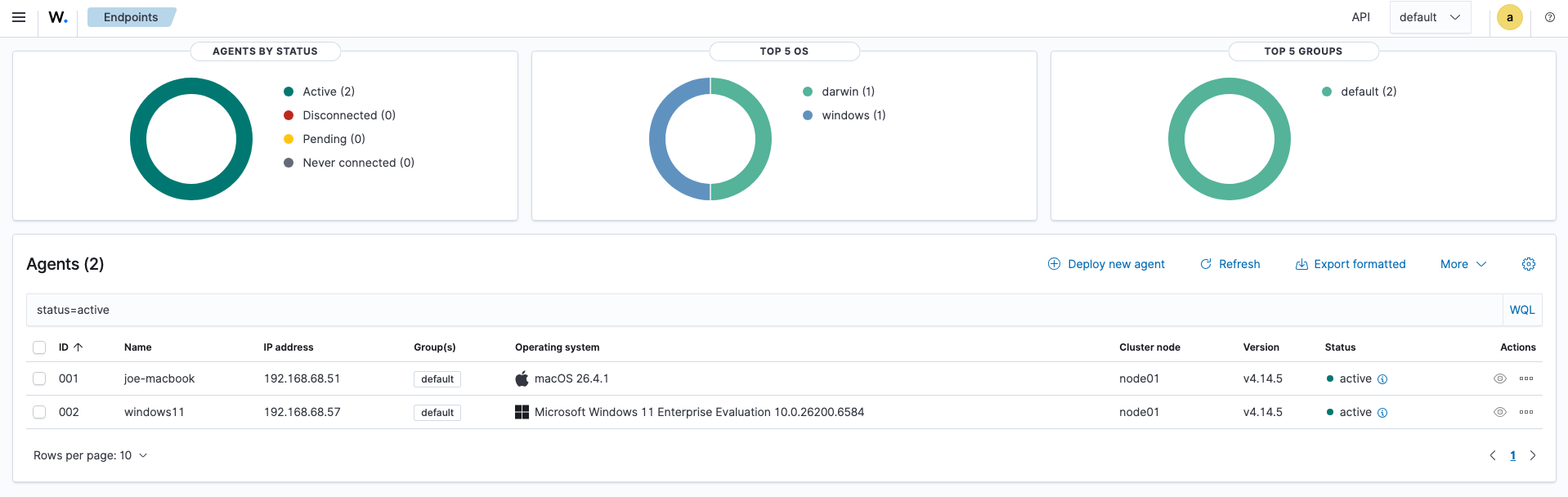
Agents were deployed to both endpoints from the Wazuh dashboard (Agents Management → Summary → Deploy new agent).
macOS agent — Apple Silicon package, pointed at the Wazuh server IP.
Windows agent — downloaded and installed via the generated PowerShell command, service confirmed running.
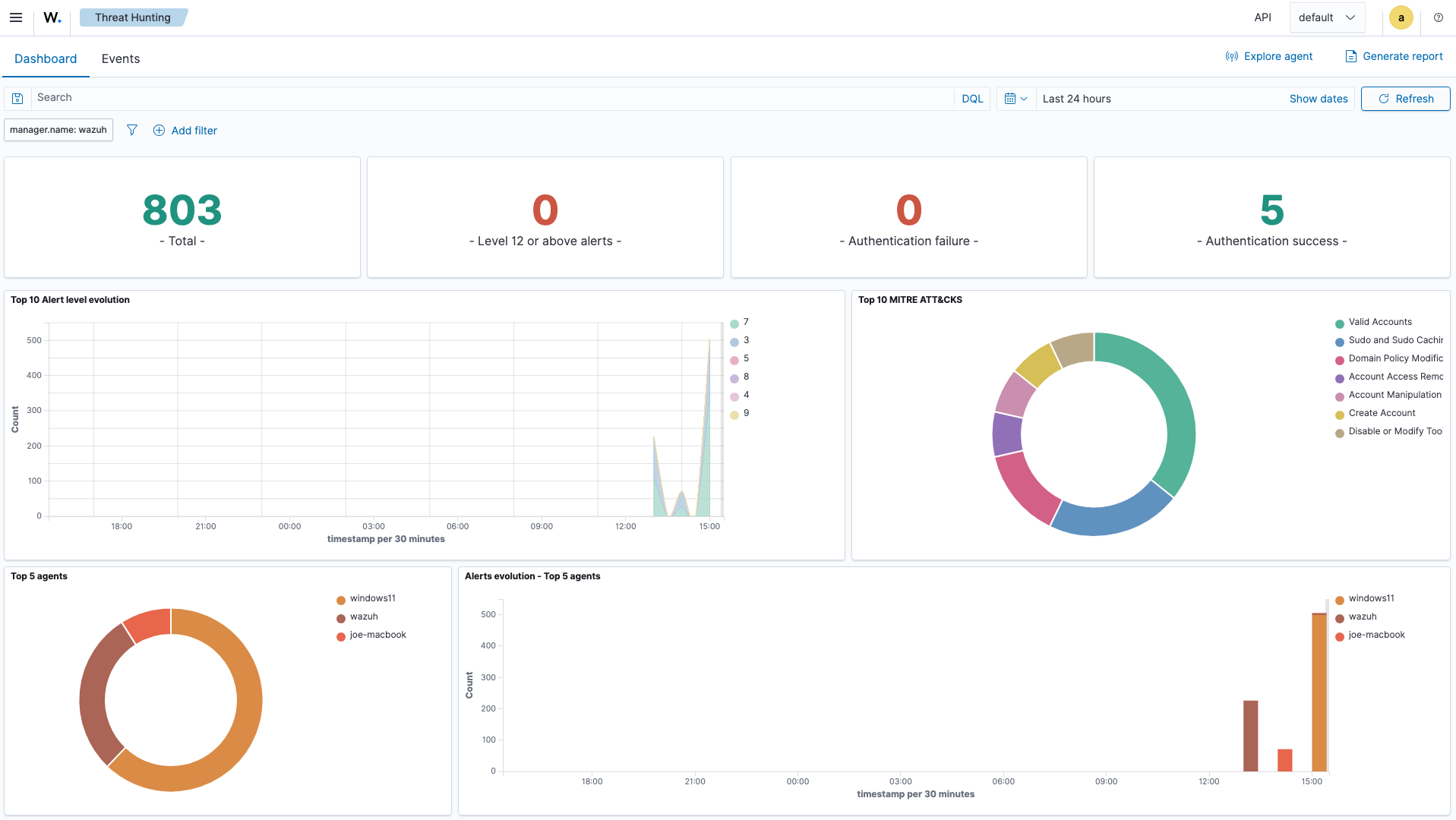
Within minutes of both agents connecting, the dashboard showed 803 security events collected from normal system activity alone — no adversarial action required.
The CIS Benchmark Finding
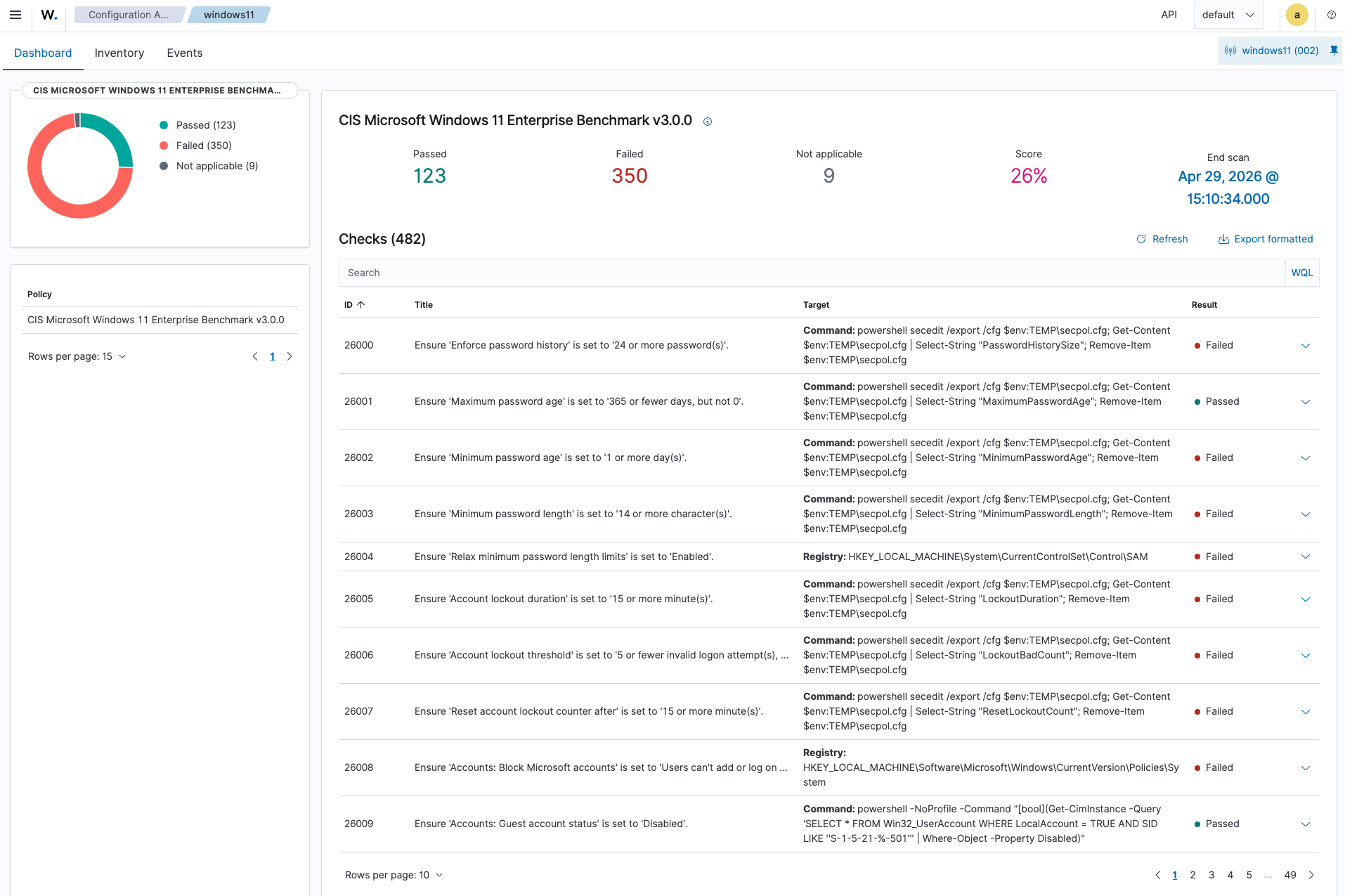
Wazuh automatically runs Security Configuration Assessment (SCA) against connected endpoints, scoring them against CIS benchmarks. The Windows 11 VM — fully updated, no other configuration — scored 26% against the CIS Microsoft Windows 11 Enterprise Benchmark v3.0.0.
350 controls failed. 123 passed.
Each failed control includes a detailed breakdown. A single finding maps automatically to every applicable compliance framework simultaneously:
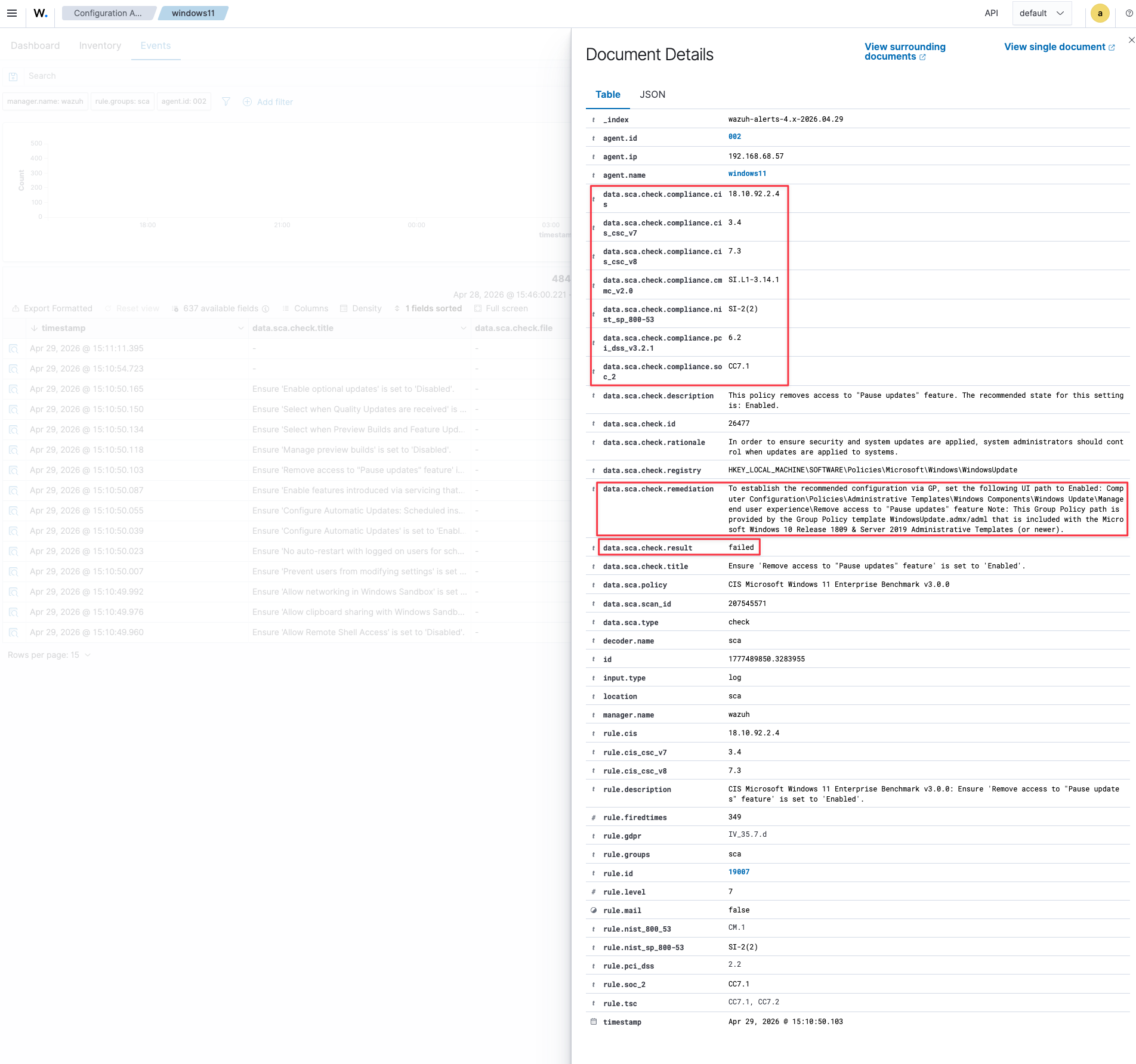
This automatic multi-framework mapping is operationally significant. Enterprises, healthcare organizations, and financial institutions are typically subject to multiple compliance regimes simultaneously — HIPAA, PCI DSS, NIST, GDPR. A single Wazuh scan produces evidence relevant to every audit, not just one.
Patching Is Not Hardening
Before applying any remediation, Windows Update was run to full completion. The CIS score after a fully patched system: still 26%.
This is the core finding of the lab. Updates address known vulnerabilities. They do not configure security settings, enforce access controls, or implement the organizational policies that make an endpoint compliant. A fully patched machine is not a hardened machine.
The 350 failing controls were configuration failures — not missing patches.
Remediation: Microsoft Security Baseline
Microsoft publishes the Security Compliance Toolkit, which includes pre-built Group Policy baselines aligned to CIS and STIG. Applying the Windows 11 25H2 Security Baseline via Baseline-LocalInstall.ps1 -Win11NonDomainJoined moved the score from 26% to 51% — a 25-point jump from a single script.
.\Baseline-LocalInstall.ps1 -Win11NonDomainJoined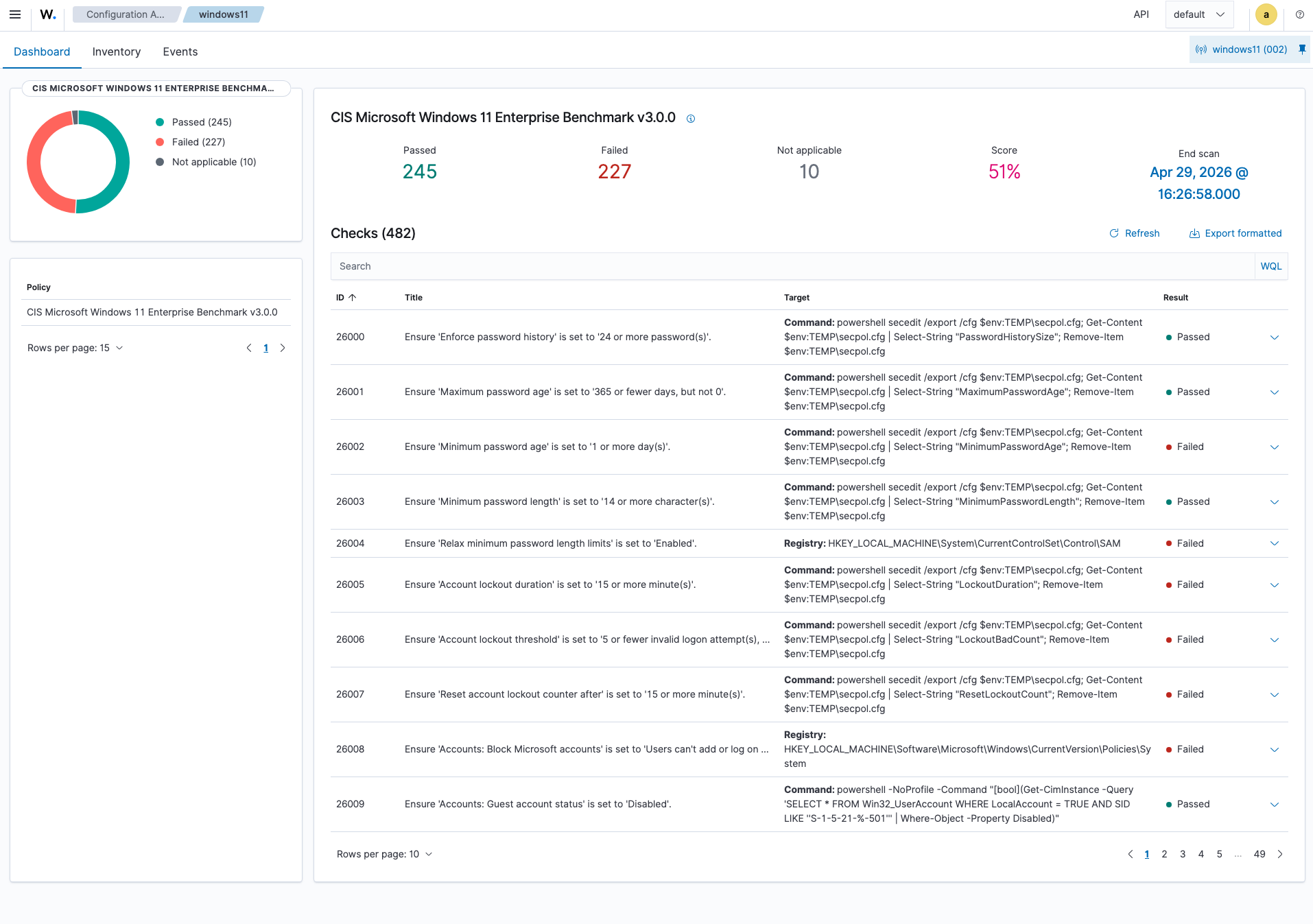
49% of controls still failed after the baseline. The remaining failures represent configurations that require organizational policy decisions — password requirements, update cadence, approved applications, access restrictions. These are exactly the controls that a centralized management platform enforces at scale.
Management Layer: Microsoft Intune
The Windows VM was enrolled into a Microsoft Intune tenant via Entra ID join (Settings → Accounts → Access work or school → Join this device to Azure Active Directory).
Enrollment confirmed with:
dsregcmd /status
# AzureAdJoined: YES
# MDMUrl: [populated]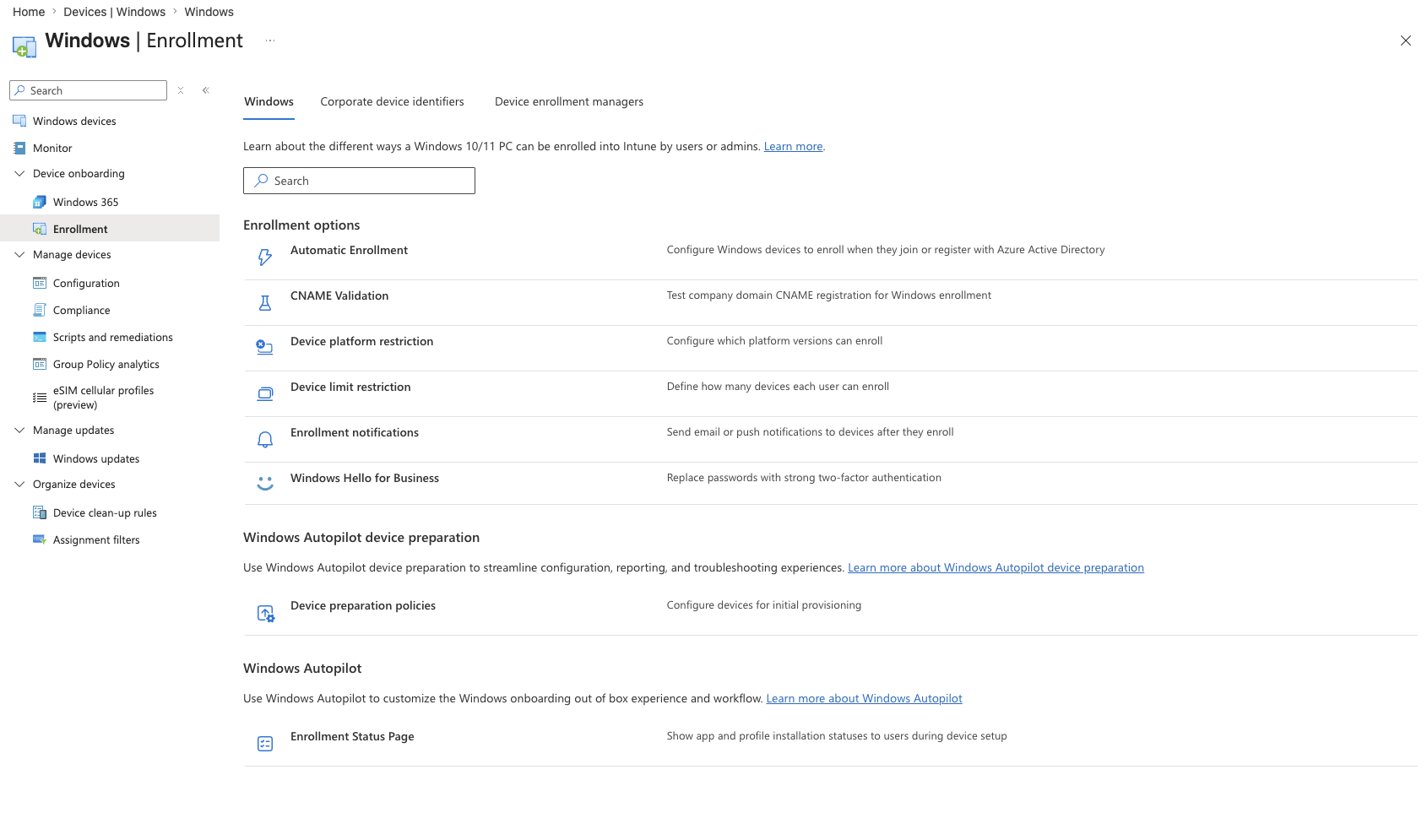
A CIS-aligned compliance policy was created covering:
- BitLocker encryption: Required
- Secure Boot: Required
- Firewall: Required
- Microsoft Defender Antimalware: Required
- Antivirus and antispyware: Required
- Minimum password length: 12 characters
- Minimum OS version: Windows 11 25H2
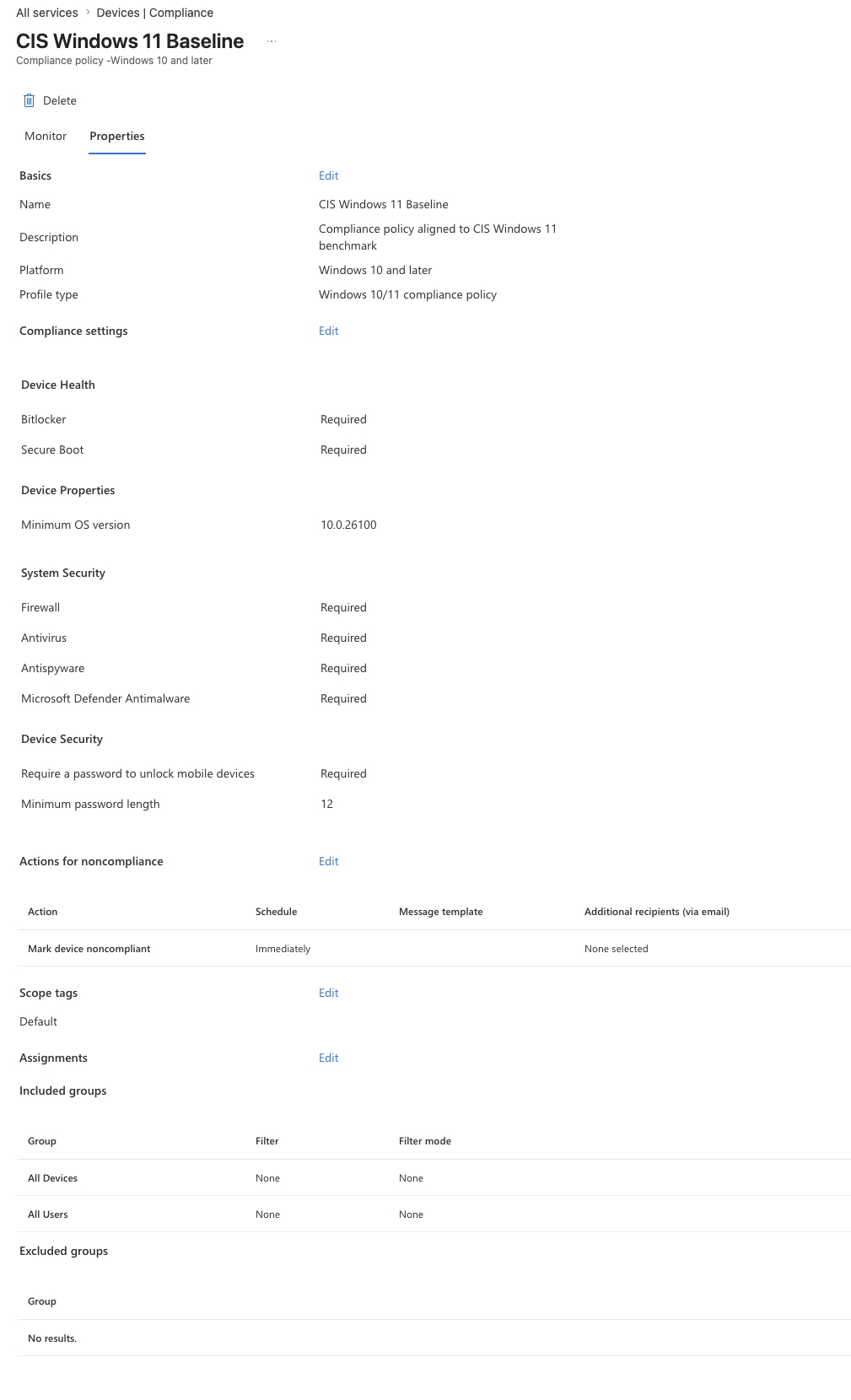
With the policy applied, non-compliant devices can be blocked from accessing organizational resources via Conditional Access — the enforcement mechanism that makes compliance policy meaningful rather than advisory.
Key Takeaways
Patching and hardening are not the same thing. A fully updated Windows 11 machine fails 74% of CIS controls. Updates fix vulnerabilities; they do not configure security policy.
One scan, every compliance framework. Wazuh’s automatic mapping of SCA findings to NIST 800-53, GDPR, PCI DSS, CMMC, and SOC 2 means a single assessment produces evidence for every audit simultaneously — operationally significant in regulated environments.
Scale changes the answer. Manually applying a security baseline to one machine takes minutes. Doing it across 10,000 endpoints requires centralized enforcement. The 49% of controls that remain after the Microsoft baseline are the reason Intune exists.
Visibility and enforcement are complementary, not redundant. Wazuh shows what is wrong. Intune enforces what should be true. Running one without the other leaves either a blind spot or an unverified assumption.