
Overview
Part 1 ended with DANEEL running daily on a Proxmox LXC, generating a briefing, and emailing it every morning. The pipeline worked. The briefings were not useful.
The first real email arrived with a list of CVEs, a recommendation to “immediately assess and address critical findings,” and zero indication of whether any of it was relevant to anything I actually run. It was exactly the kind of generic noise I built this to replace.
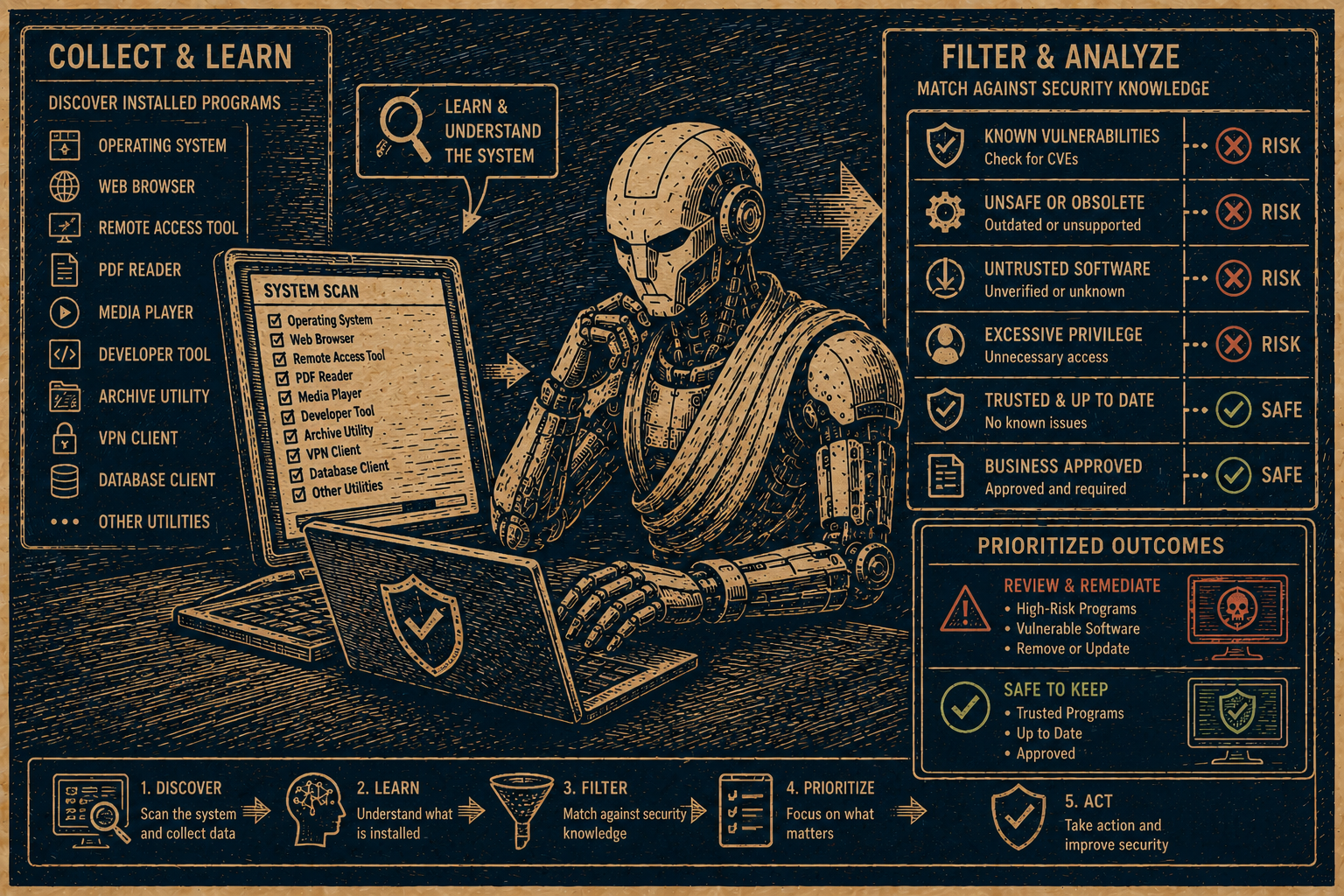
Part 2 fixes that. DANEEL now knows what software is installed on my Mac, compares CVE affected version ranges against what I have, and classifies each match as VULNERABLE, PATCHED, NO PATCH, or UNCONFIRMED. The email only sends when there is something worth acting on.
The Problem
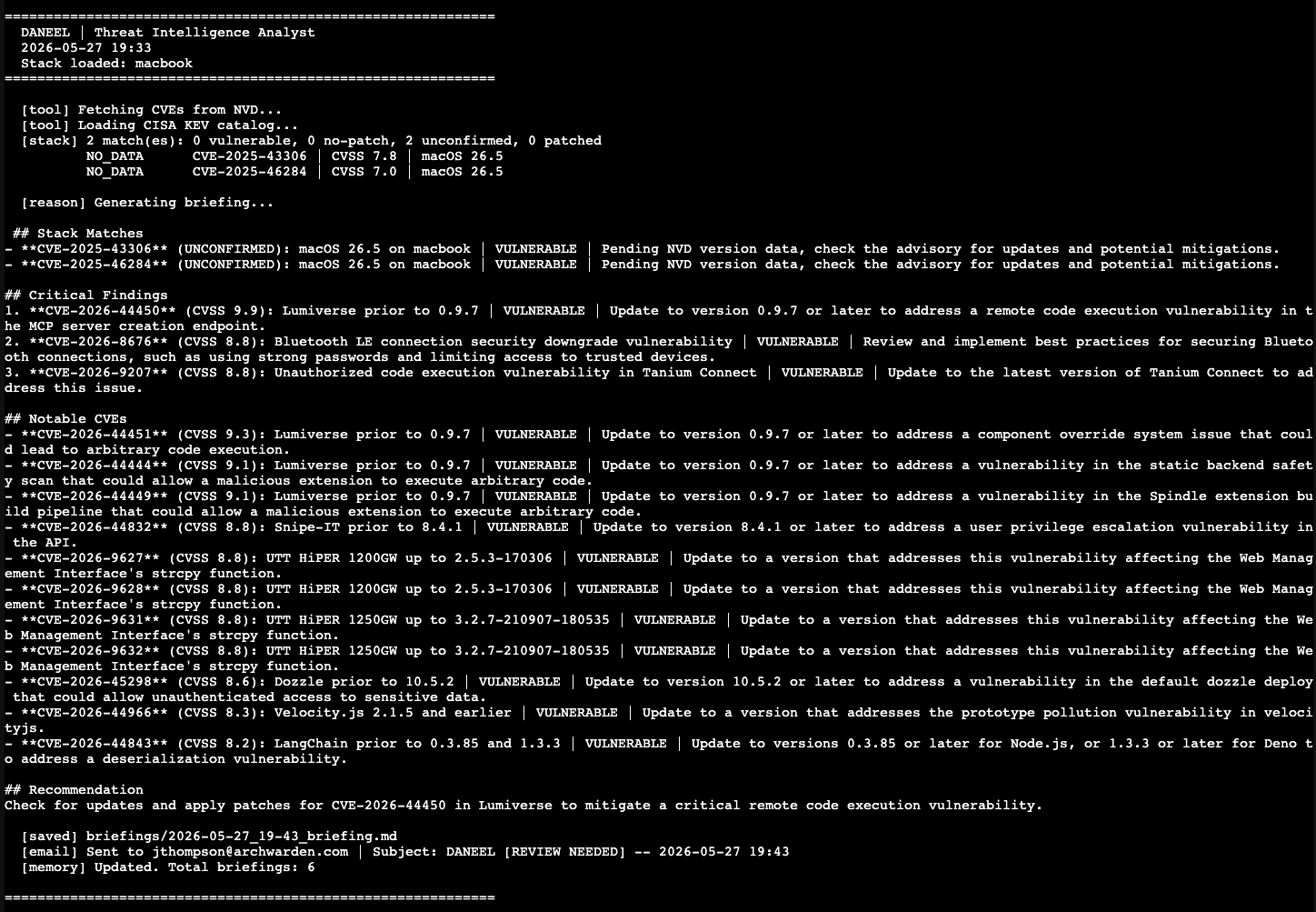
The first briefing arrived. The macOS version matched two CVEs. The recommendation was to update macOS. I was already on the latest version.
A daily email that tells you to update software you already updated is noise. After a few days of that, you start ignoring the emails — which defeats the entire point.
The fix requires three things:
- Inventory — know what software is installed and what version
- Version comparison — check whether the installed version is actually in the affected range
- Smart delivery — only send email when there is a real action to take
Building the Mac Inventory
The inventory system is built as a pluggable collector architecture. Each host type — macOS, Linux, Proxmox, TrueNAS — gets its own collector class. Adding a new host later is one entry in a config file; the agent handles the rest.
The Mac collector pulls from three sources:
sw_versfor the OS versionbrew leaves --versionsfor user-installed CLI packages (leaves only — not the full dependency tree)/Applicationsplist files for GUI apps
The brew leaves distinction matters. brew list --versions returns every package in the dependency tree — brotli, c-ares, libnghttp2, and 30 other libraries nobody cares about for CVE purposes. brew leaves returns only what was explicitly installed. That takes the list from 51 entries to 23 actionable ones.
The inventory script runs on the Mac and writes stack.json. That file gets pushed to daneel before the morning run, giving the agent a live picture of what is installed.
# brew leaves -- only user-installed packages, not their dependencies
leaves_result = subprocess.run(["brew", "leaves"], capture_output=True, text=True)
top_level = {line.strip() for line in leaves_result.stdout.splitlines()}
First Test — Two Problems Immediately
Wiring the stack into the agent and running it produced 30 matches and a briefing full of CVEs from 2021.
Problem one: 30 matches. The keyword “code” from VS Code was matching “code execution” in every RCE description. “Node” was matching network CVEs. The keyword matching was far too broad.
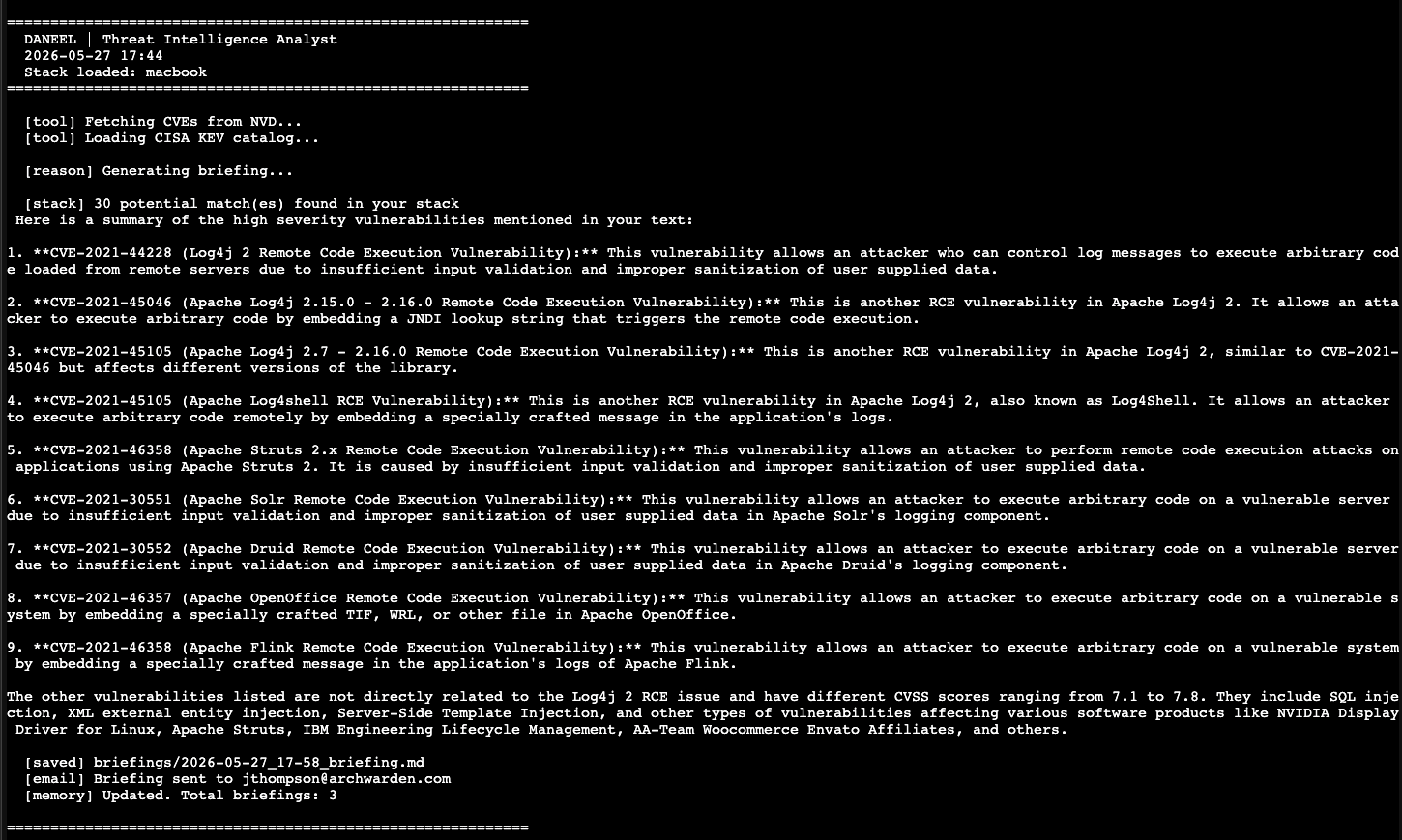
The fix: a stoplist of generic words that appear everywhere and mean nothing for matching purposes, plus a minimum keyword length of 5 characters. “code”, “node”, “manager”, “stream”, “browser” — all excluded.
Problem two: hallucinations. The briefing contained Log4j CVEs from 2021 with accurate-looking descriptions. Mistral was pulling from its training data instead of analyzing the CVE list we passed it. The system prompt needed a harder constraint:
CRITICAL: Only reference CVEs explicitly listed in the user message.
Do not add, invent, or recall CVEs from memory or training data.
After the fixes, matches dropped from 30 to 1.
The Generic Advice Problem
One match, correct CVE IDs — but the briefing read like a security awareness training module.
To mitigate these risks, it is essential to keep your software and systems up-to-date with the latest security patches and follow secure coding practices during development.
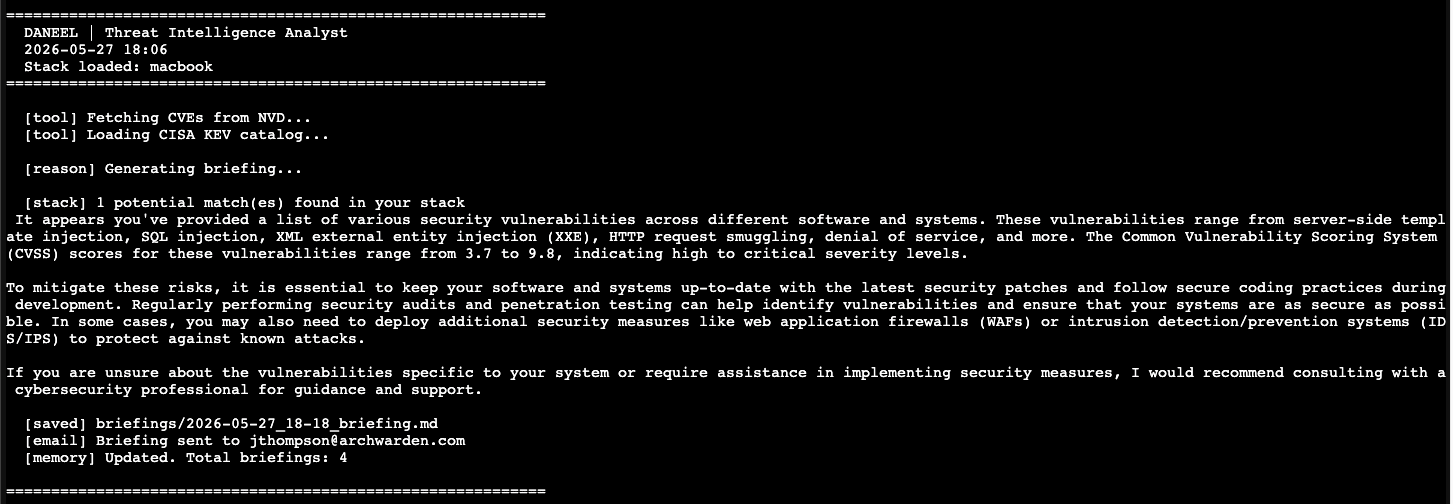
Mistral 7B tends toward this when given an open-ended prompt. The fix is to stop asking it to write prose and instead give it a rigid template to fill in. Each section specifies the exact format, line count, and what information to include. The model becomes a form-filler rather than an essayist.
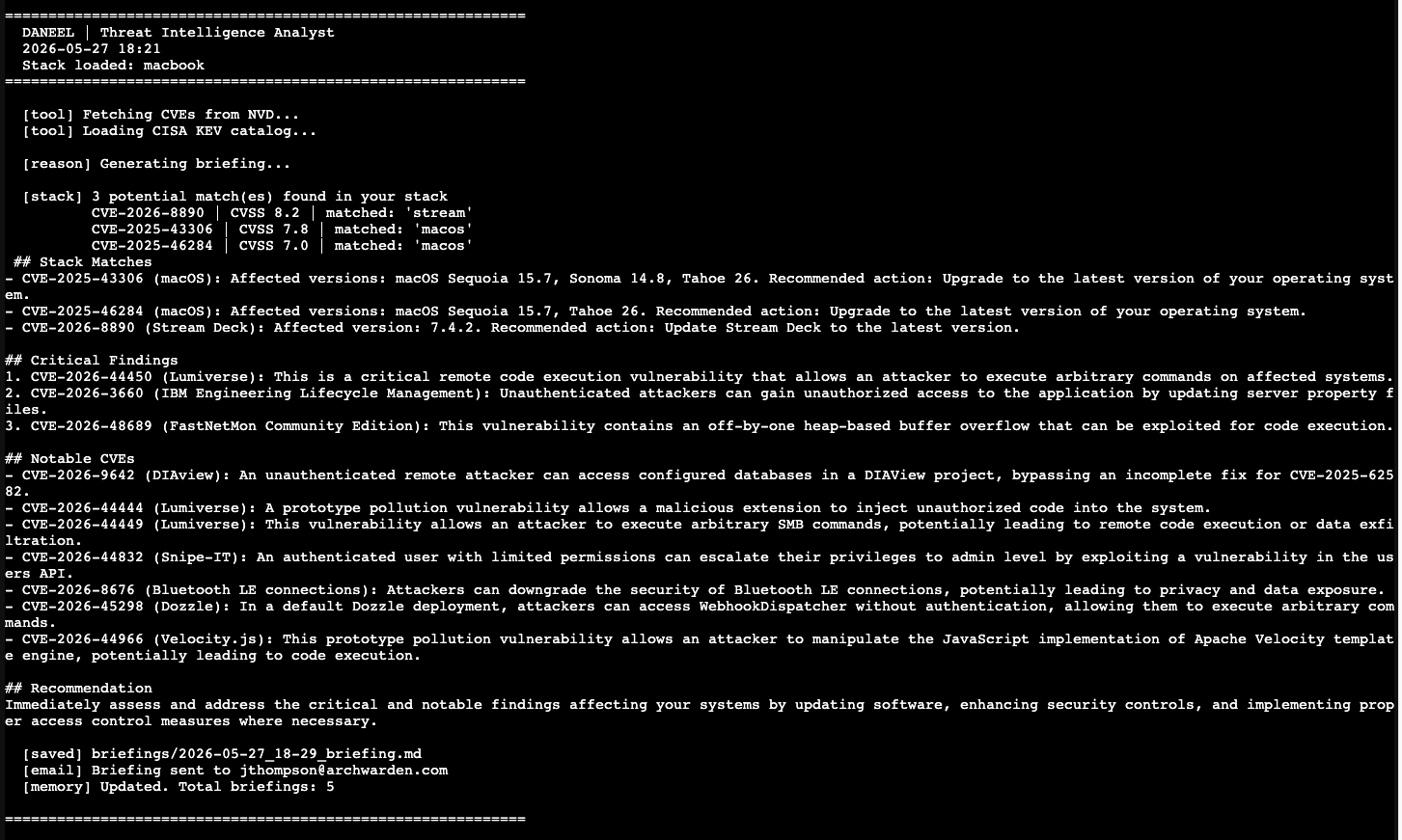
The briefing was now producing real CVE IDs with specific version numbers and actionable steps. Still not perfect — the LLM was still occasionally adding CVEs from the general list into the Stack Matches section — but the structure was working.
Version-Aware Matching
The keyword matcher tells you that a CVE mentions software in your stack. It does not tell you whether you are actually vulnerable.
NVD includes configurations data in each CVE entry with CPE (Common Platform Enumeration) records that specify affected version ranges:
{
  "vulnerable": true,
  "criteria": "cpe:2.3:o:apple:macos:*:*:*:*:*:*:*:*",
  "versionStartIncluding": "26.0",
  "versionEndExcluding": "26.5"
}
versionEndExcluding: "26.5" means 26.5 is the first safe version. If you are on 26.5, you are patched. If you are on 26.4, you are vulnerable. If there is no versionEndExcluding at all, no patch exists yet.
This produces four status values:
| Status | Meaning |
|---|---|
VULNERABLE | Your version is in the affected range. A fix exists. Update now. |
PATCHED | A fix exists and you are already on it. No action needed. |
NO_PATCH | No fix version in NVD. A patch may not exist yet. Apply mitigations. |
NO_DATA | NVD has not yet populated version ranges. Common for brand-new CVEs. Verify manually. |
The matching and classification live in a separate matcher.py module to keep the agent code clean. Adding version comparison for a new host type later means extending the matcher, not rewriting the agent.
Taking the Stack Matches Section Away from the LLM
The LLM kept adding entries from the general CVE list into the Stack Matches section even after multiple prompt revisions. Every instruction to “only include CVEs from the STACK MATCHES section above” got ignored.
I finally just decided to stop asking.
The Stack Matches section is now built entirely in Python from the classified match data. The LLM never sees it as something to write — it is already written before the LLM gets involved. The LLM only generates Critical Findings, Notable CVEs, and the Recommendation, where its analysis actually adds value.
# Stack Matches built in code -- no LLM, no hallucination possible
stack_section = self._build_stack_matches_section(partitioned)
llm_output    = self._call_llm(context, matches)

full_briefing = stack_section + "\n\n" + llm_output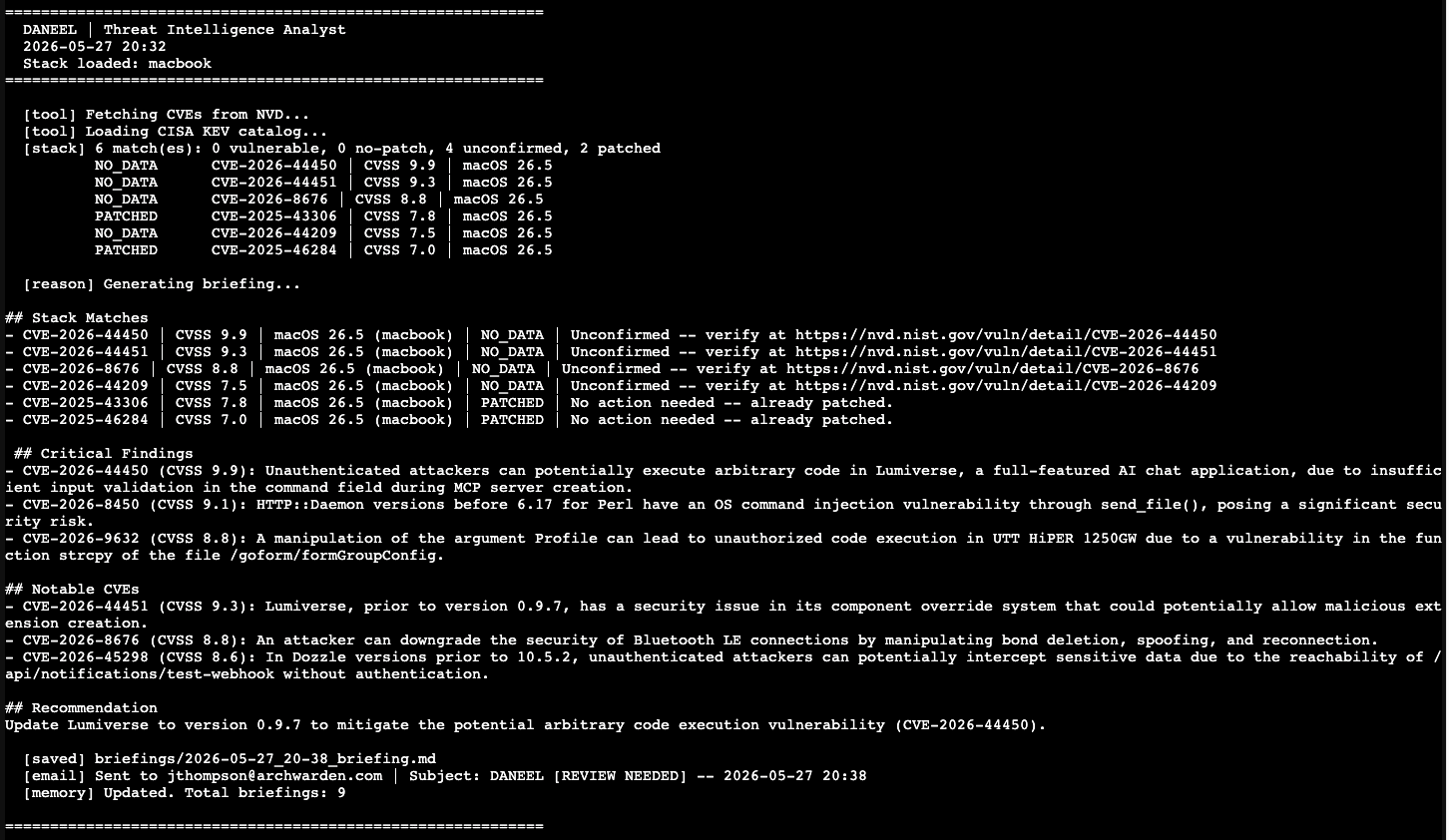
Stack Matches now contains exactly what the classifier found. Nothing else.
Platform Capability Keywords
The Bluetooth LE CVE (CVE-2026-8676, CVSS 8.8) did not match on the first pass. Bluetooth is not a piece of software in the installed apps list — it is a hardware capability of the Mac. The keyword “bluetooth” was not in the stack.
Every Mac has Bluetooth. Every Mac with Bluetooth LE is potentially affected by a Bluetooth LE CVE. The inventory system needed to account for OS-level capabilities alongside installed software.
The solution: when the host OS is macOS, the software map automatically includes capability keywords that map to the OS version for version comparison:
MACOS_CAPABILITY_KEYWORDS = [
    "macos", "mac", "apple", "safari", "webkit",
    "bluetooth", "wifi", "kernel", "thunderbolt",
    "gatekeeper", "filevault", "coreaudio",
]
All of these resolve to the macOS version for comparison. A CVE mentioning “bluetooth” in the context of macOS now correctly matches and compares against the installed macOS version.
Smart Email Logic
With version classification in place, sending an email every morning regardless of findings made no sense. The email logic now gates on status:
- VULNERABLE or NO_PATCH — send immediately. Subject:
[ACTION REQUIRED]or[NO PATCH AVAILABLE] - NO_DATA — send with
[REVIEW NEEDED]for manual verification - PATCHED only — skip the email. Save the briefing to disk, nothing to act on
- No matches — skip the email entirely
When the email arrives, it means something. A [REVIEW NEEDED] subject means look at the NVD links. An [ACTION REQUIRED] subject means update something today.
Days where everything is already patched produce no email and a saved briefing on daneel for the log.
Current State
The full stack-aware pipeline:
- Automated Mac inventory via
inventory.py— brew packages, GUI apps, OS version - Keyword matching against CVE descriptions with a curated stoplist
- Version-aware classification against NVD CPE data: VULNERABLE / PATCHED / NO_PATCH / NO_DATA
- Platform capability keywords catching OS-level CVEs (Bluetooth, WiFi, kernel, etc.)
- Stack Matches section built in code — zero hallucination risk
- LLM generates only the analysis sections where reasoning adds value
- Smart email delivery — only sends when there is something actionable
- NVD links in every unconfirmed match for direct verification
Future updates will extend inventory collection to the homelab — Proxmox, daneel, and TrueNAS — so the briefing covers the full environment, not just the Mac.
Key Takeaways
- Keyword matching without version comparison is mostly noise. Being on the latest version means most CVE matches are already resolved. The version check is what makes matches actionable
- NVD CPE data is often unpopulated for brand-new CVEs. NO_DATA is not a failure — it is accurate reporting of what the data says
- Prompt engineering has a ceiling with smaller models. When you need reliable structured output, generate it in code and only hand the LLM the sections where reasoning matters
- Platform capabilities (Bluetooth, WiFi, kernel) produce real CVEs that keyword matching on installed apps will miss. The host OS is itself a software component with a version
- A daily email that always sends trains you to ignore it. An email that only sends when something needs action trains you to read it